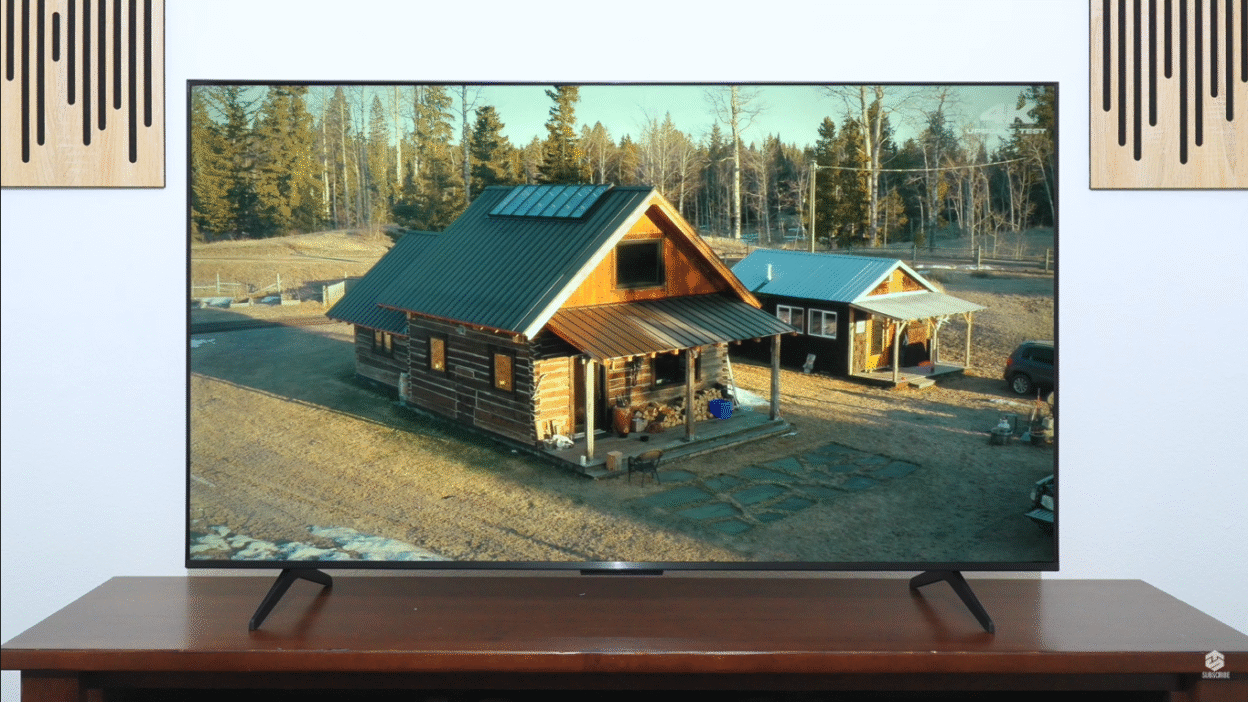
Updated on: January 2026
Looking for a high-performance TV that won’t break the bank? The TCL QM5K QD-Mini LED TV is making waves as one of the best budget TVs in 2025, offering premium features like mini LED technology, Dolby Vision, and gaming capabilities at a fraction of the cost of high-end models.
Priced as low as $349 for the 50-inch model, this TV delivers vibrant colors, impressive contrast, and smart features powered by Google TV. Whether you’re a gamer, movie buff, or casual viewer, the QM5K promises exceptional value in the competitive budget mini-LED market.
But is the TCL QM5K a good TV? In this comprehensive review, we’ll explore everything you need to know about this budget mini-LED powerhouse. Drawing from hands-on testing, expert insights from ratings.com, and real-world performance analysis, we’ll cover its features, picture quality, gaming performance, pros, cons, and whether it’s the right choice for your home.
Let’s dive into why this TV is a game-changer for budget-conscious buyers in America.
TCL QM5K: Quick Summary (U.S. Buyers)
| Feature | TCL QM5K | Best Competitor (Hisense U6K) |
|---|---|---|
| Panel Type | QD Mini-LED | Mini-LED |
| Peak Brightness | 750–900 nits | 600–700 nits |
| HDMI Ports | 1× HDMI 2.1 | 1× HDMI 2.1 |
| Gaming | 1440p/120Hz, VRR | 4K/60Hz, VRR |
| Price (U.S.) | From $349 | From $399 |
| Available Sizes | 50″, 55″, 65″, 75″, 85″ | 50″, 55″, 65″, 75″ |
Why Choose the TCL QM5K QD-Mini LED TV?
The TCL QM5K is designed for those who want premium technology without the premium price tag. With mini LED backlighting, quantum dots, and a robust Google TV interface, it competes with pricier brands while keeping costs remarkably low.
According to industry reports, TCL has grown its market share by 15% in 2024 due to its focus on affordable, feature-rich TVs. The QM5K sits as the entry point in TCL’s mini-LED lineup, positioned below the QM6K and QM7K models but offering surprising performance for its price bracket.
Here’s why the QM5K deserves your attention:
- Affordable Pricing: Starting at $349 for 50 inches, up to $649 for 75 inches—significantly undercutting competitors
- Mini LED Technology: Delivers deep blacks and enhanced contrast that outperforms standard edge-lit budget TVs
- Smart Features: Google TV with Google Cast, Apple AirPlay, and Alexa compatibility for seamless integration
- Gaming Support: Up to 144Hz motion rate and 120Hz at 1440p for smooth gameplay (on 55-inch and larger models)
- Exclusive to Best Buy: Easy availability with consistent pricing and return policies
This TV is ideal for budget shoppers who don’t want to compromise on essential features. Let’s break down its key specifications and real-world performance.
Unboxing and Setup: What’s in the Box?
The TCL QM5K comes with everything you need for a quick setup. The unboxing experience is straightforward, with standard accessories included:
- Power Cord: A computer-style plug for reliable connectivity
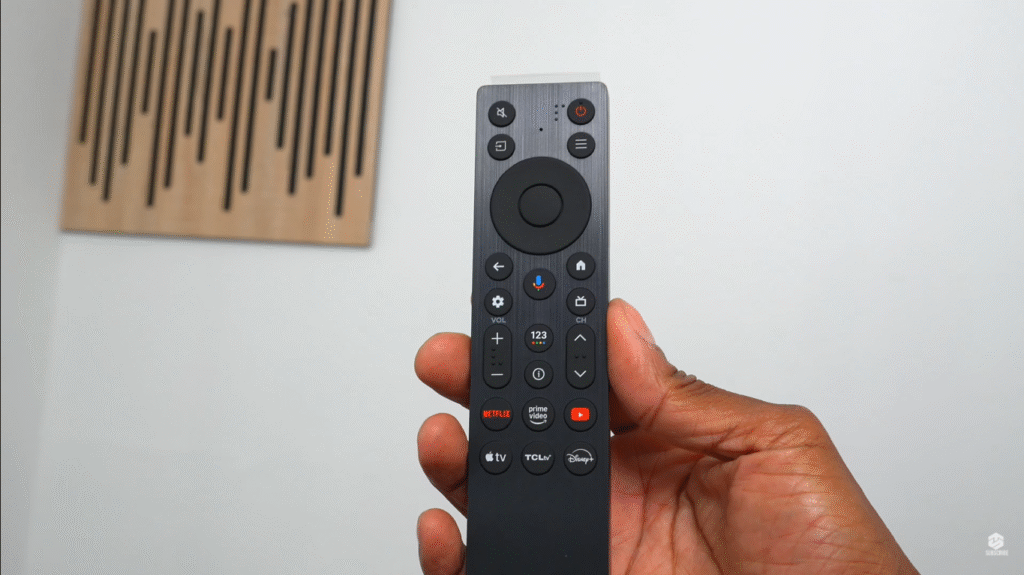
- Remote Control: Ergonomic design with Google voice command, source, menu, and hotkeys for TCL TV Plus
- Screws and Feet: Plastic feet with two screws each for easy assembly
- Zip Ties: For cable management
- Paperwork and Batteries: User manuals and batteries for the remote
The TV has a solid build, with noticeable weight indicating quality construction. The protective cardboard and screen protector ensure it arrives undamaged. Setup is simple: screw in the feet, plug in the power, and follow the on-screen Google TV prompts.
You’ll need a Gmail account and Wi-Fi or Ethernet to complete the process, which takes 5–30 minutes depending on your internet speed.
Setup Tips for Success
- Wi-Fi Credentials: Have them ready to connect quickly
- Google Account: Required for Google TV features like app downloads
- Remote Pairing: Press the home and OK buttons from 3 feet away to enable voice commands
- TCL Home App: Optional for additional control via smartphone
The Google TV interface is intuitive, supporting multiple profiles, including kid-friendly options, and allows customization with photos from Google Cloud.
Design and Build Quality: What to Expect
The TCL QM5K sports a sleek, modern design with a slightly thicker profile due to its rear subwoofers—a rare feature in budget TVs that genuinely enhances audio performance.
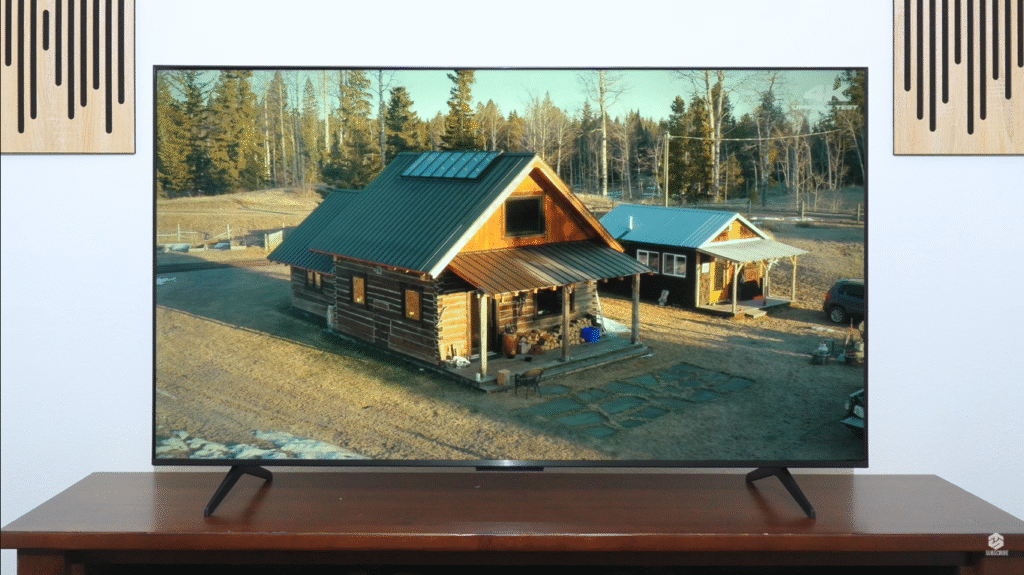
Available in 50, 55, 65, 75, and 85-inch sizes (the 85-inch was recently added to the lineup), it’s versatile for various room setups. The TV includes four screw holes for wall mounting and a premium QD-Mini LED badge, signaling its advanced technology.
Key Design Highlights
- Build Quality: Plastic chassis with slim bezels that look clean when powered off—doesn’t scream “budget TV”
- Subwoofers: Built-in rear subwoofers for enhanced audio, though this makes the TV thicker than some competitors
- Stand Options: Basic center stand design that’s functional but not adjustable
- Ports: Includes one HDMI 2.1, two HDMI 2.0, USB, Ethernet, optical output, and a TV tuner
- Anti-Glare Coating: Decent but shows some glare in bright rooms due to the glossy finish
While not as slim as OLED models, the QM5K’s build feels sturdy and well-crafted for its price point. It won’t be mistaken for a flagship, but it looks respectable in any living room setup.
Picture Quality: How Mini LED and Quantum Dots Perform
The QM5K’s mini LED technology and quantum dots deliver impressive visuals for a budget TV. With full-array local dimming (LD300), it achieves solid contrast and minimizes backlight bleed in most scenarios.
The TV supports 98% of the DCI-P3 color gamut, ensuring vibrant, natural colors that compete with more expensive models.
Key Picture Features
- HDR Support: Includes Dolby Vision IQ, HDR10 Plus, HDR10, and HLG for excellent dynamic range
- Motion Rate 240: Smooths motion for fast-paced content like sports or gaming
- Picture Modes: Vivid, Standard, Sports, Movie, Intelligent, and IMAX for tailored viewing
- PQ EOTF Tracking: Excellent tone mapping accuracy that respects creative intent
HDR Brightness Performance
According to expert testing from ratings.com, the QM5K won’t “blow your socks off” in HDR brightness. It doesn’t produce the retina-searing highlights you’d get from more expensive sets, and bright elements lack the dramatic pop of premium mini-LED TVs.
However, it’s a clear upgrade over basic entry-level TVs with no dimming at all. For the price, HDR looks controlled and accurate, even if it never really goes over the top. Midtones still look good and natural, making it suitable for most viewing scenarios.
Black Levels and Local Dimming Quality
The main reason to choose the QM5K over TCL’s older edge-lit models is its mini LED backlight. Black levels are genuinely good when the content is simple. With a few bright objects on a dark background, you get deep, convincing blacks and a strong sense of contrast that looks much closer to high-end TVs than the price suggests.
The catch? Precision. The dimming algorithm isn’t as surgical as what you get on pricier mini-LED models, so you’ll see:
- Halos around captions and bright objects on dark backgrounds
- Busy night scenes can look a bit messy if you’re actively looking for artifacts
- Motion dimming issues: The TV has trouble keeping up with fast motion during dimming, so the edge of a bright object can end up darker than it should be with a faint trailing halo behind it
Still, you’re getting real local dimming and pretty deep blacks at a price where most TVs either skip dimming entirely or look much worse in dark scenes.
Performance Across Content Types
4K Content: Sharp and clean, with no jagged edges. Perfect for streaming Netflix, Disney Plus, or YouTube in native 4K. During testing, the QM5K excelled with 4K content, displaying crisp details and natural colors in movies like Brave on Disney Plus.
1080p Content: Upscales well overall, though upscaling is just “okay” according to expert analysis. You’ll have a hard time making out some fine details in upscaled content, and macro blocking from low bit-rate sources remains visible.
720p and Below: Shows some jaggedness, less ideal for low-resolution sources. Not recommended for extensive viewing of older content.
HDR and Dolby Vision: The interesting aspect is that despite brightness limitations, HDR tone mapping accuracy is excellent. It follows the brightness curve the content creator intended very closely. In a calibrated dark room, midtones and near-black details look right in terms of level. If you care more about respecting creative intent than chasing the brightest possible HDR, that accuracy is a real plus.
The TV handles blooming decently, with minor edge issues during credits or dark scenes. Dirty screen effects and clouding are minimal, though slight blotchiness was noticed on one side during gray-level tests.
Color Performance and Viewing Angles
Color performance is fine but unremarkable. In HDR color spaces, the QM5K has trouble fully saturating greens and reds. Both SDR and HDR accuracy out of the box are just okay—you can improve that with calibration, but if you’re expecting class-leading color volume, this isn’t the TV for that.
The VA panel means narrow viewing angles. The image loses brightness and saturation quickly as you move off to the side. On a narrow couch where everyone is close to center, it’s not a big deal. On a wide sectional where some seats are way off-axis, those sitting on the edges will see washed out color and lifted blacks.
SDR Performance and Reflections
For standard SDR viewing, the QM5K delivers a more consistent performance than it does in HDR. It can handle direct glare from nearby lamps and windows, and large bright scenes like a hockey game stay bright rather than collapsing.
Reflections are the mixed part. The screen has a glossy finish and the coating doesn’t do much to tame mirror-like reflections from direct light sources. There’s also a little haze which spreads light slightly and can make bright objects across the room a bit more distracting.
The upside? Ambient light has very little impact on black levels. Once you position the TV so it’s not facing a bare window, it looks solid in SDR during the day. Place it carefully and you’re fine. Put it directly opposite a big window and you’ll be chasing reflections just like you would on most budget glossy sets.
Gaming Performance: A Budget Powerhouse with Caveats
Gamers on a budget will find the QM5K’s gaming features compelling, but there are important distinctions to understand based on which size you choose.
Critical Gaming Note: 50-Inch Limitation
The 50-inch model doesn’t support TCL’s Game Accelerator, so it’s locked to 60Hz at all resolutions. If you’re a PC gamer or care about high frame-rate modes on console, you’ll want to opt for the 55, 65, 75, or 85-inch models, which can reach 120 or 144Hz with lower resolution signals.
Gaming Highlights
- 4K at 60Hz: Smooth on Xbox and PlayStation 5, with Dolby Vision gaming support
- 1440p at 120Hz: A rare feature for budget TVs, ideal for PC gaming (55-inch and larger only)
- 144Hz Motion Rate: Available at 1080p for maximum smoothness (55-inch and larger only)
- Frame Counter: Displays real-time performance metrics
- Low Input Lag: Ensures responsive gameplay with minimal delay—your controller actions feel tightly synced to the screen
- Full VRR Support: Reduces tearing for smoother gaming
- Game Master Mode: Provides low latency, variable refresh rate, and HGIG support for optimized HDR gaming
Is the TCL QM5K 120Hz? (The Gaming Truth Explained)
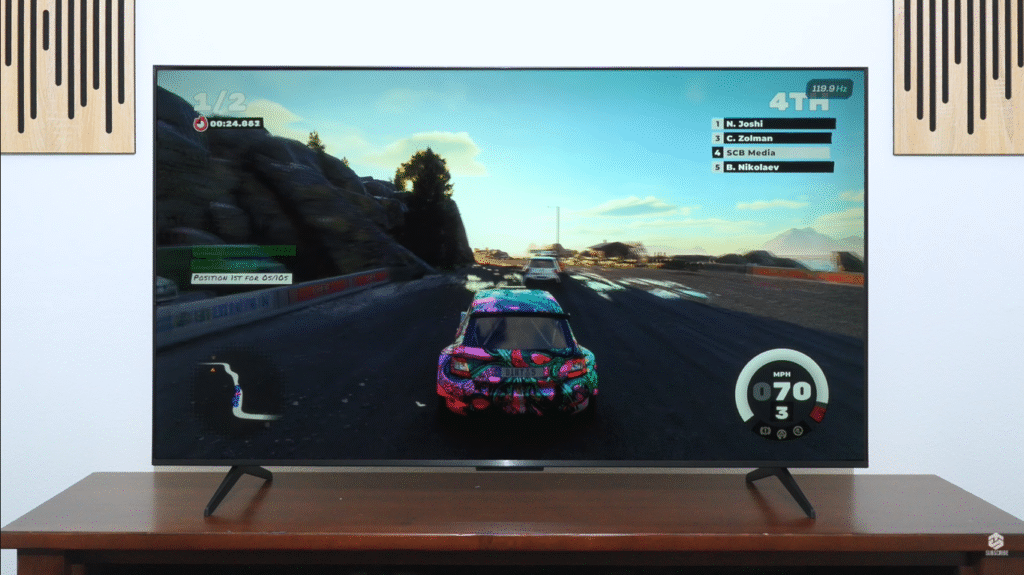
The TCL QM5K features a native 60Hz panel, but it utilizes Game Accelerator 120 technology (on 55-inch and larger models). This allows the TV to achieve 120Hz at 1440p resolution by cutting the vertical resolution in half.
For Console Gamers: It supports VRR (Variable Refresh Rate) but is capped at 4K @ 60Hz. This means you won’t get the full next-gen console experience that supports 4K @ 120Hz.
For PC Gamers: You can force 1440p @ 120Hz for a significantly smoother experience than standard budget TVs offer—making this an excellent value proposition.
Gaming Performance Trade-Offs
Testing with Dirt 5 showed vibrant, natural colors and smooth motion, making the QM5K a strong contender for casual gamers. However, there are real trade-offs to consider:
Major Issue – Game Mode Brightness Drop: When you switch to the dedicated Game Master mode, brightness in HDR drops significantly and contrast gets a bit worse. The brightness loss is so large that experts actually suspect it to be a firmware bug. As of this review, HDR games look noticeably flatter in Game Master than in Movie mode, especially in darker scenes.
Near-Black Response Time: Sluggish near-black response means you can see some smearing in dark transitions, even though overall motion is acceptable for a 60Hz panel.
Bottom Line: It’s not a true 4K 120Hz TV, so competitive gamers seeking the absolute best performance may want to look at the QM6K or save up for higher-tier models. But for the price, it’s hard to beat for casual gaming.
Audio Quality: Subwoofers Make a Real Difference
The QM5K’s 2.1 audio system, complete with rear subwoofers, delivers surprisingly robust sound for a budget TV—a genuine standout feature at this price point.
While labeled as Dolby Atmos, it’s virtual Atmos due to the two-speaker setup, so don’t expect true immersive surround sound.
Audio Performance
Strengths:
- Punchy bass from subwoofers that most budget TVs can’t match
- Clear dialogue that remains intelligible even during action scenes
- Decent volume for small to medium rooms
- Balanced sound with enhanced bass across multiple audio modes
Weaknesses:
- Lacks true Atmos immersion and overhead sound
- High frequencies could be sharper
- External soundbars are still recommended for larger spaces or audiophiles
Audio Menu Options: Standard, Movie, Music, Voice, Game, and Intelligent modes, plus custom options for surround sound, bass enhancement, and dialogue clarity.
Connectivity: Supports Bluetooth headphones, optical output, and external subwoofers for easy expansion.
Testing with music and movie clips revealed balanced sound with enhanced bass, though high frequencies could be sharper. For budget buyers, the audio is a step above typical flat-panel TVs and may eliminate the immediate need for a soundbar purchase.
Smart Features: Google TV at Its Best
Powered by Android 12 with 8.5GB of internal memory, the QM5K’s Google TV platform is a standout feature that elevates the user experience significantly.
Key Smart Features
- Voice Control: Google Assistant for search and navigation
- Casting: Supports Google Cast, Apple AirPlay, and HomeKit for Siri control
- Customization: Ambient mode with AI art or photo displays
- App Integration: Pre-install apps like Netflix, YouTube, and Disney Plus with a single click
- Multiple Profiles: Including kid-friendly options with content restrictions
- TCL’s Free Content Tab: Access to free streaming content
The interface is responsive overall, with minor lag during heavy app use—processing is generally “middle of the road” according to expert testing. The TCL Home app adds smartphone control, while Alexa compatibility requires the TCL app for setup.
Gradient handling in HDR is mediocre, with banding showing up in many shades, especially greens. It’s not disastrous, but if you’re sensitive to gradation issues, you’ll notice it more than on higher-end TCL models.
Pros and Cons of the TCL QM5K
| Feature | Pros | Cons |
|---|---|---|
| Price | Starts at $349, incredible value | Limited to Best Buy exclusive |
| Picture | Vibrant colors, solid contrast, minimal blooming, excellent tone mapping | Not bright enough for well-lit rooms, some haloing |
| Gaming | 120Hz at 1440p, low latency, Dolby Vision gaming, VRR | No 4K 120Hz, brightness drops in Game Mode, 50″ model lacks Game Accelerator |
| Audio | Subwoofers enhance bass, clear dialogue | Virtual Dolby Atmos, not true surround |
| Smart Features | Google TV, voice control, casting | Minor lag in menu navigation |
| Build | Solid construction, clean design | Thicker profile, glossy screen shows reflections |
| Panel | Deep blacks in simple scenes | Narrow viewing angles, sluggish near-black response |
Who Should Buy the TCL QM5K?
The QM5K is perfect for:
- Budget-Conscious Buyers: Those seeking premium features under $650 who want the best value in mini-LED
- Casual Gamers: Gamers happy with 1440p 120Hz or 4K 60Hz performance who don’t need competitive-level specs
- Streaming Enthusiasts: Viewers who prioritize smart features, app access, and content variety
- Small to Medium Rooms: Ideal for darker environments or rooms where brightness isn’t critical
- Movie Lovers: Those who value accurate tone mapping and respecting creative intent over pure brightness
- First-Time Mini-LED Buyers: Anyone curious about mini-LED technology without the premium investment
Who Should Skip the QM5K?
Consider other options if you need:
- A brighter TV for very sunny rooms with lots of windows
- True 4K 120Hz gaming for next-gen consoles
- Wide viewing angles for large sectional seating
- The absolute best color accuracy out of the box
- Professional-grade local dimming precision
If these are priorities, consider models like the TCL QM6K (better gaming), TCL QM7K (overall upgrade), or Hisense U6K (slightly brighter), though they all cost more.
Comparison: TCL QM5K vs. Competitors
TCL QM5K vs. Hisense U6K
| Feature | TCL QM5K | Hisense U6K |
|---|---|---|
| Price (55-inch) | $379 | $399 |
| Display Type | Mini LED | Mini LED |
| Refresh Rate | 60Hz (144Hz motion rate) | 60Hz |
| HDR Support | Dolby Vision IQ, HDR10 Plus | Dolby Vision, HDR10 |
| Gaming Features | 120Hz at 1440p, VRR | VRR, ALLM |
| Smart Platform | Google TV | Google TV |
| Audio | 2.1 with subwoofers | 2.0 |
Winner: The QM5K edges out the Hisense U6K with better audio and comparable gaming features at a lower price. However, the U6K is slightly brighter in most scenes and is the stronger gaming pick if you value higher refresh rates at 4K.
TCL QM5K vs. Samsung Q60C
| Feature | TCL QM5K | Samsung Q60C |
|---|---|---|
| Price (55-inch) | $379 | $549 |
| Display Type | Mini LED | QLED |
| HDR Support | Dolby Vision IQ, HDR10 Plus | HDR10 Plus (no Dolby Vision) |
| Gaming | 120Hz at 1440p, VRR | VRR, ALLM |
| Smart Platform | Google TV | Tizen |
| Audio | 2.1 with subwoofers | 2.0 |
Winner: The QM5K offers better value with mini-LED contrast, Dolby Vision support, and superior audio. The Samsung Q60C is brighter with QLED but lacks Dolby Vision and costs significantly more.
TCL QM5K vs. TCL QM6K (Upgrade Option)
Compared to the QM6K, the QM5K is a step down for gaming but very similar otherwise. The QM6K keeps the same mini-LED concept but ups the native refresh rate to 144Hz at 4K and offers more advanced gaming features along with slightly better out-of-the-box accuracy.
Critically, the QM6K doesn’t lose any of its HDR brightness in game mode, unlike the QM5K. If you care about gaming performance and can stretch your budget, the QM6K is the nicer overall package. But if gaming isn’t your priority, the QM5K is basically just as good for a noticeably lower price.
TCL QM5K vs. TCL QM7K (Premium Upgrade)
The QM7K is a full step up over the QM5K, but it belongs in a totally different price bracket. It offers:
- Significantly better local dimming with reduced haloing
- Brighter highlights on dark backgrounds
- Much brighter overall in HDR and SDR
- Supports up to 144Hz at 4K and 288Hz at lower resolutions
- Superior gaming performance across the board
In other words, it fixes most of the QM5K’s weaknesses at a much higher price. If you’ve got the budget, it’s a fantastic upgrade, but it’s not competing with the QM5K on value.
TCL QM5K vs. Hisense U65QF (Close Competition)
Compared to the Hisense U65QF, the differences are small but meaningful. The Hisense is slightly better overall:
- Brightness: A bit brighter in most scenes, so bright highlights stand out better in HDR
- Gaming: Stronger gaming pick because it supports higher refresh rate at 4K
- Tone Mapping: However, PQ EOTF tracking is way worse, so it doesn’t respect creative intent as well
- Price: Tends to cost a little more
Bottom Line: If you care more about extra brightness and high-refresh gaming, the Hisense makes sense. If you want to respect the content creator’s intent and you’re fine with 4K at 60Hz, the QM5K is the smarter value.
Yes, for budget buyers seeking mini-LED performance. It offers mini LED technology, Dolby Vision, solid gaming features, and excellent tone mapping at an unbeatable price starting at $349. It’s the best cheap TV with local dimming you can buy right now if advanced gaming isn’t your top priority.
Not ideal. The QM5K performs best in medium or dark rooms. If you have a very bright living room with lots of windows, you may find highlights lacking impact and reflections distracting. Consider positioning the TV away from direct window glare or investing in window treatments.
The QM5K offers better value with superior audio (built-in subwoofers), comparable brightness, and similar gaming capabilities at a lower price. The Hisense U6K is slightly brighter and better for gaming at 4K, but costs more and has worse tone mapping. Choose the QM5K for value, the U6K for slightly better performance.
Final Verdict: The Best Budget Mini-LED TV for Your Money
The TCL QM5K QD-Mini LED TV proves you don’t need to spend thousands for a feature-packed viewing experience. With vibrant colors, deep blacks in simple scenes, solid gaming performance, and a user-friendly Google TV platform, it’s a standout choice for budget shoppers in 2025.
What Makes It Great
- Genuine mini-LED performance at entry-level pricing
- Excellent tone mapping that respects creative intent
- Strong gaming features for casual players (on 55-inch and larger)
- Superior audio with built-in subwoofers
- Full Google TV ecosystem with smart home integration
Where It Falls Short
- HDR brightness doesn’t compete with premium models
- Game Mode brightness drop (possible firmware bug)
- Haloing and dimming precision issues in complex scenes
- Glossy screen shows reflections in bright rooms
- Narrow viewing angles typical of VA panels
The Bottom Line
While it lacks the brightness of premium models and true 4K 120Hz gaming, the QM5K’s value is genuinely unmatched at $349–$649. It’s exactly what most people want from an entry mini-LED: deep blacks, excellent tone mapping, enough SDR brightness for most rooms, and solid input lag with VRR support.
Whether you’re streaming Avatar on Disney Plus, racing in Dirt 5, or setting up a smart home hub, the QM5K delivers where it counts. For budget buyers who don’t need the absolute brightest TV or competitive gaming specs, this is the best cheap TV with local dimming you can buy right now.
Just remember: skip the 50-inch model if gaming matters to you, position it away from direct window glare, and temper your HDR brightness expectations. Do that, and you’ll have an excellent TV that punches well above its weight class.
Final Rating: 8.5/10 – Best Budget Mini-LED TV of 2025


