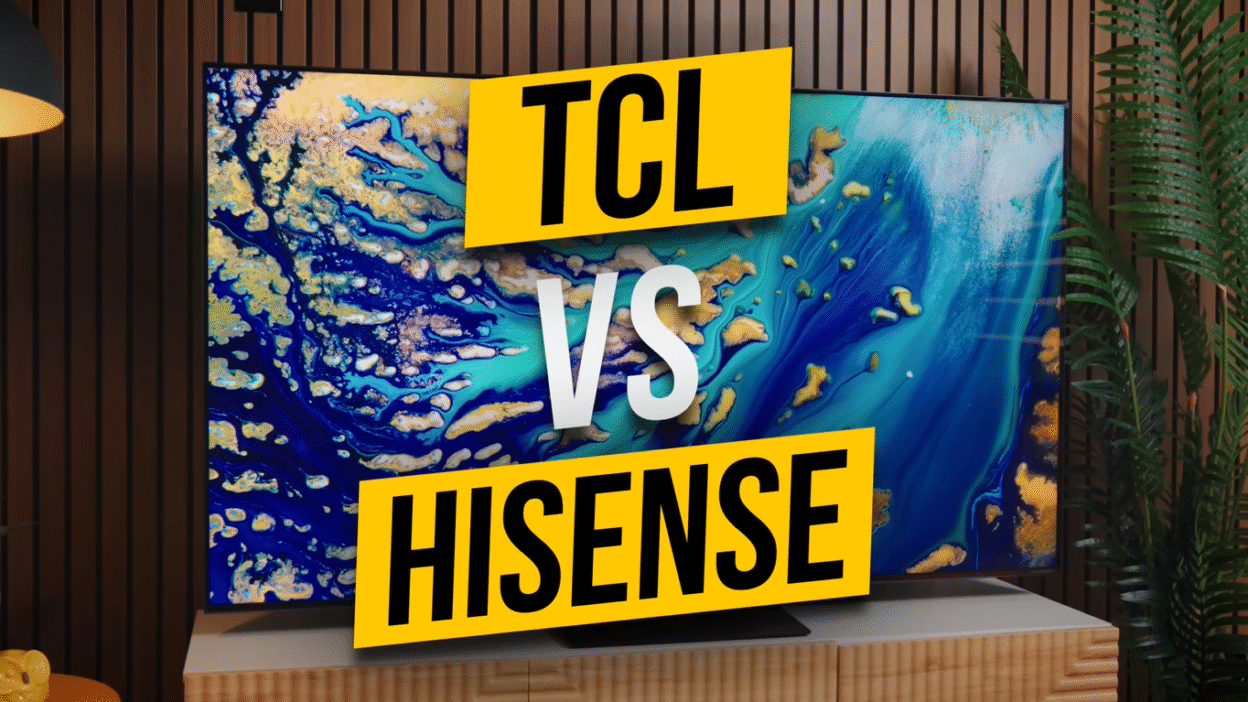
The Bottom Line: I returned a $1,500 Hisense U8QG for a $1,000 TCL QM7K despite the Hisense being brighter, better for gaming, and having superior sound. And I’d make that decision 10 out of 10 times. Here’s why.
TL;DR TCL vs Hisense: Which Should You Buy?
Buy the TCL QM7K if:
- You watch TV mostly at night in a dark room
- You want the best picture quality for the money ($1,000-$1,300)
- Local dimming and shadow detail matter more than raw brightness
- You’re willing to sacrifice one HDMI 2.1 port for better image quality
Buy the Hisense U8QG if:
- You watch TV during the day in a bright room with windows
- You need maximum brightness (3,300-4,000 nits real-world)
- You want three HDMI 2.1 ports (two consoles + soundbar)
- You prioritize gaming features (165Hz, FreeSync Premium Pro, 12ms input lag)
The One Question That Decides Everything: What time of day do you actually watch your TV?
That’s it. That’s the deciding factor. Answer that, and the choice makes itself.
Introduction I Was So Confident I Was Going to Love This TV
Look, with what I do reviewing tech, buying the wrong TV shouldn’t happen. And I was so confident about the Hisense U8QG. I did all my research. I love the brand. The specs looked incredible. The reported brightness was insane.
I was all in.
But after 3 weeks, I packed it up and returned it for its competitor the TCL QM7K, which didn’t get quite as bright, was worse for gaming, and had worse sound. But it cost $500 less.
And here’s the kicker: even if you removed those savings, I would still make that decision 10 out of 10 times.
But there is one specific scenario where I would completely reverse that decision and tell you to spend the extra money on the Hisense.
So today, we’re talking about TCL versus Hisense two brands that are embarrassing TVs twice their price in that $500 to $2,000 range where most people are actually shopping.
By the end of this, you’ll know exactly which one belongs in your living room.
The TV I returned is Hisense U8QG ($1,400-$1,500)
When the Hisense U8QG showed up at my door, I was pretty excited. Hisense has been dramatically improving its lineup every single year. The U8N mini-LED from last year? I really liked that TV.
This year’s U8QG claimed 5,000 nits of peak brightness. Which sounds completely fake, like marketing department fake.
Real-world testing showed 3,300 to 4,000 nits, depending on settings. Still extremely bright. That’s OLED-level brightness, and OLEDs cost twice as much.
My Living Room Setup: If you’ve watched my videos before, you know my living room gets insanely bright. South-facing windows. Sun pouring in from 11 AM to 4 PM. Reflections on everything.
The U8QG seemed perfect for this. And when I turned it on, I was really impressed.
What I Loved at First:
- Colors were vibrant
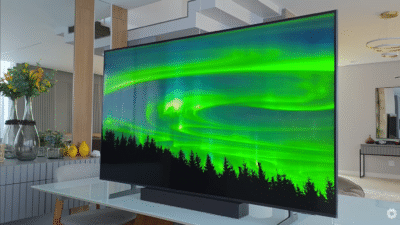
- Brightness cut through every reflection
- Documentaries, Dune, HDR clips everything looked bright and punchy
- This thing was clearly a beast for bright rooms
Gaming Performance:
- 165Hz refresh rate
- FreeSync Premium Pro
- 12ms input lag (responsive, smooth)
- Three HDMI 2.1 ports (two consoles + soundbar, no switcher needed)
This was Hisense finally getting really good at what they used to be pretty mediocre at. For years, Hisense was hit or miss. Priced well, but performance was a mixed bag depending on the model and year.
But Hisense has been stacking wins lately. My first impressions of the U8QG were actually really good.
Then I started watching it at night.
The Problem It Was Too Bright
This was a first for me with TVs. I had to turn the TV’s brightness down twice for two different reasons:
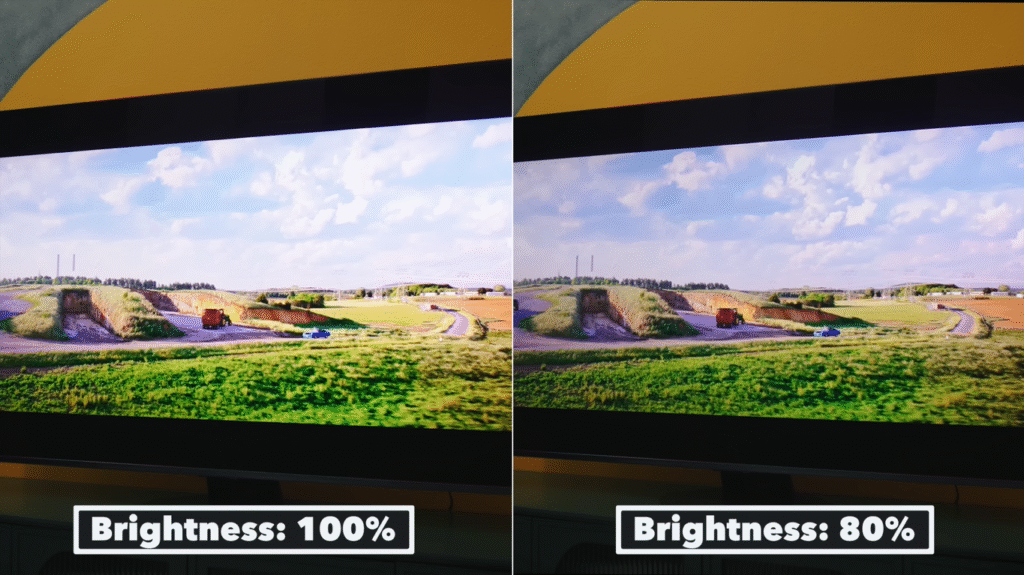
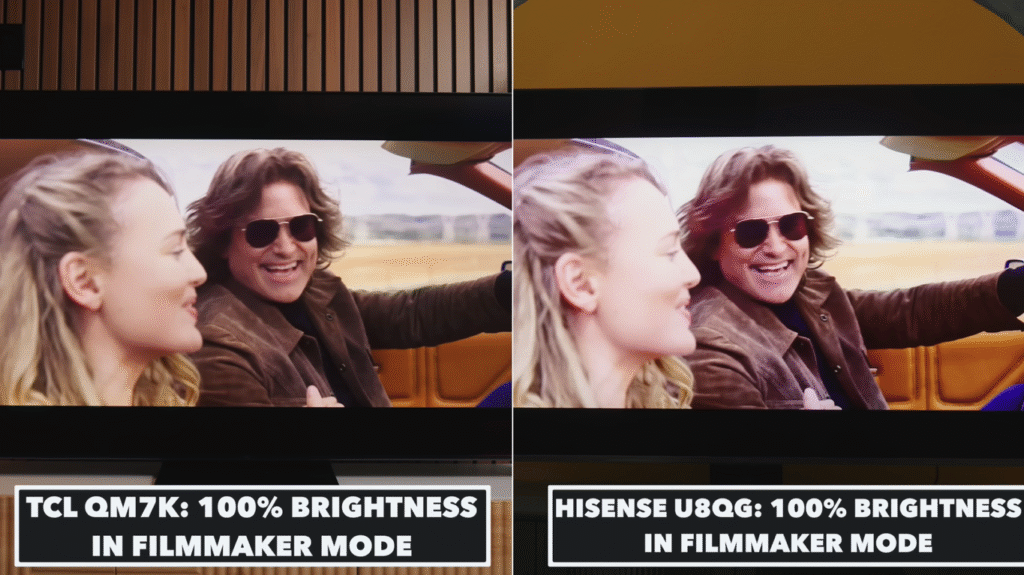
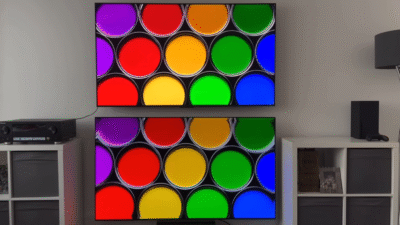
Reason #1: It Was Actually Too Bright I was watching at 100% brightness, even in Filmmaker Mode. With all the lights off, it felt a tad too bright for my taste. That’s the first time that’s ever happened to me when testing TVs.
Reason #2: Lost Highlight Detail When everything was cranked to the max, it was losing a lot of detail in really bright highlights. Those specular highlights (like sunlight glinting off metal, or bright explosions) were just blown out.
Setting the brightness down to about 80% helped the TV feel more balanced and recovered a lot of that highlight detail.
The Irony: That same brightness that was a huge advantage during the day started becoming a problem at night.
I know how ridiculous it is to complain about a TV that’s “too bright.” We reviewers have been shouting from our soapboxes telling TV companies we need brighter and brighter sets. And when they finally give us what we’ve been asking for, we start complaining about it too.
We’re pretty insufferable that way.
The Internal Struggle: If you primarily watch TVs in super bright rooms, you’re going to love all that extra brightness headroom. Just don’t push it too hard or you’ll lose highlight detail.
But internally, something bugged me about leaving the TV at 80% brightness. By just about every objective measure, this is a really great TV:
- Vibrant, punchy picture
- Great design
- Good port selection
- Great gaming features
- Great processing
It was just too bright for my needs.
So yeah, I reluctantly packed up the Hisense U8QG and returned it. And instead picked up a TV that, at least on paper, was worse but saved me $500.
The TV I Kept TCL QM7K ($1,000-$1,300)
Walking into this purchase, I knew the TCL QM7K just wasn’t going to be as bright as the Hisense. On paper, it loses that battle pretty clearly.
Specs:
- Claims 3,000 nits peak brightness
- Real-world testing: close to 2,500 nits sustained
That’s not dim by any measure, but it’s certainly more dim than the 4,000 nits the Hisense was putting out. But it was bright enough for my room and I think for most people’s rooms.
The Compromise: The QM7K only has two HDMI 2.1 ports instead of three. That was a pretty big annoyance because I was looking forward to not using a switcher (I have a soundbar and two consoles).
But I figured if the image quality was better in ways that matter to me, I’d just have to deal with it.
First Impressions: Almost immediately after I turned on the QM7K, I thought, “Well, I guess I’m going to have to sit here and just deal with it.”
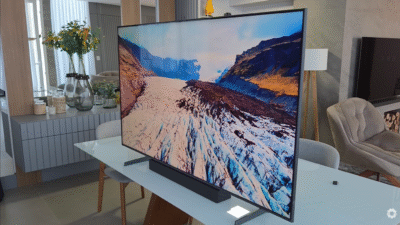
Because the image looked absolutely amazing straight out of the box.
What Made the Difference:
- Whole image felt more balanced
- Colors were vibrant
- Contrast was really great
- Lots of detail in specular highlights (not blown out)
- Really good shadow detail (deep blacks without crushing)
TCL’s Hidden Superpower Local Dimming Algorithms
Here’s where I think TCL’s hidden superpower comes into play: their local dimming algorithms.
What Are Local Dimming Zones? Sections of the TV’s backlight that can dim independently from one another. Higher dimming zones means better contrast and more precision. That’s how you get deep blacks sitting right next to bright highlights without glow spilling over.
What Are Local Dimming Algorithms? How a company uses those dimming zones to create contrast. These algorithms are unique between TV manufacturers. Not all dimming zones are created equal.
The Numbers:
- TCL QM7K (65-inch): ~1,000 local dimming zones
- Hisense U8QG (65-inch): ~2,000 local dimming zones
The Hisense has twice the dimming zones. On paper, it should win.
But in person, the shadows and contrast looked better on the TCL.
Why? Partially because the TCL doesn’t have the raw brightness power. But also because TCL’s local dimming algorithm is superior. They’re giving better image quality in ways you can’t always express on a spec sheet.
On Paper:
- Hisense U8QG: More nits, more dimming zones, more ports
- But sometimes more doesn’t equal better. It just equals more.
In Practice:
- TCL QM7K: Processor felt smoother, motion looked cleaner, nothing felt like it was trying too hard
- Just a balanced image that didn’t call attention to itself
The Lesson: Spec sheets don’t always reveal the whole truth. You need to see these sets in person if you want the best sense of what will work for you.
The One Question You Need to Answer Before Buying
I mentioned it earlier, but during the day, my living room is a complete nightmare. South-facing windows, sun pouring in, reflections on literally everything.
That’s largely why I watch TV mostly at night.
I mean, also, I have a toddler. Sometimes after school, the TV gets hijacked by Danny Go. If you know, you know.
But I do occasionally watch TV during the day football games on weekends, stuff like that. It’s seasonal and not very often.
Here’s the one question you need to answer before you buy any TV:
What time of day do you actually watch your TV?
It seems like such a simple and obvious observation. You would think most people would think about these things. But you’d be surprised how many don’t.
If You Watch TV at Night (Dark Room): Just save the money and get the TCL QM7K. It’s got:
- Great contrast
- Better local dimming algorithm
- Amazing image quality for around $500 less
And if you’re gaming in that dark room, TCL’s better motion handling and deeper blacks are going to make everything look better, especially in darker games.
If You Watch TV During the Day (Bright Room): The Hisense U8QG is the way to go. That brightness isn’t just a marketing gimmick. It’s solving a real problem. For daytime gaming or sports, that extra brightness keeps everything punchy and vibrant, even when you can’t control the light.
If You Do Both: It comes down to which one you do more. I’m primarily a night watcher, so TCL was the obvious choice. If I watch it during the day, I can just draw the curtains.
But if I was somebody who watched TV primarily during the day and almost never at night, I would absolutely have gone with the Hisense.
It really is that simple.
Pricing Let’s Talk Real Numbers
All of this sounds great in theory, but you need to know what you’re actually spending.
TCL QM7K (65-inch):
- MSRP: $1,299
- Sale price: $1,000-$1,100 (depending on time of year)
TCL also offers higher-end models (QM8K, QM9K), but you’re getting into OLED-level pricing with those. The QM6K sits below the QM7K but loses some brightness.
The QM7K sits in that sweet spot for value and performance.
Hisense U8QG (65-inch):
- MSRP: $2,200
- Typical sale price: $1,400-$1,500
- Best price seen: $1,099 (during major sales)
If you’re leaning towards the Hisense, do NOT pay full MSRP. Wait for a sale because they happen all the time.
Note: The Hisense U8N mini-LED from last year is also excellent. If you want a Hisense but don’t need the U8QG’s sheer brightness, the U8N might be the best bet. Price-for-performance is incredible.
Full Specs Comparison
FeatureTCL QM7KHisense U8QGPrice (65")$1,000-$1,300$1,400-$1,500Peak Brightness2,500 nits3,300-4,000 nitsLocal Dimming Zones~1,000~2,000Refresh Rate120Hz165HzHDMI 2.1 Ports23Input Lag~14ms~12msVRR SupportYes (FreeSync)Yes (FreeSync Premium Pro)Smart PlatformGoogle TVGoogle TVAudio2.2 ch, Dolby Atmos4.1.2 ch, Dolby AtmosBest ForDark room viewingBright room viewing
TCL QM7K vs Hisense U8QG Head-to-Head
Brightness Winner: Hisense U8QG The Hisense is significantly brighter. If you watch during the day in a bright room, this matters. A lot.
Contrast & Local Dimming Winner: TCL QM7K Despite having half the dimming zones, TCL’s algorithm produces better shadow detail and more natural contrast.
Gaming Winner: Hisense U8QG 165Hz refresh rate, three HDMI 2.1 ports, 12ms input lag, FreeSync Premium Pro. The Hisense wins on paper and in practice for competitive gaming.
Motion Handling Winner: TCL QM7K Smoother, cleaner motion during action scenes. Better for movies and casual gaming.
Audio Winner: Hisense U8QG 4.1.2-channel system with 72W output (65-inch model). Bombastic sound. TCL’s 2.2 system is fine, but Hisense wins.
Value Winner: TCL QM7K $500 less for image quality that’s arguably better where it counts (local dimming, shadow detail, balanced picture).
Viewing Angle Winner: TCL QM7K Better off-axis viewing. Hisense uses ADS Pro panels on some sizes (55″, 75″, 100″) for better angles, but VA panels (65″, 85″) suffer.
Why These TVs Embarrass More Expensive Options
Both the TCL QM7K and Hisense U8QG are punching way above their weight class.
What You’d Pay for Similar Performance:
- Sony BRAVIA 8 OLED: $2,000+ (65-inch)
- LG C4 OLED: $1,800+ (65-inch)
- Samsung QN90F QLED: $1,600+ (65-inch)
The TCL and Hisense deliver mini-LED brightness (which beats OLED in bright rooms) with near-OLED contrast for half the price.
Why They’re So Good:
- Mini-LED backlighting (thousands of tiny LEDs for precision)
- Quantum dot color (vibrant, accurate colors)
- Google TV smart platform (best interface available)
- Aggressive pricing (Chinese brands competing hard)
If you’re shopping in the $500-$2,000 range, TCL and Hisense are the smartest buys. Period.
Other Models to Consider
TCL QM8K ($1,599-$2,199): Flagship model. Brighter than QM7K, better color volume, better audio. Worth it if you can afford it.
Hisense U8N ($1,199-$1,399): Last year’s model. Still excellent. If you want Hisense but don’t need U8QG brightness, this is the sweet spot.
TCL QM6K ($799-$999): Budget option. Loses some brightness compared to QM7K. Still good value if you’re on a tighter budget.
Hisense U7QG ($799-$999): Entry-level mini-LED. Good for casual viewing, but lacks the punch of U8QG.
Final Verdict Which One Should You Buy?
After all that, here’s the main reason I wanted to talk about this: it’s becoming increasingly common that the right TV isn’t just about the features.
It’s about things you don’t always think about:
- How companies are finessing algorithms
- Getting the most value for what you actually need
- Your room, your viewing habits, your budget not just specs on a website
The Hisense U8QG is legitimately a better TV for bright rooms. The TCL QM7K is a better TV for dark rooms.
They’re just built for different environments.
Once you know your environment, the decision makes itself: day or night, bright or dark.
Answer that, and you’ll know which one you need to buy.
Good thing for you: You got this lesson for free in a blog post. You didn’t have to go out and spend $1,500 by mistake like I did.
My Personal Choice: TCL QM7K. I’m a night watcher. The better local dimming, shadow detail, and $500 savings sealed the deal.
If I watched primarily during the day? Hisense U8QG, no question.
It depends on your room. TCL QM7K has better local dimming algorithms and shadow detail for dark rooms. Hisense U8QG has higher brightness for bright rooms. Both are excellent brands offering great value.
The Hisense U8QG is significantly brighter (3,300-4,000 nits vs 2,500 nits). If you watch TV during the day in a bright room, Hisense wins. For night viewing, TCL’s brightness is more than enough.
Let me know in the comments which one you’re interested in and why, or what other TVs you’re looking at. If this helped you, hit that subscribe button I’m trying to make it to a million. And while you’re down there, hit the like button so more people can avoid making the same expensive mistake I did.