After a full week of real-world testing—streaming content, gaming, multitasking, and yes, watching Sunderland beat the Mags 1-nil on repeat—the OnePlus Pad Go 2 proves that budget-friendly doesn’t have to mean budget quality. But is it the right tablet for you? Let’s dive deep into what makes this 12-inch slate tick, and where it occasionally stumbles.
At a Glance: Quick Verdict
Rating: 4/5 Stars
Pros:
- Excellent battery life (12+ hours mixed use)
- Bright, crisp 12.1-inch display with 120Hz refresh rate
- Solid build quality for the price
- Clean Oxygen OS 16 experience
- Strong quad-speaker audio
- Stylus support now included
Cons:
- Face unlock is frustratingly unreliable
- Auto-rotate and auto-brightness need work
- Gaming performance inconsistent on demanding titles
- No IP rating for water/dust resistance
- Slow 33W charging
Best For: Students, content consumers, casual gamers, and anyone seeking a reliable large-screen tablet without breaking the bank
Price: Starting around $300-$350 (watch for early bird offers)
Design & Build Quality: Premium Feel, Budget Price
First Impressions Matter
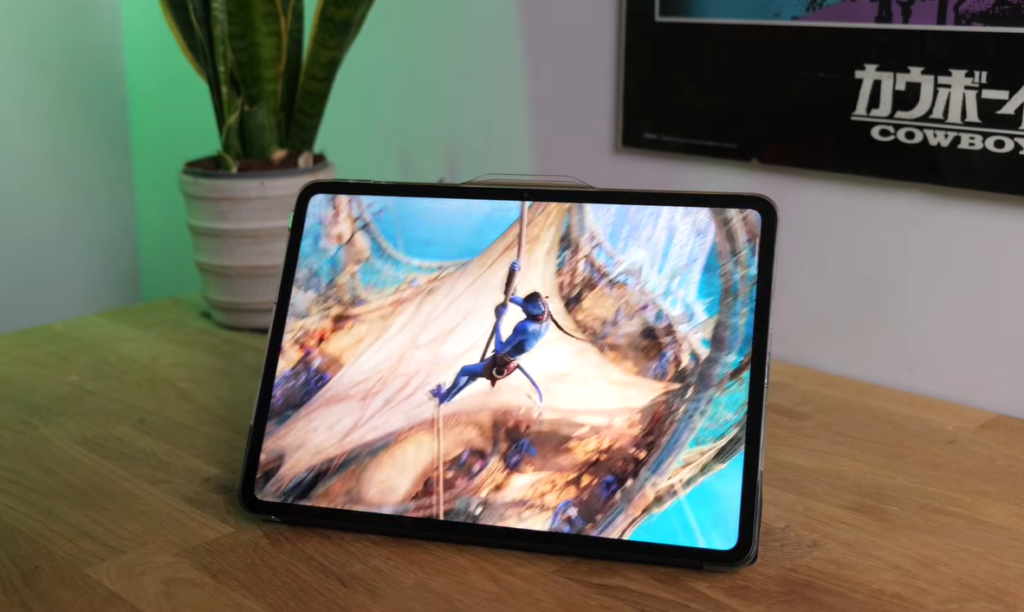
Right out of the box, the OnePlus Pad Go 2 doesn’t scream “budget tablet.” The 12-inch form factor feels substantial without being unwieldy, and the design language is refreshingly clean and modern.
Construction & Materials
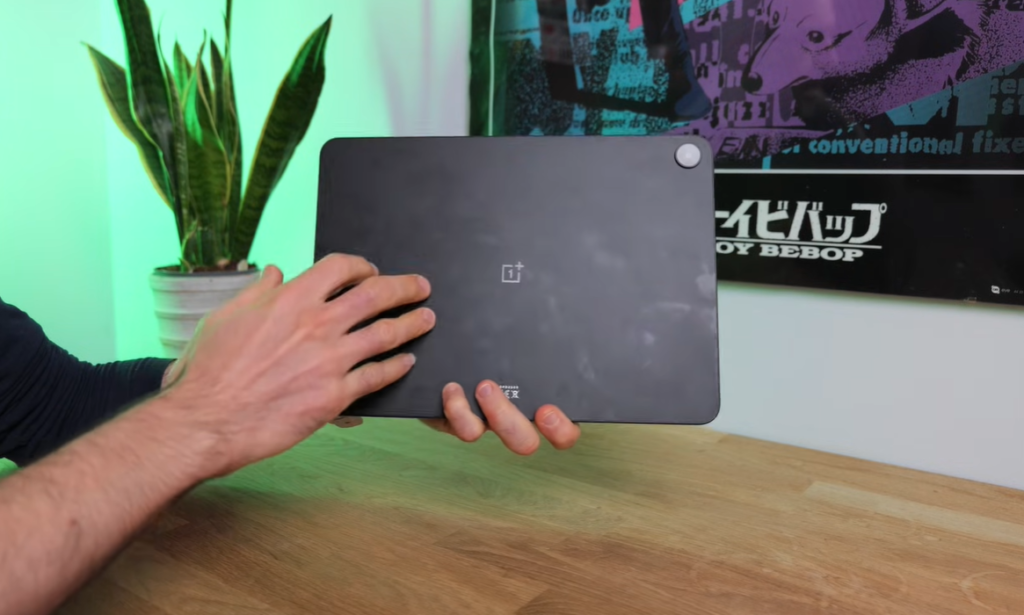
Frame & Back: Plastic frame with a matte finish back panel. While not as premium as aluminum, it feels solid and durable in hand. The matte coating does pick up fingerprints rather easily (especially if you’ve had a buttery breakfast), but a quick wipe-down sorts that out.
Weight & Dimensions:
- Weight: Just under 600g
- Thickness: 6.8mm
- Size: 12.1-inch display
The weight is fairly standard for a 12-inch tablet—not exactly lightweight, but manageable for extended use. The slim 6.8mm profile helps it feel more premium than its price suggests.
The Bezel Situation
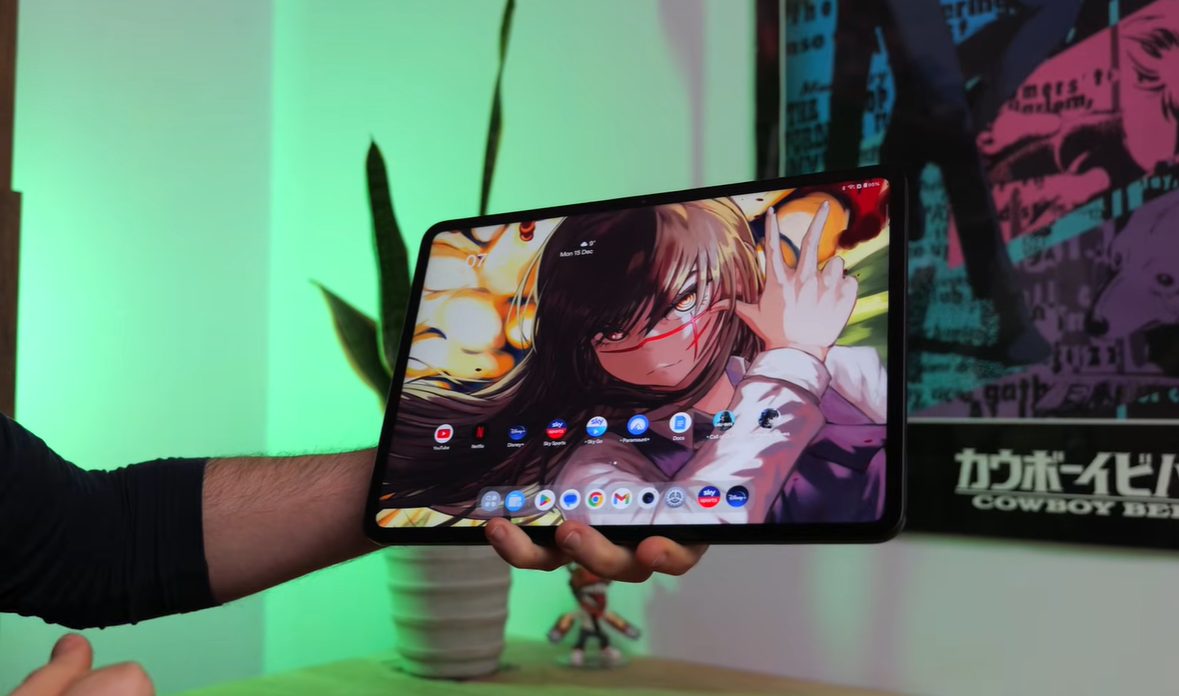
Here’s where things get slightly tricky. OnePlus has equipped the Pad Go 2 with skinny bezels surrounding the display, which looks fantastic and modern. However, this creates a practical problem: if your thumb strays even slightly onto the screen while holding it, the display becomes completely unresponsive.
Solution: You’ll need to perfect your grip technique. The recommended “thumb shelf” method—resting your thumbs on the very edge of the bezel—works well once you get used to it.
Color Options
- Lavender Drift: A subtle, sophisticated lavender tone
- Shadow Black: The classic all-black option
Official Folio Case: Functional But Flawed
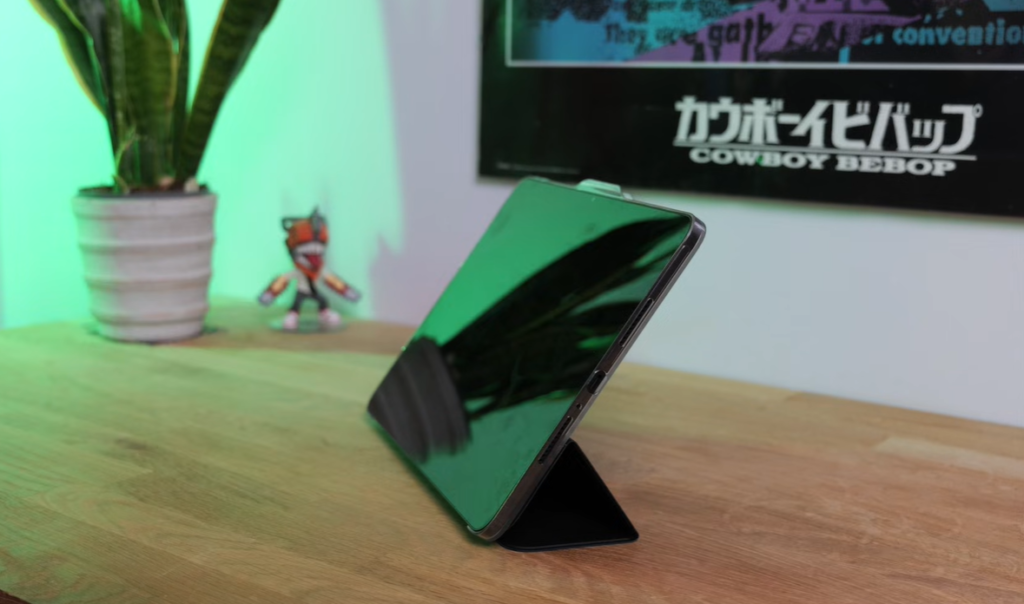
OnePlus offers an official folio case that’s… adequate. Here’s the breakdown:
What Works:
- Protects the screen when traveling
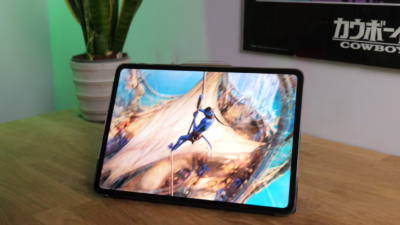
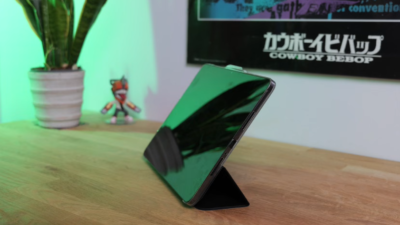
- Transparent ridged back allows you to prop up the tablet
- Magnetic attachment is secure
What Doesn’t:
- Single viewing angle only (can’t adjust)
- Screen wobbles when you touch it in stand mode
- The Toblerone-style folding mechanism is easy to mess up
- Occasionally collapses “in a drunken heap”
Quirky Auto-Rotate Issue: If you have auto-rotate enabled, every time you wake the tablet, it defaults to portrait mode. This means you constantly need to reorient it, which gets annoying fast. Recommendation: Just disable auto-rotate entirely.
No IP Rating
As expected for an affordable tablet, there’s no official IP rating for water or dust resistance. Keep it away from pools, beaches, and that questionable bathroom shelf.
Display: Bigger, Brighter, Better
Screen Specifications
- Size: 12.1 inches (up from the original Pad Go)
- Resolution: 2800 × 1980 pixels (284 PPI)
- Aspect Ratio: 7:5
- Panel Type: LCD (not OLED)
- Refresh Rate: 30-120Hz (adaptive)
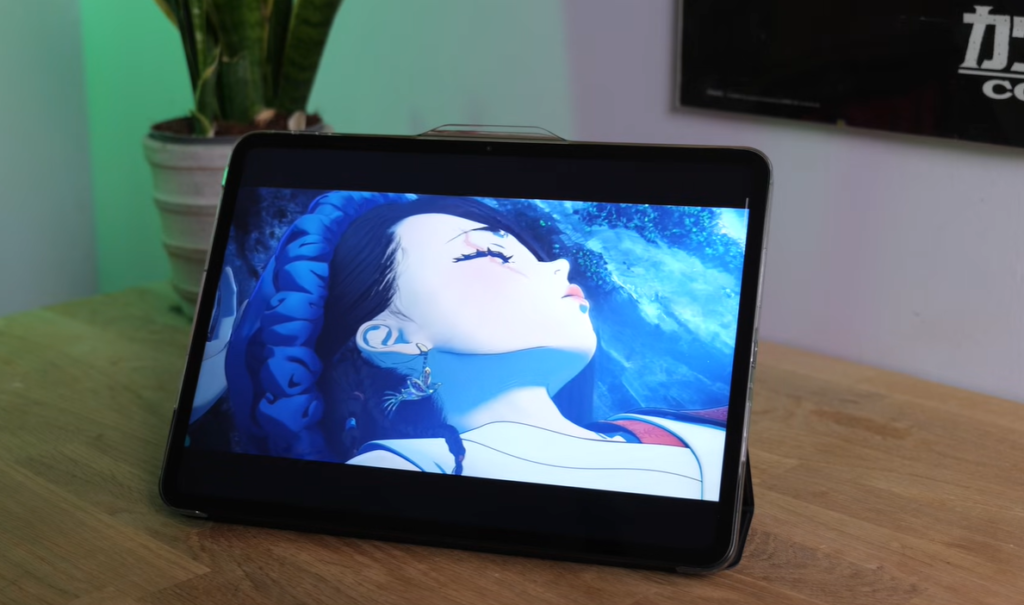
- Peak Brightness: Just under 1,000 nits (High Brightness Mode)
- HDR Support: Dolby Vision
Real-World Performance
Sharpness: The 284 PPI isn’t supremely crisp by flagship standards, but it’s sharp enough for all practical uses—reading, streaming, browsing, and gaming all look great.
Brightness: This is a significant upgrade from the first-generation Pad Go. Hitting nearly 1,000 nits means you can comfortably use this tablet outdoors or by bright windows. However, the screen is highly reflective with no anti-glare coating, so direct sunlight can still create visibility issues.
Color & Contrast: Despite using LCD technology instead of OLED, the contrast is surprisingly good. Colors are reasonably lively, and Dolby Vision support in Netflix and other streaming apps ensures HDR content looks excellent.
Refresh Rate: The upgraded 30-120Hz adaptive refresh rate (up from 90Hz on the previous model) makes scrolling and navigation feel incredibly smooth. The system intelligently scales the refresh rate based on content, balancing smoothness with battery efficiency.
Content Consumption Experience
Streaming: The 7:5 aspect ratio is excellent for multitasking and reading in portrait mode. However, cinematic content (16:9 movies) suffers from chunky letterboxing unless you zoom in, which crops the edges noticeably.
Reading: Portrait mode is perfect for books and articles, with the taller aspect ratio providing a natural reading experience.
Productivity: The aspect ratio works brilliantly for split-screen multitasking, giving you more vertical space for documents and apps side by side.
The Auto-Brightness Problem
Unfortunately, the auto-brightness feature is “about as smart as Siri”—meaning not very. It frequently sets the brightness far too dim, making the display difficult to see. Manual brightness adjustment is the way to go here.
Audio: Quad Speakers That Actually Deliver
Speaker Configuration
The OnePlus Pad Go 2 features a quad-speaker setup that punches well above its price class.
Sound Quality:
- Volume: Nice and loud—usable even in rowdy households
- Bass: Could be a little better, but adequate for a tablet
- Clarity: Perfectly fine for YouTube, Netflix, and casual media consumption
- Separation: Good stereo separation enhances the viewing experience
Real-World Use: You won’t need headphones unless you’re in an extremely noisy environment or prefer isolated listening.
Headphone Jack: Missing in Action
Like most modern tablets, there’s no 3.5mm headphone jack. You’ll need to use Bluetooth or USB-C audio.
Bluetooth Audio:
- Full support for LDAC and aptX HD
- Connection stability is solid
- No complaints about audio quality or latency
Performance: MediaTek Power Meets Everyday Needs
Hardware Specifications
- Chipset: MediaTek Dimensity 7300 Ultra
- RAM: 8GB
- Storage: 128GB or 256GB options
- Expansion: MicroSD card slot (up to 1TB)
Real-World Performance
Everyday Tasks: The Dimensity 7300 Ultra handles everything you’d typically do on a tablet with ease:
- Smooth navigation through Oxygen OS
- Effortless multitasking with multiple apps
- Quick app launches
- Fluid split-screen operation
- Responsive touchscreen input
Multitasking: Running multiple apps side by side—streaming Spotify while browsing and taking notes—causes no slowdown or stuttering.
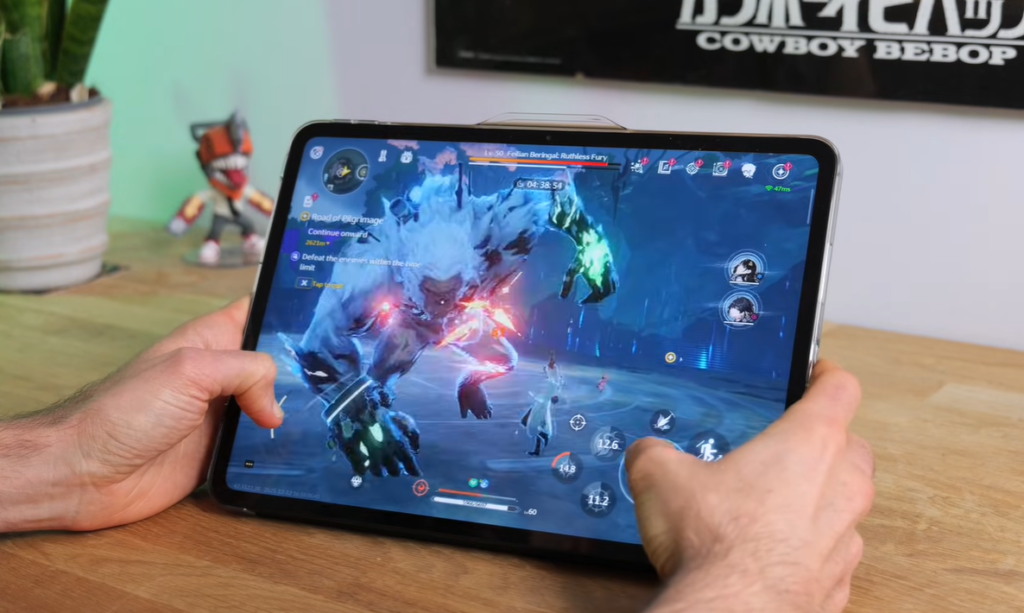
Gaming Performance: Mixed Results
Casual Gaming: Call of Duty Mobile, PUBG, and similar titles run perfectly fine with no complaints.
Demanding Games: This is where the Pad Go 2 shows its budget roots. Testing with Genshin Impact revealed:
- Inconsistent frame rates
- Occasional juddering
- Visual glitches (purple and blue cliffs/fields)
- Best results on lower graphics settings
Gaming Battery Life: Approximately 5.5 hours of continuous gaming on lower settings before the battery drains.
Missing Feature: The Oxygen OS Game Assistant feature is absent from this tablet, which is a disappointment for gamers who rely on performance optimization tools.
Recommendation: If you’re a serious mobile gamer, consider spending more on a tablet with beefier specs. For casual gaming, this works fine—especially with a Bluetooth controller.
Software: Clean, Current, and Capable
Oxygen OS 16 on Android 16
OnePlus ships the Pad Go 2 with the latest Oxygen OS 16 built on Android 16, ensuring you’re starting with the freshest software experience.
OS Updates: While OnePlus didn’t explicitly confirm pre-launch, expect 3-4 years of OS updates and security patches—pretty solid for a budget tablet.
Bloatware: Refreshingly Minimal
Unlike some competitors that stuff tablets with promotional apps and services, the Pad Go 2 keeps things clean. You’ll find minimal pre-installed apps (LinkedIn being one of the few), making it feel like your device from day one.
User Experience
Interface: Oxygen OS feels fluid, responsive, and intuitively laid out. It’s similar to stock Android but with thoughtful refinements.
Notification System: Separate notification center and control center. On tablets, the control center feels slightly cramped over to one side, but it’s functional.
Multitasking Features
Split Screen Mode: Swipe down with two fingers anywhere to instantly enter split-screen mode. Open any app alongside what you’re already viewing, and easily adjust which app gets more screen real estate by swiping left or right.
Open Canvas: Drag apps to the side of the screen to keep them accessible but out of sight. Tap to bring them back instantly when needed.
Floating Windows: Run apps in resizable floating windows for maximum flexibility.
Quick Share: Seamlessly send and receive files with other Quick Share-compatible devices.
OnePlus Ecosystem Integration: If you own a OnePlus smartphone, you can easily pair devices, mirror apps, and share content between them.
AI Features: Present But Not Pushed
The Pad Go 2 is “stuffed to the tits with AI,” including:
- Google Gemini integration
- Circle to search functionality
- Various AI-powered features
Most users will interact primarily with Gemini and circle-to-search, while other AI features remain available but not intrusive.
Cameras: Functional for Video Calls, Nothing More
Front Camera (8MP)
Video Calls: Absolutely fine for Zoom, Teams, Google Meet, and similar platforms. The 1080p Full HD recording is standard for budget tablets—not impressive, but adequate.
Microphone Performance: The mic does an excellent job picking up your voice even when the tablet is propped up at a distance or when you’re moving around the room.
Rear Camera (8MP)
It’s there. That’s about all you can say. Don’t expect to use this for photography—it’s functionally identical to the front camera and exists mainly for document scanning and occasional snapshots in a pinch.
Security: Face Unlock Frustrations
No Fingerprint Sensor
As is increasingly common even on premium tablets, there’s no fingerprint sensor. This isn’t surprising, but it does limit biometric security options.
Face Unlock: The Problem Child
The face unlock feature is the most frustrating aspect of the OnePlus Pad Go 2. Here’s what to expect:
Reliability Issues:
- Extremely light-dependent
- Often refuses to recognize your face even in decent lighting
- Frequent failures requiring manual PIN/password entry
- “Almost as scary as the YouTube comment section” in terms of rejection rate
Real-World Impact: You’ll find yourself entering your PIN or password far more often than you’d like. It’s functional enough in perfect conditions but unreliable in everyday use.
Stylus Support: Creative Potential Unlocked
The OnePlus Pad Go 2 now includes full stylus support—a welcome addition for:
- Digital note-taking
- Sketching and drawing
- Document annotation
- Precise input for design apps
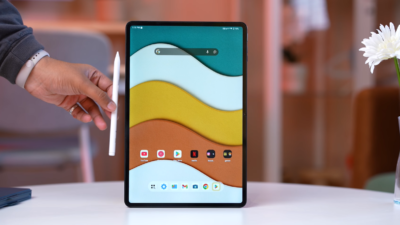
OnePlus offers an official stylus as a separate purchase. While not tested in this review, it opens up creative and productivity possibilities for those who want them.
Battery Life: The Standout Feature
Battery Specifications
- Capacity: 10,050mAh (up from 8,000mAh in the original Pad Go)
- Charging: 33W SuperVOOC fast charging
Real-World Battery Performance
Mixed Use: Approximately 12 hours on a full charge with regular multitasking, Spotify streaming, video watching, and general productivity work.
Video Streaming: Around 17 hours of continuous video playback before the battery is fully drained.
Gaming: About 5.5 hours of continuous gaming on lower graphics settings (tested with Genshin Impact).
Verdict: Battery life is an absolute highlight. This tablet will easily last all day for most users, whether you’re streaming, working, or a bit of both.
Charging Speed: Room for Improvement
At 33W, charging isn’t exactly fast. Expect a couple of hours to fully charge from empty. This is adequate but not impressive—especially when some competitors offer 45W or even 67W charging.
Tip: Charge overnight or during lunch breaks rather than relying on quick top-ups.
Connectivity: Solid Across the Board
Wi-Fi Performance
No complaints here. Wi-Fi connectivity has been stable and reliable throughout testing, with good signal strength and consistent speeds.
5G Support (Optional)
Some configurations offer 5G connectivity, though it requires a physical SIM card (no eSIM support). This is useful for those who want cellular connectivity on the go, though most users will be fine with Wi-Fi-only models.
Storage Expansion
The microSD card slot (accessed via the SIM tray on the left edge) allows storage expansion—a feature that’s increasingly rare on modern tablets. This is especially valuable if you go with the 128GB base model.
Value Proposition: What You’re Really Getting
Price Point
Expected pricing around $300-$350, with early bird offers likely bringing it even lower.
What Makes It Worth It
Strong Points:
- Large 12.1-inch display with 120Hz refresh
- Excellent battery life
- Clean software experience
- Solid build quality
- Good audio performance
- Stylus support
- MicroSD expansion
Compromises:
- Unreliable face unlock
- Auto-brightness and auto-rotate quirks
- Inconsistent gaming performance
- No IP rating
- Slower charging
Who Should Buy This Tablet
Perfect For:
- Students: Note-taking, research, streaming lectures
- Content Consumers: Netflix, YouTube, reading, web browsing
- Casual Multitaskers: Email, social media, light productivity
- Budget-Conscious Buyers: Maximum value without premium price
Look Elsewhere If:
- You’re a serious mobile gamer
- Facial recognition security is critical
- You need the fastest charging speeds
- OLED display is non-negotiable
- You want premium build materials
The Competition: How It Stacks Up
Xiaomi Redmi Pad Pro
Similar 12-inch form factor with ridiculously good battery life. Software experience isn’t quite as polished as Oxygen OS, but it’s a strong alternative worth considering—especially if you find it on sale.
Samsung Galaxy Tab A9+
More established brand with better ecosystem integration if you’re already in the Samsung universe. Generally more expensive for similar specs.
Lenovo Tab P11
Slightly older but still competitive. Often available at steep discounts, making it a value play if you don’t need the latest specs.
Final Verdict: Should You Buy the OnePlus Pad Go 2?
Rating: 4/5 Stars
The OnePlus Pad Go 2 is a genuinely impressive budget tablet that delivers far more than its price tag suggests. The combination of excellent battery life, a bright 120Hz display, clean software, and solid build quality makes it an easy recommendation for most users.
The Good Outweighs the Bad
Yes, the face unlock is frustrating. Yes, auto-brightness needs work. And yes, demanding gamers will find the performance lacking. But these are minor inconveniences in the grand scheme of what this tablet offers.
The Bottom Line
For students, content consumers, and anyone seeking a reliable large-screen tablet for everyday tasks, the OnePlus Pad Go 2 represents exceptional value. If you can snag one during an early bird promotion, even better.
Just remember: Disable auto-rotate, manually adjust brightness, and don’t expect Face Unlock to work reliably. Do that, and you’ll have a tablet that serves you well for years to come.
No, but Oxygen OS’s multitasking features (split-screen, floating windows) provide solid productivity capabilities.
Tips for Getting the Most From Your OnePlus Pad Go 2
- Disable auto-rotate to avoid the portrait mode annoyance
- Manually control brightness instead of relying on auto-brightness
- Use the microSD slot if you opted for the 128GB model
- Master split-screen mode for maximum productivity
- Grab the official case if you plan to travel with it
- Watch for early bird deals to maximize value
- Pair with a Bluetooth keyboard for serious typing sessions
- Install a good file manager to take advantage of Android’s open file system
Top 10 Reasons to Buy the OnePlus Pad Go 2
10 Cool Things to Do with OnePlus Pad Go 2
Have you tried the OnePlus Pad Go 2? What’s been your experience? Drop a comment below and let us know whether you’re Team OnePlus or looking at alternatives!
Stay tuned to My Pit Shop for more tech reviews, buying guides, and everything that keeps you connected both on the track and off!