Last year, Dell did the unthinkable. They killed off their XPS brand—the name synonymous with premium, top-tier hardware for over a decade. They replaced it with a confusing naming scheme (Dell, Dell Pro, Dell Pro Max) in an attempt to “simplify” their product lines.
It made absolutely no sense.
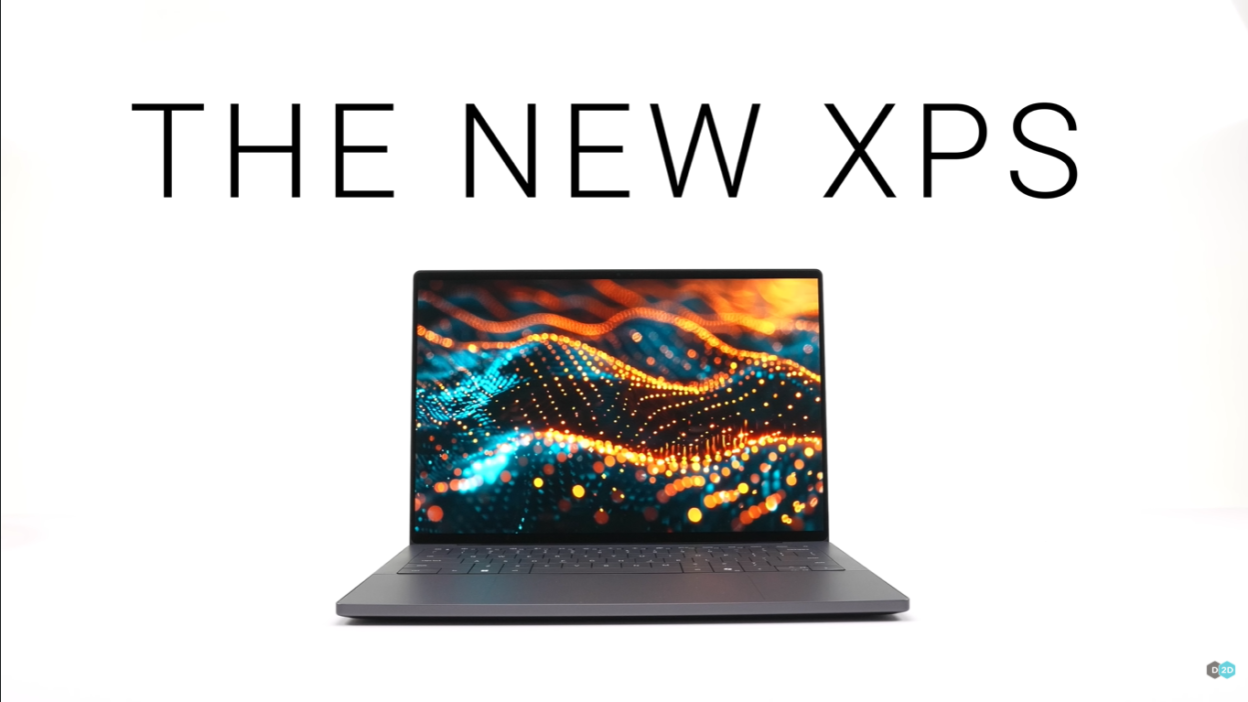
But thankfully, someone at Dell realized this was a catastrophic mistake. For CES 2026, the XPS brand is back with a vengeance—and the Dell XPS 14 (2026) represents everything the rebirth should be: upgraded chips, refined design, fixed keyboards, revolutionary battery technology, and lessons learned from past missteps.
After getting hands-on time with the new XPS 14 at Dell’s pre-CES event, I can confidently say: This is the laptop Dell should have released from the beginning.
Let’s dive into everything new, what makes it special, and whether the $2,050 starting price is justified.
What’s New: A Complete Ground-Up Redesign
The XPS Brand Revival
Before we get into specs, let’s address the elephant in the room: Why did Dell kill XPS in the first place?
In 2025, Dell consolidated their entire laptop lineup under a grid system:
- Dell (consumer)
- Dell Pro (business)
- Dell Pro Max (workstation)
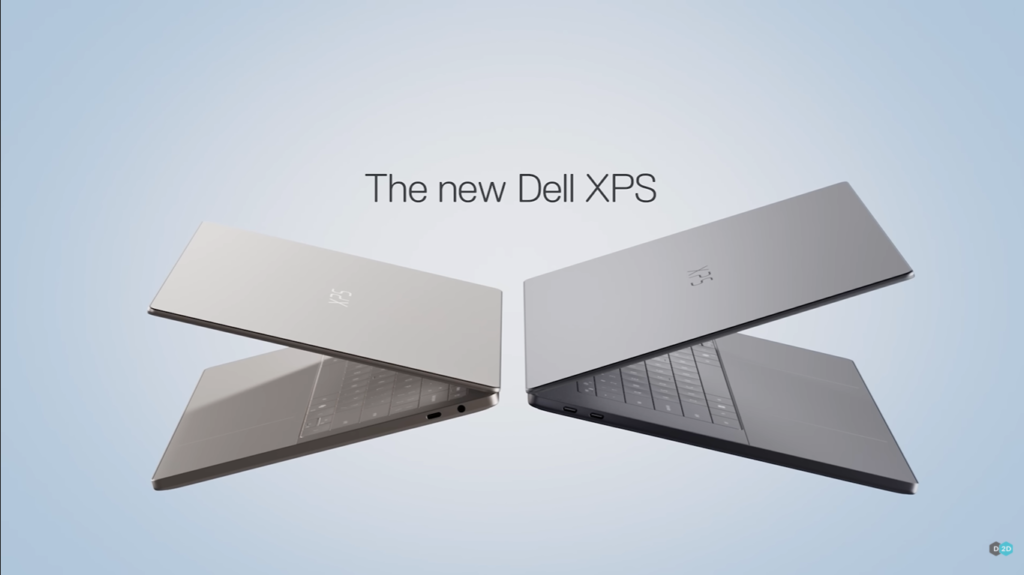
Each tier had Base, Plus, and Premium variants. The XPS 14 became the “Dell 14 Premium.” The XPS 16 became the “Dell 16 Premium.”
Customer and media reaction? Universally negative. People didn’t know what they were buying. Retailers struggled with inventory management. The tech press roasted Dell mercilessly.
Dell’s admission at CES 2026 (and I’m paraphrasing): “We underperformed. We didn’t listen.”
Translation: We screwed up, and we’re fixing it.
What’s Actually Changed for 2026
1. Brand new chassis – Milled from a single block of aluminum
2. Intel Core Ultra 300 series processors – Panther Lake architecture
3. Physical function keys – Goodbye, hated capacitive touch bar
4. Tandem OLED display option – Two OLED layers for superior brightness
5. Revolutionary 900ED battery cells – First-of-its-kind energy density
6. No discrete GPU – Intel Arc graphics only
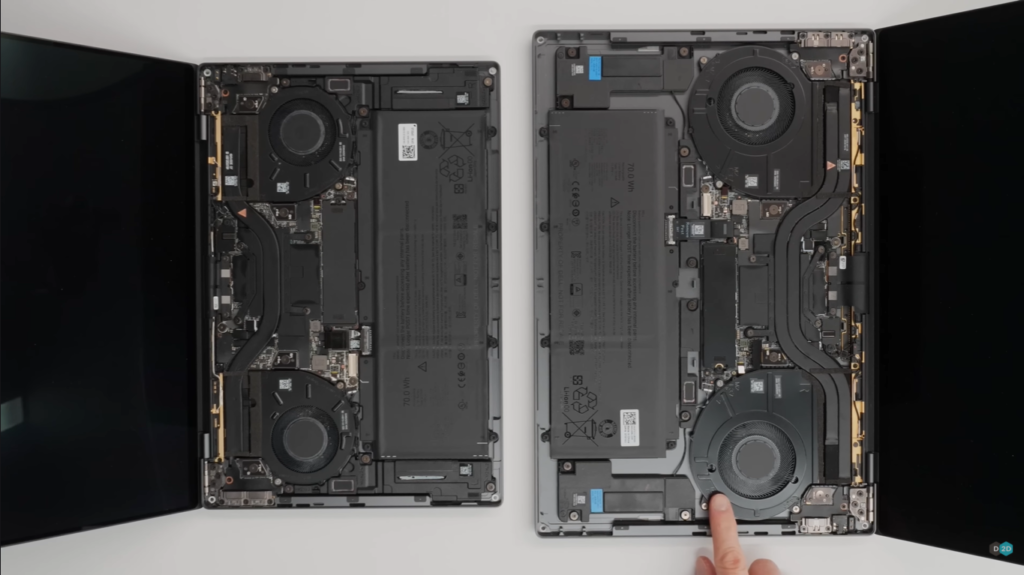
7. Redesigned thermal system – Largest, thinnest fans ever
8. Invisible speakers – Hidden under keyboard, firing upward
9. Improved trackpad – Visual etching marks the active area
Let’s break down each upgrade in detail.
Design: Precision-Milled Perfection
Unibody Aluminum Construction
The 2026 XPS 14’s body is milled from a single block of aluminum—a manufacturing process Dell has perfected over years.
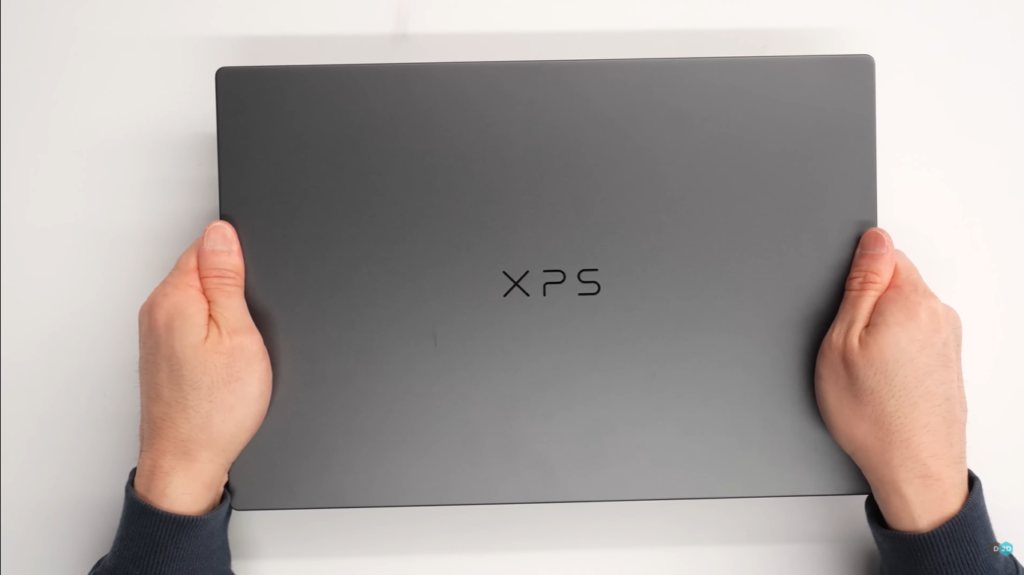
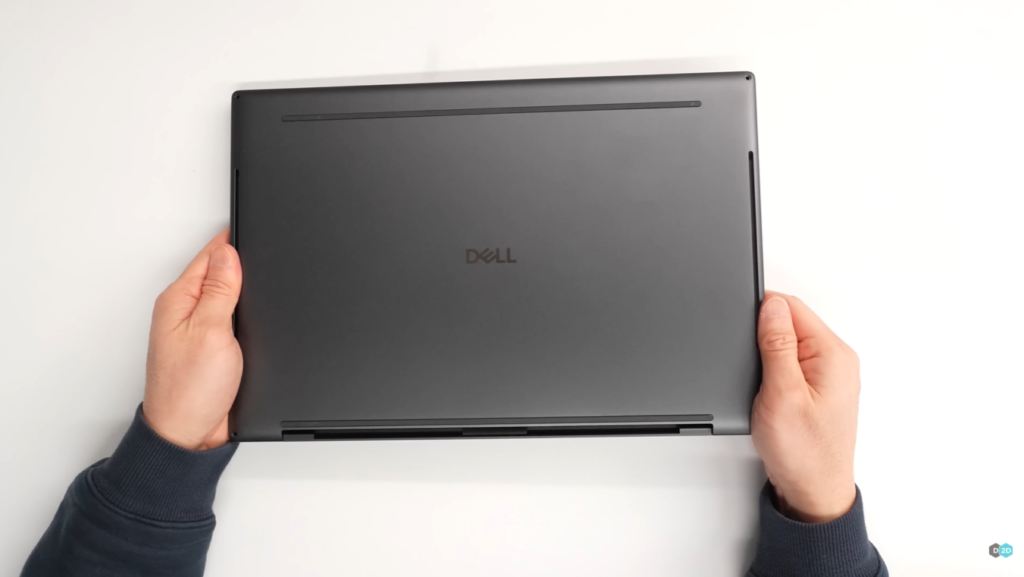
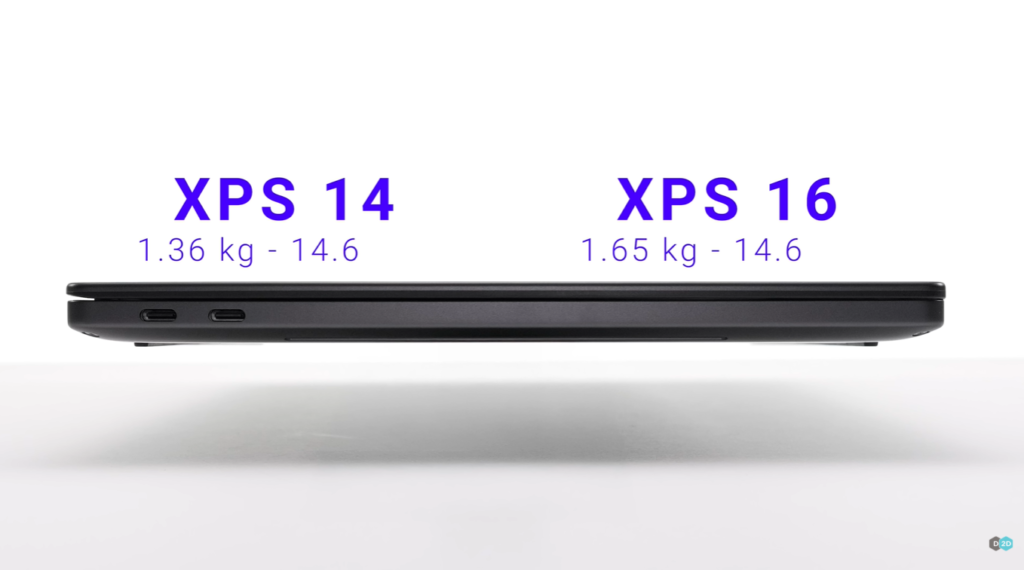
What this means: Zero visible seams. Incredible rigidity. Minimal flex. Premium feel.
My hands-on experience: I’ve tested dozens of high-end laptops. They often look similar in photos—metal, thin, sleek. But when you hold the XPS 14, you immediately feel the difference. There’s no flex whatsoever when applying pressure to any part of the chassis.
At just 14.6mm thin, this level of rigidity is genuinely impressive. Most laptops this thin feel fragile. This feels like you could use it as a defensive weapon.
The Access Panel Innovation
Here’s something unique: There’s no traditional bottom panel to remove.
To access the internals:
- Unscrew the visible screws on the bottom
- Remove the top keyboard deck (it lifts off entirely)
- Access components from above
Trade-offs:
- ❌ Not as easy to get inside (have to watch for keyboard cable)
- ✅ Maintains completely seamless exterior look
- ✅ Cleaner aesthetic with no visible panel gaps
For most users who never upgrade internals, this is a win.
Logo & Branding
Gone: The old-school “Dell” logo from previous generations
Here: Modern “XPS” logo on the lid
The new branding looks significantly better—more contemporary and premium-feeling.
Color Options
Available at launch: Graphite (dark gray metal)
Coming later in 2026: Shimmer (warmer-toned metal finish)
I’ve only seen the Graphite colorway in person, but the Shimmer finish looks promising in renders—a sophisticated champagne/rose gold tone without being too flashy.
Dimensions & Weight
Thickness: 14.6mm (thinnest Dell XPS ever)
Weight: Approximately 3 pounds (~1.36 kg)
Size reduction: More than half a pound lighter than the previous XPS 14
Context: The XPS 14 is now more compact than a MacBook Air 13-inch while offering a larger 14.5-inch display. That’s impressive packaging.
The Keyboard: Finally Fixed!
Goodbye, Capacitive Touch Bar
The single most divisive feature of 2022-2024 XPS models was the capacitive touch bar that replaced physical function keys and the escape key.
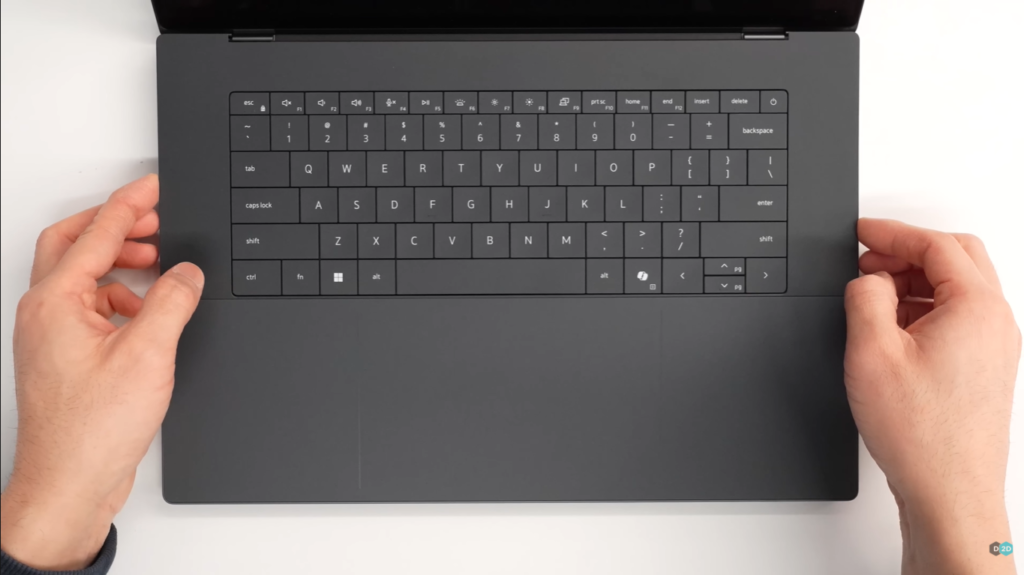
Universal reaction: People hated it.
Why it was terrible:
- ❌ No tactile feedback
- ❌ Accidental presses constantly
- ❌ Didn’t work with gloves
- ❌ Annoying to use in bright sunlight (couldn’t see indicators)
- ❌ Nobody asked for it
2026 fix: Full row of physical function keys, including a real escape key.
My reaction: Thank God. This alone makes the 2026 model worth considering over used 2022-2024 models.
Lattice Keyboard Design
Dell retained the lattice keyboard with individually backlit keys and unique keycap shaping.
Adaptation period: Expect 2-3 hours before you’re typing at full speed. The keys have slightly different spacing than standard chiclet keyboards.
Once adapted: Typing feel is excellent—satisfying travel, good tactile response, quiet operation.
Trackpad Improvements
Previous issue: The haptic trackpad (no moving parts, vibration-based click) had no visual boundary markers. You’d slide your finger past the active area without realizing it.
2026 fix: Subtle etching around the trackpad perimeter.
Impact: You can feel when you’ve reached the edge of the active area. Small detail, huge improvement in daily use.
Haptic mechanism: Still uses a vibration motor (like MacBook), not a mechanical click. It’s convincing and works well.
Display: Tandem OLED Technology
Two Display Options
1. 2K LCD (1920 x 1200)
- Variable refresh rate: 1Hz – 120Hz
- Best battery life (up to 27 hours claimed)
- Sharp, color-accurate
- Non-touch
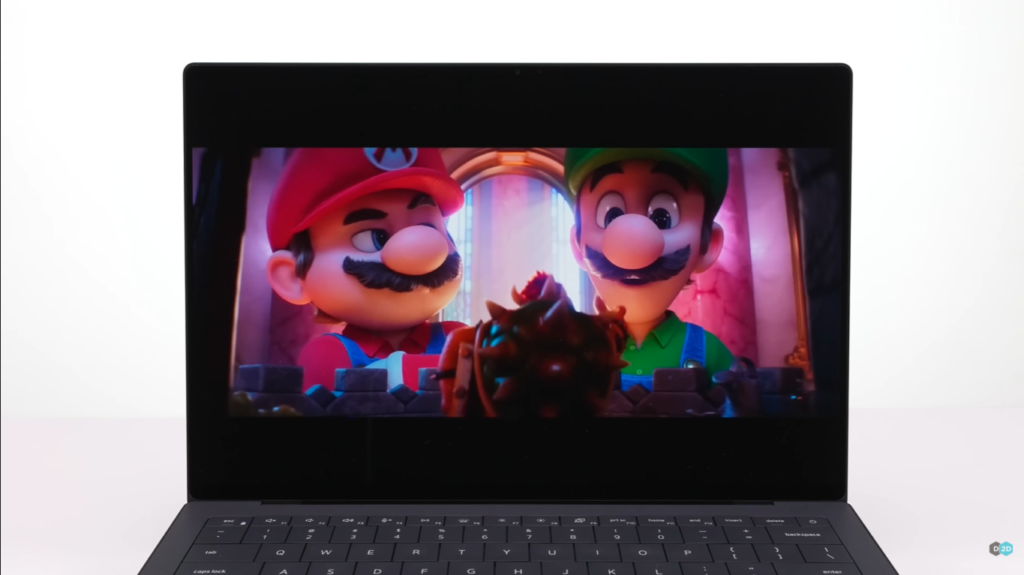
2. Tandem OLED (Higher resolution, exact specs TBD)
- Two layers of OLED material stacked together
- 120Hz refresh rate
- Touch-enabled
- Superior brightness, contrast, color
What Is Tandem OLED?
Dell debuted the world’s first tandem OLED laptop in 2024. The technology stacks two OLED emissive layers on top of each other.
Benefits:
- ✅ Higher brightness without degrading individual pixels
- ✅ Better efficiency (each layer works less hard)
- ✅ Longer lifespan (reduces burn-in risk)
- ✅ More accurate colors across wider range
My eyes-on impression: The tandem OLED looks absolutely stunning—vivid colors, perfect blacks, no visible backlight bleed. For content creation and media consumption, it’s the display to get.
Trade-off: Expect significantly lower battery life with OLED vs. LCD (maybe 15-18 hours vs. 27 hours).
Variable Refresh Rate (Both Displays)
Both LCD and OLED panels support 1Hz to 120Hz variable refresh rate.
Why this matters: The display can drop to 1Hz when showing static content (reading, documents) to save battery, then ramp up to 120Hz for scrolling/gaming.
Impact on battery: Dell claims this contributes to industry-leading battery life.
Performance: Intel Core Ultra 300 Series
The Panther Lake Architecture
The XPS 14 (2026) runs Intel’s brand-new Core Ultra 300 series processors—codenamed “Panther Lake.”
Available configurations:
Standard models (8-core):
- Intel Core Ultra 5 325 (base)
- Intel Core Ultra 7 355 (mid-tier)
High-performance models (16-core):
- Intel Core Ultra X7 358H
- Intel Core Ultra X9 388H
Performance Claims
Because these chips launched literally days ago, I’m not allowed to share benchmark numbers yet (under embargo until reviews go live).
What I can say from hands-on time:
- CPU performance feels snappy—app launches, multitasking, switching between programs all feel immediate
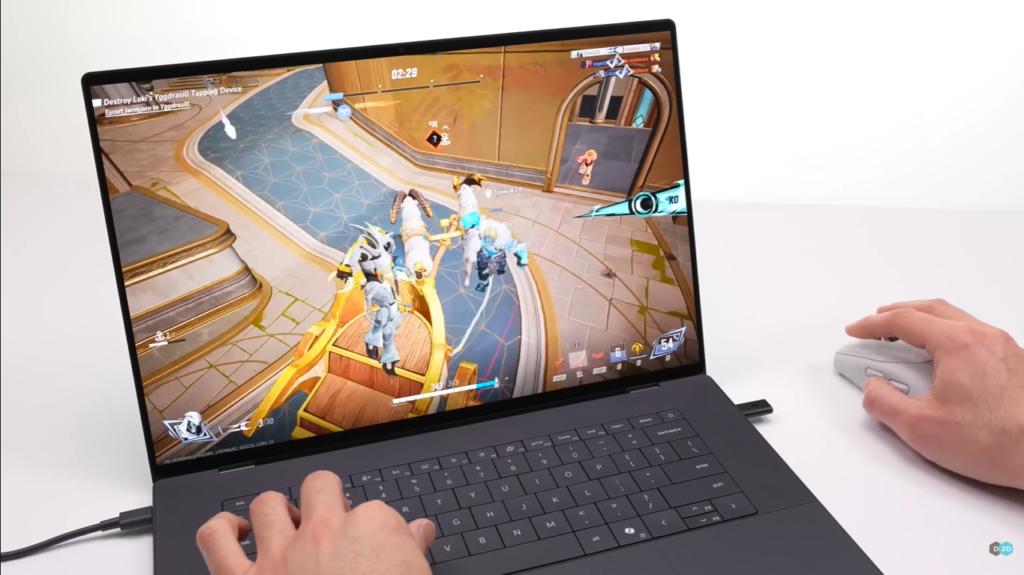
- GPU performance is surprisingly strong for integrated graphics
- System stays cool and quiet under load
Intel’s official claims:
- Up to 50% faster GPU performance vs. Lunar Lake (previous gen)
- Up to 57% faster AI performance vs. previous XPS 14
- Desktop-class performance in ultraportable form factor
No Discrete GPU Option
Big change: For the first time in over 10 years, there’s no Nvidia GPU option on XPS 14 or XPS 16.
What you get: Intel Arc integrated graphics (12 Xe cores)
Dell’s reasoning: The integrated Arc graphics are powerful enough for most users—photo editing, 4K video playback, light gaming. If you need more, buy Alienware or Dell Precision workstations.
My take: This is a bold bet on Intel’s integrated graphics. For creative professionals doing heavy 3D rendering or GPU-accelerated workflows, this might be a dealbreaker. For everyone else? The integrated graphics should be fine.
Battery: Revolutionary 900ED Cell Technology
First-Of-Its-Kind Energy Density
The XPS 14 (2026) is the first laptop I’ve seen with 900ED battery cells—a brand-new technology with silicon-carbon anodes instead of traditional graphite.
Energy density comparison:
- Standard laptop batteries: 600-700 Wh/L
900ED cells: 900 Wh/L - Increase: ~30% more energy in the same physical space
Battery Capacity
XPS 14: 70 Wh
XPS 16: Also 70 Wh (surprisingly)
Wait, why does the 16-inch have the same battery?
My theory: This battery tech is so new that manufacturers can only produce one SKU for Dell right now. They prioritized the 70Wh size, and that’s what both models get.
Future expectation: Once production scales, expect 85-95Wh batteries in larger models.
Battery Life Claims
Official claims:
- LCD display: Up to 27 hours mixed use
- OLED display: Likely 15-18 hours (not officially stated)
- Local video playback: 40+ hours (LCD)
My testing (limited, early drivers): Battery life looks very promising—easily all-day on the LCD model with mixed productivity work.
Charging: 10 supports fast charging via USB-C Power Delivery (exact wattage TBD)
Thermal Management: Redesigned Cooling
Largest, Thinnest Fans Ever
Dell completely redesigned the thermal system with:
- Largest fans Dell has ever put in a laptop
- Thinnest fan blades for improved airflow
- Improved heat pipe layout
- Thermal insulation gel in strategic locations
Power Limits
XPS 14: Up to 25W sustained power
XPS 16: Up to 35W sustained power (more room for cooling)
Energy efficiency: Panther Lake chips are designed to match Lunar Lake’s efficiency (Intel’s most efficient chips ever) while delivering significantly more performance.
Real-world thermal experience: The laptop stays cool and quiet during normal use. Under sustained load, fans spin up but remain relatively quiet.
Ports & Connectivity
What You Get
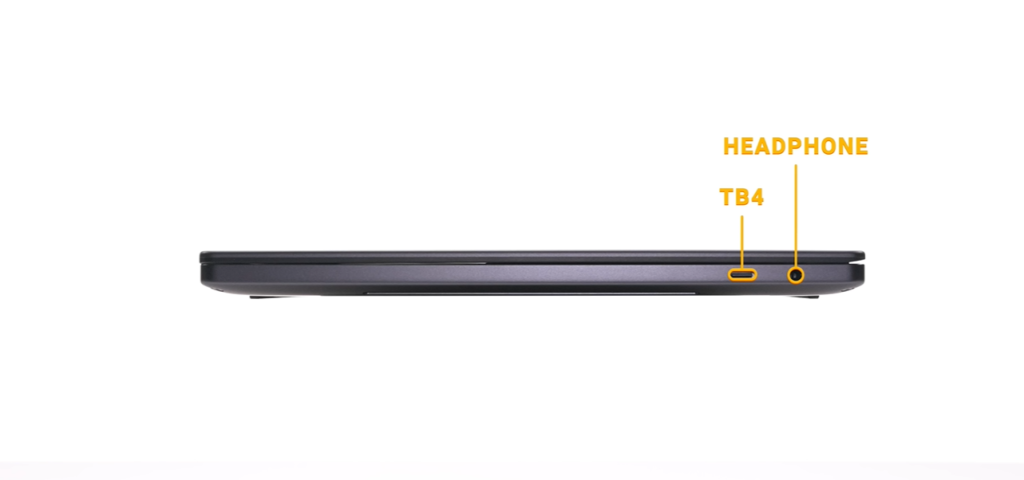
3x Thunderbolt 4 ports (USB-C)
1x 3.5mm headphone/microphone combo jack
That’s it.
What’s Missing
❌ No SD card slot (photographers, you’re out of luck)
❌ No USB-A ports (bring dongles)
❌ No HDMI port (use Thunderbolt to HDMI adapter)
❌ No Ethernet port (Wi-Fi 7 or USB-C adapter)
My take: For a $2,000+ laptop, I’d really like to see at least one USB-A port and an SD card reader. Dell’s betting everything on Thunderbolt, which is fine for docks but annoying for quick connections.
Wireless Connectivity
Wi-Fi 7 (latest standard)
Bluetooth 5.4
Both should provide excellent wireless performance with compatible routers and accessories.
Audio: Invisible Speaker System
Four Hidden Speakers
Innovation: There are no visible speaker grills on the XPS 14.
Design: Four speakers hidden underneath the keyboard, firing upward through tiny perforations.
Sound quality: Surprisingly good—clear mids, decent bass for a thin laptop, good stereo separation.
Volume: Gets loud enough for small room presentations or background music.
Not replacing: Dedicated speakers or headphones for serious listening, but perfectly adequate for video calls and casual media consumption.
Pricing & Configurations
Official Pricing (US)
Starting price: $2,050 (launching January 6, 2026)
High-end configurations: Up to $3,000+ (exact specs TBD)
February 2026: Dell promises additional configurations “well under $2,000”—possibly starting around $1,650.
What You Get at Launch
$2,050 base configuration likely includes:
- Intel Core Ultra 5 325 (8-core)
- 16GB LPDDR5X RAM
- 512GB PCIe 4.0 SSD
- 2K LCD display (non-touch)
- Graphite color
Higher configs add:
- Core Ultra 7 355 or Ultra X7/X9 (16-core)
- 32GB or 64GB RAM
- 1TB or 2TB SSD
- Tandem OLED display (touch)
Value Proposition
$2,050 puts the XPS 14 at:
- $500 more than MacBook Pro 14″ ($1,599)
- $350 more than ASUS Zenbook 14 OLED (~$1,700)
- $250 more than HP Spectre x360 14 (~$1,800)
For that premium, you get:
- Revolutionary 900ED battery (longer life)
- Tandem OLED option (best display tech)
- Premium unibody construction
- Latest Panther Lake chips
- Dell build quality and support
Is it worth it? Depends on your priorities. The battery technology alone is compelling, but you’re paying for cutting-edge innovation.
Who Should Buy the Dell XPS 14 (2026)?
Perfect For:
✅ Windows users who want MacBook-level build quality
✅ Professionals needing all-day battery life
✅ Content creators (photo/video editing with integrated graphics)
✅ Business travelers prioritizing portability + performance
✅ Students wanting a laptop to last through grad school
✅ Anyone who hated the capacitive touch bar (it’s gone!)
Skip It If:
❌ You need discrete GPU for 3D rendering, ML training, gaming
❌ Budget is tight ($2,050 is a lot)
❌ You require legacy ports (USB-A, HDMI, SD card)
❌ You’re a photographer needing built-in SD card reader
❌ You prefer macOS (just get a MacBook Pro)
Dell XPS 14 vs. Competition
| Feature | Dell XPS 14 (2026) | MacBook Pro 14″ | ASUS Zenbook 14 OLED |
|---|---|---|---|
| Price | $2,050 | $1,599 | ~$1,700 |
| Processor | Intel Core Ultra 300 | Apple M4 Pro | Intel Core Ultra 7 |
| Display | 2K LCD or Tandem OLED | Liquid Retina XDR | 2.8K OLED |
| Battery | 70Wh (900ED) | 72.4Wh | 75Wh |
| Weight | 3.0 lbs | 3.5 lbs | 3.1 lbs |
| Thickness | 14.6mm | 15.5mm | 14.9mm |
| Ports | 3x TB4 | 3x TB4, HDMI, SD card | 2x TB4, USB-A, HDMI |
| OS | Windows 11 | macOS | Windows 11 |
Winner for battery: Dell (900ED tech)
Winner for value: MacBook Pro (more for less)
Winner for ports: ASUS (most versatile)
Winner for build: Tie (Dell vs Apple)
Early Verdict: The Apology Dell Needed to Make
What Dell Got Right
✅ Brought back XPS branding – Admitted mistake, corrected course
✅ Fixed the keyboard – Physical function keys are back
✅ Revolutionary battery tech – 900ED cells are genuinely innovative
✅ Premium build quality – Unibody aluminum feels incredible
✅ Display options – Tandem OLED is stunning
✅ Thermal redesign – Cooler, quieter operation
✅ Weight reduction – Half a pound lighter
What Could Be Better
❌ No SD card slot – Photographers will be frustrated
❌ No discrete GPU option – Limits creative pro appeal
❌ High starting price – $2,050 is steep
❌ Same battery in 16″ – Should have bigger pack
❌ Limited ports – USB-A would be nice
The Bottom Line
The Dell XPS 14 (2026) is exactly the laptop Dell should have released instead of killing the XPS brand.
It fixes every major complaint from previous generations:
- Capacitive touch bar? Gone.
- Confusing trackpad? Fixed with etching.
- Generic branding? XPS logo is back.
And it adds genuinely innovative features:
- 900ED battery cells (industry-first)
- Tandem OLED display
- Panther Lake performance
- Redesigned thermals
Is it perfect? No. The lack of ports and discrete GPU options will frustrate some users.
Is it the best premium Windows laptop you can buy? Quite possibly.
Final Thoughts: Welcome Back, XPS
Dell made a mistake in 2025. A big one. Killing off XPS was corporate hubris—assuming customers would blindly follow new branding because Dell said so.
They learned their lesson.
The 2026 XPS 14 isn’t just a spec bump. It’s a statement: “We heard you. We screwed up. This is us making it right.”
From the physical function keys to the revolutionary battery tech to the premium unibody construction, this laptop represents Dell at its best—innovating in materials and engineering while respecting what made XPS special in the first place.
Should you buy one? If you’re in the market for a premium Windows ultraportable and can afford the $2,050 starting price, absolutely.
Should you wait? If budget is a concern, wait for the sub-$2,000 configurations in February.
Should you skip it? If you need a discrete GPU for professional work, look elsewhere (or wait for Dell to add GPU options later in 2026).
Welcome back, XPS. We missed you.
Availability & Where to Buy
Launch date: January 6, 2026 (limited configurations)
Wider availability: February 2026 (more configs, lower pricing)
Colors at launch: Graphite
Coming later: Shimmer color, Ubuntu 24.04 version
Where to buy:
- Dell.com (direct)
- Best Buy
- Amazon
- B&H Photo
January 6, 2026 for limited configurations starting at $2,050. Additional configurations (including models under $2,000) arrive in February 2026.
No. The 2026 model only offers Intel Arc integrated graphics (12 Xe cores). This is the first XPS without a discrete Nvidia GPU option in over 10 years.
Want to stay updated on the Dell XPS 14? Subscribe to our newsletter for hands-on reviews, benchmark results, and buying guides when more configurations launch.
Have questions? Drop them in the comments below and I’ll respond with honest answers based on my hands-on experience.
Disclaimer: This hands-on preview is based on a pre-production unit at Dell’s CES 2026 event. Final retail units may differ. Full review with benchmarks coming soon.