Quick Summary
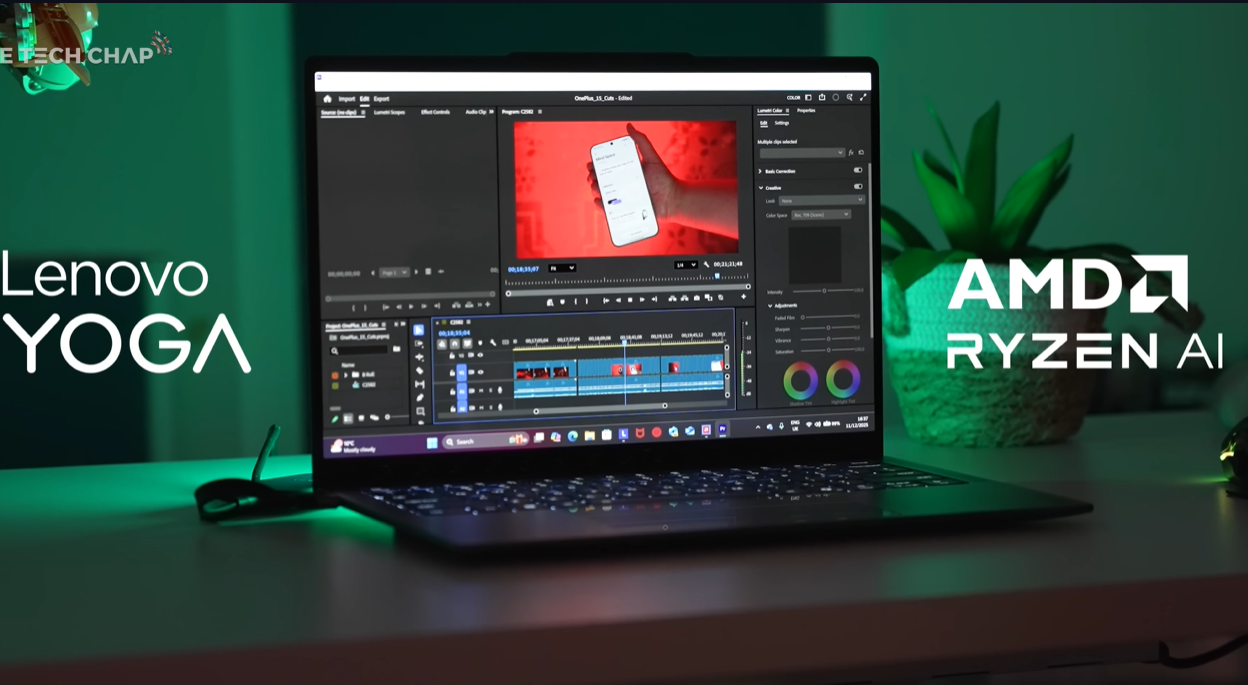
The 2026 Lenovo Yoga Slim 7a Gen 11 is a seriously impressive premium laptop refresh. New AMD Ryzen AI 400 series chips, faster memory, improved cooling with square heat pipes, and one of the best displays ever tested (2.8K OLED, 120Hz, 1100 nits). Weighs just 1.15kg, refined keyboard, excellent build quality. Missing: USB-A ports, SD card slot, HDMI. Unknown: Final pricing, real-world performance, battery life (can’t benchmark yet). First impressions are extremely positive, but wait for full reviews before buying.
Best for: Professionals prioritizing display quality, portability, and premium build over maximum performance.
That is a bit tasty. Those were the first words out of my mouth when I opened the new Lenovo Yoga Slim 7a Gen 11, and honestly, they still feel appropriate after spending time with it.
This isn’t just another laptop refresh where they bump the processor and call it a day. Lenovo took what was already a very good laptop and improved almost everything that mattered. New AMD Ryzen AI 400 series chips, faster memory, better cooling, refined keyboard, lighter weight, and one of the absolute best displays I’ve tested on any laptop. We’re talking up to 1100 nits of brightness on an OLED touchscreen running at 120Hz.
Let me be upfront though. This is a first look, not a full review. I can’t run proper benchmarks yet on these brand new chips, so I can’t tell you definitive performance numbers or real-world battery life. But I can walk you through everything that’s new and why this laptop has me genuinely excited.
The Big Upgrade: AMD Ryzen AI 400 Series
The headline feature for the 11th-generation Slim 7a is the brand-new AMD Ryzen AI 400 series chips. These were just announced at CES 2026, so information is still limited, but here’s what I can tell you.

The Slim 7a will come with either the AMD Ryzen AI5 430 or the slightly more powerful Ryzen AI7 445 that I have here. These are the lower to mid-tier options in the new Ryzen lineup, not the absolute flagship chips, which actually makes sense for a laptop focused on portability and battery life rather than maximum performance.
Both configurations come with either 16GB or 32GB of faster new memory, and my unit has 2TB of storage which is genuinely generous for this class of laptop.
What’s particularly interesting is that these new chips can run up to 28 watts TDP, which is pretty substantial power for a thin-and-light laptop. But Lenovo claims you’ll still get under 22 decibels of sound even under full load. That’s impressively quiet.
How did they achieve that? Square heat pipes instead of round ones. Seriously. By making the heat pipes square, there’s more surface area in contact with the chip, and Lenovo says this runs about one to two degrees Celsius cooler. It sounds like a small detail, but those little engineering touches add up to a laptop that performs well without sounding like a jet engine.
The chip also has a 55 TOPS NPU, which means this qualifies as a Copilot Plus PC. You get live captions, Windows recall, smarter search, webcam studio effects, and all the AI features Microsoft is pushing these days. Whether you actually care about those features is up to you, but they’re there if you want them.
For everyday tasks like editing photos and videos or even some light gaming, this should handle pretty much anything you throw at it. But let me be clear, there’s no discrete GPU here. This is integrated graphics only. And since I can’t benchmark it yet, there are some question marks about sustained performance under heavy loads.
That said, last year’s Slim 7a with previous-generation AMD chips performed very well, and this will only be faster. The fundamentals are there.
That Display Though
Can we just talk about this screen for a moment? Because this is genuinely one of the nicest laptop displays I’ve ever seen.
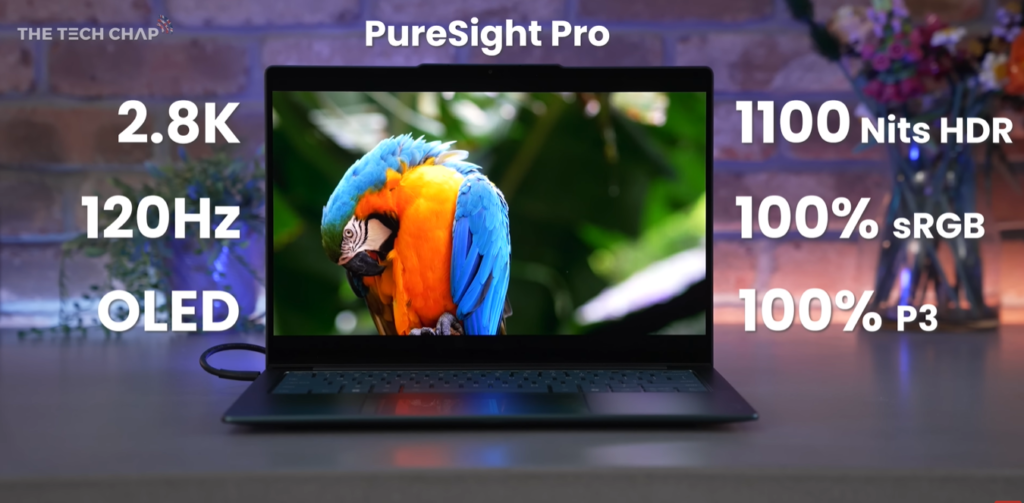
Lenovo is calling it PureSight Pro, and the specs are ridiculous in the best way possible. It’s a 2.8K OLED panel running at 120Hz. It hits up to 1100 nits of brightness for HDR content. It covers 100% of both the sRGB and P3 color gamuts. It’s DisplayHDR TrueBlack 1000 certified, which means perfect blacks like only OLED can deliver.
The 120Hz refresh rate makes everything feel smooth, from scrolling through documents to dragging windows around. Once you use a high refresh rate display, going back to 60Hz feels choppy.
There’s also something called ACM, or Auto Color Management, which helps prevent oversaturation and improves color consistency. If you’re working with color-sensitive projects where accuracy matters, having ACM support is a genuinely useful feature that most laptops don’t bother with.
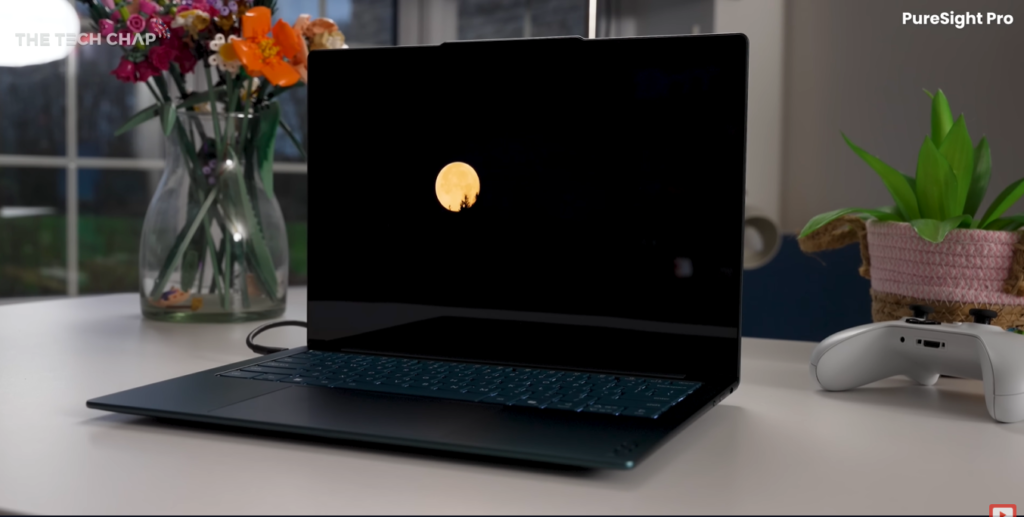
The only criticism I have, and it’s minor, is reflectivity. There’s no anti-glare coating, so you can see reflections from bright lights pretty clearly. In my studio, the screen reflects my lighting setup quite noticeably. In normal use, it’s not a dealbreaker, but in very bright environments, it can be slightly annoying.
But honestly? This is still one of the best laptop screens I’ve tested. The combination of OLED’s perfect blacks, the brightness headroom, the color accuracy, and the 120Hz smoothness creates a viewing experience that feels genuinely premium.
Oh, and it’s a touchscreen too. Which brings me to something worth clarifying.
What “Yoga” Actually Means Now
In the past, Lenovo’s Yoga lineup meant convertible laptops that flipped all the way around into tablet mode. Those still exist, but Yoga now refers more broadly to their premium creator-focused lineup.
This Slim 7a can tilt back almost flat, and having a touchscreen is nice for occasional direct interaction. But this isn’t a full convertible. Yoga now just means premium laptops with long battery life, good performance, and excellent screens.
It’s a bit confusing if you’re coming in expecting a 360-degree hinge, but once you understand that Yoga is now more of a premium brand indicator than a form factor description, it makes sense.
Design That Feels Intentional
Lenovo made quite a few design refinements with this generation, and they all add up to a laptop that feels more premium than the specs might suggest.
They’ve tapered the front edge more aggressively, so the laptop looks sleeker even though it’s still 13.9mm thick, which is actually the same as before. But perception matters, and this redesign makes it feel thinner.
Weight is down to just 1.15 kilograms. For context, that’s basically nothing for a 14-inch laptop with this much screen and battery. You genuinely forget you’re carrying it in a bag.
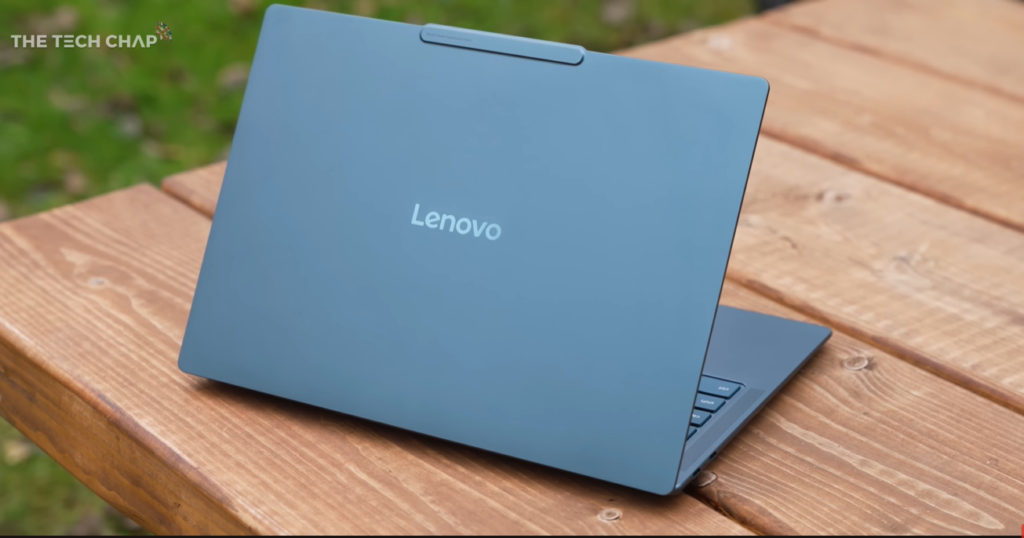
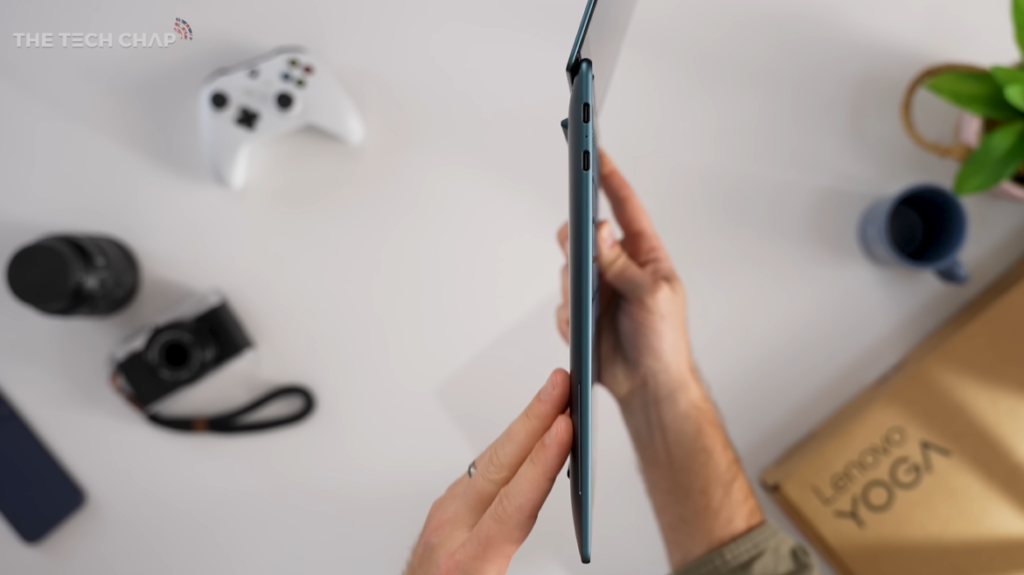
The chassis is aluminum alloy in what Lenovo calls “tidal teal.” It’s a sophisticated blue-green color that looks professional without being boring. This is a laptop you could pull out in a business meeting or a coffee shop and feel good about.
Build quality feels solid. There’s no flex in the keyboard deck, the hinge feels substantial, and nothing creaks or feels cheap. This is clearly a premium device.
A Keyboard Lenovo Can Be Proud Of
Lenovo knows a thing or two about making good keyboards. ThinkPads have legendary keyboards, and while this isn’t quite at that level, it’s still excellent.
This is what Lenovo calls a “dynamic force keyboard” with 1.5mm of key travel. The key caps are concave, which provides a nice tactile reference for your fingers. Everything is fully backlit and well-spaced.
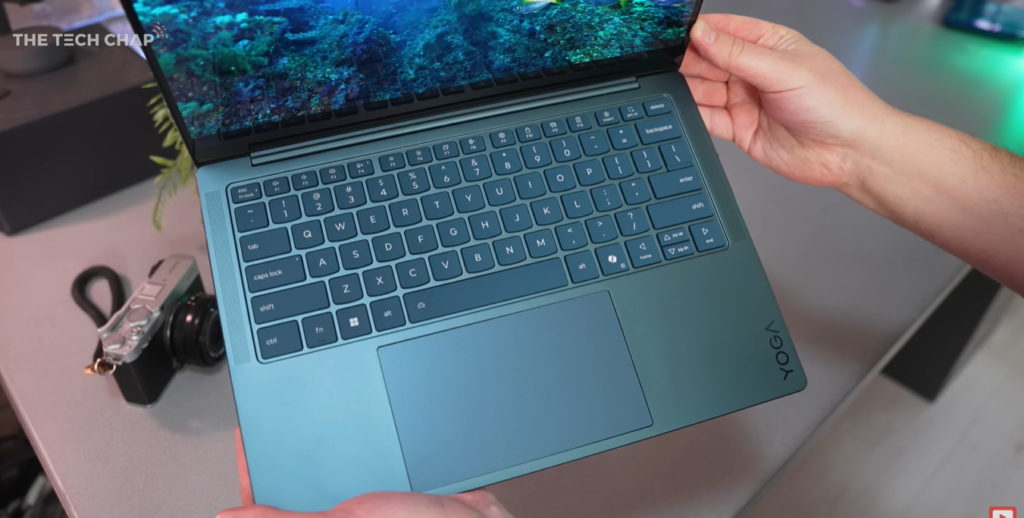
Typing on this feels great. There’s enough travel that you get satisfying feedback without the keyboard being thick, and the key spacing is perfect for touch typing. If you write a lot, this keyboard won’t frustrate you, which is more than I can say for many thin laptops that sacrifice key feel for thinness.
The touchpad is good but not exceptional. It’s responsive and smooth, but it uses a diving board mechanism, which means it’s easier to click at the bottom than at the top. Compared to force-haptic trackpads like you find on MacBook Airs or high-end Windows laptops, it doesn’t feel quite as premium.
It’s not a dealbreaker, and most people probably won’t care. But if you’re used to a really excellent trackpad, this one feels merely good rather than great.
The Port Situation: Minimalist for Better or Worse
Here’s where the thin design creates some compromises. There’s no USB Type-A, no SD card reader, and no HDMI port.
What you get instead are three USB-C ports. Two of them are the fastest USB 4 standard, and the third is USB 3.2. That’s actually pretty good for a thin laptop, and most people will be fine with USB-C for everything.
But if you regularly use SD cards or need to plug into HDMI projectors without dongles, you’ll need to carry adapters. It’s the price of making a laptop this thin and light.
You also get WiFi 7, which is the newest wireless standard. In areas with WiFi 7 routers, you’ll get faster speeds and better reliability, though WiFi 7 networks are still relatively rare as of early 2026.
Surprisingly Good Audio
The Slim 7a has four speakers, including two tweeters and two woofers. For a laptop this thin, they sound surprisingly good.
There’s actual bass response, not just tinny treble. Voices sound clear, and music has some richness to it. You’re not going to mistake this for a dedicated speaker system, but for video calls, watching YouTube, or casual music listening, these speakers are more than adequate.
Lenovo also included four microphones with 360-degree sound and voice ID. In my testing, the audio quality seemed quite good for a laptop webcam, though you should wait for more reviewers to weigh in once retail units are available.
The Webcam Actually Got Better
Speaking of webcams, this is now a 5-megapixel camera instead of the typical 720p or 1080p options most laptops use. Sitting next to it is an IR sensor for Windows Hello face unlocking, which works well.
Interestingly, there’s no fingerprint reader anywhere on the keyboard or palmrest. Face unlock is your only biometric option, which is fine for most people but worth noting if you specifically prefer fingerprint authentication.
The webcam quality looks pretty good in my testing. Images are sharp, colors are accurate, and low-light performance seems decent. For video calls and quick recordings, this should be more than sufficient.
Battery and Charging: The Practical Stuff
All models come with a 70Wh battery, which is a solid capacity for a laptop this size. Lenovo hasn’t released official battery life estimates yet, and I can’t test it myself with these pre-release chips.
But here’s what I can show you. The included charger is this tiny 65-watt fast charger that’s genuinely portable. It’s not much bigger than a phone charger, and you’ll barely notice it in your bag. For a laptop this capable, having such a small charger is a real advantage for travel.
Given the efficient new Ryzen AI chips and the 70Wh battery, I’d expect all-day battery life for typical productivity work. But that’s speculation until proper testing happens.
What We Don’t Know Yet
Let me be clear about what questions remain unanswered because this is a first look, not a comprehensive review.
Performance is still a big unknown. These Ryzen AI 400 series chips are brand new, and I can’t run benchmarks yet. Will they perform better than Intel’s competing chips? How do they handle sustained workloads? Will they throttle under heavy use? Nobody knows yet because these chips just launched.
Battery life is similarly unknown. Lenovo’s cooling improvements and the efficiency claims for these new chips sound promising, but real-world testing will determine if you actually get a full workday on a single charge.
Pricing is also unclear. Lenovo hasn’t announced final pricing, and that matters enormously. A great laptop at $1,200 is very different from the same laptop at $1,800. Once I have pricing information, I’ll update the description and pin a comment, but for now, it’s a waiting game.
Software compatibility with these brand new chips is another question mark. Will your specific applications run well on day one, or will you need driver updates? Early adopters of new chip architectures sometimes encounter unexpected issues.
The Competition Context
Without knowing the final price, it’s hard to position this against competitors. But based on specs and build quality, this is clearly competing against laptops like the Dell XPS 13, HP Spectre x360, and ASUS ZenBook series.
The display alone might be enough to differentiate it from those competitors. Very few laptops offer OLED with this level of brightness, color accuracy, and refresh rate. If screen quality is your priority, the Slim 7a might win on that alone.
The lightweight design and premium build should also appeal to people who travel frequently or just appreciate carrying less weight.
Should You Wait for This?
Based on what I’ve seen so far, this is a genuinely impressive laptop. Lenovo took what was already good about the previous generation and improved almost everything that mattered.
The new chips should provide better performance and efficiency. The cooling improvements mean quieter operation. The display is exceptional. The keyboard is excellent. The design feels premium. The weight is impressively low.
If you’re in the market for a premium 14-inch laptop and these features align with your priorities, the Yoga Slim 7a Gen 11 deserves serious consideration.
But you should definitely wait for full reviews before buying. Once reviewers get retail units and can run proper benchmarks, we’ll know how these new chips actually perform, what real-world battery life looks like, and whether any unexpected issues crop up.
Early impressions are very positive, but early impressions don’t always tell the whole story.
First Impressions: Lenovo Did Good
After spending time with this laptop, I keep coming back to those opening words. That is a bit tasty.
Lenovo clearly put thought into this update. Better chips with improved cooling. A display that genuinely impresses. Refined design details that make daily use more pleasant. A keyboard that doesn’t frustrate. Audio that doesn’t embarrass itself.
These aren’t revolutionary changes. This isn’t a laptop that reinvents what laptops can be. But sometimes the best products aren’t the ones that try to change everything. Sometimes the best products are the ones that take a good foundation and make it better in dozens of small ways that add up to a noticeably improved experience.
That’s what the Yoga Slim 7a Gen 11 feels like. Evolution done right.
Obviously, there are big questions about performance, battery life, and pricing that won’t be answered until this actually launches and reviewers can test it properly. Those factors will determine whether this is merely good or actually great.
But based on these first impressions, based on the hardware quality and design choices, based on that exceptional display and the thoughtful engineering details, I’m optimistic.
Lenovo took a very nice laptop and made it better. That’s harder than it sounds, and they appear to have pulled it off.
Now we just need to wait for proper testing, real-world use, and final pricing to see if the execution matches the promise.
What do you think of the Yoga Slim 7a? Does that display have you tempted, or are you waiting to see how those new Ryzen chips perform? Let me know in the comments.