By MyPitShop Tech Team | March 2026 | 10 Min Read
There’s a quiet but unmistakable shift happening inside Apple. It’s not about a new chip, a thinner laptop, or a flashier iPhone. It’s about a word — and the word is Studio.
When Apple dropped not one, but two brand-new displays in the same week, most headlines focused on the specs. But if you look a little deeper, the story these two monitors are telling is much bigger than refresh rates and brightness numbers. It’s a story about who Apple is building for, who it’s leaving behind, and what the future of the “Pro” lineup actually looks like.
Let’s dig in.
A Tale of Two Displays
Before we get into the star of the show, it’s worth understanding the context. Apple released two monitors almost simultaneously, and they couldn’t be more different in what they represent.
The first was a barely updated regular Studio Display — the same iconic design, the same aluminum chassis, the same stand, and critically, the same 11-year-old 27-inch 5K IPS LCD panel underneath. The only meaningful upgrades? A new processor inside and Thunderbolt 5 ports on the back. Oh, and the price? Still $1,600. Same as before. It’s a perfectly fine-looking monitor wrapped around aging display technology, and that makes it a strange, hard-to-recommend product.
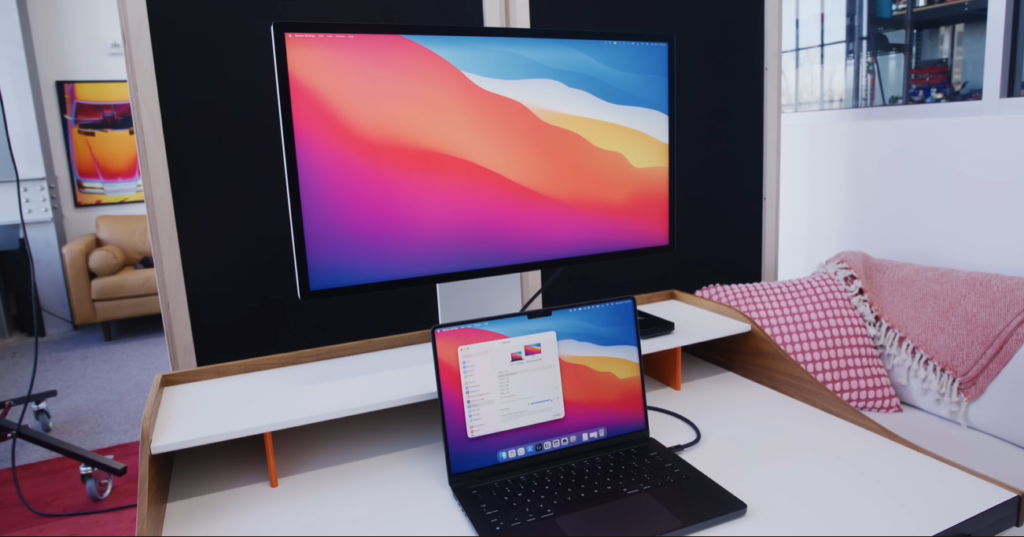
The second — and the one we’re actually here to talk about — is the Apple Studio Display XDR. This is something genuinely new. An upgraded, premium version of the Studio Display that finally brings Apple’s monitor lineup into 2026 with technology worthy of the machines it’s meant to partner with.
Same 27-inch 5K form factor. Same beautiful stand. But a completely different soul inside.
The Panel: Where Everything Changes
If you only take one thing from this review, let it be this: the panel on the Studio Display XDR is a massive leap forward.
Gone is the old LCD. In its place is a miniLED display — the same category of technology found in the best MacBook Pros and iPad Pros — with 2,000 nits of peak HDR brightness and a 120Hz adaptive sync refresh rate.
Let’s put those numbers in perspective:
| Spec | Pro Display XDR | Studio Display XDR |
|---|---|---|
| Panel Type | IPS LCD | miniLED |
| SDR Full Screen Brightness | 500 nits | 1,000 nits |
| Peak HDR Brightness | 1,600 nits | 2,000 nits |
| Local Dimming Zones | 576 | 2,000 |
| Max Refresh Rate | 60Hz | 120Hz (adaptive) |
| Starting Price | $5,000 (+$1,000 stand) | $3,299 (stand included) |
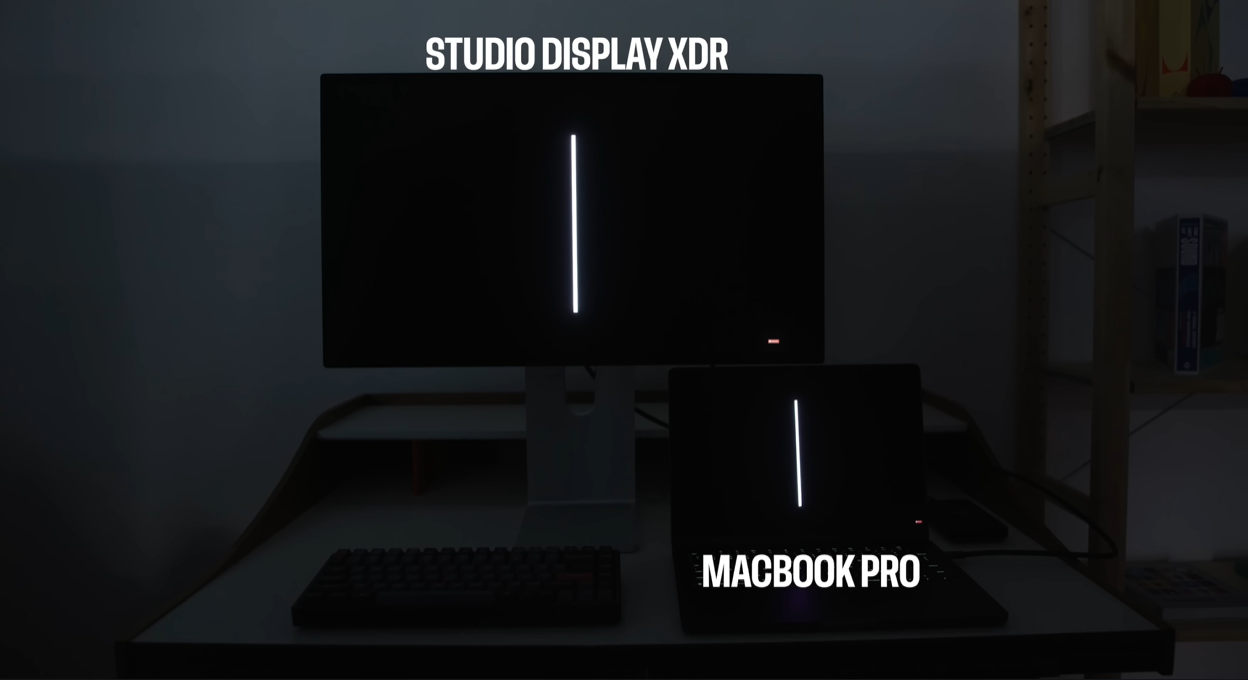
The difference in contrast control is something you genuinely have to see to believe. With 2,000 local dimming zones versus the Pro Display’s 576, dark scenes look dramatically more cinematic. There’s far less of the dreaded “blooming” glow around bright objects on dark backgrounds. Contrast ratios are higher. The image just looks cleaner, richer, and more controlled in ways that the Pro Display XDR — for all its $6,000 price tag — simply cannot match.
In purely technical terms, the Studio Display XDR is better than the Pro Display XDR in every measurable way.
Brightness That Actually Matters
One of the things that gets lost in spec comparisons is what those brightness numbers feel like in real use. The Studio Display XDR hits 1,000 nits full screen in regular SDR mode. That’s the kind of brightness that makes HDR photos and video look jaw-dropping even in a well-lit room.
The old Pro Display XDR could only manage 500 nits in that same scenario — half as bright.
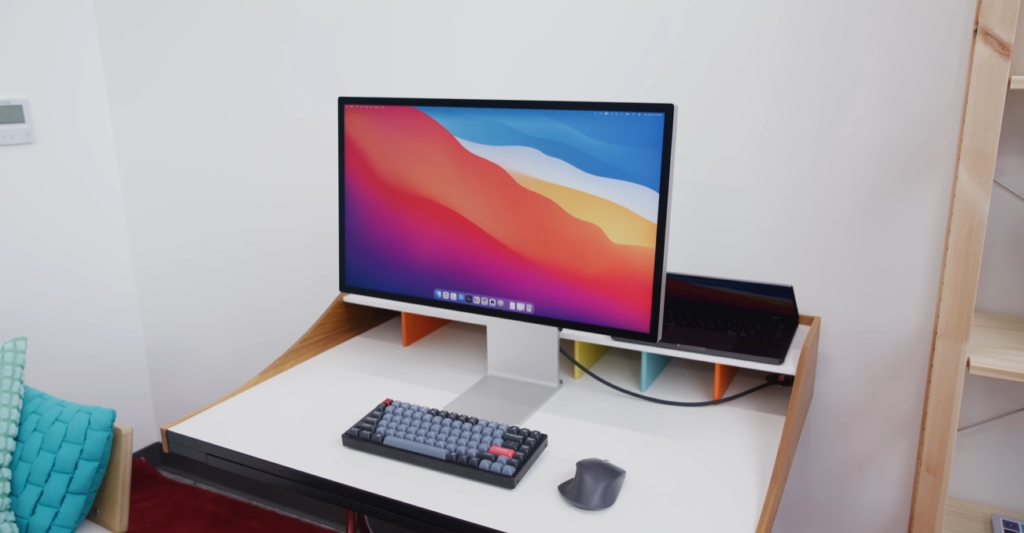
And in HDR? The Studio Display XDR peaks at 2,000 nits. That extra headroom makes highlights in high-dynamic-range content — a sun-drenched landscape, a stadium at night, a concert with dramatic lighting — look genuinely luminous rather than just “bright.”
For photographers, video editors, and content creators doing color work, this matters enormously. Getting an accurate read on highlight detail requires a display that can actually render those highlights at full intensity.
120Hz: Small Number, Big Difference
It’s easy to overlook 120Hz on a desktop monitor. You might think: I’m not gaming, why does it matter?
Here’s why it matters: everything feels smoother. Scrolling through a document, dragging windows, watching animations — on a 60Hz display it’s fine. On a 120Hz display with adaptive sync, it’s effortlessly fluid. Once you’ve worked on a high refresh rate display all day, going back to 60Hz feels like watching a slightly choppy video. The difference is subtle at first and then impossible to ignore.
For MacBook Pro users especially, this is a huge win. The previous Studio Display was a 60Hz LCD paired with a MacBook Pro that runs a gorgeous 120Hz ProMotion display. Every time you unplugged from your laptop and connected to the Studio Display, you went backward. The Studio Display XDR finally matches the MacBook Pro’s standard. Now your desk setup doesn’t feel like a downgrade.
Connectivity: The One-Cable Dream, Perfected
Apple has always sold the Studio Display partly on the promise of the single cable desk setup — plug in one Thunderbolt cable, and your entire workspace comes to life. Charging, all your accessories, display signal, audio — all through a single port.
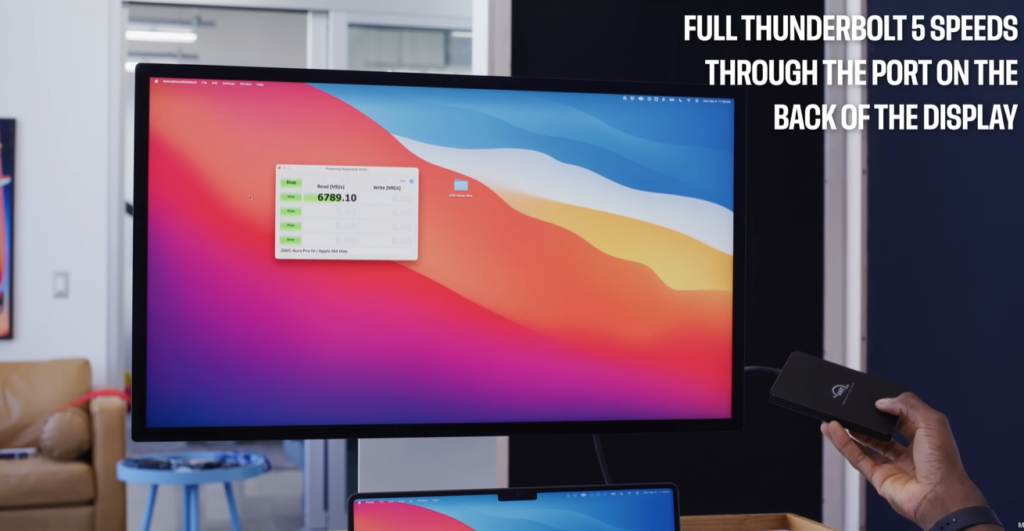
The Studio Display XDR takes that further with Thunderbolt 5, which adds a second full-speed TB5 port on the back. That second port is quietly incredibly useful. You can:
- Attach fast external storage directly to the display (at full Thunderbolt 5 speeds — we’re talking up to 120Gbps)
- Daisy-chain up to two Studio Display XDRs together through a single cable from your MacBook Pro
- Or mix and match: run up to four regular Studio Displays off one Mac, all at high refresh rate, all miniLED, all charging your laptop at 140W
This is the kind of flexibility that makes the Studio Display XDR feel like a professional docking hub as much as a display. It’s the centerpiece of a truly clean desk setup in a way that most monitors — even expensive ones — simply cannot be.
The Nanoexture Option: A 10-Year Journey
Apple’s nanoexture glass coating has been around since the original Pro Display XDR, and it has come a long way. The idea is simple: instead of a standard glossy or matte coating, nanoexture uses a nano-scale etched glass surface that diffuses reflections while maintaining image clarity better than a traditional anti-glare coating.
The original Pro Display XDR nanoexture was notoriously finicky to clean. Touching it with anything other than Apple’s own polishing cloth risked leaving permanent marks. It was effective, but nerve-wracking to own.
Over the years, nanoexture improved on the MacBook Pro and iPad Pro — those versions are more tolerant of different microfiber cloths and easier to maintain in day-to-day use.
The Studio Display XDR’s nanoexture option adds $300 to the price and comes with a new cleaning cloth (different from the original Pro Display cloth, though Apple did update the compatibility list for the older cloth — a detail Apple fans will find either reassuring or mildly absurd). For anyone working in a bright or windowed environment, nanoexture is worth serious consideration. Glare control on a 1,000-nit display is genuinely important.
Built-In Camera and Speakers: The Mixed-Use Case
The Studio Display XDR is not a pure professional reference monitor. It’s unapologetically a mixed-use display — something that will be used to edit a video in the morning, host a virtual meeting at noon, and stream something in the evening. And that’s absolutely fine.
The 1080p Center Stage webcam is perfectly average — it tracks you as you move, works well in typical lighting, and does exactly what you need for video calls. Nothing groundbreaking, but having it built in means one fewer thing cluttering your desk.
The built-in speakers punch well above their weight for the size of the chassis. They’re described as being on par with a 16-inch MacBook Pro’s speakers, which, if you’ve heard those, is genuinely impressive praise. Will they replace dedicated studio monitors or even a decent Bluetooth speaker? No. But for casual music listening, watching video, or a FaceTime call, they’re more than adequate.
This is one area where the Studio Display XDR leaps past the original Pro Display XDR, which had neither a webcam nor speakers. The Pro Display was a pure editing tool. This is something more versatile — and for most people, that versatility is a feature, not a compromise.
A Few Minor Gripes
No product is perfect, and the Studio Display XDR has a few rough edges worth noting:
The included Thunderbolt 5 cable is short. About 3 feet. That’s not much room to work with, depending on where your MacBook Pro lives on your desk. You’ll almost certainly want to buy a longer TB5 cable separately.
The top of the display gets warm after extended use. This is partly due to the brightness of the miniLED backlight and partly because — remarkably — there is a full Apple A19 Pro chip with 12GB of RAM inside this monitor, dedicated entirely to running the webcam’s Center Stage processing and the speaker DSP. It’s wild that a display needs a phone-class processor to function. It does run slightly warm as a result.
The power cable is non-removable. This has been a quirk of Apple displays for years, and it’s still here. If the cable ever fails or gets damaged, replacing it is not a simple swap — it requires a service visit. For a $3,299 product, this feels like an oversight that should have been fixed by now.
None of these is a dealbreaker. But they’re worth knowing going in.
“We’re All Pros Now” — What It Really Means
Here’s where things get interesting — and a little philosophical.
Apple called the Studio Display XDR the world’s best pro display in their own announcement blog. But the product is called the Studio Display, not the Pro Display. That’s not an accident. It’s a signal.
The pattern is clear: Studio is replacing Pro at the very top of Apple’s lineup.
Think about it. The Mac Studio gets updated more regularly than the Mac Pro. The Mac Pro hasn’t seen an update since M2 Ultra in 2023. The Studio Display now outperforms the Pro Display in every technical spec. And the word “Studio” appears on Apple’s most powerful consumer-facing products.
Apple’s implicit message seems to be: the word “Pro” now means premium consumer. The word “Studio” actually means professional.
And there’s a business logic to this. The genuine professional market — Hollywood colorists, broadcast engineers, medical imaging specialists — is small, demanding, and has very little interest in Apple’s ecosystem lock-in. They’ll buy whatever display measures best with a spectrophotometer, regardless of brand. Targeting them is expensive and has limited upside.
The far larger market is the high-end prosumer: the video creator, the photographer, the music producer, the developer. These people want professional-grade tools but also care about seamless Mac integration, clean desk setups, built-in webcams, and great speakers. The Studio Display XDR is built precisely for them. And that market is enormous.
This also suggests, pretty strongly, that the Mac Pro as a product category may be on borrowed time. Studio replaces Pro. Write it down.
Should You Buy It?
The Apple Studio Display XDR starts at $3,299 with the stand included — a significant improvement over the $6,000+ that the Pro Display XDR demanded with its stand. For what you’re getting, it’s actually a competitive price in the premium monitor market.
Buy it if:
- You have a MacBook Pro and want the best single-cable desk setup available
- You’re a content creator, photographer, or video editor who needs accurate, bright color
- You want a display that handles professional work and everyday use without compromise
- You value deep Mac integration (Thunderbolt 5, system-level display management, AirPlay mirroring)
- You already own a Pro Display XDR and are thinking about upgrading — this is genuinely better
Think twice if:
- Budget is the primary concern — there are cheaper 4K displays that cover most bases for casual use
- You need a truly giant canvas (27-inch, while gorgeous, is not 32-inch or ultrawide)
- You’re a pure specialist (broadcast colorist, etc.) who needs a specific calibrated reference monitor — this is excellent but not that
The Verdict
The Apple Studio Display XDR is the monitor Apple should have built years ago. It takes everything that made the original Studio Display appealing — the design, the ecosystem integration, the one-cable setup — and finally backs it up with display technology worthy of the price tag.
The miniLED panel is stunning. The 120Hz refresh rate is smooth and satisfying. The 2,000 local dimming zones deliver contrast that makes the old Pro Display look mediocre. And the Thunderbolt 5 connectivity keeps everything in Apple’s ecosystem elegantly connected.
Is it perfect? No. The short cable, the warm-running chassis, and the non-removable power cord are real annoyances. And the webcam, while convenient, is resolutely average.
But as a complete package for a Mac user who wants the best possible display experience in 2026? It’s hard to beat. There simply isn’t a 27-inch 5K miniLED display with these specs from anyone else at any price.
We really are all pros now.
Quick Specs Summary
| Feature | Apple Studio Display XDR |
|---|---|
| Screen Size | 27-inch |
| Resolution | 5K (5120 x 2880) |
| Panel Type | miniLED |
| Peak HDR Brightness | 2,000 nits |
| SDR Full Screen | 1,000 nits |
| Refresh Rate | Up to 120Hz (Adaptive Sync) |
| Local Dimming Zones | 2,000 |
| Connectivity | Thunderbolt 5 (x2) |
| Webcam | 1080p Center Stage |
| Chip (internal) | Apple A19 Pro + 12GB RAM |
| Starting Price | $3,299 (stand included) |
| Nanoexture Option | +$300 |
Based on the review by Marques Brownlee (MKBHD). All specifications and analysis derived from hands-on testing.
For more tech reviews, explore our Tech Review and Laptop Review sections at MyPitShop.com.