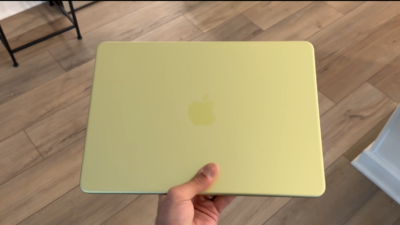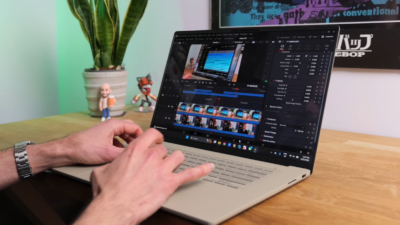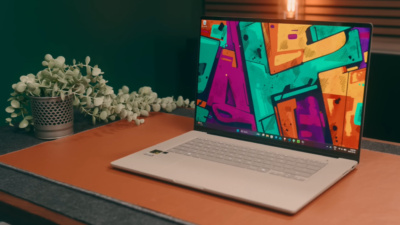
By MyPitShop Tech Team | March 2026 | 11 Min Read
Every year, Apple pushes the boundaries of what a laptop chip can do. And every year, the rest of the industry scrambles to catch up. With the M5 Max MacBook Pro, that story continues — and in some areas, it gets genuinely jaw-dropping.
But this isn’t a simple “Apple wins everything” story. The M5 Max is a beast in specific workloads, a marvel of power efficiency, and an absolute statement in on-device AI performance. At the same time, it carries a design that hasn’t changed since 2021, a price tag that starts north of $6,000 at top spec, and a gaming story that’s best described as “functional but not the point.”
After rigorous head-to-head testing against some of the fastest Windows laptops available — including machines packing Intel’s Ultra 9275HX at 139 watts, AMD’s Ryzen AI Max Plus 395, and Nvidia’s RTX 5090 — here is the full picture of what the M5 Max MacBook Pro actually is, who it’s for, and whether it’s worth your money.
The Test Configuration & Competition
The unit tested is the absolute top-spec M5 Max MacBook Pro — 120GB of unified memory and a 4TB SSD. That configuration sits at the very top of Apple’s laptop lineup and competes with workstation-class machines from the Windows world.
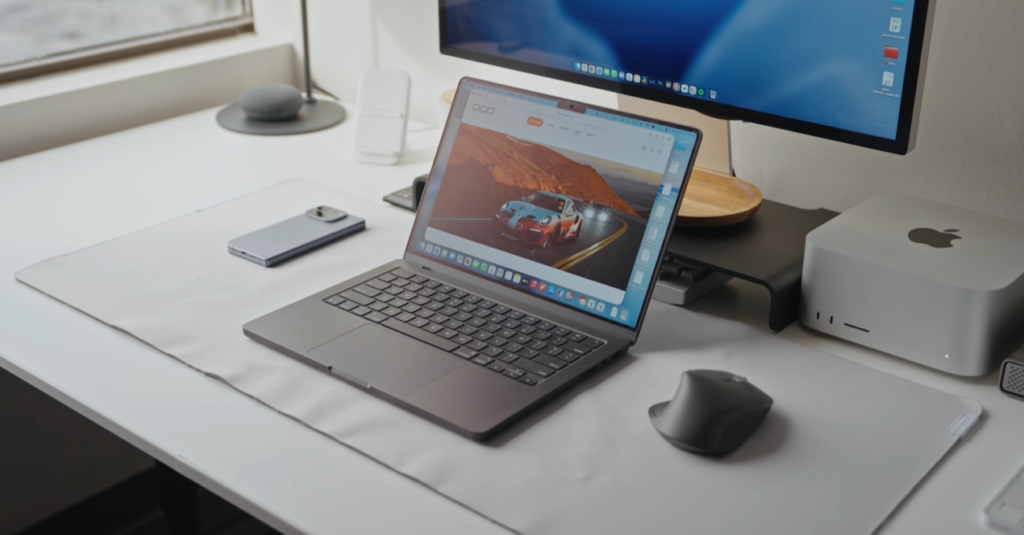
The competition lineup for this review is genuinely formidable:
| Laptop | Chip | GPU | Memory |
|---|---|---|---|
| MacBook Pro M5 Max (new) | Apple M5 Max | 40-core GPU | 120GB Unified |
| MacBook Pro M4 Max (prev gen) | Apple M4 Max | 40-core GPU | — |
| MacBook Pro M5 (14-inch base) | Apple M5 | — | — |
| HP ZBook Ultra G1A | AMD Ryzen AI Max+ 395 | Integrated | 120GB |
| Razer Blade 16 | AMD Ryzen AI 9 HX 370 | RTX 5090 | — |
| Alienware Area 51 16 | Intel Ultra 9 275HX | RTX 5080 | — |
This is a proper, no-excuses benchmark environment. Let’s get into what the numbers actually showed.
Understanding the M5 Max Chip: The New Three-Tier Architecture
Before the benchmarks, it’s worth clearing up some confusion around the M5 Pro and M5 Max chip architecture — because Apple made some genuinely interesting structural changes here.
What’s Changed From M4 Max
The M4 Max came in two flavors: a standard 14-core CPU or an optional 16-core upgrade. The M5 Max moves to a single, unified 18-core CPU configuration across the board — no upsell required. That’s two more cores than the previous top-end M4 Max in every configuration.
Here’s the interesting part: the M5 Pro shares the same 18-core count as the M5 Max. That means CPU performance between the two chips should be similar in CPU-bound workloads. The key differentiators between Pro and Max remain the GPU core count and the memory bandwidth.
The New Core Architecture: Super Cores + Performance Cores
Apple has introduced a three-tier CPU architecture with the M5 generation, and it’s been a source of confusion that warrants clarification.
The base M5 chip (found in the 14-inch MacBook Pro) uses the traditional two-tier setup: efficiency cores and super cores (which are the next evolution of what were previously called performance cores).
The M5 Pro and M5 Max go further — they’ve eliminated efficiency cores. Instead, the 18-core CPU breaks down as:
- 6 Super Cores — maximum single-thread performance
- 12 Performance Cores — optimized for multi-threaded workloads, running efficiently
This is a deliberate shift toward raw performance rather than background efficiency conservation. For professional workloads that demand sustained, all-core performance — video rendering, 3D simulation, AI inference — this configuration is purpose-built.
Other Spec Updates
- Memory bandwidth: Increased by approximately 12% over M4 Max
- Storage: Upgraded to Gen 5 NVMe SSDs — nearly double the read/write performance of the previous generation
- Connectivity: A custom N1 chip (from the iPhone 17 lineup) brings Wi-Fi 7 and Bluetooth 6 support
- GPU: Same 40-core layout as M4 Max — no changes here
Storage: The Unsung Upgrade
One of the most immediately impactful improvements in the M5 Max MacBook Pro is the switch to Gen 5 NVMe SSDs. Storage performance is nearly double compared to the M4 Max generation.
For most casual users, this won’t be life-changing. But for professionals working with:
- Large RAW photo files from high-resolution cameras
- 4K or 8K video footage on demanding timelines
- Massive datasets for machine learning or data science
…this is a meaningful, real-world speed improvement that reduces wait times and keeps creative workflows moving without friction. It’s an upgrade that doesn’t show up in marketing headlines but pays dividends every single day in professional use.
CPU Performance: Efficient Power That Shames High-Wattage Competitors
Synthetic Benchmarks
In multi-core synthetic testing, the M5 Max lands approximately 8% faster than the M4 Max — a modest but meaningful generational improvement, especially considering it achieves this within the same power envelope as M4 Max.
Single-core performance sees a stronger leap: roughly 10–15% faster than M4 Max, which matters for applications that don’t parallelize well.
The base M5 chip in the 14-inch MacBook Pro also holds up admirably in CPU tests — a sign that Apple’s overall silicon architecture is in strong shape across the lineup.
The Efficiency Story: The Real Headline
Here’s where the M5 Max genuinely does something extraordinary.
The Alienware Area 51 with Intel’s Ultra 9 275HX draws approximately 139 watts during sustained CPU workloads. The M5 Max sits under 60 watts — less than half the power — while frequently coming out ahead in the same multi-core tests.
In Blender, Houdini, and HandBrake rendering benchmarks, the M5 Max is described as “easily one of the fastest, if not the fastest laptop ever tested”—on a machine that is just 6.6mm thin and sipping less than 60 watts of power.
That combination of performance and efficiency is not normal. It doesn’t follow the rules that have governed laptop computing for years. And it is genuinely, repeatedly impressive every time you see the numbers side by side.
GPU Performance: Punching Above Its Weight Class
Creative Workloads (Blender, Handbrake)
In GPU-accelerated workloads, the M5 Max’s 40-core integrated GPU performs at a level that outpaces discrete dedicated graphics cards in key creative applications — while using a fraction of the power. This is unified memory architecture doing exactly what it was designed to do: giving the GPU instant, fast access to the same high-bandwidth memory pool as the CPU and Neural Engine.
Da Vinci Resolve Studio
This is the test where Nvidia’s CUDA acceleration is expected to dominate — and the M5 Max surprised. The 40-core GPU performed competitively against the RTX 5090 in the Razer Blade 16 in DaVinci Resolve Studio. For a professional colorist or video editor working primarily in Resolve, the gap between the M5 Max and a dedicated Nvidia GPU is far smaller than conventional wisdom would suggest.
Adobe Premiere Pro
The M5 Max exports approximately 15% faster than M4 Max in Adobe Premiere Pro. For creators deeply embedded in the Adobe ecosystem — Premiere, After Effects, Photoshop, Lightroom — this is a compelling argument to choose and stay on Apple Silicon. The workflow is fast, consistent, and gets meaningfully faster with each generation.
Gaming
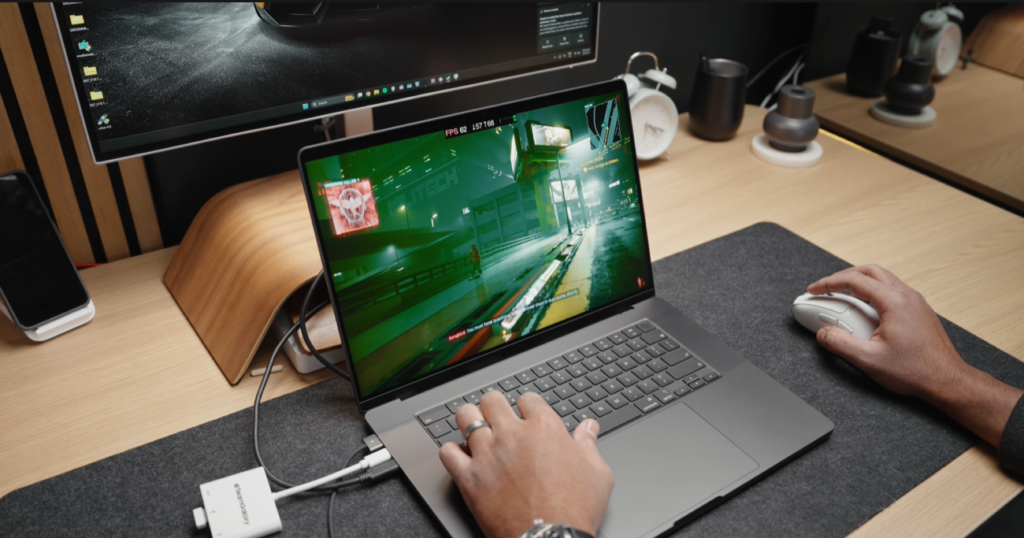
Gaming on the M5 Max was tested at 1600p on ultra settings in Cyberpunk 2077 and Warhammer 3. The verdict is straightforward: playable, but not competitive with dedicated gaming laptops.
This makes complete sense — the GPU core count is unchanged from M4 Max. So gaming performance shows minimal improvement over the previous generation. And honestly, if gaming is your primary reason to buy a $6,000 laptop, the MacBook Pro is simply the wrong tool for the job.
But can you game on a Mac? Yes. Is it a gaming machine? No.
On-Device AI: Where the M5 Max Becomes a Different Kind of Beast
This is perhaps the most exciting performance category in 2026, and the M5 Max delivers something genuinely special here.
Using LM Studio for local large language model inference:
- Llama 3.3 8B model: M5 Max is approximately 16% faster than M4 Max
- 14B model: Approximately 59 tokens per second — roughly 15% faster than M4 Max
- 32B model: M5 Max generates 27.87 tokens per second; the Razer Blade 16 with RTX 5090 manages only 23.35 tokens per second
Read that last one again. The M5 Max — a laptop running under 60 watts with no discrete GPU — is faster at running a 32-billion parameter language model than a machine equipped with an RTX 5090 laptop GPU.
This is the unified memory architecture and Neural Engine combination working at its best. Large language models demand enormous memory bandwidth. The M5 Max has 120GB of fast, unified memory directly accessible to both the Neural Engine and GPU simultaneously. Discrete GPU setups are constrained by VRAM limits and the bandwidth bottleneck between system RAM and video RAM.
For anyone doing local AI development, running open-source LLMs, or experimenting with on-device AI workflows, the M5 Max is a genuinely different class of machine.
Battery Life: A Day-Long Powerhouse (With Caveats)
Light Load
Under light workload testing, the M5 Max MacBook Pro lasted nearly 24 hours — a significant improvement over the M4 Max. Against Windows competitors packing large battery packs, Apple Silicon’s efficiency advantage remains substantial and consistent.
Heavy Load (Gaming)
Under heavy gaming workloads, battery life drops sharply — as it does on every laptop. Both M5 Max and M4 Max came in at around 1 hour 12–17 minutes under gaming stress.
Interestingly, the Razer Blade 16 lasted more than 2 hours in the same test. But there’s a catch: most Windows laptops significantly throttle CPU and GPU performance when unplugged. The battery lasts longer because the machine is doing less.
The M5 Max performs at full speed whether plugged in or not — a real-world advantage that’s easy to undervalue in benchmark charts. When you’re editing video in an airport or a café, you’re getting the same performance you’d have at your desk. On Windows laptops, you’re often getting a significantly reduced version of that.
Design: Beautiful, Familiar, and Overdue for a Refresh
The M5 Max MacBook Pro uses the same design language as the M1 MacBook Pro from 2021. Same chassis. Same ports. Same dimensions. For 2026, that’s now four to five years without any design change — and the disappointment is real.
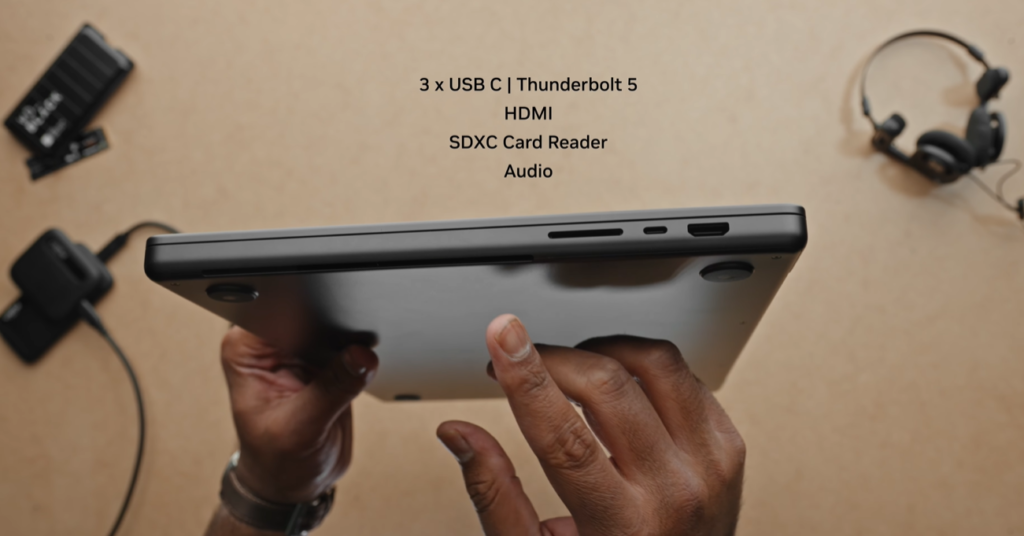
To be clear: this is still a gorgeous laptop. The build quality is impeccable. The Space Black finish looks stunning — though it’s a notorious fingerprint magnet, and anyone bothered by that should opt for the Silver model instead.
The miniLED display with its 10,000 nits of peak SDR brightness remains one of the best laptop screens on the market by any measure. Bright, accurate, and beautiful for color-critical work.
The port selection remains unchanged:
- MagSafe charging
- Three Thunderbolt 5 ports
- HDMI 2.1 (supports 4K at 240Hz or 8K at 60Hz)
- SD card reader
- 3.5mm headphone jack
It’s a great port lineup. But none of it is new. At this point, a design refresh feels not just welcome but genuinely overdue.
A Minor Issue: Coil Whine
One quirk worth flagging: during LM Studio testing, a noticeable coil whine noise was detected on the M5 Max unit — possibly related to Neural Engine activity. The same test run on an M4 Max Pro did not produce the same noise.
This isn’t a dealbreaker, and it may be a unit-specific issue. But it’s worth being aware of, especially for creators working in quiet environments where any acoustic anomaly is distracting.
Fan noise under sustained workloads is similar to the M4 Max — present and noticeable, but nothing like the jet-engine roar of high-wattage Windows gaming laptops. And unlike those machines, the M5 Max thermal management keeps performance consistent even under sustained load.
Who Should Buy the M5 Max MacBook Pro?
The M5 Max MacBook Pro is a purpose-built professional tool. At $6,000+ for the top configuration, it has to be.
It’s the right choice if you are:
- A video editor working in DaVinci Resolve, Adobe Premiere Pro, or Final Cut Pro
- A 3D artist using Blender, Houdini, or Cinema 4D
- A developer building or testing on-device AI applications
- Someone running local large language models (32B+ parameter models)
- A creative professional who travels and needs consistent, full performance away from a power outlet
- Deeply invested in the Apple/Mac ecosystem and need the absolute best Mac laptop available
Skip it (for now) if you are:
- Doing general productivity — web browsing, documents, light creative work. The M5 MacBook Air or even the base M5 MacBook Pro will feel identical for your use case.
- A gamer — this is not a gaming machine. Full stop.
- On a budget, the M4 Pro or M4 Max MacBook Pro is still being sold new and refurbished at significant discounts. Apple Silicon performance at that tier is still exceptional value.
- A Windows-exclusive user — if your workflow depends on Windows-only software, platform compatibility overrides performance arguments entirely.
The Smart Alternative: M4 Pro / M4 Max Right Now
With the M5 lineup now released, Apple is continuing to sell M4 Pro and M4 Max MacBook Pros — both new and refurbished. These machines regularly go on sale and represent outstanding value for anyone who doesn’t specifically need the M5 Max’s performance ceiling.
For most professional creative workflows, the M4 Pro delivers more than enough power. The M5 Max is for the top tier of professionals who genuinely push their machines to their limits every day.
Final Verdict
The Apple M5 Max MacBook Pro is, in specific workloads, the best-performing laptop on the planet. The combination of raw CPU multi-core performance, GPU-accelerated creative output, extraordinary on-device AI inference, near-24-hour light-load battery life, and consistent full-speed performance whether plugged in or not — no other laptop matches all of that simultaneously.
The efficiency story is the real story. Intel is throwing 139 watts at a problem. Apple is solving it with under 60. That gap is not narrowing as quickly as the competition would hope.
But the $6,000+ price tag is real. The unchanged design is real. The coil whine is worth watching. And if your work doesn’t fully utilize the M5 Max’s strengths — particularly in GPU-accelerated creative apps or local AI — you’re paying a premium for headroom you may never use.
For the right person doing the right work, the M5 Max MacBook Pro is an insane machine. For everyone else, there’s a more sensibly priced Mac that will feel just as fast for what they actually do.
Quick Specs Overview
| Feature | M5 Max MacBook Pro |
|---|---|
| CPU | 18-core (6 Super + 12 Performance) |
| GPU | 40-core integrated |
| Unified Memory | Up to 120GB |
| Storage | Up to 4TB Gen 5 NVMe |
| Memory Bandwidth | ~12% faster than M4 Max |
| Display | miniLED, 10,000 nits peak SDR |
| Battery (light load) | ~24 hours |
| Connectivity | Wi-Fi 7, Bluetooth 6 |
| Ports | MagSafe, 3x TB5, HDMI 2.1, SD, 3.5mm |
| Starting Price (max config) | $6,000+ |
Pros & Cons at a Glance
Pros
- Best-in-class multi-core CPU performance at under 60W
- Outstanding on-device AI inference — beats RTX 5090 on 32B LLM
- Gen 5 NVMe SSD nearly doubles previous storage speeds
- Nearly 24-hour light-load battery life
- Full performance maintained on battery (no throttling)
- Wi-Fi 7 and Bluetooth 6 via N1 chip
- Exceptional display — miniLED, 10,000 nits
- 15% faster in Adobe Premiere Pro over M4 Max
- DaVinci Resolve is competitive with RTX 5090
Cons
- Design unchanged since 2021 — overdue for a refresh
- Space Black finish attracts fingerprints aggressively
- $6,000+ top-spec price is not for most people
- Gaming performance shows no improvement over M4 Max
- Coil whine noted during Neural Engine workloads
- Platform limitation — Windows-only software remains a blocker
Based on hands-on benchmark testing by Ebar at Hyper Connects. All performance data is captured on production hardware.
For more laptop reviews and tech comparisons, visit our Laptop Review and Tech Review sections at MyPitShop.com.