By MyPitShop Team | Tested & Reviewed | Last Updated: April 2026
The one-line verdict: At ₹20,000 with card offers, this is a no-brainer. At full ₹25,000 MRP with no discount? Pause — because ₹2,000–₹3,000 more gets you a significantly better TV.
Quick Spec Sheet
| Spec | Details |
|---|---|
| Model | Philips 43PQT8100/94 |
| Panel | QLED (Quantum Dot), Direct LED |
| Resolution | 4K UHD (3840 x 2160) |
| Refresh Rate | 60Hz Native (marketed as 120Hz HSR) |
| HDR Support | Dolby Vision, HDR10+, HLG |
| Speaker | 30W, Dolby Atmos |
| OS | Google TV (Android 14 base) |
| RAM / Storage | 2GB / 32GB |
| Ports | 3x HDMI, 2x USB, LAN, Optical, Headphone Jack |
| Connectivity | Wi-Fi Dual Band, Chromecast Built-in |
| MRP | ₹24,999 (Flipkart / Amazon) |
| Best Price | ~₹20,000 (with card offers) |
| Warranty | 1 Year |
Who Is This TV Actually For?
Before we get into the details, let’s be straight. The Philips 8100 43-inch is built for:
- A first bedroom or small living room where the primary use is OTT streaming and daily serials
- Someone upgrading from an older non-smart or HD-ready TV
- A student or young professional setting up their first entertainment setup
- Anyone who can get it at or below ₹20,000 through card offers
If you’re a gamer, audiophile, or someone who watches movies in a bright, sunlit Indian living room, this review has important warnings for you.
Unboxing: What’s in the Box?
Philips keeps it clean and complete. Inside the box you get:
- The TV unit
- Table stands (two pieces)
- Remote control with batteries included
- AV cable
- Power cord
- User manual
No surprises, no missing accessories. The fact that they include batteries with the remote — something brands like Xiaomi skip even today — is a small but appreciated touch.
Design & Build Quality: Better Than Expected at This Price
Honestly, the first time you look at this TV, it doesn’t feel like a ₹25,000 product. It has a refreshed, cleaner look compared to most budget TVs in this segment.
The bezels are thin on three sides, which is standard. But the bottom bezel gets a design treatment — small horizontal line textures with a centered Philips logo sitting in a clean matte black strip, finished with a subtle gold accent at the base. That gold detail is what makes it look slightly premium. Small thing, but it works.
The table stands are low-profile, similar to what you’d find on Sony TVs in this range — not the ugly wide-foot stands some budget TVs ship with.
Build quality is solid enough. The main chassis uses metal construction. The motherboard area at the back does use plastic — that’s acceptable at this price. There’s no flex or creaking when you handle it. For a budget TV, the build passes without complaints.
Display Quality: The Real Story (Not the Marketing One)
This is where you need to pay close attention, because Philips’ marketing is doing some creative storytelling with the specs.
The 120Hz Lie You Need to Know About
Philips promotes this TV as “120Hz HSR” on Flipkart listings, and it creates the impression of a smooth, high-refresh display. Here’s the truth: this is a native 60Hz panel. The 120Hz figure refers to motion-enhanced playback at 1080p resolution — and even then, only during gaming. At native 4K, you’re getting 60Hz. Period.
This isn’t a Philips-only trick. Samsung, Hisense, and TCL all do this. But buyers deserve to know — if you’re purchasing this specifically expecting 120Hz for 4K gaming or sports, you will be disappointed.
Brightness: Good Enough for Most Indian Homes, Not as Bright as Claimed
Philips claims 350 nits. In real-world testing, we measured a maximum of around 290 nits on standard 4K and HDR content. The 350 nit figure seems to apply only to very specific HDR peak conditions — not everyday viewing.
At 290 nits:
- Bedroom viewing (controlled lighting): Perfectly fine
- Living room with bright windows or afternoon sunlight: Noticeably dull
For the average Indian home where the TV is used in the evening or in a room with curtains drawn, 290 nits is more than enough. But if your living room gets direct sunlight, the picture will wash out.
Brightness Uniformity: The One Real Display Flaw
This is the only significant display problem we found. Corner brightness uniformity is inconsistent — we measured up to a 28% brightness difference between the center and corners of the screen. With the center calibrated at 0, some corners showed up to 28% dimmer.
In practical terms, if you’re watching a bright, uniform scene (like a white title screen or a bright sky), the edges will look noticeably darker. This is a VA panel characteristic common at this price point, but the 28% variance is slightly worse than what we see on some competing panels.
Colors: Genuinely Impressive at This Price
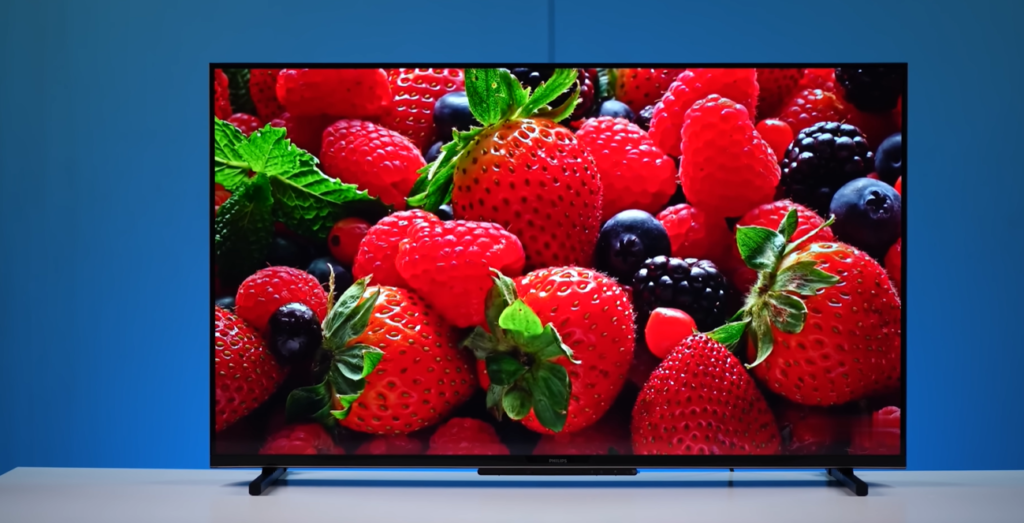
Colors are where the QLED tech earns its place. The wide color gamut is real and visible. Philips claims 93% DCI-P3 coverage, and the picture backs it up — gradients within the color palette are smooth and wide, and you can see the depth in every hue.
Skin tones are handled well — not oversaturated, not washed out. If you’re used to budget IPS TVs that make faces look either orange or grey, this will be a pleasant upgrade.
No major color calibration issues were found in OTT content. Netflix, Prime Video, and YouTube all looked natural without needing manual tweaks. Dolby Vision content on streaming platforms shows a clear improvement over standard HDR — worth noting for heavy OTT users.
Black Levels: Strong for a Budget TV
Since this is a VA panel, black levels are genuinely deep. Whether you’re watching in daylight or low-light conditions, the blacks stay convincingly dark without becoming grey. For a TV at ₹25,000, the black depth is one of its strongest aspects — something IPS panel TVs at this price simply cannot match.
Detail in dark scenes is mostly preserved. No major detail-crush in shadows was observed.
Viewing Angles: Acceptable, But Know the Limit
This is a VA panel, so the physics don’t lie: viewing angles are limited. Head-on, the picture is excellent. Go past approximately 135° from center and you’ll notice around a 20% color shift. At extreme angles (sitting at the very edge of a wide sofa), colors will shift and brightness will drop.
For a family watching TV together on a wide couch, seat everyone within a reasonable arc. For a standard bedroom or a TV placed directly in front of seating, this is a non-issue.
Audio: The Honest Truth — Budget a Soundbar
The Philips 8100 has a 30W Dolby Atmos speaker setup. On paper, 30W sounds decent. In practice, it’s a mixed story.
What works: Volume gets loud enough. At 50% volume, the sound fills a standard-sized bedroom without issue. Daily TV dialogue and news content is clear and audible.
What doesn’t work: At higher volumes, vocal clarity deteriorates significantly. Instruments sound cluttered and imprecise — there’s a consistent “clumsy” quality to the audio at higher playback levels. Dolby Atmos is present, but the hardware can’t fully realize its potential.
Our verdict on audio: If you’re watching daily soaps, news, and the occasional YouTube video, the built-in speakers will do. The moment you start watching action movies, playing music through the TV, or consuming anything where audio immersion matters, you will need a soundbar. Budget ₹3,000–₹6,000 extra for even a basic soundbar to make this TV sing.
Google TV (Android 14): Capable But Laggy
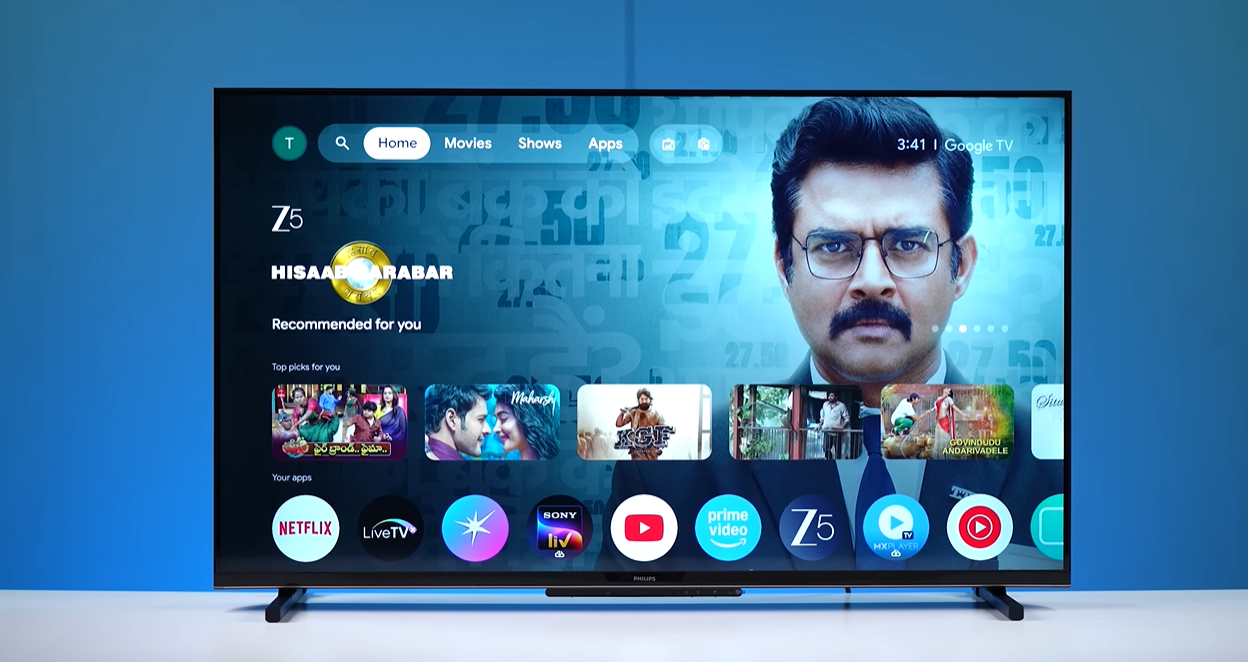
The software platform is Google TV based on Android 14 — one of the better smart TV operating systems available, with access to the full Google Play Store, Chromecast, YouTube, Prime Video, Netflix, and every major Indian OTT app.
What’s good: The interface is clean, Google Assistant voice search works, and the far-field microphone on the TV panel means you can give voice commands without picking up the remote. App selection is complete — no missing OTT platforms.
The problem: Lag. This is the most reported issue and it’s real. Navigating settings menus, switching apps, and basic UI transitions take noticeably longer than they should. There’s a small but persistent delay on every interaction — settings open slowly, submenus open slowly.
It’s not unusable. But if you’re coming from a recent Tizen TV (Samsung), webOS TV (LG), or a Fire TV stick, the sluggishness of the 2GB RAM + Android 14 combo on this TV will feel like a step back.
The far-field microphone on our test unit stopped working — we couldn’t get voice commands through the TV’s built-in mic, regardless of settings. This may be a unit-specific issue, but it’s worth testing this feature immediately after purchase and reporting to Philips if non-functional.
Multi-tasking: With apps running in the background, the TV holds about 3 apps in memory. With a movie playing, it drops to around 3 apps. Nothing unusual, but don’t expect seamless instant-switching between multiple apps.
Boot time: A cold boot takes approximately 40–41 seconds to reach the home screen. This is longer than ideal — if you frequently unplug your TV or experience power cuts, that ~40-second wait every time will get old.
Chromecast: Built-in and works well. Apple AirPlay is absent — a missed opportunity, given how many iPhone users there are in India.
Remote Control: Functional, Familiar
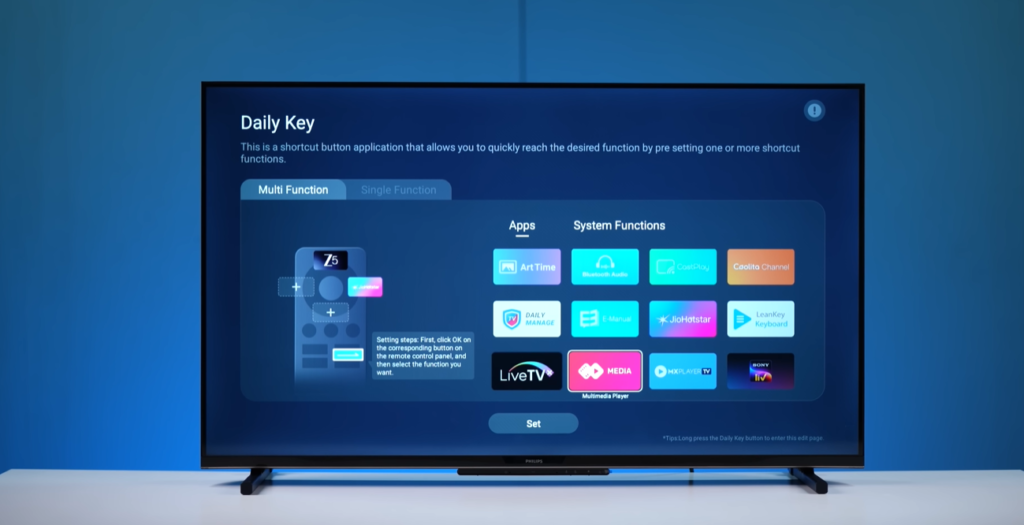
The remote is practically identical to a Hisense remote in layout and feel — if you’ve used a Hisense TV recently, you’ll feel right at home. It’s a voice remote with dedicated shortcuts for Prime Video and YouTube, plus a “Daily Key” button that’s genuinely useful: you can assign up to 4 apps to a single button, so one press opens your favourite shortcuts instantly. That’s a clever feature you don’t often see on budget TV remotes.
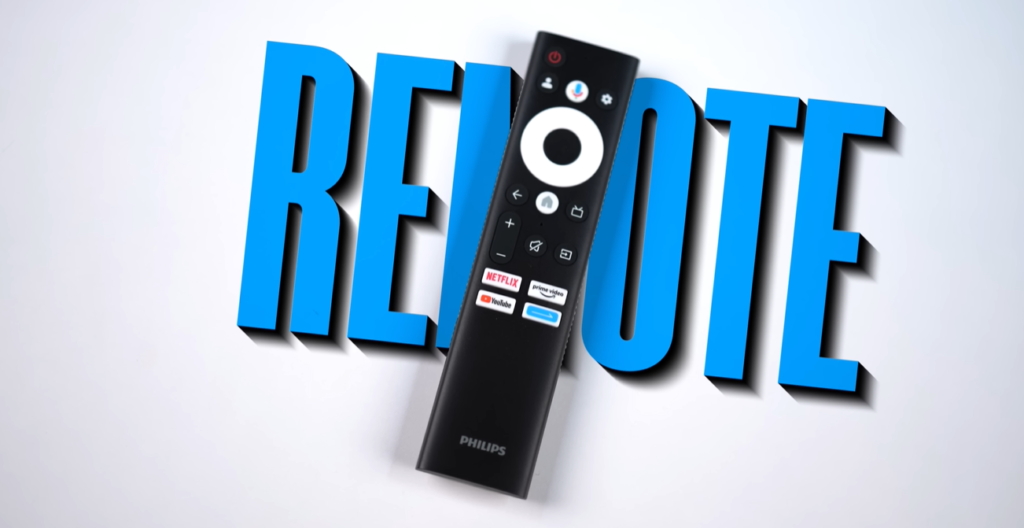
Voice search works for opening apps and searching content — just say “Open YouTube,” and it responds. The remote overall is decent — nothing broken, nothing exceptional.
Should You Buy the Philips 8100 43-Inch?
Here’s the honest decision tree:
Buy it if:
- You can get it at ₹20,000 or below using Flipkart/Amazon bank card offers
- Your primary use is OTT streaming, daily TV, and YouTube
- You’re setting up a bedroom TV where viewing conditions are controlled
- You’re okay budgeting for a soundbar later
Skip it if:
- You’re paying full ₹25,000 MRP with no offers — at that price, ₹2,000–₹3,000 more gets you the Samsung Crystal 4K Infinity Vision or the LG UA8200, both of which offer smoother software performance and better overall packages
- You want it as a gaming TV — the native 60Hz panel and software lag rule out serious gaming use
- Your living room gets heavy daylight — the 290-nit real-world brightness will struggle
Competitors to Consider at This Budget
| TV | Price | Why Consider Over Philips |
|---|---|---|
| Samsung Crystal 4K Infinity Vision 43″ | ~₹27,000–₹28,000 | Smoother Tizen OS, better brand ecosystem |
| LG 43UR8000 / UA8200 43″ | ~₹27,000–₹29,000 | webOS is snappier, better viewing angles |
| Hisense U6K 43″ | ~₹23,000–₹24,000 | Comparable display, similar price point |
Final Score
| Category | Score |
|---|---|
| Design & Build | 8/10 |
| Display Quality | 7.5/10 |
| Audio | 5.5/10 |
| Smart TV / OS | 6.5/10 |
| Value for Money | 8.5/10 (at ₹20k) / 6.5/10 (at ₹25k) |
| Overall | 7.2 / 10 |
Reviewed by MyPitShop | Honest Reviews. Smarter Choices. Check latest prices and availability via the product links below.