ONE-LINE VERDICT
The ASUS ZenBook A16 is the most compelling Windows laptop ever made for buyers who have been considering a MacBook. It is not perfect. But it is the closest thing to Apple Silicon performance in a Windows machine — and it undercuts the MacBook Air M5 on price while offering more RAM and a better port selection.
RATING: 4 / 5
WHO SHOULD READ THIS
This review is for three specific types of buyers. First, anyone currently using a MacBook who is curious whether Windows ARM has finally caught up. Second, anyone shopping for a premium thin and light laptop who wants to understand whether the ZenBook A16 deserves to be on their shortlist. Third, developers and content creators who want to know whether the Snapdragon X2 Elite is ready for real work in 2025 and 2026.
If you fit any of these descriptions, this review has specific answers for you — not spec sheet summaries, but real testing impressions from weeks of daily use.
THE CONTEXT MOST LAPTOP REVIEWS SKIP
ARM-based Windows laptops have had a troubled history. Early versions could not run traditional Windows applications at all. Performance was weak across every workload. Battery life — which was supposed to be the main selling point — was not even reliably good. The promise was always there. The execution was not.
The first generation Snapdragon X Elite moved things in the right direction. Battery life became outstanding. General performance became acceptable. But compatibility problems persisted and most games were completely unplayable. There was no clear, compelling reason to choose a first-gen ARM Windows laptop over a MacBook or a standard x86 machine.
The Snapdragon X2 Elite in the ZenBook A16 changes the calculation. Not in every area — but in enough areas that the conversation is now genuinely different.
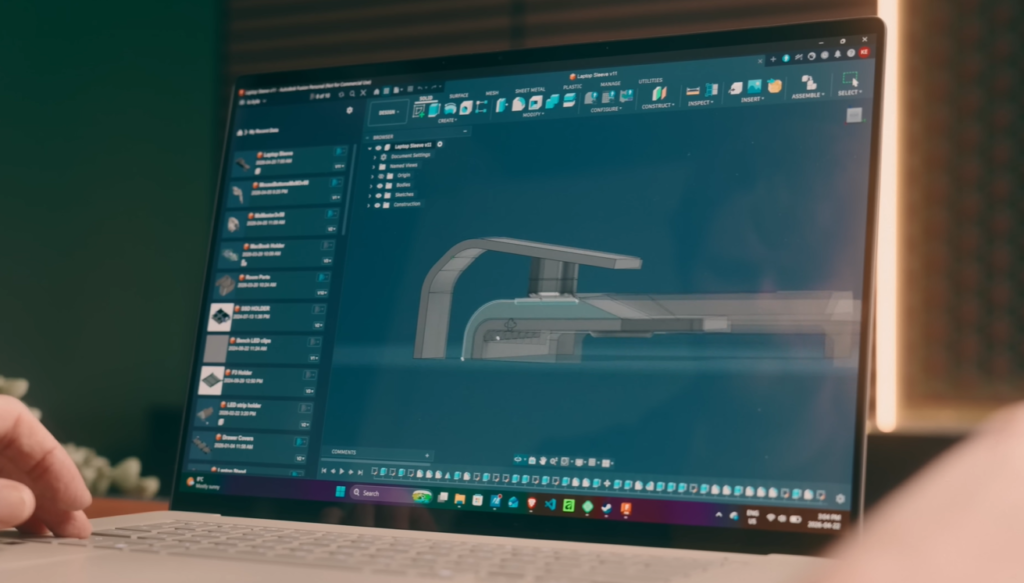
This is a review after weeks of real daily use — coding in VS Code, working in Fusion and Lightroom and Affinity, watching content, web browsing, running local AI models, and some light gaming. Here is what was found.
DESIGN AND BUILD — LIGHTER THAN ANY COMPARABLE MACBOOK
Starting weight and dimensions because they matter for a laptop positioned as a MacBook alternative.
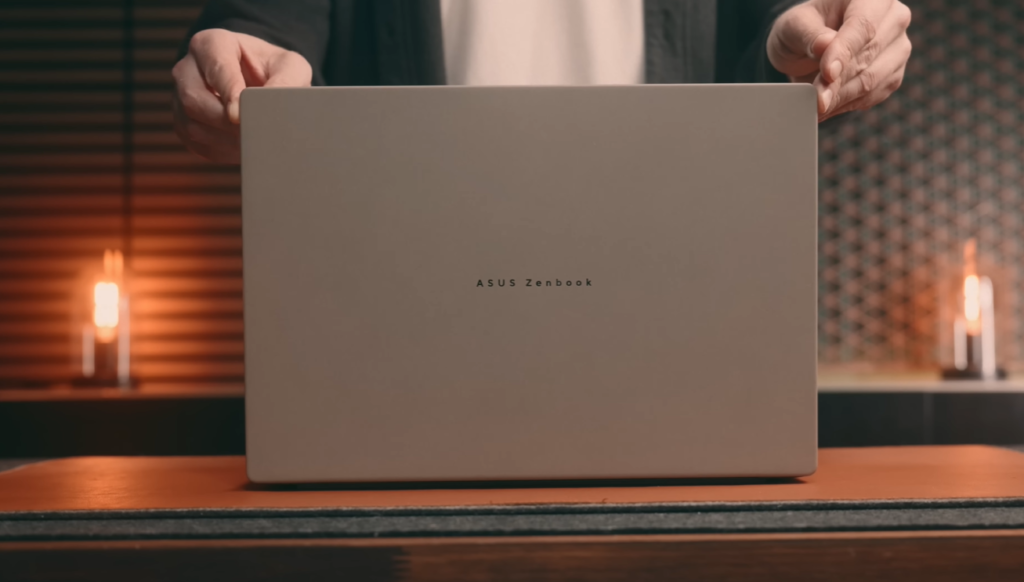
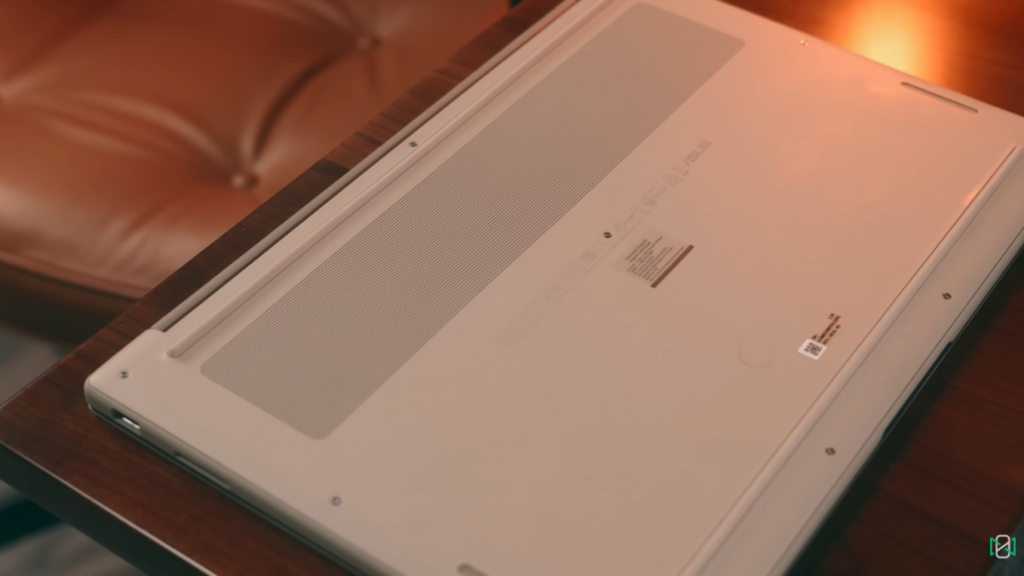
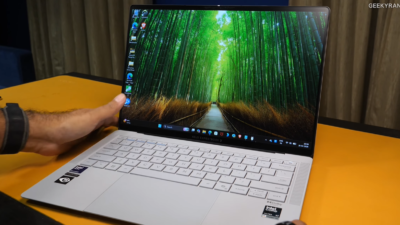
The ZenBook A16 is a 16-inch laptop that weighs 1.2 kilograms. The 16-inch MacBook Pro weighs just under 2.15 kilograms, nearly double. The 15-inch MacBook Air weighs 1.51 kilograms. The ZenBook A16 is lighter than a 15-inch MacBook Air despite having a larger 16-inch screen. That is a remarkable engineering achievement and a real daily benefit for anyone who carries their laptop regularly.
Thickness is 16.5mm at the highest point. The machine is genuinely slim and genuinely portable in a way that few 16-inch laptops manage.
THE CERAMIC COATING — FUNCTION AND FEEL
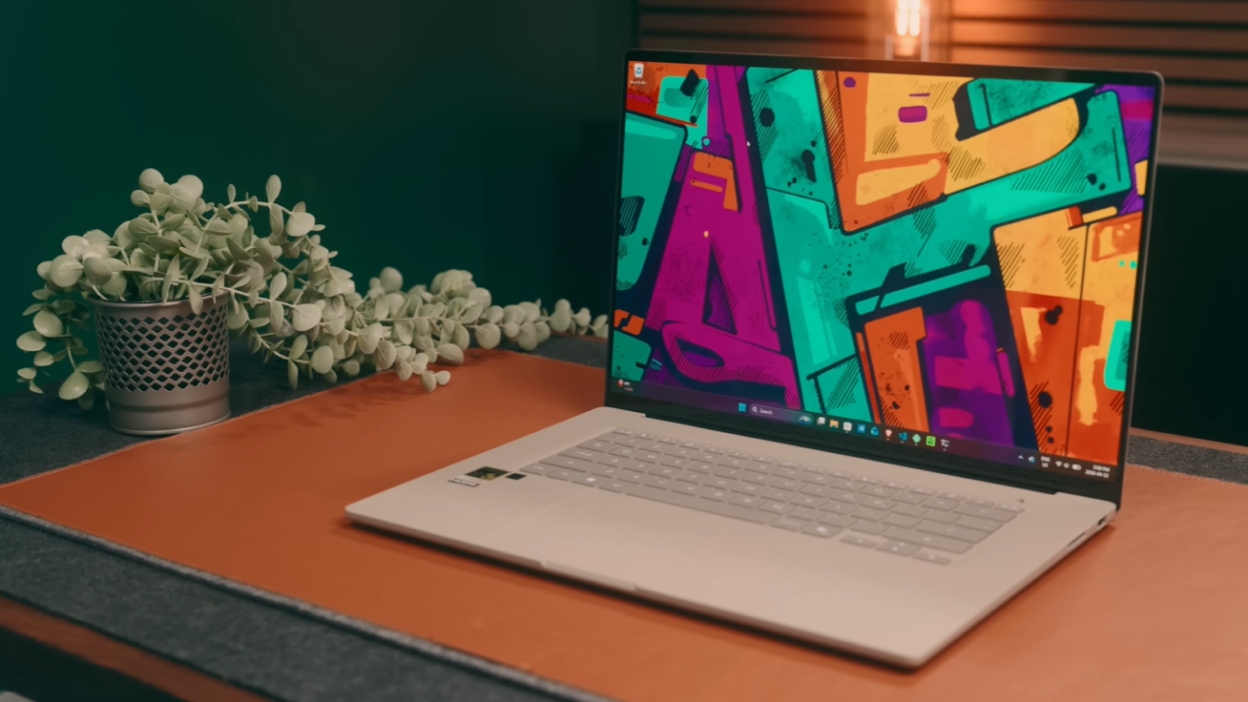
The finish is what ASUS calls Ceraluminum — a ceramic coating over an aluminium chassis. The colour is called Brisky Beige. The real-world appearance is similar to a sandstone texture. The coating is functionally meaningful rather than purely aesthetic. It is harder and more scratch-resistant than bare aluminium. After weeks of daily use, there are no marks on the surface. This is a machine that looks like it will age well.
The coating has a tactile quality that feels premium and distinctive. It is different from aluminium, different from plastic, and different from the various matte finishes other laptop manufacturers use. It genuinely stands out.
KEYBOARD AND TRACKPAD
Both are excellent. The keyboard has a soft feel that is not mushy or loose — it provides tactile feedback without being stiff or fatiguing over long typing sessions. There is very minor flex in the keyboard deck but nothing perceptible during normal use.
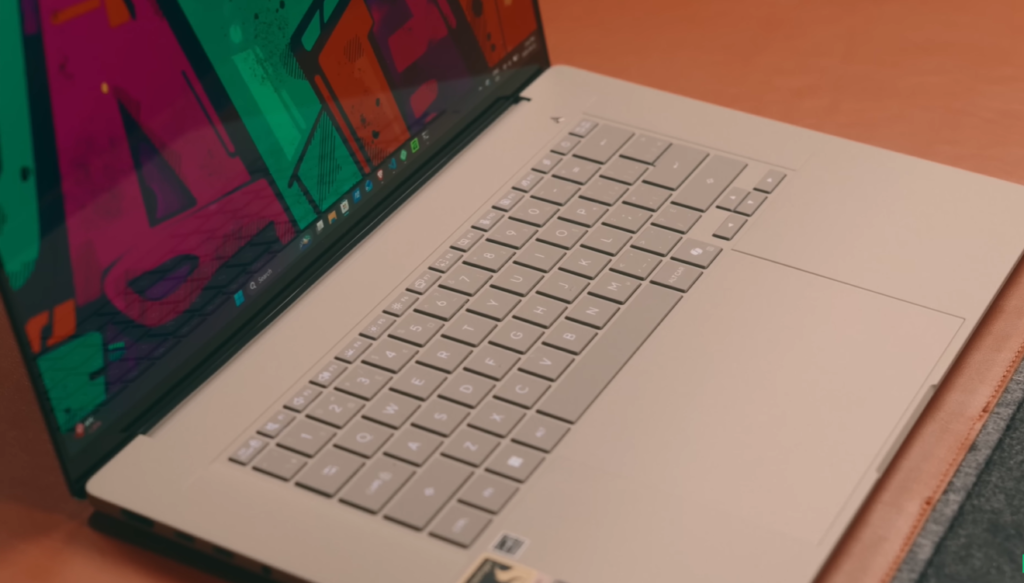
The trackpad is large — genuinely large in a way that provides ample working area for gesture navigation and precise cursor control. False touches are rare. ASUS includes built-in smart gestures that use trackpad edges to control volume and brightness. These can be disabled and should be — they occasionally trigger unintentionally and duplicate controls already available on the keyboard.
DISPLAY — OLED BRILLIANCE WITH ONE HONEST LIMITATION
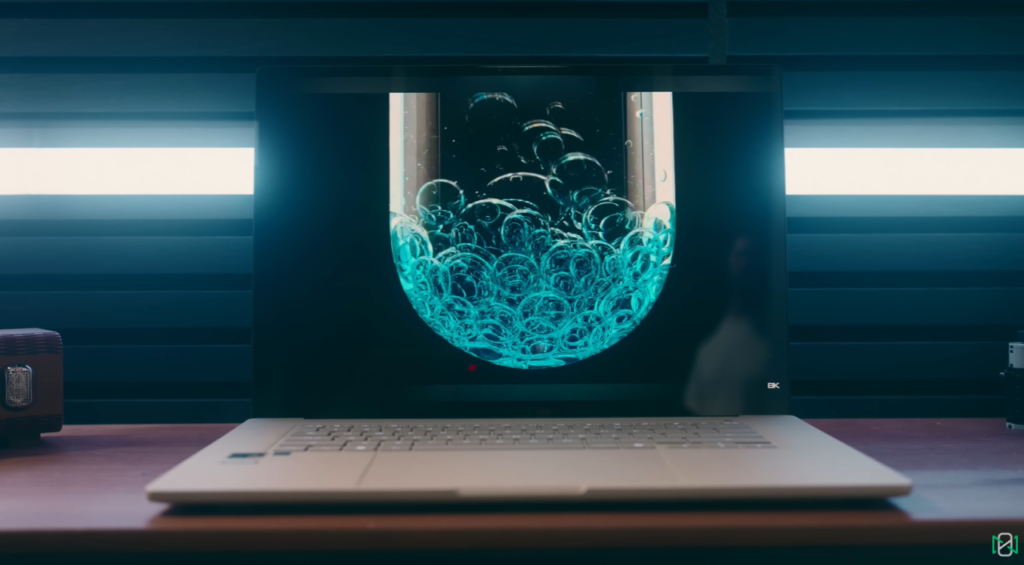
The display is a 2880 by 1800 resolution OLED panel running at up to 120Hz. Peak brightness reaches 500 nits in SDR and 1000 nits in HDR. Colour coverage hits 100 percent of the P3 gamut. It is a genuinely beautiful screen that makes the MacBook Air’s LCD look dated in direct comparison.
WHAT IT DOES BETTER THAN THE MACBOOK AIR
HDR brightness of 1000 nits is a meaningful step up from the MacBook Air’s display. Colour accuracy at 100 percent P3 coverage handles any colour-critical creative work without compromise. OLED contrast — true blacks with no backlight bleed — makes watching content on this panel a genuinely excellent experience. The 120Hz variable refresh rate ensures smooth motion across all content types.
THE ONE HONEST LIMITATION — PIXEL DENSITY
Pixel density sits at 212 pixels per inch. The MacBook Air reaches 224 pixels per inch. The MacBook Pro reaches 254 pixels per inch. The difference between 212 and 224 is meaningful because 212 sits just below the threshold where individual pixels become indistinguishable to the human eye at normal viewing distances.
In practice, text may appear fractionally softer than on the MacBook Air. This requires active attention to notice — it will not bother most users. But buyers who specifically do fine typography work, code review with small font sizes, or who simply have high sensitivity to display sharpness should be aware of it before purchase.
THE ANTI-REFLECTIVE COATING PROBLEM
The display lacks an effective anti-reflective coating. In brightly lit environments, reflections on the OLED panel are noticeable and distracting. Given that the rest of the display experience is excellent, this feels like an oversight that undermines the premium presentation. It is the single most consistent daily irritation with the display.
TOUCH SCREEN AND AUDIO
The display is touch-enabled — a genuine daily convenience for scrolling, zooming, and occasional creative tasks. Audio is handled by a six-speaker Dolby Atmos system with four woofers and two tweeters. Volume reaches genuinely loud levels for a laptop. Switching the equaliser to detailed mode produces the best results — good clarity and adequate mid-range presence. Bass is limited, as expected from a thin laptop chassis. The audio is better than most Windows laptops and behind the MacBook Pro’s speaker system specifically.
PERFORMANCE — THE REAL STORY OF THE X2 ELITE
The Snapdragon X2 Elite — specifically the 94100 variant — is the most important story in this laptop. Here is what that chip delivers and where it still has limitations.
CHIP SPECIFICATIONS
18 cores. 48 gigabytes of unified memory. 228 gigabytes per second memory bandwidth. Adreno X290 GPU. Hexagon NPU with up to 80 TOPS AI performance.
HOW IT COMPARES TO APPLE M5
In general performance benchmarks, the X2 Elite performs very similarly to Apple’s M5 chip. Single-core scores are slightly lower. Multi-core scores are slightly higher. In daily use, this translates to a machine that feels fast, responsive, and capable across virtually every standard task without perceivable lag.
A week of exclusive daily use — web browsing, content consumption, VS Code development, Fusion video work, Lightroom photo editing, and Affinity creative work — produced no moment where the machine felt slow or unable to handle what was being asked of it. That is the real benchmark. Not synthetic scores. Actual work.
COMPATIBILITY — MASSIVELY IMPROVED FROM FIRST GENERATION
The first generation Snapdragon X Elite had consistent application compatibility problems. The X2 Elite is dramatically better. Most applications installed and ran without issues. This is the most significant improvement over the previous generation and the reason the ZenBook A16 can be recommended, where its predecessor could not be with confidence.
GPU PERFORMANCE — FORTY TO FIFTY PERCENT BETTER THAN LAST GENERATION
The Adreno X290 GPU delivers forty to fifty per cent better performance than the first-generation chip’s graphics. Real-world performance sits around the level of the base M5 MacBook Pro and MacBook Air. Fusion and Blender run smoothly for standard creative work. Demanding professional GPU workloads are better handled by Intel Arc B390 or a pro-level M4 or M5 chip, but for the creative professional working in standard tools, the ZenBook A16 is capable.
GAMING — BETTER THAN EXPECTED, NOT A GAMING MACHINE
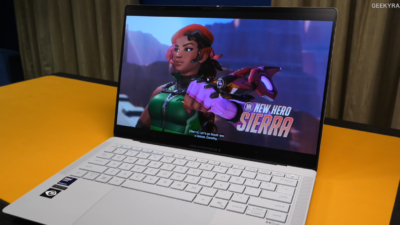
Several games were tested. Performance on lower settings was surprisingly good. Some titles still have ARM compatibility issues — Starfield produced texture problems during testing. For casual gaming on titles that support ARM, the 120Hz OLED panel provides excellent visual output with near-instant response times. The ZenBook A16 is not a gaming laptop. It handles casual gaming better than its positioning suggests.
THERMAL MANAGEMENT — NOTABLY BETTER THAN MACBOOK AIR M5
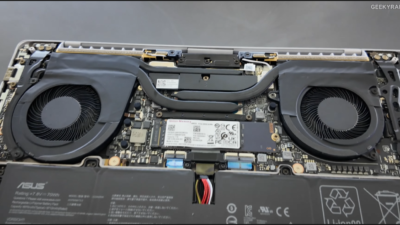
This is a genuinely important finding. The MacBook Air M5 has documented heat throttling issues under sustained heavy load because it has no active cooling. The ZenBook A16 reaches just under 50 degrees Celsius under heavy workloads — slightly warmer than the MacBook Air but without the same performance throttling. The dual fans are present but rarely audible. During normal work the machine runs completely silent. The fans became audible only during sustained AI model benchmarking — one of the most demanding workloads tested.
For users who do sustained heavy work — long video exports, extended compilation runs, demanding creative processing — the ZenBook A16’s active cooling means it maintains performance where the MacBook Air M5 does not.
LOCAL AI PERFORMANCE — IMPRESSIVE POTENTIAL, ECOSYSTEM LIMITATIONS
The X2 Elite delivers meaningful local AI capability. 48 gigabytes of unified RAM with 228 gigabytes per second bandwidth handles large local models, including 26 billion and 31 billion parameter models. This is considerably faster than the base M5 MacBook Air, which tops out at 32 gigabytes of RAM with 153 gigabytes per second bandwidth. The raw hardware advantage is real and measurable.
The limitation is ecosystem support. Tools like Llama CPP run and are fast but only use the CPU. NPU usage remains in experimental mode. Frameworks like continue.dev and many developer AI tools are built primarily around NVIDIA and Apple Silicon. ARM Windows support is improving but not yet comprehensive. The hardware can do more than the software currently allows it to do. This gap will close over time. It has not closed yet.
CONNECTIVITY AND PORTS — MORE THAN THE MACBOOK AIR
Port selection is one area where the ZenBook A16 clearly beats the MacBook Air. Here is the complete port inventory:
Two USB-C ports at 40 gigabytes per second speed. One USB-A 3.2 port. One UHS-2 SD card slot — faster than the SD slot in the MacBook Pro. HDMI 2.1 output. A 3.5mm headphone jack.
This is a more useful daily port selection than the MacBook Air’s two Thunderbolt ports and MagSafe. The USB-A port eliminates the need for an adapter for legacy accessories. The SD slot is faster than most alternatives. The headphone jack is simply present — which Apple removed from the MacBook Air long ago.
Two limitations worth noting. External display support via HDMI and USB tops out at 4K resolution, which is a limitation for users with 5K or 6K displays. There is no Thunderbolt 5. Both of these matter most for professional creative setups with high-resolution external displays.
Wireless connectivity includes Bluetooth 5.4 and Wi-Fi 7. Both performed without issues throughout testing. Wi-Fi 7 specifically delivered strong speeds, excellent range, and zero connection drops.
BATTERY LIFE — OUTSTANDING WITH ONE QUIRK
ASUS claims over 21 hours of battery life. In real mixed use — a combination of web browsing, development work, content consumption, and light creative tasks — the machine consistently lasted well over a full day and into the following day. Real-world screen-on time of 12 to 14 hours was the typical result.
Under heavy CPU or GPU load, or with performance mode enabled and display brightness maximised, battery life drops to approximately four hours. This is expected and acceptable. The machine is primarily designed for the kind of mixed productivity work where 12 to 14 hours represents a genuine all-day and beyond result.
THE 70-WATT-HOUR BATTERY QUIRK
The 16-inch model has a 70 watt-hour battery — the same capacity as the 14-inch ZenBook A14. Larger laptops typically use larger batteries. The likely reason is the engineering trade-off required to achieve the 1.2-kilogram weight with a 16-inch chassis. The battery capacity is not a problem in daily use — the efficiency of the X2 Elite platform means 70 watt-hours goes further than the number suggests.
The included 130-watt charger reaches 50 percent in 30 minutes and 100 per cent in approximately two hours. Fast charging at this level meaningfully reduces the anxiety of running low during the day.
STORAGE — REMOVABLE SSD IS A GENUINE DIFFERENTIATOR
The SSD in the ZenBook A16 is removable. This is a feature Apple does not offer on any MacBook. User-upgradeable storage extends the useful lifespan of the machine and removes the pressure to overpay for storage at the point of purchase. The SSD speed is also slightly faster than the equivalent MacBook Air configuration. For users who plan to keep a laptop for three or more years, removable storage is a meaningful long-term ownership advantage.
PRICE AND VALUE — WHERE IT SITS AGAINST THE MACBOOK
ZenBook A16: $1,699 USD with 48GB RAM and 1TB removable SSD.
MacBook Air M5 with 32GB RAM and 1TB SSD: A few hundred dollars more.
The ZenBook A16 costs less, has 48 gigabytes of RAM versus 32 gigabytes, offers a faster and removable SSD, more ports, an OLED display, and a lighter chassis. The MacBook Air offers a sharper display, better local AI ecosystem support, more refined OS experience, and stronger GPU efficiency.
For users where raw memory capacity and bandwidth matter — local AI work, large dataset processing, heavy multitasking — the ZenBook A16’s memory advantage at a lower price is a compelling argument. For users where display sharpness, software ecosystem, and long-term platform stability are priorities, the MacBook Air remains the reference.
PROS AND CONS
PROS:
- Lighter than any MacBook at a comparable or larger screen size — 1.2kg for a 16-inch laptop
- Snapdragon X2 Elite performs comparably to Apple M5 in real workloads
- 48GB unified RAM with 228GB/s bandwidth — more than any base MacBook Air
- 16-inch OLED display at 120Hz with 1000 nit HDR peak brightness
- 100 percent P3 colour gamut — fully colour accurate for creative work
- Active cooling — no throttling under sustained heavy load unlike MacBook Air M5
- 12-14 hours real-world battery life
- USB-A port, SD card slot, HDMI 2.1, headphone jack — more ports than MacBook Air
- Removable and upgradeable SSD — MacBook offers no equivalent
- Ceraluminum coating — more scratch-resistant than bare aluminium
- Touch screen display
- 130W fast charging — 0 to 50% in 30 minutes
- Wi-Fi 7 — strong speeds, excellent range, zero drops during testing
- Application compatibility dramatically improved from the first-gen ARM Windows
CONS:
- Display pixel density at 212 PPI sits below the threshold for imperceptible sharp text
- No anti-reflective coating — noticeable reflections in bright environments
- External display support limited to 4K — no 5K or 6K support
- No Thunderbolt 5
- Local AI NPU ecosystem still limited — Llama CPP uses CPU only, NPU in experimental mode
- ARM Windows app compatibility improved but not fully resolved — some games have bugs
- 70Wh battery is unusually small for a 16-inch laptop
- Smart gesture trackpad features are poorly implemented — recommended to disable
- Minor keyboard deck flex
COMPARISON — ZENBOOK A16 VS MACBOOK AIR M5
- Weight: ZenBook A16 wins — 1.2kg vs 1.51kg (15-inch Air).
- Display: MacBook Air wins on pixel density. ZenBook A16 wins on brightness and OLED contrast.
- Performance: Comparable. X2 Elite slightly higher multi-core, M5 slightly higher in single-core.
- RAM: ZenBook A16 wins — 48GB vs 32GB maximum on base Air Ports: ZenBook A16 wins — USB-A, SD card, HDMI, headphone jack included
- Storage: ZenBook A16 wins — removable SSD, slightly faster Battery life: Comparable real-world results Thermal
- performance: ZenBook A16 wins — active cooling prevents throttling AI
- ecosystem: MacBook Air wins — broader NPU tool support Software
- ecosystem: MacBook Air wins — wider native ARM application support
- Price: ZenBook A16 wins — cheaper with better hardware specs
FINAL VERDICT
The ASUS ZenBook A16 is the most compelling argument for Windows ARM in 2025 and 2026. It is the closest thing to the MacBook experience — in terms of thinness, weight, battery life, silence, and overall performance — that a Windows laptop has ever delivered.
The Snapdragon X2 Elite has taken a genuine leap forward. Compatibility is no longer the daily frustration it was. Performance matches Apple’s M5 in most real workloads. Active cooling prevents the throttling that holds back the MacBook Air M5 under sustained load. The 48 gigabytes of RAM at a lower price than the equivalent MacBook Air configuration makes the value argument compelling. The removable SSD is a long-term ownership advantage that Apple simply does not offer.
The gaps that remain are real. The display pixel density sits just below the threshold for imperceptibly sharp text. The anti-reflective coating is inadequate. External display support tops out at 4K. The local AI NPU ecosystem is still catching up. Some games still have ARM compatibility issues.
For buyers who have been Mac-curious but prefer Windows, or Windows users who have been MacBook-curious but prefer staying in the Windows ecosystem, the ZenBook A16 makes the decision genuinely difficult in a way that no previous ARM Windows laptop managed. That is meaningful progress.
At $1,699 with 48GB of RAM and a removable SSD, it deserves serious consideration alongside any MacBook Air M5 purchase decision.
RATING: 4 / 5
BEST FOR: Professionals and developers who want MacBook-level portability and performance in a Windows laptop. Users who need more than 32GB RAM at a competitive price. Buyers who value port selection, removable storage, and OLED display quality.
NOT IDEAL FOR: Users who rely heavily on NPU-accelerated AI tools. Professional video editors who need fast export times. Anyone who specifically needs 5K or 6K external display output. Dedicated gamers.
PRICE: $1,699 USD / $2,799 CAD
Reviewed by Reo R
My PitShop 6+ years hands-on tech and automotive reviewing experience Zero brand bias — honest verdicts, every time Category: Laptop Review | Read time: 10 min | Last updated: April 2026