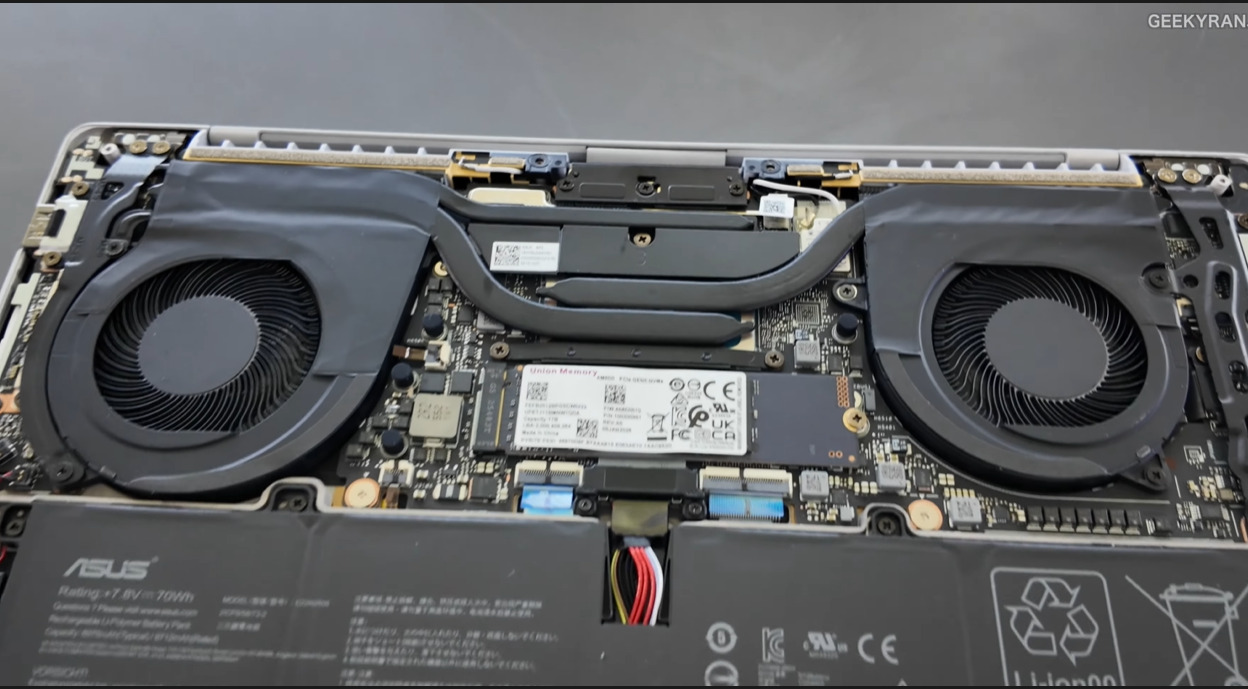
The Asus ExpertBook Ultra has received near-universal praise since its launch. And honestly, most of that praise is well deserved. The Tandem OLED display is the best on any laptop. The durability is genuinely class-leading. The security architecture goes deeper than anything else available on Windows.
However, no laptop is right for everyone. In fact, buying the wrong laptop — even a great one — is an expensive mistake that affects your productivity every single day.
So before you spend Rs. 2,39,990 in India or approximately $2,880 in the US, here are five honest, specific reasons the Asus ExpertBook Ultra may not be the right choice for you.
Reason #1: The Price Is Genuinely Difficult to Justify for Non-Business Users
Let’s start with the most obvious reason — the cost.
The Numbers Are Real
The entry variant starts at Rs. 1,49,990 in India. The recommended 32GB Tandem OLED configuration costs Rs. 2,39,990. The top-end 64GB variant pushes toward Rs. 3,50,000. In US dollar terms, that translates to roughly $1,800 to $4,200 depending on configuration.
Who This Pricing Makes Sense For
For a registered business entity in India, the 18% GST input credit brings the effective cost of the recommended variant down to approximately Rs. 1,96,700. For a company purchasing multiple units with on-site warranty and 5-year enterprise support, the total cost of ownership calculation works in its favor.
However, if you are an individual buyer — a student, a freelancer, a creative professional, or someone who simply wants a premium personal laptop — the pricing is very hard to justify. You are paying significantly for enterprise features like the dual self-healing BIOS, Expert Guardian IT management, chassis intrusion detection, and on-site service. As an individual, you will likely never use most of those features.
What You Could Buy Instead
At the same price point, alternatives worth serious consideration include the Apple MacBook Pro M4, the Dell XPS 15, or the LG Gram Pro — all of which deliver excellent performance and display quality for personal and creative professional use without the enterprise overhead built into the ExpertBook Ultra’s pricing.
Bottom Line: If you are not a business entity claiming GST input credit, or if enterprise security and IT management features hold no value for you, the ExpertBook Ultra’s pricing is genuinely hard to defend against the competition.
Reason #2: The 16GB RAM Variant Cannot Run Local AI — Making It Feel Incomplete
The most talked-about feature of the ExpertBook Ultra is its ability to run Google’s Gemma 4 at 26 billion parameters entirely on-device. It is a genuinely compelling capability that no competing laptop currently matches.
The Problem With the Entry Variant
Here is the issue — that headline feature requires the 32GB RAM variant to function. The entry-level 16GB configuration, priced at Rs. 1,49,990, cannot support the 26B parameter model at all.
This creates an awkward situation. Asus markets the ExpertBook Ultra heavily around local AI capability. However, buyers who choose the entry variant based on that marketing will discover that the feature they were most excited about is simply not available to them without upgrading.
The Upgrade Gap Is Significant
The jump from the 16GB standard OLED variant at Rs. 1,49,990 to the 32GB Tandem OLED variant at Rs. 2,39,990 is a Rs. 90,000 difference. That is not a minor configuration upgrade. For many buyers, that gap will push the ExpertBook Ultra out of their budget entirely.
What This Means Practically
If you are considering the ExpertBook Ultra specifically because of its local AI capability — and you cannot or do not want to spend Rs. 2,39,990 — then this laptop does not deliver the feature that makes it unique. Consequently, at the 16GB price point, you are paying a premium for a business laptop that lacks its signature differentiator.
Bottom Line: The local AI capability that defines the ExpertBook Ultra requires the 32GB variant. The entry 16GB configuration cannot deliver the feature most buyers are genuinely excited about.
Reason #3: It Is a Poor Choice for Gaming and Creative Workloads
The ExpertBook Ultra runs on integrated graphics. Specifically, it relies on the Intel Arc GPU built into the Panther Lake chip — capable integrated graphics by modern standards, but fundamentally not a dedicated GPU.
What It Can Handle
In testing, the ExpertBook Ultra handled casual gaming at medium settings and delivered 60 to 100 fps in lighter titles. For very casual gaming during travel or downtime, it is functional. Additionally, lighter creative tasks like document design, basic photo editing, and video calls run without issue.
What It Cannot Handle
However, if your work or personal use involves any of the following, the ExpertBook Ultra will frustrate you:
- AAA gaming at high or ultra settings
- 4K video editing in Premiere Pro or DaVinci Resolve with heavy effects
- 3D rendering in Blender, Cinema 4D, or similar tools
- Machine learning model training with GPU acceleration
- VFX or motion graphics work with complex compositing
For these workloads, a dedicated GPU is not optional — it is essential. Furthermore, at the ExpertBook Ultra’s price point, you can purchase a laptop with a dedicated NVIDIA RTX 4070 or higher that handles these tasks comfortably.
The Audience Mismatch
The ExpertBook Ultra targets executives whose primary workloads are documents, presentations, video calls, data analysis, and secure communications. Consequently, it is engineered and priced for that use case specifically. If your workload falls outside that profile, you are paying for enterprise features you do not need while missing GPU performance you actually require.
Bottom Line: The ExpertBook Ultra has no dedicated GPU. For gaming, 4K video editing, 3D rendering, or GPU-accelerated creative work, it is the wrong tool regardless of its other strengths.
Reason #4: The Weight Advantage Disappears if You Need Ports and Accessories
One of the ExpertBook Ultra’s most celebrated specifications is its 1.1-kilogram weight. For a 14-inch laptop with MIL-STD-810H durability and a Tandem OLED display, that weight is genuinely remarkable.
The Real-World Caveat
However, that 1.1kg figure reflects the laptop alone — and business users rarely travel with just the laptop. Consider what typically accompanies a business laptop in daily use:
- Power adapter and cable
- USB-C hub or docking station (for users needing HDMI, SD card, or additional USB-A ports)
- External mouse
- Notebook and documents
- Phone and charger
Once you add a power brick, a hub, and standard accessories to your bag, the practical weight advantage over a slightly heavier laptop with more built-in ports narrows considerably.
Port Selection Considerations
The ExpertBook Ultra, being an ultra-thin machine, prioritizes USB-C and Thunderbolt connectivity. Users coming from laptops with multiple USB-A ports, a built-in SD card reader, or HDMI out may find themselves dependent on a hub for their existing peripherals and workflow. Therefore, that additional hub adds both weight and cost to the total ownership equation.
The Battery Charger Reality
Additionally, while the ExpertBook Ultra delivers excellent battery life, the 70Wh battery still requires a charger for full working days with heavier loads. Furthermore, the charger itself adds to the carry weight that the laptop’s 1.1kg specification does not account for.
Bottom Line: The 1.1kg headline weight is real and impressive. However, the practical carry weight for most business users — including charger, hub, and accessories — is meaningfully higher. If you primarily work from a fixed desk or docking station, this advantage matters less than the marketing suggests.
Reason #5: The Software and UI Experience Depends Entirely on Windows — Not Asus
The ExpertBook Ultra is exceptional hardware. However, hardware is only half the experience — and the software side introduces a consideration that no amount of engineering can fully resolve.
The Windows Dependency
The ExpertBook Ultra runs Windows 11. For the overwhelming majority of business users, this is perfectly fine. However, for professionals who work deeply within the Apple ecosystem — iPhone, iPad, AirDrop, Handoff, iMessage on desktop, Universal Clipboard, Continuity Camera — switching to a Windows laptop introduces genuine daily friction that is easy to underestimate before you experience it.
The NXT Quantum OS Layer
Asus runs their own software layer — including the Expert Guardian management platform, ASUS Security tools, and system management utilities — on top of Windows. For IT administrators, these tools add genuine value. However, for individual users, they add complexity and a learning curve that takes time to navigate comfortably.
The Aging UI Concern
Compared to Asus’s newest generation interfaces seen on devices tested in China, the current ExpertBook Ultra’s UI and system management screens feel slightly dated. While this does not affect core performance, it does affect the daily polish of the experience — something that MacBook Pro users switching to Windows will notice immediately.
Software Updates and Long-Term Support
Furthermore, business laptops typically receive software and driver updates on enterprise timelines rather than consumer timelines. For individual buyers who want the latest features immediately, this pace of update delivery can feel slow compared to a MacBook on the latest macOS.
Bottom Line: The ExpertBook Ultra’s hardware is world-class. However, the software experience depends heavily on Windows and Asus’s enterprise layer — and for users deeply embedded in the Apple ecosystem or accustomed to macOS polish, this transition carries real daily friction.
Quick Summary: Should You Avoid the Asus ExpertBook Ultra?
Avoid it if you are in any of these situations:
You are an individual buyer without business GST benefits — the pricing is hard to justify without the enterprise tax advantage.
You want local AI but cannot stretch to the 32GB variant — the entry model cannot run the headline feature.
Your work involves gaming, 4K video editing, 3D rendering, or GPU-accelerated tasks — the integrated graphics will frustrate you.
You primarily work docked at a desk and rarely travel — the portability premium adds cost without delivering proportional daily benefit.
You are deeply embedded in the Apple ecosystem — the Windows and Asus software layer introduces friction that hardware quality alone cannot resolve.
Who Should Still Buy It
Despite these five considerations, the ExpertBook Ultra remains the right choice for a specific and well-defined buyer. Specifically, it is the right laptop if you are:
- A C-suite executive or senior business professional
- A registered business entity claiming GST input credit in India
- Someone who handles genuinely confidential data requiring on-device AI
- A frequent traveler who needs military-grade durability in ultralight form
- An IT administrator deploying enterprise security and management tools
- A Windows user who wants the absolute best without compromise
For that buyer, none of the five reasons above apply — and the ExpertBook Ultra remains the strongest Windows business laptop available in 2026.
Final Thought
The Asus ExpertBook Ultra is a genuinely exceptional laptop. However, exceptional does not mean universal. Understanding precisely who it is built for — and honestly recognising whether you fit that profile — is the difference between a purchase you will celebrate for years and one you will regret within months.
Buy it for the right reasons. Avoid it for the right reasons. Either way, make the decision with your eyes open.