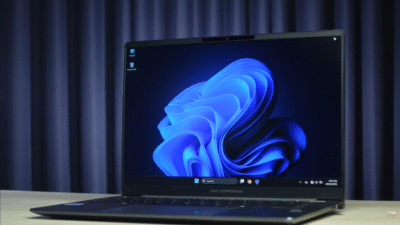
Huawei’s MatePad 12X (2025) is a sleek, all-metal tablet with a 12-inch PaperMatte LCD display that kills glare, a 144Hz refresh rate, and a 10,100 mAh battery that lasts up to 14 hours. Powered by an undisclosed Kirin chipset and running HarmonyOS 4, it’s smooth, responsive, and ideal for reading, note-taking, and binge-watching. The six-speaker system delivers rich audio, and 66W charging refills it in under 90 minutes. But there’s no Google Play Store, no IP rating, and video tops out at 1080p. The Smart Magnetic Keyboard and M-Pencil Pro elevate productivity. At around $550–$650, it’s a premium mid-tier tablet that shines in Huawei’s ecosystem — but demands tolerance for AppGallery limitations.
Verdict: 8.7/10 — Best non-Google tablet for sunlight use, writing, and media.
Introduction
Huawei isn’t slowing down. In 2025, the Chinese tech giant has unleashed a barrage of tablets, from the ultra-premium MatePad Pro to the more accessible MatePad 11.5S, and now the MatePad 12X — a device that sits comfortably in the middle, offering near-flagship features without the flagship price tag.
This isn’t just another Android tablet. It’s a HarmonyOS-powered productivity and entertainment machine built for people who value design, display clarity, and battery life over Google services. Whether you’re a student annotating PDFs in direct sunlight, a professional drafting reports on the go, or a parent looking for a family media hub that won’t die mid-movie, the MatePad 12X makes a strong case.
But can it truly replace an iPad or Samsung Galaxy Tab in a world dominated by Google and Apple ecosystems? We spent two weeks with the 2025 MatePad 12X — typing, drawing, streaming, and stress-testing every feature — to find out.
Design & Build Quality
The MatePad 12X is one of the most elegant tablets you can buy in 2025. At just 555 grams and under 6mm thick, it feels impossibly light and slim for a 12-inch device. The all-metal unibody is cold to the touch, rigid, and exudes premium craftsmanship — a far cry from the plastic-backed budget tablets of yesteryear.
Huawei offers it in two finishes: a crisp white with a pearlescent sheen and a muted green. The white model, in particular, looks stunning — clean, modern, and resistant to fingerprints. The back doesn’t attract smudges like glass-backed phones, and the smooth texture feels luxurious under the finger.


The bezels are uniform and slim on all four sides — no notch, no punch-hole — with just enough room in the top bezel for the front camera. Accidental palm touches? Minimal. The system intelligently ignores edge input during normal use, so you can grip it naturally without triggering ghost touches.
There’s no official IP rating, which is a slight disappointment compared to Samsung’s IP68 Galaxy Tabs, but Huawei claims it can handle minor splashes. We didn’t test submersion (and neither should you), but it survived a coffee drizzle without issue.
The optional Smart Magnetic Keyboard is a standout. It snaps on securely, protects the screen when closed, and props the tablet at two fixed angles — not adjustable, but both are comfortable for lap or desk use. The keyboard itself is full-sized, with well-spaced keys, decent travel, and surprisingly accurate typing. It’s not backlit, but for a cover accessory, it punches above its weight.
Display – The PaperMatte Experience
The star of the show is the 12-inch PaperMatte LCD. With a resolution of 2800 x 1840, it’s sharp enough for detailed documents, 4K video, and digital art. But what sets it apart is Huawei’s PaperMatte anti-glare coating — a textured, paper-like surface that eliminates reflections and reduces eye strain.

Step outside on a sunny day, and the screen remains perfectly legible. Tilt it under bright studio lights, and there’s zero glare — colors stay accurate, text stays crisp. The 1000-nit peak brightness helps, but it’s the matte texture that truly transforms outdoor usability. Reading ebooks, annotating contracts, or sketching in a park feels natural — almost like using real paper.
It’s not OLED. Contrast isn’t as deep as the MatePad Pro, and blacks aren’t inky in dark scenes. But for productivity, reading, and daylight use, it’s arguably better. The 144Hz refresh rate ensures buttery-smooth scrolling, animations, and stylus input — a rarity in mid-tier tablets.
We tested it with PDFs, Netflix, and Procreate-style apps — all performed flawlessly. The natural tone adjustment shifts color temperature based on ambient light, reducing blue light fatigue during late-night reading. For artists and note-takers, the M-Pencil Pro glides across the surface with paper-like friction and haptic feedback, making digital writing feel authentic.
Compared to the Samsung Galaxy Tab S9 FE (with its glossy screen), the MatePad 12X wins in sunlight. Against the iPad Air, it lacks mini-LED brightness, but matches sharpness and exceeds smoothness.
Performance & Software
Under the hood, Huawei keeps things mysterious — no official word on the chipset, but it’s likely a mid-to-high-end Kirin SoC (possibly the Kirin 9000S or a newer variant). Whatever it is, performance is excellent. HarmonyOS 4 runs silky smooth, with no lag in multitasking, app switching, or gaming.

We ran split-screen with three apps — browser, notes, and video — and experienced zero stuttering. The 144Hz display amplifies the fluidity. Gaming? Titles like Genshin Impact and Call of Duty Mobile run at high settings with stable frame rates. Even emulation (via third-party apps) worked well.
But let’s address the elephant in the room: no Google services. There’s no Play Store, no YouTube app (web version only), no Gmail (unless sideloaded). Instead, you get Huawei AppGallery and Petal Search for APK downloads. AppGallery has improved — Microsoft Office, Zoom, Netflix, and Spotify are available — but many Western apps are missing.
Petal Search lets you download APKs from APK Pure and other sources, but proceed with caution — only use trusted sites. We installed Google apps via GSpace, but it’s not seamless. If you live outside Huawei’s ecosystem, this is a dealbreaker.
That said, HarmonyOS 4 is clean, intuitive, and bloatware-free. Multitasking is a joy — drag and drop apps into split view, floating windows, or picture-in-picture. Huawei’s Super Device feature lets you mirror your phone, share files, and collaborate across devices — seamless if you’re all-in on Huawei.
Audio & Multimedia
Huawei doesn’t skimp on sound. The MatePad 12X packs six speakers — four woofers and two tweeters — tuned for rich, balanced audio. Volume goes loud enough to fill a room, and there’s surprising bass for a tablet.
We watched Stranger Things on Netflix (via browser) — dialogue was clear, music had depth, and action scenes had punch. YouTube and Spotify sounded excellent, even in a noisy kitchen. Compared to the Galaxy Tab S9 FE (four speakers), the MatePad 12X has wider soundstage and better clarity.
Wi-Fi 7 ensures blazing-fast, stable streaming — no buffering, even with 4K content (when available). There’s no cellular option, so you’re limited to Wi-Fi or tethering. But with cloud sync via Huawei ID, file access across devices is effortless.
For casual gaming and media, this is one of the best-sounding tablets under $700.
Camera System
Tablets with rear cameras still feel odd in 2025, but Huawei insists. The 50MP rear sensor is overkill — it’s sharp for scanning documents, but image quality is average. Colors are muted, dynamic range is limited, and low-light performance is poor.
Video tops out at 1080p with shaky stabilization — don’t use this for vlogging. The 8MP front camera is better suited for video calls. It handles strong backlighting decently, and mics pick up voice clearly — fine for Zoom or Teams.
If photography matters, use your phone. The MatePad 12X isn’t built for creators — it’s for consumers and professionals who occasionally snap a bill or join a meeting.
Battery Life & Charging
Battery anxiety? Not here. The 10,100 mAh cell delivers all-day stamina — easily 14 hours of local video playback, 10–12 hours of mixed use (browsing, notes, streaming), and 8–9 hours of heavy multitasking.
We left it on with Wi-Fi, Bluetooth, and brightness at 70% — it lasted from 8 AM to 10 PM with 15% to spare. 66W fast charging is a game-changer: 0–100% in under 90 minutes — faster than most laptops.
Compared to the Galaxy Tab S9 FE (10–11 hours) and iPad Air (10 hours), the MatePad 12X wins on longevity and speed. Perfect for long flights, commutes, or off-grid work.
Accessories & Ecosystem
The Smart Magnetic Keyboard transforms the MatePad 12X into a laptop replacement. Keys are responsive, spacing is generous, and typing speeds hit 80+ WPM with minimal errors. The two-angle stand works well on laps and desks.

The M-Pencil Pro (sold separately) is a delight. Haptic feedback mimics pen-on-paper, the star ring indicator shows battery and mode, and pressure sensitivity is excellent for sketching and note-taking. Pair it with Huawei Notes or Nebo, and you’ve got a digital notebook that rivals the iPad.
Within HarmonyOS, Super Device lets you drag files from phone to tablet, mirror screens, and answer calls — all wirelessly. If you own a Huawei phone or laptop, the integration is magical.
Connectivity & Storage Options
Wi-Fi 7 delivers ultra-fast, low-latency connections — ideal for cloud gaming and large file transfers. There’s no 5G or eSIM, so mobile data requires tethering.
Storage starts at 8GB RAM + 256GB and goes up to 12GB + 512GB. No microSD slot, but Huawei Cloud (with Huawei ID) offers seamless backup and sync.
Verdict: Should You Buy the Huawei MatePad 12X?
The Huawei MatePad 12X (2025) is a near-perfect mid-premium tablet — if you can live without Google.
What it nails:
- Stunning PaperMatte display — best-in-class for sunlight and reading
- Premium, lightweight design
- All-day battery + 66W charging
- Excellent speakers and 144Hz smoothness
- Productivity-ready accessories
Where it falls short:
- No Google Play Store — AppGallery + APK sideloading required
- No IP rating
- 1080p video only
- Rear camera is pointless
Best for:
- Students taking notes in bright classrooms
- Professionals in Huawei ecosystem
- Readers and artists who hate glare
- Media consumers who stream locally
Alternatives:
- MatePad Pro — if you want OLED and 4K
- Samsung Galaxy Tab S9 FE — full Google + IP68
- iPad Air (M2) — best app ecosystem
At $550–$650, the MatePad 12X is a smart buy for anyone invested in HarmonyOS or willing to adapt. It’s not for everyone — but for the right user, it’s unbeatable.
Source: Huawei MatePad 12X (2025) with PaperMatte Display