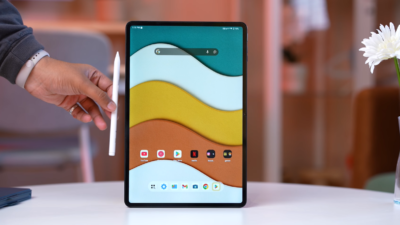
While the OnePlus Pad Go 2 offers impressive value for a budget tablet, it’s not the right choice for everyone. Before you hit that “buy” button, it’s important to understand the limitations and frustrations that come with this device. After a week of real-world testing, several significant issues emerged that could make this tablet a poor fit for your needs.
Here are the top 5 reasons why you might want to skip the OnePlus Pad Go 2 and consider alternatives instead.
1. Frustratingly Unreliable Face Unlock
Imagine picking up your tablet, looking at it expectantly, and… nothing happens. Then you try again. And again. This is the daily reality with the OnePlus Pad Go 2’s face unlock feature, which performs disappointingly in real-world use.
The face recognition system is heavily dependent on lighting conditions, and even in fairly good light, it frequently refuses to recognize faces. You’ll find yourself stuck in an annoying cycle of adjusting angles, moving toward light sources, or simply giving up and entering your PIN instead. As one reviewer noted, the system often “refuses to accept that my face is actually a face.”
For a feature that’s supposed to make your life easier, this unreliable face unlock becomes a source of daily frustration. Without a fingerprint sensor as a backup option (which is standard on many budget tablets), you’re left with a security system that feels like it’s working against you rather than for you. If quick, seamless access to your device is important to you, this glaring weakness alone might be enough to look elsewhere.
2. Maddening Auto-Rotate and Auto-Brightness Issues
Few things are more irritating than fighting with your device’s basic functionality, and the OnePlus Pad Go 2 has two critical software quirks that will test your patience daily.
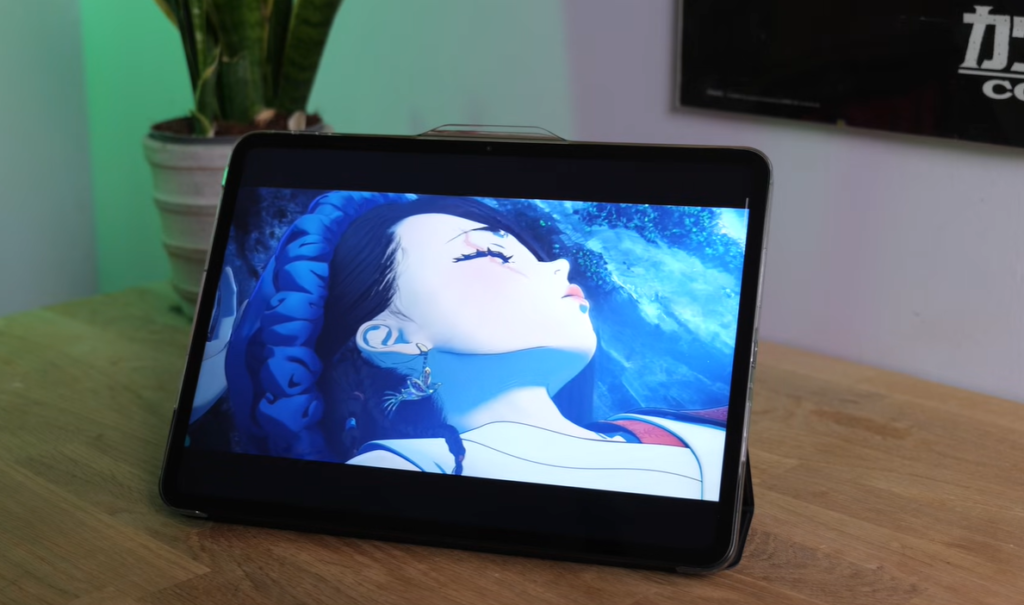
The Auto-Rotate Nightmare: Every single time you wake up the tablet with auto-rotate enabled, it defaults to portrait mode—regardless of how you’re actually holding it. This means you constantly need to physically rotate the device, wait for it to register, then rotate it back to your preferred orientation. It’s a seemingly small annoyance that becomes maddeningly repetitive throughout the day. Many users end up disabling auto-rotate entirely just to avoid the hassle, which defeats the purpose of having a tablet with orientation flexibility.
Auto-Brightness Dysfunction: The automatic brightness adjustment is “about as smart as Siri”—which is to say, not smart at all. The tablet frequently misjudges lighting conditions, leaving you squinting at a screen that’s far too dim or being blinded by unnecessary brightness. You’ll find yourself constantly diving into settings to manually adjust brightness levels, turning what should be a convenient feature into another daily chore.
These aren’t minor bugs—they’re fundamental user experience failures that impact every single interaction with the device. For a tablet released with the latest Android 16 and Oxygen OS 16, these issues feel inexcusable.
3. Inconsistent Gaming Performance and Visual Glitches
If gaming is anywhere near a priority for you, the OnePlus Pad Go 2 will disappoint. While the MediaTek Dimensity 7300 Ultra chip with 8GB of RAM sounds capable on paper, the reality is far less impressive.
Frame Rate Instability: Demanding games suffer from noticeably inconsistent frame rates that result in a “juddery mess at times.” The experience lacks the smoothness you’d expect even from a budget gaming device, making action sequences feel choppy and unresponsive.
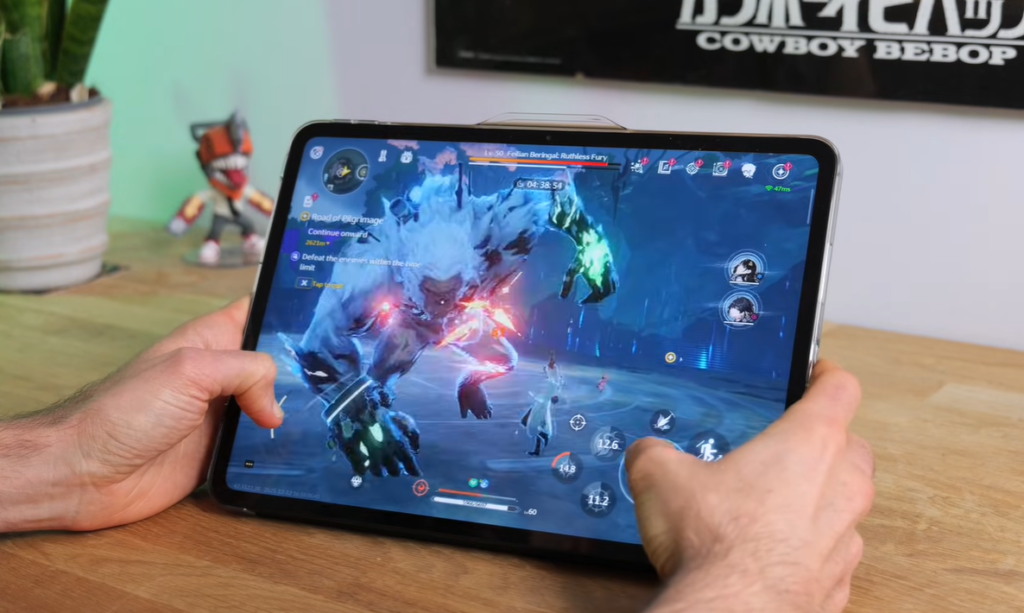
Bizarre Visual Bugs: Perhaps most concerning are the strange visual glitches encountered during testing. In graphically intensive games like Genshin Impact, users experienced “some kind of crazy fever dream with cliffs and fields often appearing bright purple or blue” instead of their intended colors. These aren’t minor graphical hiccups—they’re game-breaking visual distortions that fundamentally ruin the gaming experience.
While less demanding titles like Call of Duty Mobile and PUBG run acceptably, you’re essentially limited to casual gaming. If you’re looking for a tablet that can handle your gaming library without compromise, you’ll need to invest in something more capable. The lack of the Oxygen OS Game Assistant feature also means you’re missing optimization tools that could help squeeze better performance from the hardware.
4. Impractical Design Flaws That Impact Daily Use
The OnePlus Pad Go 2’s design choices create practical problems that you’ll encounter every time you pick up the device.
Ultra-Thin Bezels That Cause Accidental Touches: While skinny bezels look modern and attractive, they’re a nightmare for actual use. The minimal border around the 12.1-inch display means that if your thumb strays even slightly onto the screen, the entire touchscreen becomes unresponsive. You’ll need to “perfect your grip” just to use the tablet successfully, which is an absurd requirement for a device that’s supposed to be comfortable and intuitive.
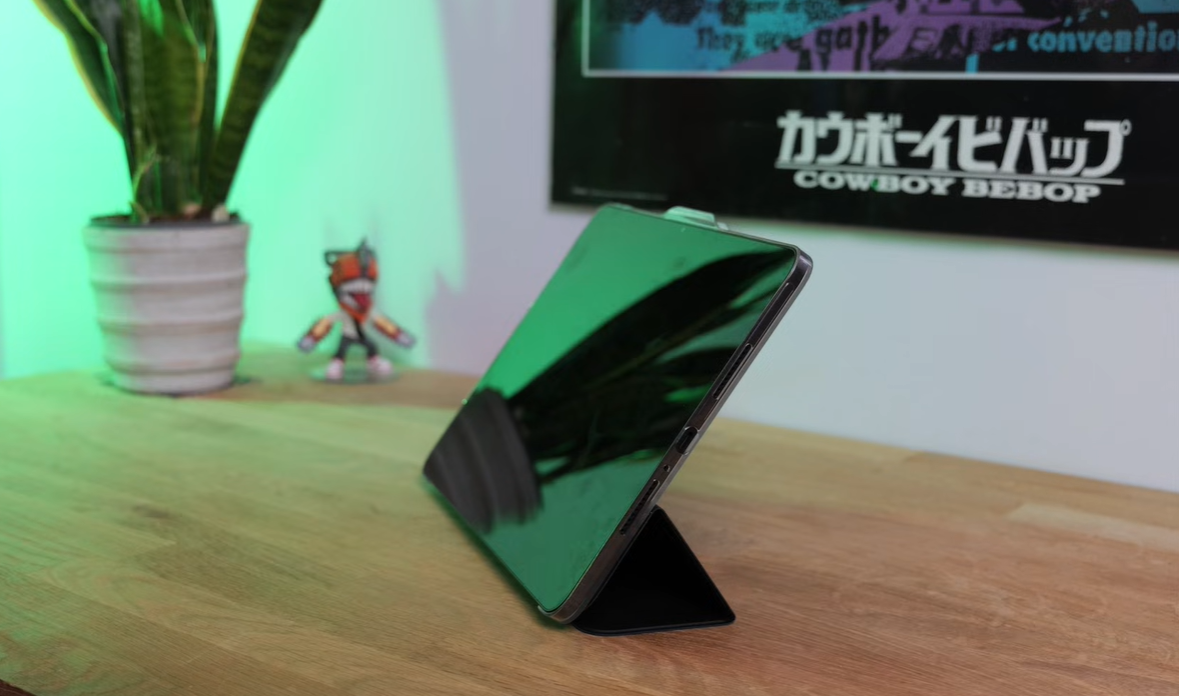
The Official Case is Disappointing: OnePlus’s official folio case doesn’t solve the problems—it creates new ones. The rigid transparent back uses a Toblerone-style fold system that only supports one viewing angle, and the magnetic attachment isn’t strong enough to keep the tablet stable when you’re tapping the screen. The whole setup has a tendency to “flop about the place” and occasionally collapse “in a drunken heap.”
Multiple times during testing, the folding mechanism failed entirely, requiring frustrating readjustment. For a case that’s supposed to enhance usability, it feels poorly thought out.
Fingerprint Magnet with High Glare: The matte back picks up greasy fingerprints easily, making the tablet look dirty within hours of cleaning. More problematically, the screen is highly reflective with no anti-glare coating, meaning outdoor use or sitting near windows creates significant visibility issues despite the high brightness capability.
At under 600 grams and 6.8mm thick, the tablet isn’t exactly lightweight either—particularly for extended one-handed use.
5. Slow Charging and Missing Premium Features
For a tablet released in late 2024, the OnePlus Pad Go 2 feels dated in several key areas that impact daily convenience and long-term satisfaction.
Painfully Slow 33W Charging: Despite the impressive 10,050 mAh battery, you’re limited to just 33W charging speeds. This means that when your tablet finally does run out of juice, you’re looking at “a good couple of hours to fully charge again.” In an era where flagship phones charge at 80W, 100W, or even faster, waiting two-plus hours for a full charge feels painfully slow. If you forget to charge overnight or need a quick top-up before heading out, you’re out of luck.
No Water or Dust Resistance: There’s no IP rating whatsoever for water or dust resistance. This means you need to be extremely careful about using the tablet near water, in dusty environments, or anywhere accidents might happen. One spilled drink or unexpected rain shower could be the end of your device.
No Headphone Jack: Like most modern tablets, there’s no 3.5mm headphone jack. While Bluetooth audio works well with support for high-quality codecs like LDAC and AptX HD, you’ll need to invest in wireless headphones or use a dongle if you prefer wired listening.
LCD Instead of OLED: While the LCD display looks good, you’re missing out on the deep blacks, infinite contrast, and vibrant colors that OLED technology provides. Competitors in similar price ranges are increasingly offering OLED screens, making this feel like a cost-cutting measure.
Limited Storage Options: With only 128GB or 256GB options available, you might find yourself running out of space quickly if you download a lot of content. While there is a microSD card slot for expansion, relying on external storage is less convenient and often slower than built-in storage.
Who Should Avoid This Tablet?
The OnePlus Pad Go 2 is particularly unsuitable for:
- Gamers who want consistent performance and visual quality
- Security-conscious users who rely on quick, reliable biometric authentication
- People who value hassle-free technology and don’t want to fight with basic features like screen orientation and brightness
- Outdoor users who need minimal glare and rugged durability
- Anyone needing fast charging for on-the-go lifestyle flexibility
- Users with small hands who need comfortable one-handed operation
Better Alternatives to Consider
If the OnePlus Pad Go 2’s limitations are dealbreakers for you, consider these alternatives:
Xiaomi Redmi Pad Pro 2: Offers similar screen size and even better battery life, with more reliable software performance and fewer quirky issues, though the software experience may not be quite as clean.
Samsung Galaxy Tab A9+: Provides a more polished overall experience with Samsung’s mature tablet ecosystem, better case options, and more reliable biometric security.
Lenovo Tab P12: Delivers better gaming performance and more premium build quality at a slightly higher price point.
The Bottom Line
The OnePlus Pad Go 2 isn’t a bad tablet—it offers genuine value in several areas like battery life, display quality, and software freshness. However, the daily frustrations from unreliable face unlock, dysfunctional auto-rotate and auto-brightness, inconsistent gaming performance, impractical design choices, and slow charging add up to create a device that feels half-baked despite its attractive price.
Technology should make your life easier, not create new annoyances. While budget-conscious buyers might be willing to overlook some of these issues for the price savings, anyone who values reliability, consistency, and a polished user experience should seriously consider spending a bit more on a tablet that gets the fundamentals right.
Before buying the OnePlus Pad Go 2, ask yourself: are you willing to deal with these compromises daily for the next few years? If the answer is no, your money is better spent elsewhere.