Last Updated: March 8, 2026 | Honest Long-Term Review | 25 min read
🔥 This Phone Feels Like a Breaking Point
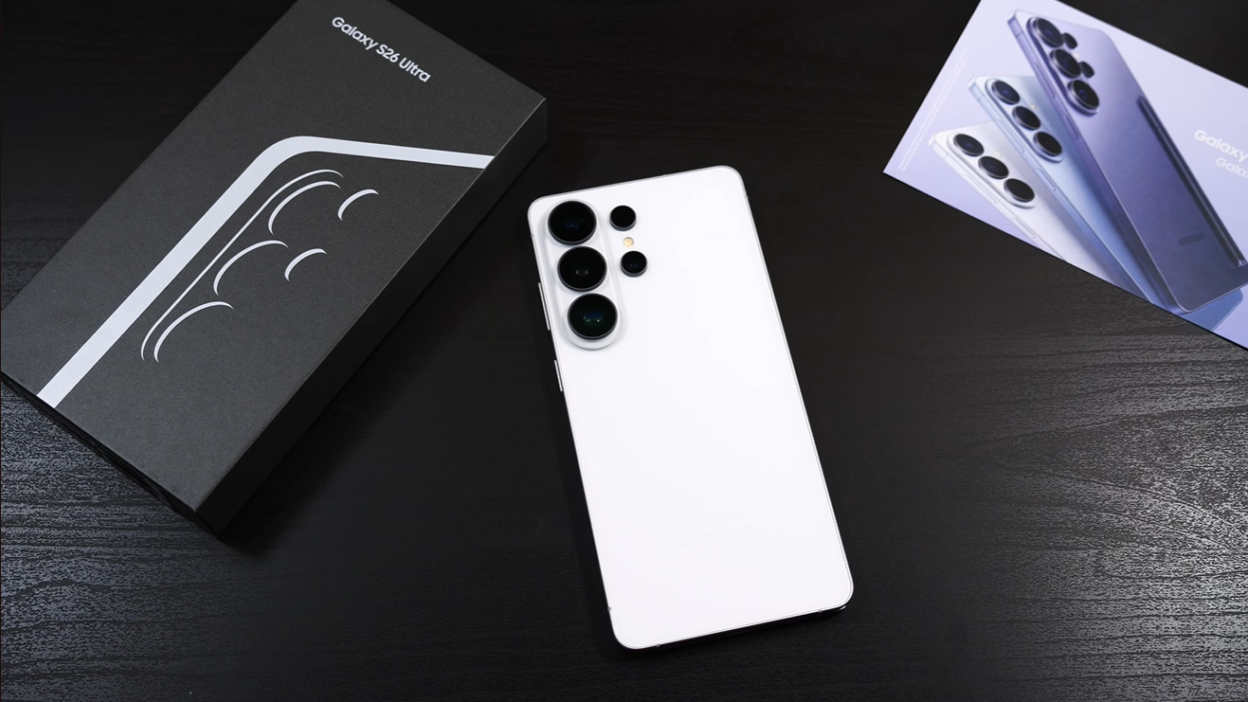
I’ve never felt more conflicted about a phone than the Samsung Galaxy S26 Ultra.
On one hand, I’m frustrated. They didn’t change the cameras again. They didn’t upgrade the battery capacity. In fact, do you want to know one of the “best” things about this phone? It’s the fact that Samsung switched back to aluminum after just a 2-year titanium detour.
Samsung is making tiny tweaks while other brands are making leaps.
But on the other hand… what company that you can actually buy in most countries is more well-rounded than this? Who’s even close to Samsung’s AI features? Their ecosystem integration? Their software support?
This review is messy. It’s conflicted. Because that’s exactly how this phone feels.
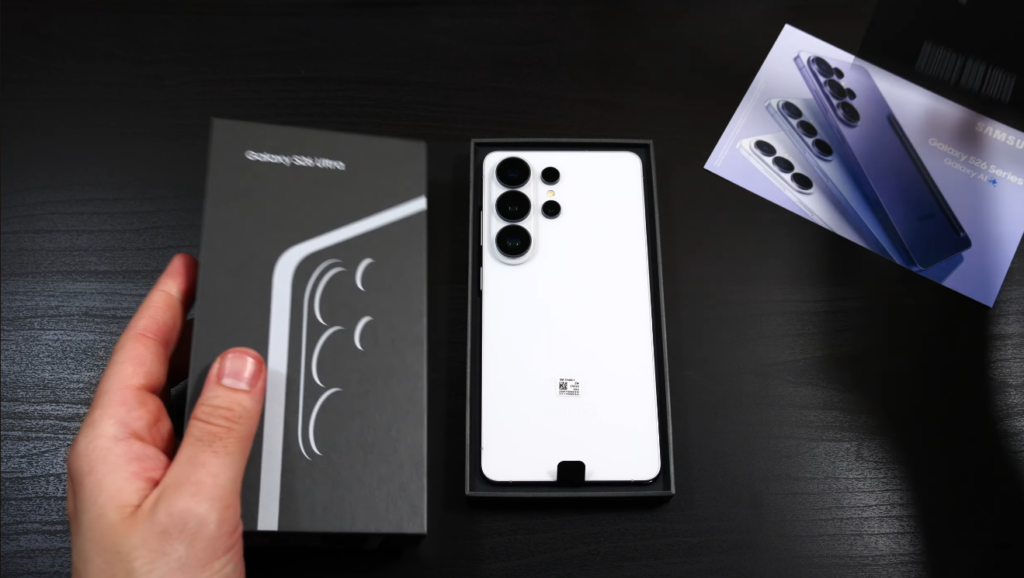
Specs at a Glance
| Specification | Samsung Galaxy S26 Ultra |
|---|---|
| Display | 6.9″ Dynamic AMOLED 2X, 120Hz (1-120Hz variable) |
| Resolution | 3120 x 1440 (QHD+) |
| Peak Brightness | 2,600 nits |
| Processor | Snapdragon 8 Elite Gen 5 for Galaxy (global) |
| RAM | 12GB / 16GB LPDDR5X |
| Storage | 256GB / 512GB / 1TB UFS 4.1 |
| Main Camera | 200MP, f/1.4 (improved from f/1.7) |
| Ultrawide | 50MP, f/2.2 |
| Telephoto 1 | 10MP, 3x optical, f/2.4 |
| Telephoto 2 | 50MP, 5x optical, f/3.4 |
| Front Camera | 12MP, f/2.2 |
| Battery | 5,000mAh (same as S25 Ultra) |
| Wired Charging | 65W (up from 45W) |
| Wireless Charging | 25W (up from 15W) |
| Build | Aluminum frame, Gorilla Armor 2 glass |
| Dimensions | 162.3 x 79 x 7.9mm |
| Weight | 214g |
| Special Features | Privacy Display, S Pen, Horizontal Lock, 7 years updates |
| Price (USA) | $1,299 (256GB) / $1,419 (512GB) / $1,659 (1TB) |
The Breaking Point: Why I’m Frustrated
Let me be blunt about what hasn’t changed:
❌ Same Battery Capacity (Again)
5,000mAh. The exact same capacity as the S25 Ultra, S24 Ultra, and S23 Ultra.
While Chinese flagships are packing 6,000mAh, 6,500mAh, even 7,100mAh batteries, Samsung hasn’t moved the needle in three years.
Samsung’s response? “The battery is already more than enough to last a day.”
And you know what? They’re right. In our 14+ hour battery test, the S26 Ultra lasted longer than the S25 Ultra, iPhone 17 Pro Max, and even Xiaomi’s 6,000mAh flagship.
But that’s not the point.
The point is that while Samsung is optimizing software to squeeze more life from the same hardware, competitors are doing both — bigger batteries AND better optimization.
❌ Same Core Camera Hardware (Again)
200MP main camera. The same 200MP sensor from the S24 Ultra and S25 Ultra.
Yes, the aperture widened from f/1.7 to f/1.4 (47% more light). Yes, there are AI improvements. But the core sensor hasn’t changed in two years.
Meanwhile:
- Xiaomi 17 Ultra: 1-inch sensor with variable aperture
- Oppo Find X9 Ultra: Dual 50MP Sony LYT-900 sensors
- Vivo X200 Pro: 1-inch LYT-900 sensor with 200mm telephoto
Samsung’s cameras are good. But they’re not pushing boundaries anymore.
❌ Aluminum Instead of Titanium
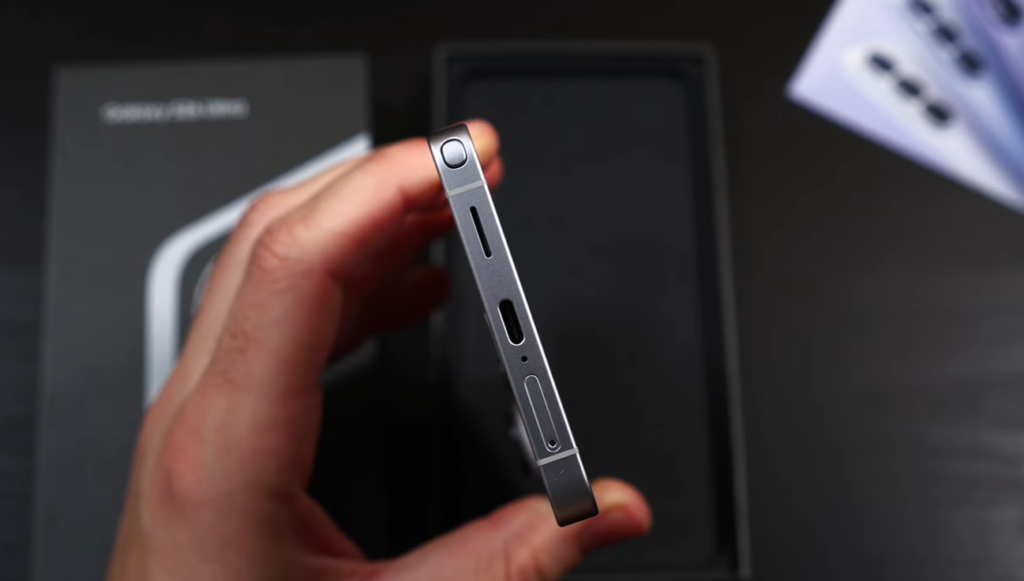
After two years of titanium frames (S24 Ultra, S25 Ultra), Samsung switched back to aluminum for the S26 Ultra.
Why?
According to Samsung: “Easier to color-match the frame to Gorilla Armor 2 glass.”
Translation: Titanium is expensive, and most customers don’t care.
My take: I actually prefer aluminum. It’s lighter (214g vs 218g), slimmer (7.9mm vs 8.2mm), and feels more balanced.
But the optics are bad. It looks like Samsung is cutting corners.
Camera Reality Check: Samsung Is Falling Behind
This is the uncomfortable truth: Samsung’s cameras are being left behind by Chinese flagships.
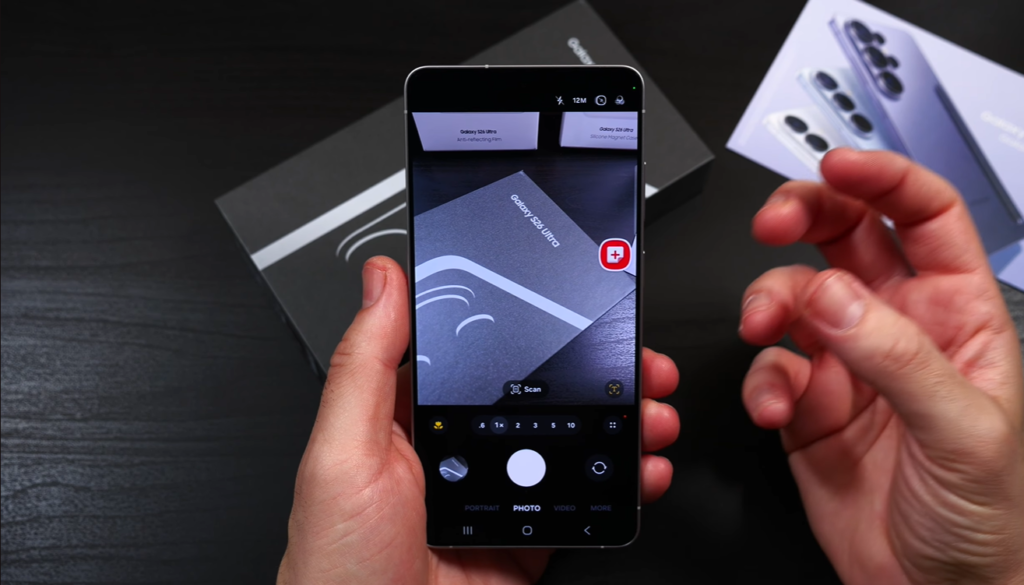
The Gym Photo Test
We took the same photo in the gym on two phones:
- Samsung S26 Ultra
- Xiaomi 17 Ultra
Samsung’s result: A pretty balanced photo. Good exposure, punchy colors, sharp details. Nothing to complain about in isolation.
Xiaomi’s result: Immediately better. More depth from the larger 1-inch sensor. More real detail on the face instead of Samsung’s oversharpening.
The gap is noticeable.
Portrait Mode Comparison
Same story. Samsung’s portraits are good. But Xiaomi’s are better:
- More natural bokeh (blur looks organic, not artificial)
- Better subject separation
- More accurate skin tones
Low-Light Photography
This is where the gap widens even further.
Samsung’s Night Mode is solid. But Xiaomi, Oppo, and Vivo are pulling ahead thanks to:
- Larger sensors (1-inch vs Samsung’s 1/1.3-inch)
- Variable apertures (f/1.6 to f/4.0 on Xiaomi)
- Better computational photography (yes, better than Samsung)
Here’s the thing: Samsung and Apple are improving each generation. But Chinese brands are improving faster.
The Oversharpening Problem
Samsung’s processing applies aggressive sharpening to compensate for smaller sensor detail.
The result? Photos that look crisp on Instagram but fall apart when you zoom in or print them.
Xiaomi’s photos have real, organic detail. Samsung’s photos have artificial sharpness.
But Does It Matter?
For most people? No.
Let me be clear: Samsung’s cameras are still excellent for 99% of users.
- Photos are bright and well-exposed
- People look good (subtle face-tuning helps)
- Colors are punchy and Instagram-ready
- The zoom system (3x + 5x) is versatile
The average person won’t notice that a Xiaomi photo has better micro-detail or more natural bokeh.
But enthusiasts will. And that’s the frustration.
Privacy Display: James Bond Tech or Gimmick?
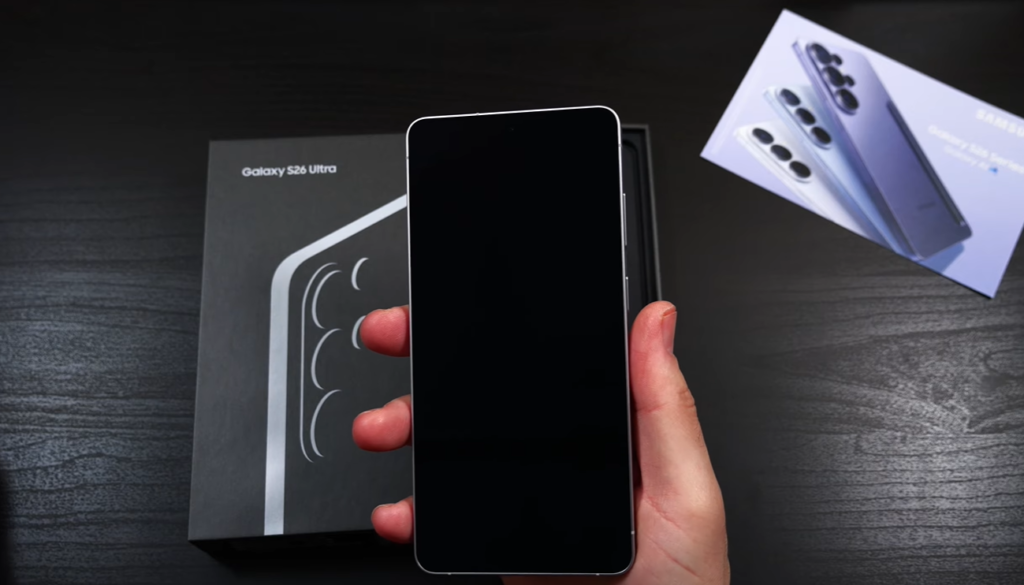
This is Samsung’s headline feature for the S26 Ultra.
Privacy Display uses “Flex Magic Pixel” technology to black out your screen when viewed from side angles.
How It Works
The S26 Ultra has two sets of subpixels:
- Wide subpixels: Visible from all angles
- Narrow subpixels: Only visible straight-on
When Privacy Display is ON:
- Wide subpixels turn OFF
- Only narrow subpixels remain ON
- Result: Screen looks black from side angles
Two Privacy Modes
1. Standard Privacy Display
- Partial dimming from side angles
- Minimal impact on image quality
- You can leave this on all the time
2. Maximum Privacy Protection
- Aggressive dimming (everything goes gray)
- Noticeable drop in contrast and brightness
- Trade-off: Your screen looks washed out even to you
Real-World Testing
I tested Privacy Display extensively on public transport, cafes, and airports.
What works:
- ✅ Prevents casual shoulder-surfing on buses/trains
- ✅ Adds peace of mind when entering passwords
- ✅ Can selectively activate for banking apps only
- ✅ Double-tap gesture to toggle is convenient
What doesn’t work:
- ❌ Still readable at 30° angles (not fully black)
- ❌ Only becomes unreadable at ~60°+ angles
- ❌ Maximum Protection mode makes YOUR screen look bad
- ❌ Weakened anti-reflective coating (see below)
The Accidental Phone Number Leak
In our first hands-on video, we accidentally leaked someone’s phone number while filming the S26 Ultra at a steep angle with Privacy Display ON.
That person received 100+ text messages in 2 hours.
Lesson: Privacy Display isn’t a security blanket. It reduces visibility, but doesn’t eliminate it unless you use Maximum Protection (which sucks).
The Anti-Reflective Coating Sacrifice
Samsung’s previous Ultras had the best anti-reflective coating in the industry.
To implement Privacy Display, Samsung reduced the effectiveness of that coating.
Result: The S26 Ultra’s screen is more reflective than the S25 Ultra’s.
My take: They nerfed a universally loved feature (anti-reflective coating that benefits 100% of users) to add a niche feature (Privacy Display that benefits maybe 10-20% of users in specific situations).
Is It a Gimmick?
No. But it’s not James Bond tech either.
Use cases where it’s genuinely helpful:
- Entering passwords in public
- Banking apps on public transport
- Viewing sensitive work emails in cafes
- Privacy-conscious users in crowded spaces
Use cases where it’s useless:
- Most of the time
- When you’re at home
- When no one’s around
Verdict: Neat feature. Glad it exists. But it’s not a reason to upgrade by itself.
AI Features: Toys or Tools?
Samsung went all-in on AI with the S26 Ultra.
Hundreds of AI features. Galaxy AI. Bixby improvements. Now Nudge. Now Brief. Photo Assist. Creative Studio.
But here’s my thesis:
There are two kinds of smartphone AI:
Type 1: Automatic AI That Makes Life Easier
Features that work in the background to improve what you already do:
- Automatic message translation (genuinely useful)
- Improved voice assistants (in theory)
- Now Nudge (suggests actions based on context)
The problem: No phone does this well enough yet.
Example: I asked Bixby, “How well-reviewed is this London restaurant?”
Bixby answered… about a restaurant in North Carolina.
Another example: Now Nudge is supposed to pull up your location when someone asks “where are you?” so you can send it quickly.
After spending hours trying to make this work reliably, I gave up.
These features need far too many nudges to be useful.
Type 2: Manual AI You Have to Seek Out
Features you actively choose to use:
- AI photo editing (object removal, sky replacement, image merging)
- Writing style tools (rewrite messages as a pirate, formal, casual)
- AI wallpaper generation
The problem: If you care enough to use these, there are better dedicated tools available.
Examples:
AI Wallpaper Generation:
- I generated a cool space-themed wallpaper with me and my partner
- Resolution: 1024×1024 (1 megapixel)
- Problem: The S26 Ultra’s screen is 3120×1440
- Samsung’s own AI feature doesn’t generate wallpapers at the right resolution for Samsung’s own phone
How sloppy is that?
AI Photo Merging:
- You can merge photos (e.g., add your cat to a family photo he wasn’t in)
- But: You lose 30% resolution every time
- Quality drop is significant enough that you might as well use a cheap phone + save money to buy a real cat
AI Invitation Generator:
- Create event invitations with AI
- I made one for “Sophisticated dinner, Natural History Museum London, 7 PM, formal attire, March 15th”
- Result: Pretty image with dinosaur skeletons
Problem: No time. No location details. No context.
If I actually wanted to invite someone, I’d use Canva.
The Fog-to-Sunny Photo Example
This went viral on X:
- User took a foggy cityscape photo
- Used AI to “remove fog”
- Result: Sunny day with buildings visible in background
Incredible, right?
But let’s be honest: Are you going to set that as your wallpaper and pretend you captured “this beautiful miracle of nature” at 5 AM?
It’s not a real photo anymore. It’s AI slop.
The Core AI Problem
On-device AI: Not very capable (limited by phone’s computing power)
Cloud AI: Heavily limited (costs Samsung money, no one’s paying for it yet)
Result: You get toys, not tools.
AI features are the free trial game CDs you used to get with magazines in the 90s.
What I Actually Use
After weeks of daily use, here’s what I actually rely on:
- Live translation (works well)
- Object removal in photos (occasionally useful)
- Nothing else
90% of these AI features will never be touched after the first week.
And I think Samsung knows this.
Battery & Charging: Actually Good Now
Despite the same 5,000mAh capacity, the S26 Ultra delivers excellent battery life.
Battery Test Results (14+ Hour Test)
| Phone | Battery Life |
|---|---|
| Samsung S26 Ultra | 14 hours, 23 minutes |
| Samsung S25 Ultra | 13 hours, 51 minutes |
| iPhone 17 Pro Max | 14 hours, 2 minutes |
| Xiaomi 17 Ultra (6,000mAh) | 13 hours, 47 minutes |
The S26 Ultra beat phones with bigger batteries.
Why?
- More efficient Snapdragon 8 Elite Gen 5 chip
- More efficient LTPO AMOLED display (1-120Hz variable)
- Better software optimization
Real-world usage:
- Heavy use: 1 full day comfortably
- Moderate use: 1.5 days easily
- Light use: Nearly 2 days
Charging Speeds (Finally Improved)
Wired: 65W (up from 45W on S25 Ultra)
- 0-50%: ~20 minutes
- 0-80%: ~35 minutes
- 0-100%: ~55 minutes
Wireless: 25W (up from 15W)
- 0-100%: ~95 minutes
Reverse wireless: 10W (for earbuds/watch)
My take: Charging is finally fast enough to feel modern. Not Chinese-flagship-fast (120W+), but respectable.
Thermal Performance
One surprise: The S26 Ultra stays remarkably cool during heavy use.
During gaming tests:
- Extended Genshin Impact session: Peaked at 41-42°C
- Call of Duty Mobile: 39-40°C
This is one of the coolest flagship phones we’ve tested, despite having the most powerful chip.
Upgraded vapor chamber cooling is doing work.
Performance: Snapdragon 8 Elite Gen 5
Samsung finally went all-in on Qualcomm globally.
No more Exynos in select markets. Snapdragon 8 Elite Gen 5 for Galaxy everywhere.
Benchmark Scores
AnTuTu: 2.9 million+
Geekbench Single-Core: 2,850
Geekbench Multi-Core: 9,100
3DMark Wild Life Extreme: 6,200
Translation: This phone is stupidly fast.
Real-World Performance
- App launches: Instant
- Multitasking: Seamless (even with 20+ apps open)
- Gaming: Maxed-out settings on every title
- AI processing: On-device translation/photo editing happen instantly
Zero lag. Zero stuttering. Zero complaints.
Gaming Performance
Tested with Genshin Impact (maxed settings, 60fps cap):
- Average FPS: 59.8 (rock-solid)
- Frame drops: None
- Thermal throttling: None after 45 minutes
Call of Duty Mobile:
- Native support for 120fps (ultra settings)
- Butter-smooth experience
This is a gaming beast.
One UI 8: The Most Customizable Android
One UI 8 (based on Android 17) is Samsung’s most refined software yet.
What I Love
1. Insane Customization
Yesterday, I:
- Made my S Pen pointer a Pokéball
- Set double-tap S Pen button to open Slack
- Changed volume slider to metallic violet gradient (matches phone color)
- Customized lock screen with 5 different widget layouts
You can customize EVERYTHING.
2. Stability
In weeks of heavy use, zero crashes. Zero bugs. Zero slowdowns.
One UI is the most stable Android skin available.
3. 7 Years of Updates
Samsung guarantees:
- 7 major OS updates (Android 17 → Android 24)
- 7 years of security patches
Better than Google Pixel (7 years), way better than Chinese brands (3-4 years).
Horizontal Lock (Video Stabilization 2.0)
New feature: Horizontal Lock keeps video perfectly level even if you rotate the phone.
How it works: AI stabilizes footage so the horizon stays flat regardless of how you hold the phone.
Use case: Recording sports, action scenes, running footage.
My take: Works surprisingly well. Great for casual videographers.
But: Vivo had this in 2022. Motorola had it too. Samsung’s late, but it’s well-implemented.
S Pen: Still the Greatest Writing Implement
The S Pen is the only reason I keep buying Ultra phones.
Why It’s Still Unmatched
✅ Always with you (can’t forget it)
✅ Always charged (no battery)
✅ Always ready (instant response)
✅ Fits inside the phone (no external case needed)
No other stylus compares.
What I Use It For
- Quick notes during calls
- Signing documents
- Annotating screenshots
- Precise photo editing
- Air gestures (control music, camera, presentations)
The S Pen is criminally underrated.
What Samsung Got Right {#what-samsung-got-right}
Despite my frustrations, Samsung nailed several things:
✅ The Most Complete Experience
Samsung has:
- Best software support (7 years)
- Best ecosystem (Galaxy Watch, Buds, Tab, Book)
- Best stylus (S Pen)
- Best customization (One UI)
- Best durability (Gorilla Armor 2, IP68)
- Best accessories (cases, chargers, stands)
No other Android brand offers this complete package.
✅ The Safe Choice
If you want a phone that:
- Works reliably every day
- Gets long-term updates
- Has excellent resale value
- Supports all carriers globally
- Has service centers everywhere
The S26 Ultra is the safest choice.
✅ AI Innovation (Even If Imperfect)
Samsung is trying new AI features. Some will stick, most won’t.
But they’re experimenting, which is better than stagnation.
✅ Privacy Display (Niche But Real)
For the 10-20% of users who need it, Privacy Display is genuinely valuable.
The Counterargument: Why This Is Still the Best
Let me steel-man the opposing view.
“Samsung Isn’t Chasing Numbers Anymore”
Argument: Samsung already covered the basics (battery, cameras, performance). Now they’re adding value in new ways.
My response: Fair. But why not do both? Bigger batteries AND Privacy Display? Better cameras AND Horizontal Lock?
“Average Users Don’t Need Bigger Sensors”
Argument: Most people love Samsung cameras. No one’s zooming 800% into photos to compare micro-details.
My response: True. But enthusiasts notice. And enthusiasts drive recommendations.
“Chinese Brands Aren’t Globally Available”
Argument: Xiaomi, Oppo, Vivo aren’t sold everywhere. So Samsung doesn’t need to compete with them.
My response: They’re available in most markets (India, Europe, Southeast Asia). And import markets exist.
“Samsung’s Optimization Matters More Than Raw Specs”
Argument: The S26 Ultra lasts longer than phones with bigger batteries. That’s what matters.
My response: Agreed. But imagine if Samsung combined both — bigger battery AND better optimization?
Who Should Buy This Phone?
✅ Buy the S26 Ultra If:
1. You Want the Most Complete Android Experience
- 7-year software support
- S Pen integration
- Best ecosystem
- Global availability
2. You Value Stability Over Cutting-Edge
- One UI is rock-solid
- Zero bugs, zero crashes
- Predictable, reliable performance
3. You Need the S Pen
- No other phone offers this
- Essential for note-takers, artists, professionals
4. You Want Privacy Features
- Privacy Display is genuinely useful for some
- Secure Folder, Knox security
5. You’re Deep in the Samsung Ecosystem
- Galaxy Watch, Buds, Tab synergy is excellent
❌ Skip the S26 Ultra If:
1. You Prioritize Camera Quality Above All
- Xiaomi 17 Ultra has better sensors
- Oppo Find X9 Pro has better low-light
- iPhone 17 Pro has better video
2. You Want Cutting-Edge Battery Tech
- Chinese flagships have 6,000-7,000mAh batteries
- OnePlus 15 Pro charges at 120W
3. You’re Upgrading from S25 Ultra
- Marginal improvements
- Privacy Display is the only major new feature
- Wait for S27 Ultra
4. You Want the Best Value
- OnePlus 15 Pro offers similar performance for less
- Pixel 10 Pro has better AI and cameras for less
Final Verdict: Complicated Excellence
The Samsung Galaxy S26 Ultra is the best all-around flagship you can buy in most countries.
But it’s also a frustrating phone because it could be so much more.
What I Wish Samsung Had Done
❌ Bigger battery (6,000mAh would fit in this chassis)
❌ Larger camera sensors (1-inch main sensor)
❌ Kept anti-reflective coating strength (don’t nerf universal features for niche ones)
❌ Useful AI features (not toys)
What Samsung Actually Delivered
✅ Most stable software (One UI 8 is flawless)
✅ Best ecosystem integration (Watch, Buds, Tab, Book)
✅ 7-year update commitment (industry-leading)
✅ Privacy Display (niche but real)
✅ S Pen (still unmatched)
✅ Excellent battery life (despite same capacity)
✅ Improved charging (65W wired, 25W wireless)
The Bottom Line
If you want to maximize any one thing (camera, battery, charging speed, AI), there’s always a better choice.
But if you want the best all-rounder that doesn’t lean heavily in any direction, the S26 Ultra is still the safe choice.
My conflicted rating: ⭐⭐⭐⭐ out of 5
It’s great. But it should be greater.
Probably not. The improvements are marginal: Privacy Display (niche), slightly better battery life, faster charging (65W vs 45W), wider f/1.4 aperture. If none of these matter significantly to you, keep the S25 Ultra.
Disclaimer: This review is based on extensive hands-on testing with a retail unit of the Samsung Galaxy S26 Ultra. Opinions are the reviewer’s own and may not reflect all user experiences.
[…] wants you to believe the Galaxy S26 Ultra is worth […]