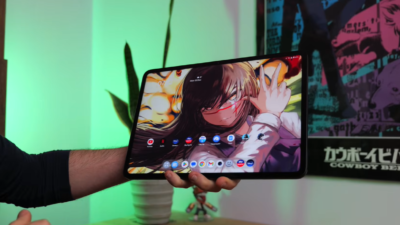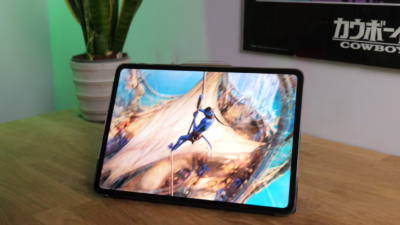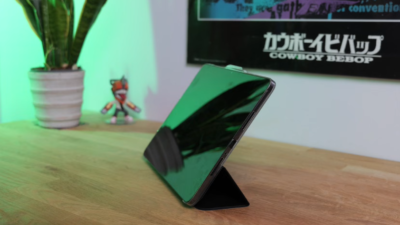
Can POCO’s 11.2-inch budget tablet compete with premium options? We spent days testing to find out.
The tablet market has long been dominated by Apple’s iPads and Samsung’s Galaxy Tabs, with budget options often making too many compromises. Enter the POCO Pad X1—an 11.2-inch tablet that promises flagship features at a fraction of the cost.
With specs similar to Xiaomi’s Redmi Pad 2 but packing a more powerful Snapdragon 7 Gen 3 processor, the POCO Pad X1 aims to deliver serious performance without the premium price tag. After several days of intensive testing, here’s everything you need to know.
Quick Verdict
Rating: 8.3/10
The POCO Pad X1 is an excellent budget tablet that delivers solid performance, impressive battery life, and a crisp 144Hz display at an affordable price. The Snapdragon 7 Gen 3 delivers noticeably better performance than competing budget tablets, and the 512GB of storage is generous for the price.
Strengths:
- Strong performance (Snapdragon 7 Gen 3)
- Generous 512GB storage
- 144Hz refresh rate display
- Excellent battery life
- Quad speakers with Dolby Atmos
- Good keyboard accessory support
- Affordable pricing
Weaknesses:
- Screen scratches easily (use a case!)
- No fingerprint sensor
- Face unlock unreliable
- No microSD expansion
- No eSIM support
- Multitasking is less refined than competitors
- No 3.5mm headphone jack
Best For: Students, content consumers, casual gamers, productivity users on a budget, and anyone looking for an affordable iPad alternative.
Design & Build: Premium Feel, Scratch-Prone Screen
11.2-Inch Form Factor
The POCO Pad X1 measures 11.2 inches diagonally, making it a proper full-sized tablet without being unwieldy. It’s not as compact as devices like the Xiaomi Pad Mini, but it’s still manageable for most users.
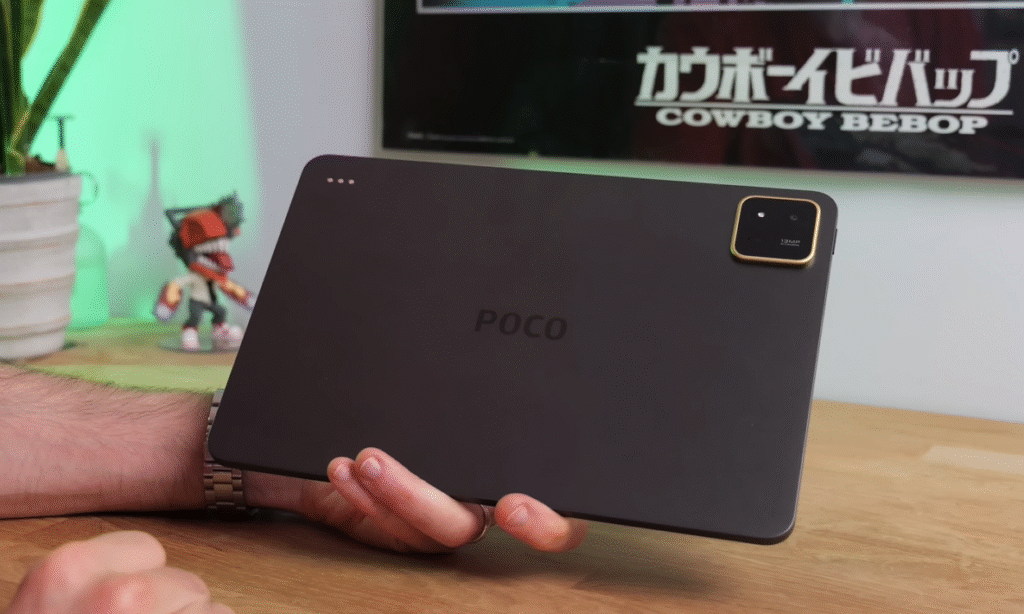
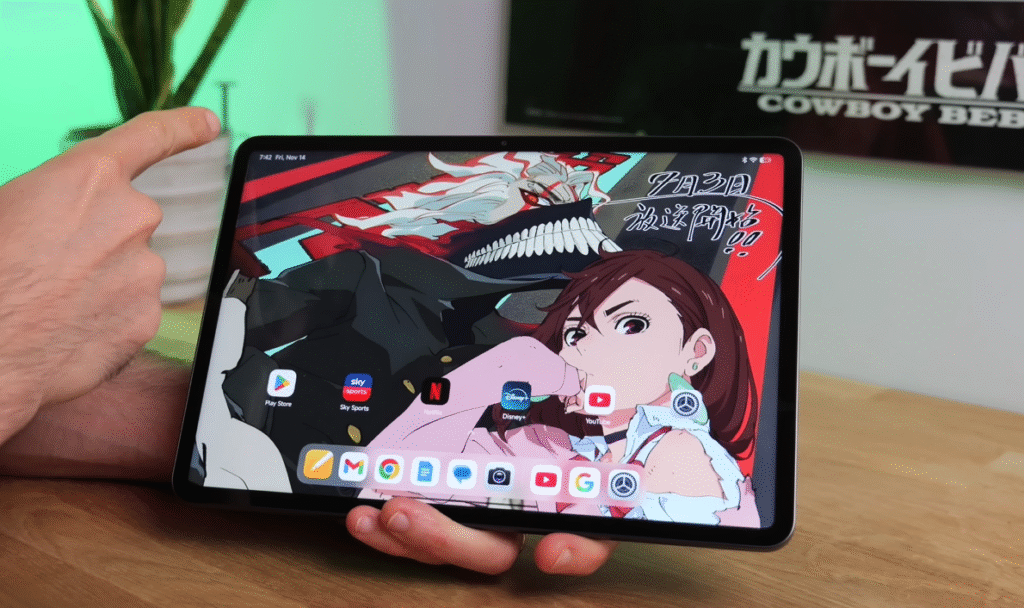
Physical Characteristics:
✅ Reasonably slim bezels – Minimal extra bulk
✅ Lightweight – 500g makes it portable
✅ One-handed use possible – Comfortable to hold
✅ Aluminum alloy frame – Premium materials
✅ Available colors – Gray or Blue
✅ Yellow camera accent – Nice design touch
Build Quality Considerations
The aluminum alloy frame feels solid and premium, with a matte finish that resists scratches better than the display. However, there’s one significant concern.
⚠️ Screen Scratch Warning:
During testing, the tablet was placed in a backpack with other items and no protective cover. The result? A significant scratch across the top of the screen that’s particularly noticeable against lighter backgrounds.
Recommendation: Invest in POCO’s official protective cover immediately. Don’t make the same mistake—this screen is more vulnerable to scratches than expected.
Ergonomics & Handling
Despite the 11.2-inch size, the POCO Pad X1 remains comfortable to use:
- Easy to grip one-handed while navigating with the other
- Palm rejection works well—accidental touches don’t interfere
- Slim enough to slip into backpacks or bags
- Moderate thickness makes extended holding comfortable
Accessories: Keyboard & Stylus Support
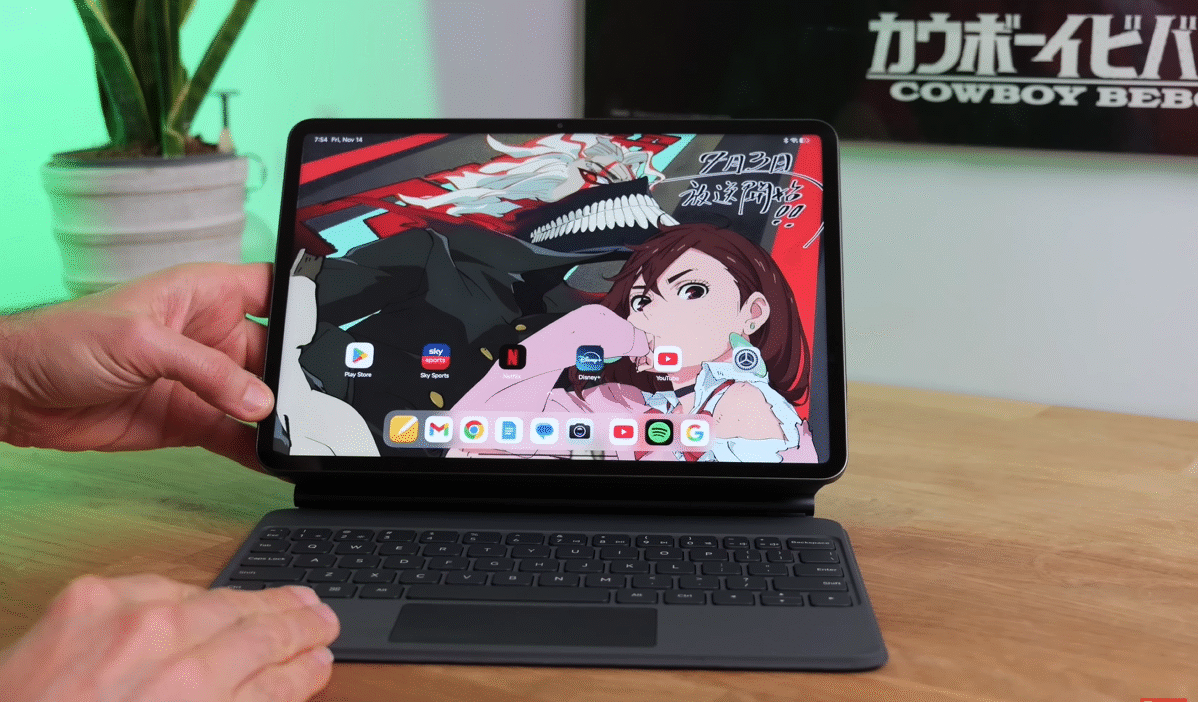
Focus Keyboard Cover
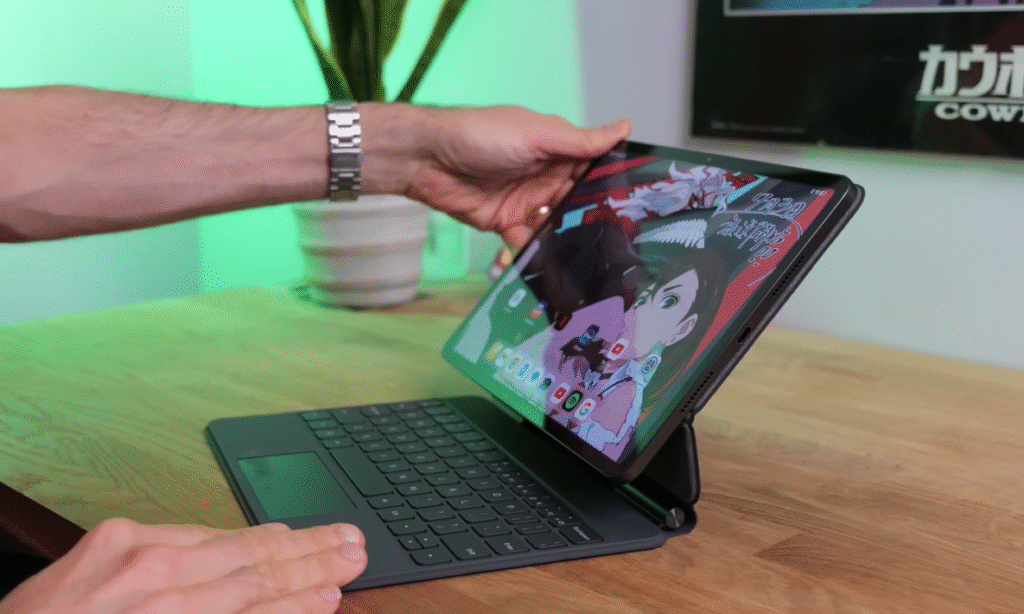
POCO offers an official keyboard cover that transforms the Pad X1 into a productivity machine.
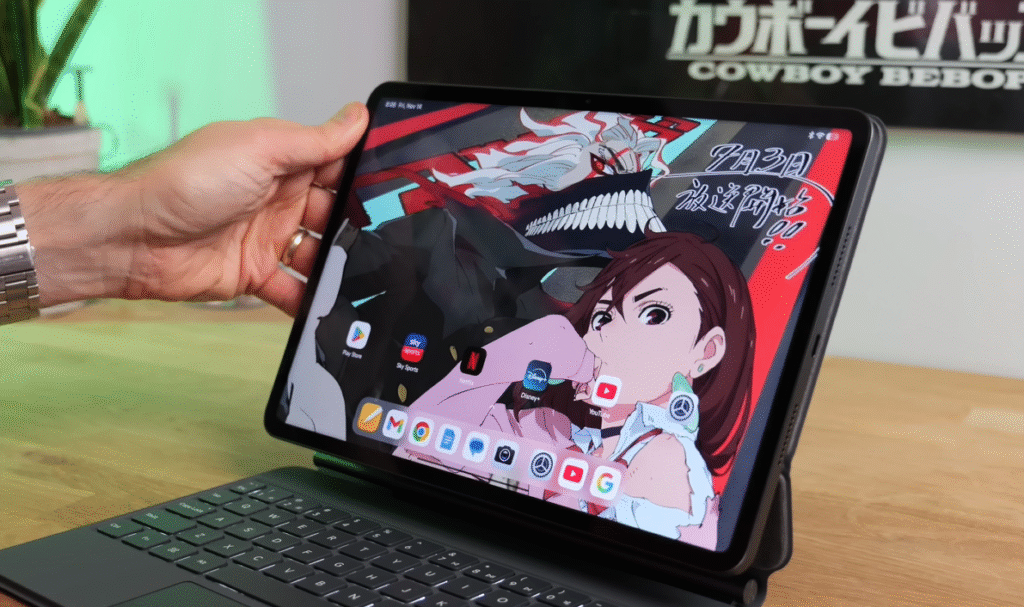
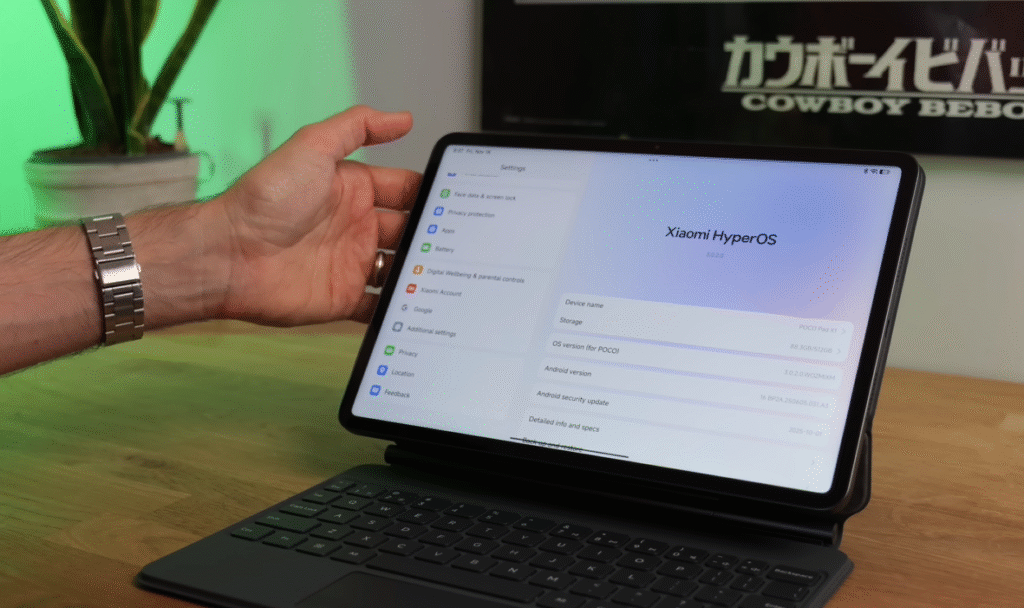
Keyboard Features:
✅ Adjustable angles – Multiple viewing positions
✅ Physical keyboard – Decent key travel
✅ Edge-to-edge layout – Maximizes available space
✅ Powered by tablet – No separate charging needed
✅ Integrated stand – Hands-free viewing
Typing Experience:
The keyboard makes good use of limited space, stretching almost edge to edge. Key travel is respectable for a tablet accessory, though as usual, the Enter and Backspace keys are somewhat cramped against the side.
For students, writers, or anyone doing significant typing, this keyboard cover is highly recommended—though it does increase the total cost.
Minor Quibble: The tiny touchpad seems unnecessary given the touchscreen, though it’s admittedly cute.
POCO Focus Pen Duo
The tablet supports POCO’s stylus with impressive specifications:
- 8,192 pressure sensitivity levels
- Suitable for note-taking, drawing, and creative work
- Pogo pin connections on the device for accessory support
Display: 144Hz IPS Panel
Screen Specifications
The POCO Pad X1 features an 11.2-inch IPS LCD with impressive specs for the price point.
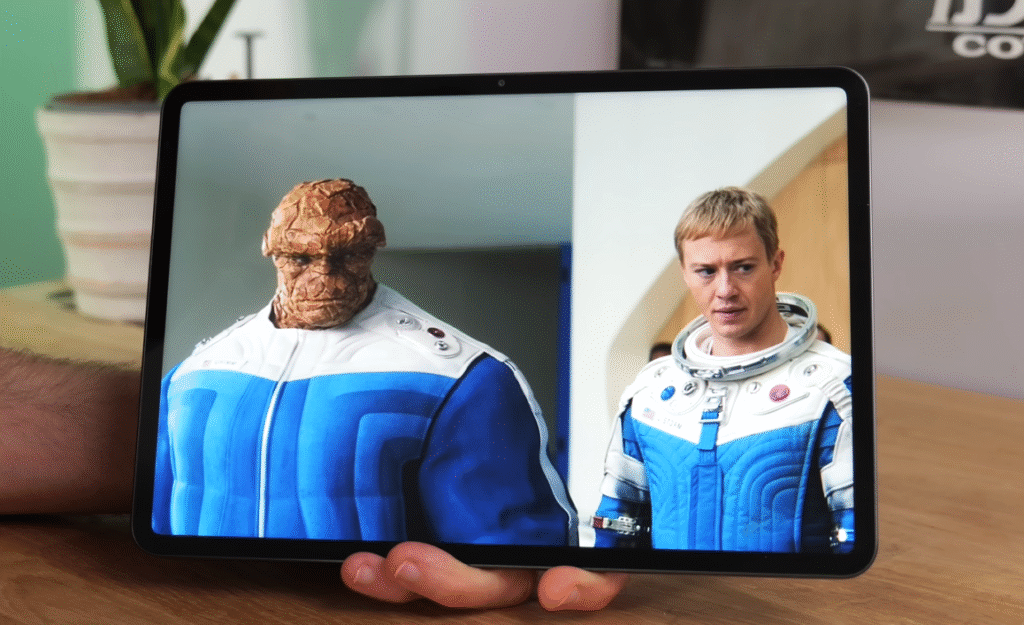
Display Details:
| Specification | Details |
|---|---|
| Size | 11.2 inches |
| Type | IPS LCD |
| Resolution | 3200 x 2136 pixels |
| Aspect Ratio | 3:2 (boxy) |
| Refresh Rate | Up to 144Hz (60/90/144Hz options) |
| Brightness | Good (comfortable outdoors) |
| HDR Support | Dolby Vision (reported) |
Visual Quality
Color & Contrast:
While this isn’t OLED technology, the IPS panel delivers respectable contrast and natural-looking colors. The display won’t match OLED’s deep blacks or infinite contrast, but it’s perfectly satisfactory for a budget tablet.
Sharpness:
The 3200 x 2136 resolution provides crisp, detailed visuals. Text is sharp, images are clear, and even small UI elements remain perfectly legible.
Brightness:
Outdoor usability is good—the screen is bright enough for comfortable use on sunny days, provided there’s no direct glare on the glossy surface.
144Hz Refresh Rate
The high refresh rate is a standout feature at this price point:
✅ Smooth scrolling through apps and web pages
✅ Fluid animations throughout the interface
✅ Enhanced gaming experience in supported titles
✅ Adjustable (60Hz/90Hz/144Hz) for battery optimization
Aspect Ratio: 3:2
The boxy 3:2 aspect ratio has trade-offs:
Good For:
- Productivity tasks
- Reading documents and ebooks
- Split-screen multitasking
- Web browsing
Less Ideal For:
- Watching movies (chunky letterboxing)
- Video content (unless you zoom in and crop)
Reading Mode
For evening use, Reading Mode automatically filters blue light as the sun sets, making extended reading sessions easier on the eyes. You can also manually activate Classic Mode for on-demand blue light reduction.
Touch Responsiveness
The screen remains responsive even when wet—a useful feature if you’re using the tablet in humid conditions or light rain. Swipes and taps register accurately regardless of moisture.
Note: Dolby Vision support is reportedly included, though it wasn’t confirmed in Netflix during pre-launch testing.
Audio: Quad Speakers with Dolby Atmos
Four-Speaker Setup
The POCO Pad X1 includes a quad speaker configuration with Dolby Atmos support—impressive for a budget tablet.
Audio Performance:
✅ Strong clarity – Dialogue comes through clearly
✅ Adequate bass – Not amazing but acceptable
✅ High volume – Loud enough for any situation
✅ No distortion – Remains clear at maximum volume
✅ Customizable – Full audio settings available
✅ Bluetooth support – Works well with wireless headphones
The speakers easily drown out background noise and are perfectly suitable for media consumption without external speakers.
No 3.5mm Jack:
Unfortunately, there’s no headphone jack, so you’ll need wireless headphones or a USB-C adapter for wired audio.
Performance: Snapdragon 7 Gen 3 Makes the Difference
Processor Upgrade
This is where the POCO Pad X1 significantly differs from the Redmi Pad 2. While the Redmi uses a MediaTek Helio G100, the POCO Pad X1 packs a Snapdragon 7 Gen 3 backed by 8GB RAM.
Performance Specifications:
| Component | Details |
|---|---|
| Processor | Qualcomm Snapdragon 7 Gen 3 |
| RAM | 8GB |
| Storage | 512GB (non-expandable) |
| Storage Type | UFS (fast) |
Everyday Performance
The Snapdragon 7 Gen 3 delivers smooth, responsive performance:
✅ Fast app launching – Minimal wait times
✅ Smooth multitasking – Two apps side-by-side with no slowdown
✅ Fluid interface – No stuttering or lag
✅ Quick web browsing – Pages load swiftly
Day-to-day usage is completely satisfactory, with the tablet handling typical tasks effortlessly.
Gaming Performance
Optimized Games:
Games like Call of Duty Mobile run beautifully even on higher graphics settings. The 144Hz display enhances the gaming experience significantly.
Recommendation: Use a controller rather than touch controls for the best experience.
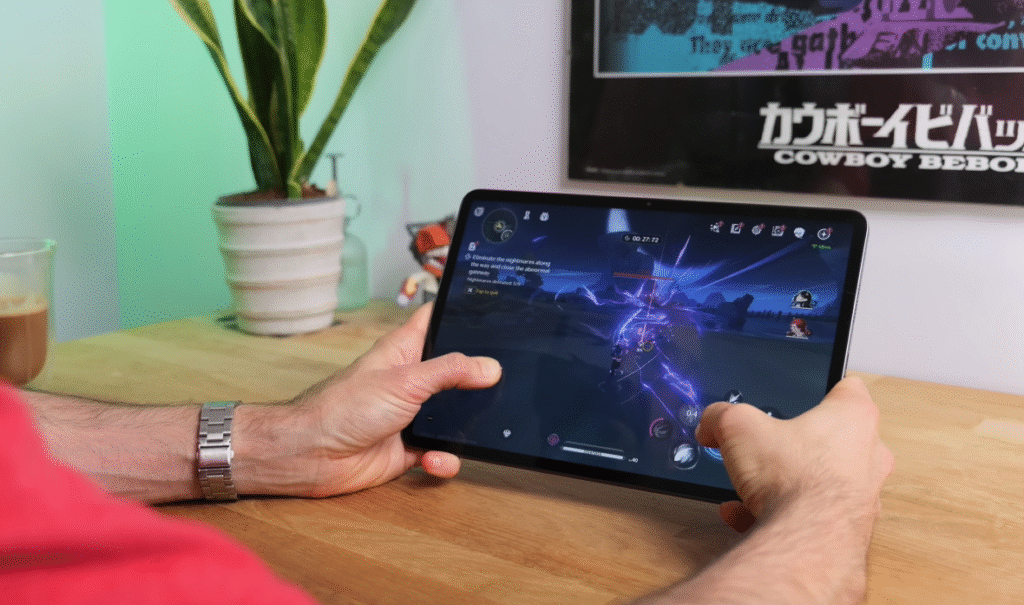
Demanding Games:
More intensive titles like Wuthering Waves are playable but require compromises:
⚠️ Keep graphics settings low
⚠️ Expect 30fps (not higher)
⚠️ Frame rate not entirely consistent
⚠️ Occasional stutters
It’s playable if you’re willing to accept lower quality settings.
Gaming Mode
The dedicated Gaming Mode includes useful features:
- Performance boosting
- Notification blocking
- Quick settings access
- Various optimization tools
Software: HyperOS 3 for Tablets
Xiaomi’s Custom Android
The POCO Pad X1 runs HyperOS 3 (version 3), Xiaomi’s heavily customized Android experience.
What’s New:
Honestly? Not much. HyperOS 3 isn’t dramatically different from HyperOS 2. The Control Center, Apps Drawer, and overall interface remain largely unchanged.
Available Features
What You Get:
✅ Solid gaming mode
✅ Decent customization options
✅ Split-screen multitasking
✅ Floating windows
✅ App dock
What’s Missing:
❌ No fingerprint sensor support
❌ No AI dynamic wallpapers (available on phones)
❌ Limited customization vs smartphones
Face Unlock: Unreliable
Face unlock is available but disappointing:
Issues:
- Often requires 2-3 attempts to recognize faces
- Heavily dependent on lighting conditions
- Easily confused by shadows
- Angle-sensitive
Reality: Face unlock is the only biometric option since there’s no fingerprint sensor. It works eventually but can be frustrating.
Multitasking Experience
The tablet includes a persistent dock at the bottom of the screen for quick app access.
How It Works:
- Swipe up from the bottom bar while in an app
- Dock appears with favorite apps
- Drag and drop apps to open as floating windows
- Or drag to screen edge for split-screen mode
Multitasking Options:
✅ Split-screen – Two apps side by side (fully adjustable)
✅ Floating windows – Up to three windows simultaneously
✅ App switching – Tap dots at top to swap or change layout
Multitasking Frustrations
While functional, multitasking isn’t as polished as competitors:
Issues:
- Sometimes apps don’t appear in the dock after use
- Apps are occasionally “forgotten” when switching
- Less intuitive than Canvas approach (OxygenOS/ColorOS)
Comparison: Other Android skins allow apps to be “shunted off-screen” when not in use, which feels more natural than HyperOS’s approach.
Storage: Generous 512GB
Storage Capacity
The POCO Pad X1 comes with 512GB of storage—a standout feature at this price point.
Why This Matters:
Even premium tablets often charge significantly more for 512GB. POCO includes it as standard, which is excellent for users who:
- Download lots of media for offline viewing
- Store large files and documents
- Install numerous apps and games
- Don’t want to worry about storage management
The Catch:
Unlike some Xiaomi tablets, storage is NOT expandable via microSD card. What you get is what you have.
No eSIM Support
There’s also no eSIM support, so if you need mobile data connectivity, you’ll need to:
- Use Wi-Fi (primary option)
- Tether to your phone’s hotspot
Battery Life: All-Day Endurance
Battery Capacity
The POCO Pad X1 features an 8,850mAh battery—slightly smaller than the Redmi Pad 2 but still substantial.
Real-World Performance:
Typical Usage
- All-day battery life is easily achieved
- Double-digit screen-on time with moderate use
- Handles multitasking, web browsing, and streaming simultaneously
Intensive Gaming Test
Playing Wuthering Waves continuously on a full charge:
Result: 6.5 hours of non-stop gaming before the battery died.
This is impressive endurance for continuous intensive use.
Charging Speed
45W wired charging is supported, but it’s not particularly fast:
⚠️ Requires approximately 2 hours for a full charge
⚠️ No fast charging convenience
⚠️ Plan charging sessions accordingly
This is the battery’s main weakness—recharge times are lengthy.
Cameras: Functional, Not Impressive
Front Camera: 8MP
Located in the top bezel, the 8MP front camera is standard budget tablet fare.
Specifications:
- Resolution: 8MP
- Video: Up to Full HD (1080p)
- No 4K option
- No 60fps option
Use Cases:
- Video calls (perfectly adequate)
- Online meetings
- Basic selfies
Verdict: Fine for video chatting but nothing special.
Rear Camera: 13MP
The rear camera can record at 4K resolution, though the use case for filming with a large tablet is questionable.
Specifications:
- Resolution: 13MP
- Video: 4K recording available
- Image quality: Basic
Reality Check: You probably won’t use this camera much.
Value Proposition: Budget Champion
What You Get for Your Money
The POCO Pad X1 delivers an impressive feature set:
✅ Snapdragon 7 Gen 3 – Better than competing budget tablets
✅ 512GB storage – Premium capacity at budget price
✅ 144Hz display – Smooth visuals
✅ Quad speakers – Dolby Atmos audio
✅ Large 8,850mAh battery – All-day use
✅ Solid build quality – Aluminum frame
Necessary Compromises
To hit the budget price point:
⚠️ IPS LCD (not OLED)
⚠️ Scratch-prone screen (case essential)
⚠️ No fingerprint sensor
⚠️ Unreliable face unlock
⚠️ No microSD expansion
⚠️ No eSIM
⚠️ Slow 45W charging
POCO Pad X1 vs Competitors
vs Redmi Pad 2
Winner: POCO Pad X1
- Better processor (Snapdragon 7 Gen 3 vs Helio G100)
- Same display quality
- Similar battery life
- Better gaming performance
- Similar price point
Verdict: Choose POCO Pad X1 for better performance.
vs Honor Pad V9
Winner: Honor Pad V9 (slightly)
- Honor: Better multitasking software
- POCO: Better raw performance
- Honor: More polished experience
- POCO: Better storage (512GB standard)
Verdict: Depends on priorities—software polish (Honor) vs performance/storage (POCO).
vs OnePlus Pad Light
Winner: POCO Pad X1 for performance
- POCO: Better processor (Snapdragon vs Helio)
- OnePlus: Better battery life
- POCO: Better for gaming
- OnePlus: Better for media consumption
Verdict: Choose POCO for performance, OnePlus for battery endurance.
vs iPad (Base Model)
Winner: Depends on the ecosystem
- iPad: Better software optimization, ecosystem integration
- POCO: Much more affordable, better storage value
- iPad: Superior app selection
- POCO: Better specifications on paper
Verdict: iOS users stick with iPad; Android users get more specs with POCO.
Who Should Buy the POCO Pad X1?
Perfect For:
✅ Students – Affordable productivity tool with keyboard support
✅ Content consumers – Large screen, great audio, good battery
✅ Casual gamers – Handles most games well
✅ Budget buyers – Want maximum value
✅ Media enthusiasts – 144Hz display and quad speakers
✅ Note-takers – Stylus support with 8,192 pressure levels
✅ General users – Need reliable tablet for everyday tasks
Consider Alternatives If:
❌ You need the absolute best display (OLED)
❌ You require expandable storage
❌ You need fast charging
❌ You want reliable biometrics
❌ You’re deeply invested in iOS ecosystem
❌ You need cutting-edge multitasking
❌ You demand a premium build (metal unibody)
Final Verdict: Solid Budget Tablet
The Bottom Line
The POCO Pad X1 is a well-rounded budget tablet that makes smart compromises to deliver strong value.
What POCO Got Right:
🎯 Performance – Snapdragon 7 Gen 3 outpaces competition
🎯 Storage – 512GB is genuinely generous
🎯 Display – 144Hz refresh rate at this price
🎯 Audio – Quad speakers exceed expectations
🎯 Battery – All-day use with intensive testing
🎯 Accessories – Good keyboard and stylus support
🎯 Pricing – Competitive for the feature set
Where It Falls Short:
⚠️ Screen durability – Scratches easily (use a case!)
⚠️ Face unlock – Unreliable and frustrating
⚠️ Charging speed – 2 hours is too long
⚠️ Multitasking – Less refined than competitors
⚠️ Expandability – No microSD slot
Should You Buy It?
Yes, if you want strong performance, generous storage, and good battery life at a budget price. The POCO Pad X1 delivers flagship features without flagship costs.
No, if you need premium build quality, reliable biometrics, or the absolute best software experience. Consider spending more for iPad or waiting for sales on premium Android tablets.
Final Rating: 8.3/10
Very Good – A budget tablet that makes the right compromises to deliver excellent value. The screen durability concern is significant, but with a protective case, this is an easy recommendation for budget-conscious buyers.
Just remember: Buy a case immediately. Don’t repeat our testing mistake!
The POCO Pad X1 proves that budget tablets don’t have to feel like budget products. With smart compromises and strong core specifications, it’s an excellent choice for anyone seeking an affordable iPad alternative.
Disclaimer: This review is based on pre-launch hardware. Final retail units may differ slightly in software experience or performance.