If you’re shopping for a laptop with a ₹40,000 budget, you likely fall into one of two categories: corporate/office professionals needing reliable work machines, or students buying their first laptop for studies and coding. This isn’t the segment for gamers or creative professionals—this is where practicality, reliability, and long-term value matter most.
After extensive research and real-world testing, we’ve identified the 5 best laptops under ₹40,000 specifically optimised for office work, business use, banking applications, and student needs. These aren’t just spec-sheet recommendations—these are laptops that will serve you reliably for years.
Important Note: This is an unsponsored, honest guide. No brand paid us a single rupee for these recommendations. We’re sharing what genuinely works best for your money.
Who Should Buy Laptops in the ₹40,000 Segment?
Before diving into specific models, let’s clarify who this buying guide serves:
Primary Target Audiences
1. Corporate/Office Professionals:
- Banking sector employees
- Business analysts
- Administrative staff
- Corporate workers need reliable machines
- Professionals requiring document processing, spreadsheets, and presentations
2. Students:
- First laptop purchase for studies
- Coding and programming beginners
- College students needing productivity tools
- Engineering students (non-graphics-intensive work)
3. Small Business Owners:
- Equipping teams with reliable laptops
- Long-term, low-maintenance machines
- Business communication and documentation
What You Won’t Get: Gaming laptops, video editing machines, or creative workstations. This segment prioritises reliability, battery life, build quality, and after-sales service over raw performance.
What to Prioritise When Buying Office Laptops
Critical Factors for Office/Professional Use
1. Build Quality: Metal construction, solid hinges, durable chassis
2. After-Sales Service: Brand with a strong service network in India
3. Battery Life: 6-8 hours minimum for all-day work
4. Keyboard Quality: Comfortable for extended typing (backlit preferred)
5. Reliability: Proven track record, not experimental models
6. Upgrade Options: Ability to expand RAM/storage later
7. Portability: Weight under 1.8kg, slim design
8. Display Quality: Full HD minimum, anti-glare for office lighting
Less Important: Graphics performance, RGB lighting, gaming features, high refresh rates
Top 5 Best Laptops for Office Work Under ₹40,000
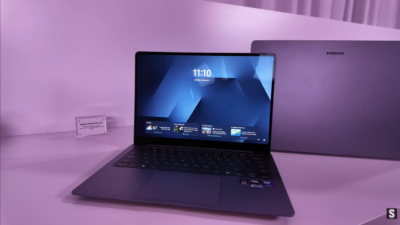
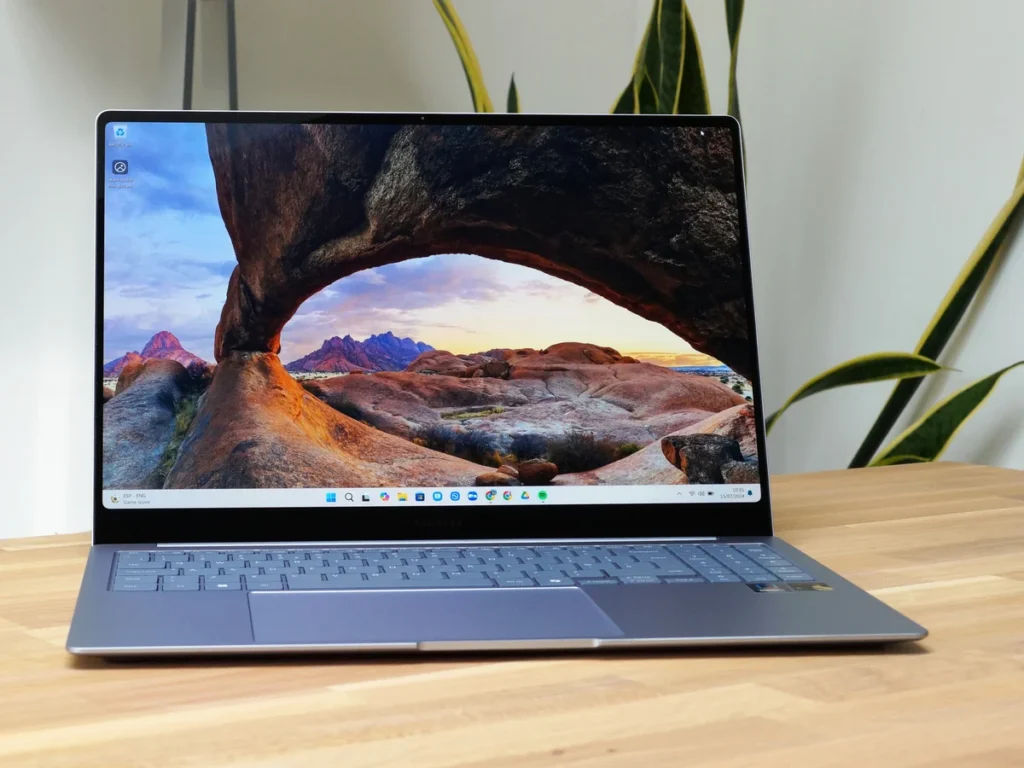
1. Samsung Galaxy Book 4 – Best Build Quality
Price: ₹43,000 (often discounts to ₹39,000-40,000 with offers)
Why This Is #1 for Build Quality
If premium feel and outstanding construction matter most, the Samsung Galaxy Book 4 stands above competitors.
Key Specifications
Processor: Intel Core i5-1235U (12th Gen, U-series)
Graphics: Intel Iris Xe Graphics
RAM: 16GB (non-upgradeable)
Storage: 512GB SSD (non-upgradeable)
Display: 15.6-inch Full HD
Weight: 1.5 kg
Design: Full metal body
Strengths
✅ Outstanding Build Quality: Total metal construction feels premium
✅ Reliable Brand: Samsung’s after-sales service excellent in India
✅ AI-Powered Processor: Latest Intel with AI capabilities
✅ Battery Efficient: 6-7 hours backup easily
✅ Slim & Lightweight: 1.5kg, highly portable
✅ Narrow Bezels: Modern, professional appearance
✅ Backlit Keyboard: Comfortable typing
✅ Includes: Windows 11, Microsoft Office
Weaknesses
❌ Non-Upgradeable: RAM and SSD cannot be expanded later
❌ Price Fluctuates: Check for current offers (varies by region)
Who Should Buy
- Professionals prioritising a premium feel
- Corporate users want a reliable brand
- Those who won’t need future upgrades
- Users valuing portability and aesthetics
Verdict: Best overall package for build quality and brand reliability. The non-upgradeable limitation is significant but offset by premium construction.
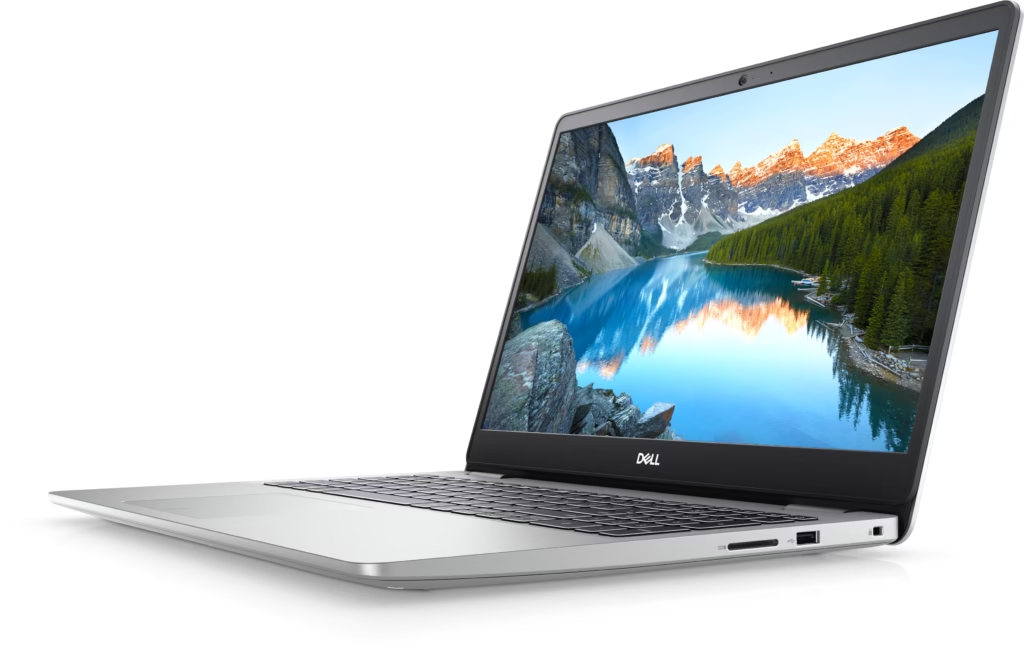
2. Dell Inspiron 15 – Best After-Sales Service
Price: ₹42,000 (often ₹38,000-40,000 with card offers)
Why Dell Wins for Reliability
Dell consistently delivers the best after-sales service in India’s laptop market, making it ideal for office/banking/professional use where downtime isn’t acceptable.
Key Specifications
Processor: AMD Ryzen 5 7530U
Graphics: AMD Integrated Graphics
RAM: 16GB (upgradeable)
Storage: 512GB SSD (upgradeable)
Display: 15.6-inch Full HD IPS, 120Hz refresh rate
Weight: 1.67 kg
Strengths
✅ Excellent After-Sales Service: Dell’s India service network unmatched
✅ Reliable for Banking/Office: Proven track record in corporate sector
✅ Smooth Performance: AMD Ryzen 5 7530U handles multitasking well
✅ Battery Efficient: U-series processor ensures good backup
✅ 120Hz Display: Smoother than standard 60Hz (rare at this price)
✅ Upgradeable: RAM and storage expansion possible
✅ Professional Design: Clean, corporate-friendly aesthetics
✅ Security Features: Good data protection options
✅ Includes: Windows 11, Microsoft Office, backlit keyboard
Weaknesses
❌ Weight: 1.67kg, slightly heavier than Samsung
Who Should Buy
- Office workers prioritising service reliability
- Banking sector professionals
- Business users needing minimal downtime
- Those wanting upgrade flexibility
Verdict: If after-sales service and long-term reliability are priorities (and they should be for office use), Dell Inspiron 15 is the safest choice.
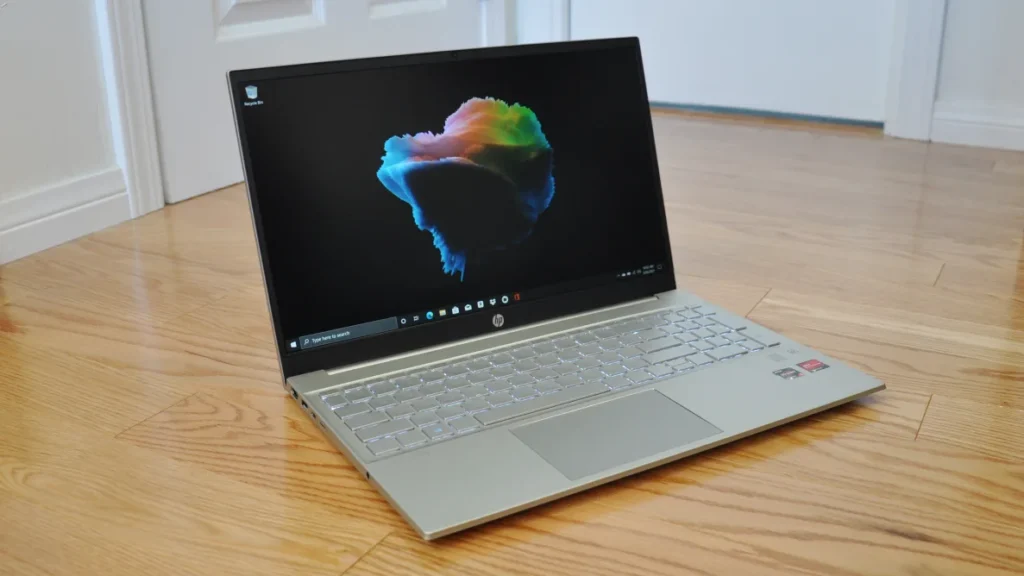
3. HP Pavilion 15 – Best Value Under ₹40,000
Price: ₹36,000
Why HP Offers the Best Bang for Buck
HP is India’s most-selling laptop brand in the offline market for this segment, and for good reason—solid specs at competitive pricing.
Key Specifications
Processor: Intel Core i3-1215U (12th Gen, U-series)
Graphics: Intel UHD Graphics
RAM: 8GB (upgradeable)
Storage: 512GB SSD (upgradeable)
Display: 15.6-inch Full HD IPS
Weight: 1.65 kg
Strengths
✅ Budget-Friendly: ₹36,000 fits comfortably under ₹40K
✅ Latest Processor: Intel 12th Gen with AI features
✅ Good Battery Life: U-series ensures efficient power consumption
✅ Fully Upgradeable: Expand RAM and storage as needed
✅ Reliable Brand: HP service widely available
✅ Professional Design: Clean office-appropriate look
✅ Includes: Windows 11, Microsoft Office, backlit keyboard
Weaknesses
❌ 8GB RAM: May need upgrade for heavy multitasking (though easily done)
❌ Core i3: Less powerful than i5/Ryzen 5 options
Who Should Buy
- Budget-conscious buyers
- Students buying first laptop
- Light office work (documents, emails, browsing)
- Those planning to upgrade RAM later
Verdict: Best value proposition. The ₹36,000 price point leaves budget for RAM upgrade if needed, making it smart for students and light users.
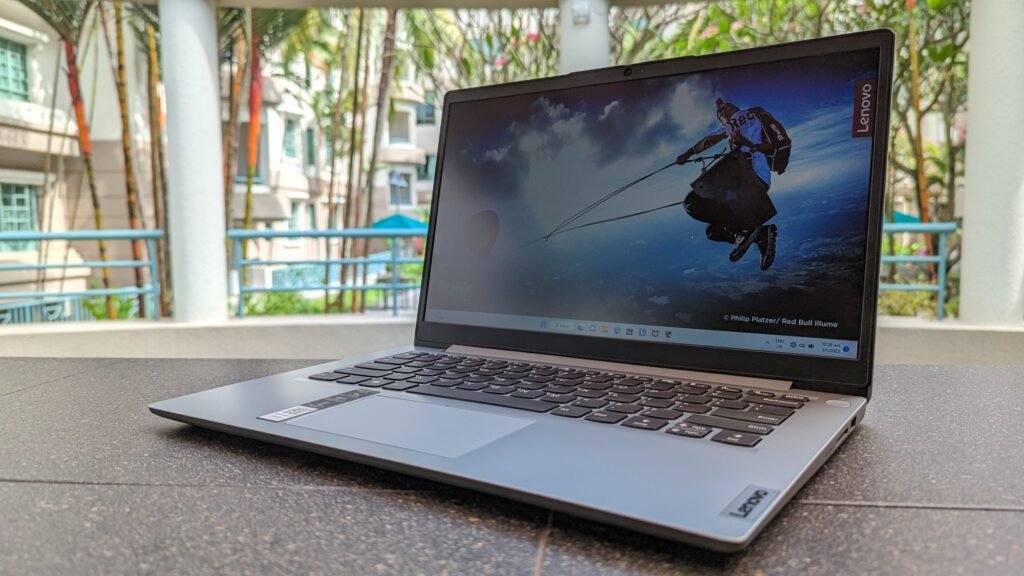
4. Lenovo IdeaPad Slim 1 – Best Performance Under ₹40,000
Price: ₹40,000 (Amazon)
Why Lenovo Delivers More Power
For users needing stronger processing power at this price point, Lenovo’s AMD Ryzen 7 configuration stands out.
Key Specifications
Processor: AMD Ryzen 7 5700U
Graphics: AMD Integrated Graphics
RAM: 16GB (upgradeable)
Storage: 512GB SSD (upgradeable)
Display: 15.6-inch Full HD IPS, slim bezels
Weight: 1.6 kg
Strengths
✅ Powerful Processor: Ryzen 7 outperforms competitors at this price
✅ 16GB RAM Standard: Ready for heavy multitasking
✅ Slim Bezels: Modern, professional appearance
✅ Fully Upgradeable: Future-proof expansion options
✅ Bonus Warranty: 1 year standard + 1 year additional = 2 years total
✅ Professional Design: Suitable for corporate environments
✅ Includes: Windows 11, Microsoft Office, backlit keyboard
Weaknesses
❌ Lesser-Known Model: Not as popular as Dell/HP
Who Should Buy
- Users needing extra processing power
- Students doing coding/programming
- Multitaskers running many applications simultaneously
- Those wanting longest warranty (2 years total)
Verdict: Best performance-to-price ratio. The Ryzen 7 processor and extra warranty year make this an exceptional value for power users.
5. Acer Aspire Lite – Best for Power Users (with Service Caveat)
Price: ₹40,000
Why Acer Offers Most Power
Important Disclaimer: Acer’s after-sales service varies significantly by region. Check if service centres exist in your area before buying.
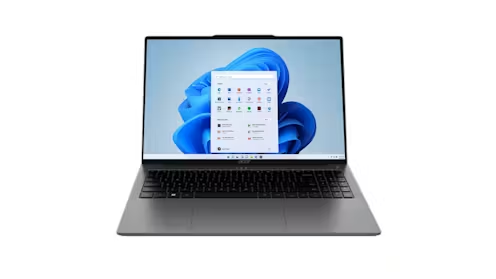
Key Specifications
Processor: Intel Core i5-13450H (H-series = high performance)
Graphics: Intel Iris Xe Graphics
RAM: 16GB (upgradeable to 32GB)
Storage: 512GB SSD (upgradeable)
Display: 15.6-inch Full HD
Weight: 1.7 kg
Build: Premium metal design
Strengths
✅ H-Series Processor: Most powerful in this price range
✅ Video Editing Capable: Can handle light editing work
✅ 32GB RAM Upgradeable: Maximum expansion potential
✅ Future-Proof: Specs exceed typical office requirements
✅ Metal Build: Premium solid construction
✅ Includes: Windows 11, Microsoft Office, backlit keyboard
Weaknesses
❌ Service Network Inconsistent: Varies by location (critical concern)
❌ Heavier: 1.7kg due to metal construction
❌ Overkill for Basic Office Work: Paying for performance you may not need
Who Should Buy
- Users in cities with confirmed Acer service centres
- Students doing coding + light content creation
- Professionals wanting headroom for demanding tasks
- Those prioritizing performance over brand service reputation
Verdict: Most powerful laptop in this price range, but service uncertainty makes it risky. Only buy if Acer service is proven in your area.
6. Lenovo ThinkBook 16 – Best for Long-Term Business Use
Price: ₹40,000
Why ThinkBook Is the Corporate Choice
Lenovo’s ThinkBook series is specifically designed for offices, businesses, and teams needing machines that last for years with minimal maintenance.
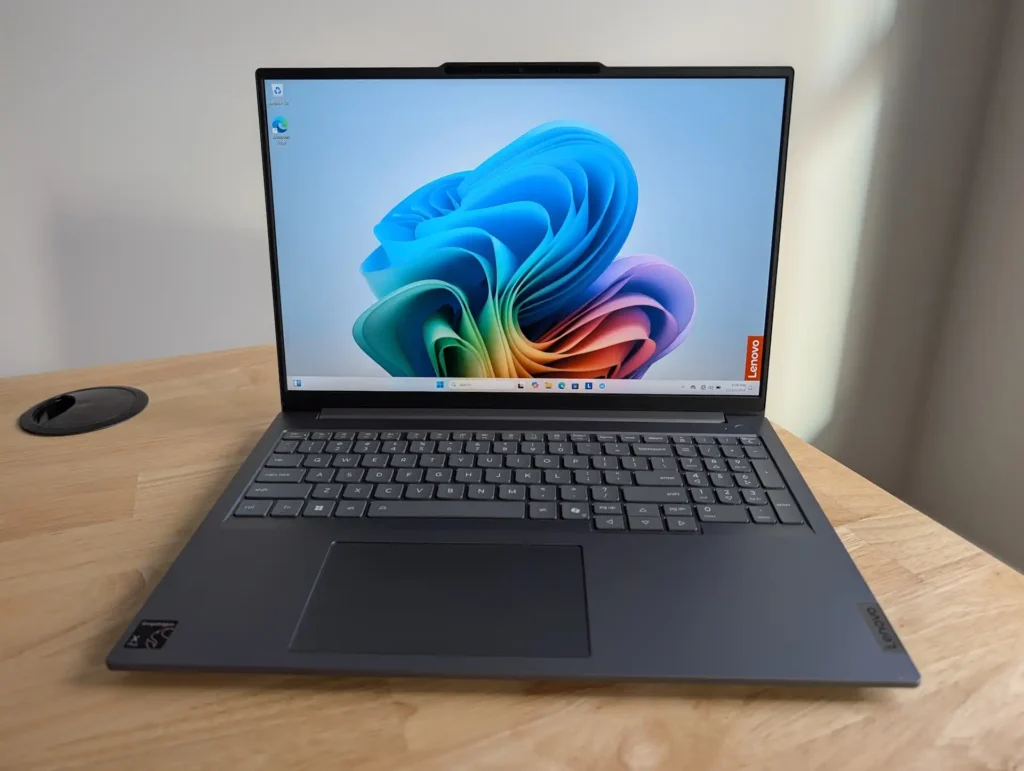
Key Specifications
Processor: AMD Ryzen 5 7535HS
Graphics: AMD Integrated Graphics
RAM: 8GB (highly upgradeable)
Storage: 512GB SSD (upgradeable)
Display: 16-inch Full HD IPS, 300 nits brightness
Weight: 1.7 kg
Build: Metal design
Strengths
✅ Built for Business: ThinkBook series purpose-built for offices
✅ Long-Term Reliability: Designed for multi-year corporate use
✅ Larger Display: 16-inch screen (rare at this price)
✅ Bright Display: 300 nits excellent for well-lit offices
✅ Highly Upgradeable: RAM and storage expansion easy
✅ Security Features: Fingerprint scanner included
✅ Includes: Windows 11, Microsoft Office, backlit keyboard
✅ Team-Friendly: Ideal for equipping multiple employees
Weaknesses
❌ 8GB RAM Base: Requires upgrade for heavy use (easily done)
❌ Heavier: 1.7kg due to larger screen and metal build
Who Should Buy
- Business owners equipping teams
- Professionals needing long-term reliability
- Office managers buying for employees
- Users wanting larger screen for spreadsheets/documents
Verdict: If you’re buying for a team or need a laptop that lasts 5+ years with minimal issues, ThinkBook 16 is purpose-built for exactly this scenario.
Quick Comparison Table
| Laptop | Price | Processor | RAM | Storage | Weight | Best For |
|---|---|---|---|---|---|---|
| Samsung Galaxy Book 4 | ₹43,000 | Intel i5-1235U | 16GB ❌ | 512GB ❌ | 1.5kg | Build quality |
| Dell Inspiron 15 | ₹42,000 | Ryzen 5 7530U | 16GB ✅ | 512GB ✅ | 1.67kg | Service reliability |
| HP Pavilion 15 | ₹36,000 | Intel i3-1215U | 8GB ✅ | 512GB ✅ | 1.65kg | Budget value |
| Lenovo IdeaPad Slim | ₹40,000 | Ryzen 7 5700U | 16GB ✅ | 512GB ✅ | 1.6kg | Performance |
| Acer Aspire Lite | ₹40,000 | Intel i5-13450H | 16GB ✅ | 512GB ✅ | 1.7kg | Power users |
| Lenovo ThinkBook 16 | ₹40,000 | Ryzen 5 7535HS | 8GB ✅ | 512GB ✅ | 1.7kg | Business/teams |
Legend: ✅ Upgradeable | ❌ Non-upgradeable
How to Choose: Decision Framework
Step 1: Identify Your Priority
Premium Feel? → Samsung Galaxy Book 4
Service Reliability? → Dell Inspiron 15
Best Value? → HP Pavilion 15
Most Performance? → Lenovo IdeaPad Slim 1
Power + Editing? → Acer Aspire Lite (if service available)
Business/Long-term? → Lenovo ThinkBook 16
Step 2: Consider Upgrade Needs
Won’t Upgrade Ever: Samsung Galaxy Book 4 (already has 16GB/512GB)
May Upgrade Later: Dell, HP, Lenovo, Acer (all allow expansion)
Step 3: Check Service Centers
Visit brand websites to confirm service center locations in your city. This is critical for long-term ownership.
Step 4: Verify Current Pricing
Laptop prices fluctuate with:
- Festival sales (Diwali, New Year)
- Credit card offers (₹2,000-4,000 discounts common)
- Regional availability
- Amazon/Flipkart sales
Always check current pricing before purchasing. Links in description updated regularly.
Common Buying Mistakes to Avoid
1. Buying Offline Without Research
Personal Story: I made this mistake with my first ₹40,000 laptop. The salesman convinced me to buy a “powerful 10th generation laptop” that turned out to be old stock sold at inflated prices. Don’t let this happen to you.
Solution: Research online first, check specifications, then compare offline if needed.
2. Ignoring After-Sales Service
Many buyers focus only on specs and ignore service network strength. This is a massive mistake for office laptops where downtime costs money.
Solution: Prioritize Dell, HP, Lenovo—brands with proven service in India.
3. Buying Non-Upgradeable Models Without Thinking
8GB RAM might suffice today but may struggle in 2-3 years. Non-upgradeable machines force complete replacement.
Solution: Unless specs are already overkill (16GB RAM), choose upgradeable models.
4. Chasing Gaming Specs for Office Work
Some buyers get lured by “gaming laptop” marketing when they only need document processing.
Solution: Office work needs reliability and battery life, not RGB lighting and discrete GPUs.
What About Battery Life?
All recommended laptops offer 6-8 hours of real-world battery life for office tasks:
- Best Battery Life: Samsung Galaxy Book 4, HP Pavilion 15 (U-series processors)
- Good Battery Life: Dell Inspiron 15, Lenovo IdeaPad (U-series AMD)
- Adequate Battery Life: Acer Aspire Lite (H-series trades battery for performance)
Pro Tip: U-series processors (marked with “U” like 1235U, 7530U) prioritise battery efficiency over raw power—perfect for office laptops.
Final Recommendations by User Type
For Corporate/Office Professionals:
1st Choice: Dell Inspiron 15 (service reliability)
2nd Choice: Lenovo ThinkBook 16 (business-grade durability)
For Students (First Laptop):
1st Choice: HP Pavilion 15 (best value at ₹36K)
2nd Choice: Lenovo IdeaPad Slim 1 (more powerful, 2-year warranty)
For Small Business Owners (Equipping Teams):
Best Choice: Lenovo ThinkBook 16 (designed for this exact use case)
For Power Users (Coding, Light Editing):
1st Choice: Lenovo IdeaPad Slim 1 (Ryzen 7 power)
2nd Choice: Acer Aspire Lite (if service confirmed in your area)
For Premium Feel Seekers:
Best Choice: Samsung Galaxy Book 4 (metal build, lightweight, reliable brand)
Where to Buy
Online Platforms:
- Amazon India (Prime shipping, easy returns)
- Flipkart (competitive pricing, festival offers)
- Official brand websites (sometimes exclusive deals)
Offline:
- Croma, Reliance Digital (hands-on testing before buying)
- Brand exclusive stores (Dell, HP, Lenovo stores)
Pro Tip: Check both online and offline prices. Sometimes, offline stores match online prices if you show them the listing.
Conclusion: The Smartest Choice
There’s no single “best” laptop—it depends on your specific needs:
- Service reliability matters most? → Dell Inspiron 15
- Tightest budget? → HP Pavilion 15
- Want premium feel? → Samsung Galaxy Book 4
- Need most power? → Lenovo IdeaPad Slim 1
- Equipping a team? → Lenovo ThinkBook 16
All these laptops will serve office workers, students, and professionals excellently. The key is matching the laptop’s strengths to your specific priorities.
Remember: This isn’t sponsored content. These are honest recommendations based on real-world usage and understanding of the Indian market. Check current pricing, verify service centers in your area, and choose wisely.
Your next laptop should serve you reliably for 3-5 years. Choose based on long-term value, not just initial specs.
Have questions about any of these laptops? Drop a comment and we’ll help you decide!