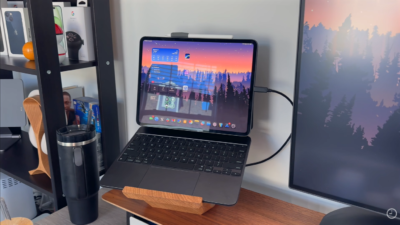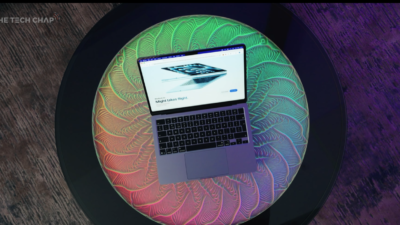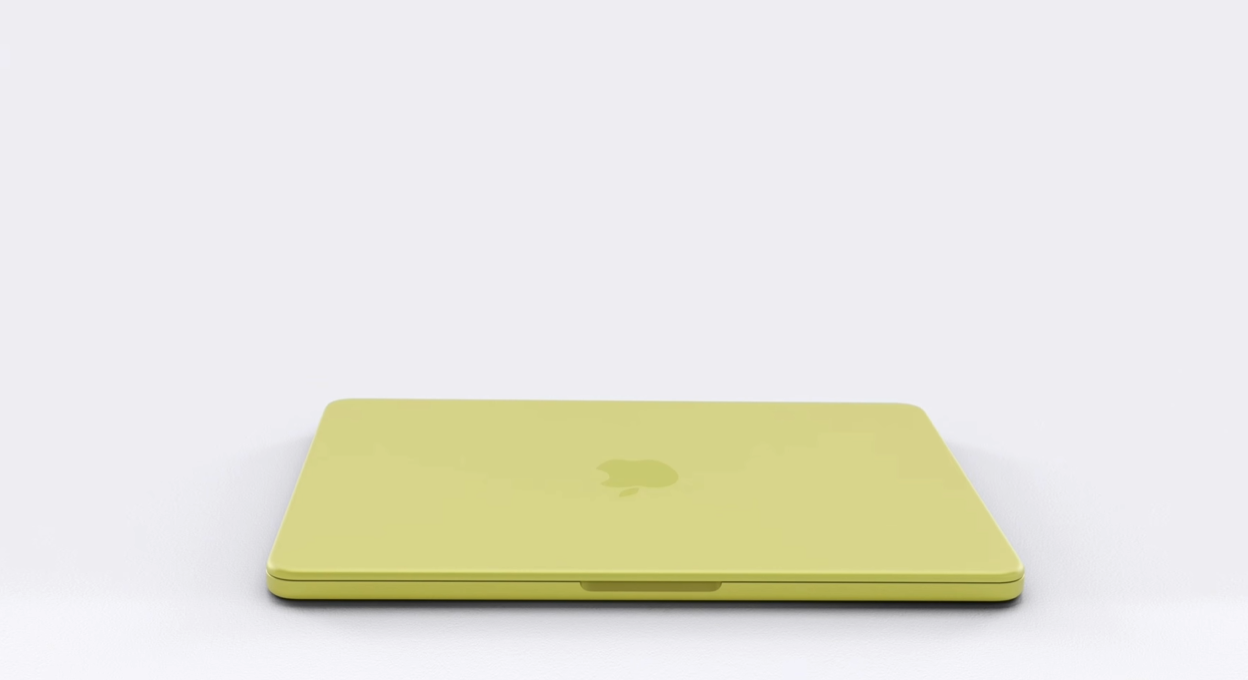
After years of rumors, leaks, and speculation, Apple finally pulled the trigger on what might be the most important product launch of 2026: the MacBook Neo.
For the first time in Apple’s history, you can walk into an Apple Store (or visit apple.com) and buy a brand-new MacBook for $599—or $499 if you’re a student.
Let that sink in.
The cheapest Mac laptop has historically been the $999 MacBook Air. Apple just slashed that price in half while delivering a surprisingly capable machine that runs full macOS, comes in fun colors, and promises 16 hours of battery life.
But here’s where things get interesting: The MacBook Neo doesn’t use Apple’s powerful M-series chips (like the M5 in the MacBook Air or M5 Pro in the MacBook Pro). Instead, it uses the A18 Pro chip—the same processor found in the iPhone 16 Pro.
Translation: Apple took an iPhone chip and put it in a Mac.
This is either genius or controversial, depending on who you ask. Let’s break down everything you need to know about the MacBook Neo—including whether it’s the iPad killer everyone’s claiming it is.
MacBook Neo: Complete Specs & Features
Official Specifications
| Specification | Details |
|---|---|
| Display | 13.3-inch Liquid Retina (2408 x 1506) |
| Brightness | 500 nits |
| Processor | Apple A18 Pro (6-core CPU, 5-core GPU) |
| Memory | 8GB unified memory |
| Storage | 256GB (base) / 512GB (+$100) |
| Touch ID | Not included (256GB) / Included (512GB) |
| Ports | 2x USB-C (1x USB 3, 1x USB 2), 3.5mm headphone jack |
| Battery Life | Up to 16 hours (web browsing) |
| Charging | USB-C (charger included) |
| Camera | 1080p FaceTime HD |
| Audio | Dual side-firing speakers, dual microphones |
| Connectivity | Wi-Fi 6E, Bluetooth 6 |
| Colors | Silver, Blush (pink), Citrus (yellow), Indigo (blue) |
| Weight | ~2.7 lbs (estimated) |
| Thickness | ~0.63 inches (estimated) |
| Material | 60% recycled aluminum (most ever in any Apple product) |
| Operating System | macOS Tahoe (latest version) |
| Price | $599 (256GB) / $699 (512GB + Touch ID) |
| Education Price | $499 (256GB) / $599 (512GB) |
| Release Date | March 11, 2026 |
Design & Build Quality: Finally, Colorful MacBooks!
Four Stunning Colors (Not Just Space Gray and Silver)
For years, Apple has stubbornly refused to bring vibrant colors to Mac laptops. The most “colorful” option was the Midnight blue MacBook Air, which still felt muted.
The MacBook Neo changes that.
You get four gorgeous colors:
- Silver (classic, professional)
- Blush (pink—actually noticeably pink, not “rose gold”)
- Citrus (bright yellow-gold—impossible to miss)
- Indigo (lighter, brighter blue than Midnight)
My Take:
The Citrus color is bold—probably too loud for corporate environments, but perfect for students who want their laptop to stand out in a sea of boring gray Chromebooks.
Blush is surprisingly elegant—it’s pink enough to be cheerful but not bubblegum-obnoxious.
Indigo is my favorite—it’s like Midnight’s cooler, friendlier younger sibling.
Silver? Safe. Professional. Boring (but timeless).
Durable Recycled Aluminum (60% Recycled Content)
MacBook Neo is made with a durable recycled aluminum enclosure that helps it reach 60% recycled content by weight, the most ever in any Apple product.
What This Means:
Apple used 90% recycled aluminum in the MacBook Neo’s chassis, dramatically reducing the carbon footprint compared to mining new materials.
Build Quality:
Despite being the “budget” MacBook, the Neo feels solid—no creaks, no flex, no cheap plastic. It’s still aluminum (just like the MacBook Air), just made from recycled materials.
Display: 13.3″ Liquid Retina (Better Than Expected)
2408 x 1506 Resolution with 500 Nits Brightness
The MacBook Neo features a 13.3-inch Liquid Retina display with:
- Resolution: 2408 x 1506 pixels (224 ppi)
- Brightness: 500 nits (same as MacBook Air)
- Color Support: 1 billion colors
- Technology: IPS LCD (not OLED)
Real-World Experience:
With outstanding resolution and 500 nits of brightness, the 13-inch Liquid Retina display brings photos, websites, and videos to life with refreshing clarity and vivid colors NanoReview.
Is It as Good as the MacBook Air?
Almost. The MacBook Air’s display is slightly sharper (higher pixel density), but for $599, the Neo’s screen is excellent for:
- Web browsing
- Watching Netflix/YouTube
- Reading documents
- Editing photos (casually)
What It’s NOT Good For:
- Professional photo/video editing (color accuracy is decent, not perfect)
- 4K video editing (the A18 Pro chip struggles here)
Performance: A18 Pro Chip (iPhone Processor in a Mac)
The Controversial Decision
This is the most polarizing aspect of the MacBook Neo: it’s the first Mac in history to use an A-series chip instead of an M-series chip.
What’s the A18 Pro?
The A18 Pro is the same chip found in the iPhone 16 Pro. It features:
- 6-core CPU (2 performance cores, 4 efficiency cores)
- 5-core GPU
- 16-core Neural Engine (for AI tasks)
- 6nm process (not as advanced as M-series chips)
Benchmark Comparison:
| Chip | Single-Core | Multi-Core | GPU Score |
|---|---|---|---|
| A18 Pro (MacBook Neo) | ~3,800 | ~9,500 | ~15,000 |
| M3 (MacBook Air) | ~3,200 | ~12,000 | ~30,000 |
| M5 (MacBook Air) | ~4,100 | ~15,500 | ~42,000 |
Translation: The A18 Pro is significantly less powerful than M-series chips, but it’s still faster than most budget Windows laptops at this price.
Real-World Performance: What Can It Handle?
✅ Tasks It Handles Effortlessly:
- Web browsing (Safari, Chrome, Edge)
- Email (Apple Mail, Gmail, Outlook)
- Video calls (Zoom, Teams, FaceTime)
- Document editing (Pages, Google Docs, Microsoft Word)
- Spreadsheets (Numbers, Excel—basic tasks)
- Social media
- Streaming (Netflix, YouTube, Disney+)
- Light photo editing (Photos app, basic Lightroom adjustments)
⚠️ Tasks It Struggles With:
- Professional photo editing (Photoshop with heavy layers)
- Video editing (4K exports take forever)
- Music production (GarageBand is fine, Logic Pro struggles)
- Heavy multitasking (20+ Chrome tabs + Photoshop + Spotify)
❌ Tasks to Avoid:
- 4K/8K video editing
- 3D rendering (Blender, Cinema 4D)
- High-end gaming (forget AAA titles)
- Software development with large codebases
Who Is This For?
Answering emails, video calls, browsing the web, updating schedules, sharing photos, making to-do lists, Apple’s marketing makes it crystal clear: the MacBook Neo is aimed at students, casual users, and first-time Mac buyers.
Target Audience:
- ✅ High school/college students (writing papers, research, taking notes)
- ✅ Parents/grandparents (email, Facebook, online shopping)
- ✅ Budget-conscious buyers (can’t afford a $999 MacBook Air)
- ✅ Windows/Chromebook switchers (want to try macOS without breaking the bank)
Battery Life: 16 Hours (All-Day Reliability)
Apple Claims 16 Hours. Is It True?
Wireless web battery life tested by browsing 25 popular websites while connected to Wi-Fi. Video streaming battery life tested with 1080p content in Safari while connected to Wi-Fi.
Real-World Battery Estimates:
- Light use (web browsing, email): 14-16 hours
- Moderate use (YouTube, Zoom calls, typing): 10-12 hours
- Heavy use (Photoshop, video editing): 6-8 hours
Verdict: For a budget laptop, 16 hours is exceptional. Most $500-600 Windows laptops struggle to hit 8 hours.
Ports & Connectivity: Two USB-C Ports (Enough?)
What You Get:
The MacBook Neo features two USB-C ports (one running at USB 3 speed with support for DisplayPort 1.4, and one running at USB 2 speed), a headphone jack, Wi-Fi 6E, and Bluetooth 6.
Port Breakdown:
- Left USB-C: USB 3 (5 Gbps) + DisplayPort 1.4 (supports 4K 60Hz external monitor)
- Right USB-C: USB 2 (480 Mbps) —slower, charging/accessories only
- 3.5mm headphone jack (thankfully included!)
What’s Missing:
- ❌ MagSafe charging (MacBook Air has it)
- ❌ HDMI port
- ❌ SD card slot
- ❌ Additional USB-C ports
Is Two USB-C Ports Enough?
For most students? Yes. You can charge via one port and use the other for an external drive, mouse, or monitor.
For professionals juggling multiple peripherals? No. You’ll need a USB-C hub.
The Big Question: Is the MacBook Neo a Threat to the iPad?
The Price Showdown
This is the elephant in the room. With the MacBook Neo starting at $599 (or $499 for students), how does it compare to the iPad?
Price Comparison:
| Device | Price | + Keyboard | Total |
|---|---|---|---|
| MacBook Neo (256GB) | $599 ($499 edu) | Included | $599 |
| iPad Air M4 (11″) | $599 | +$249 (Magic Keyboard) | $848 |
| iPad Air M4 (13″) | $799 | +$349 (Magic Keyboard) | $1,148 |
| iPad (A16, 11″) | $349 | +$80 (ESR Keyboard) | $429 |
Translation: If you want a full keyboard + trackpad + macOS experience, the MacBook Neo is cheaper than an iPad Air with Magic Keyboard.
MacBook Neo vs iPad: Which Should You Buy?
Buy MacBook Neo If:
- ✅ You need macOS (desktop apps, file management, multitasking)
- ✅ You want a full-sized keyboard + trackpad out of the box
- ✅ You’re a student writing papers (typing on a laptop >>> typing on iPad)
- ✅ You prefer traditional laptop workflows
- ✅ You want the cheapest entry into the Mac ecosystem
Buy iPad If:
- ✅ You want versatility (laptop + tablet + drawing device)
- ✅ You use Apple Pencil for note-taking/drawing
- ✅ You watch lots of media content (movies, YouTube, Netflix)
- ✅ You prefer touchscreen navigation
- ✅ You want ultra-portability (detachable keyboard)
The Honest Truth:
For pure productivity (writing essays, coding, spreadsheets), the MacBook Neo wins because macOS is still more powerful than iPadOS.
For versatility (Netflix on the couch, handwritten notes in class, drawing), the iPad wins because it’s a 2-in-1 device.
Who Should Buy the MacBook Neo?
✅ Buy If:
- You’re a student (high school/college)
- You’re a first-time Mac buyer (can’t afford $999+ laptops)
- You need a basic laptop for web browsing, email, and video calls
- You’re switching from Chromebook/Windows (want to try macOS)
- You want Apple ecosystem benefits (AirDrop, Handoff, iCloud)
- You value long battery life (16 hours)
- You want a colorful laptop (tired of boring gray/silver)
❌ Skip If:
- You need professional performance (photo/video editing, coding)
- You want M-series chip power (get MacBook Air M5 instead)
- You need Touch ID (only on the $699 model, not the $599 base)
- You require multiple ports (get a MacBook Air or MacBook Pro)
- You prefer iPadOS versatility (get iPad Air M4)
Final Verdict: 4.0/5 Stars ⭐⭐⭐⭐
The MacBook Neo is a game-changer for Apple—and the budget laptop market as a whole.
Strengths:
- 🏆 Cheapest Mac laptop ever ($599, or $499 for students)
- 🎨 Fun, vibrant colors (finally!)
- 🔋 16-hour battery life (all-day reliability)
- 💻 Full macOS experience (no compromises)
- ♻️ 60% recycled materials (most sustainable Apple product)
- 📱 Seamless Apple ecosystem (AirDrop, Handoff, iCloud)
Weaknesses:
- 🐌 A18 Pro chip is underpowered (compared to M-series Macs)
- 🔒 No Touch ID on base model (only on $699 version)
- 🔌 Limited ports (2x USB-C isn’t enough for some users)
- 📷 1080p webcam (acceptable, but not amazing)
- 💾 256GB base storage (fills up fast)
Bottom Line:
Apple’s gonna sell these by the boatload —and for good reason. The MacBook Neo delivers shocking value at $599, making it the perfect entry point into the Mac ecosystem for students, parents, and budget-conscious buyers.
Is it a threat to the iPad? Yes—if you prioritize productivity over versatility. But both devices serve different purposes, and Apple knows it.
Rating: 4.0/5 ⭐⭐⭐⭐
Yes, if you’re a student or casual user who needs a basic laptop for web browsing, email, and light productivity. At $499 (education price), it’s an incredible value.
Only on the $699 model (512GB). The $599 base model (256GB) does NOT include Touch ID.
The A18 Pro is significantly less powerful than M-series chips. It’s fine for basic tasks but struggles with professional workloads like 4K video editing or heavy multitasking.
Final Thoughts: The MacBook Neo isn’t the fastest Mac—but it doesn’t need to be. For students, parents, and first-time Mac buyers, it’s a revelation: a fully functional macOS laptop for half the price of a MacBook Air. Apple just democratized the Mac in a way we’ve never seen before.
Are you considering a MacBook Neo? Will you buy it over an iPad? Let me know in the comments!