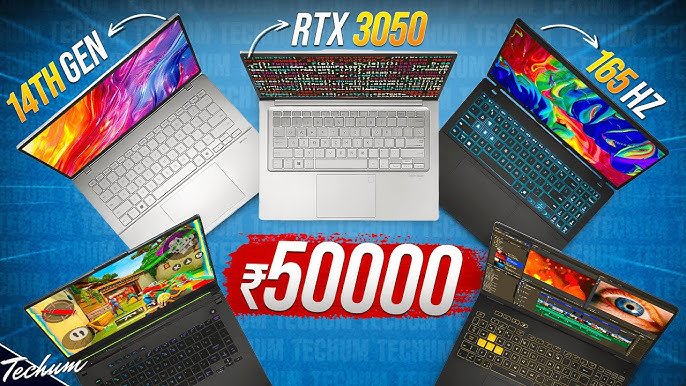
When searching for the best laptop under ₹50,000, most people make a critical mistake: they just look at 4-5 laptop names and randomly pick one without understanding what they’re actually buying.
This guide is different.
Instead of just giving you laptop names, we’re providing you with proper knowledge about:
- Which CPU to choose and why
- GPU selection criteria
- RAM specifications and their significance
- Display technologies explained
- Storage options decoded
Why This Matters: This knowledge will help you for life—not just for this purchase, but every time you buy a laptop. You’ll understand specifications like a pro and make informed decisions.
Fair Warning: This is a comprehensive guide. If you don’t have patience, this isn’t for you. But if you read till the end, your laptop knowledge will increase significantly.
Best Laptops Under ₹50,000: Category-Wise
Category 1: Best Laptops for Productive Users
1. Lenovo ThinkBook 16
Key Specifications:
- CPU: AMD Ryzen 5 HS series
- RAM: 16GB (check DDR5 availability)
- Display: 16-inch IPS
- Storage: 512GB SSD
- Battery: Excellent (HS series efficient)
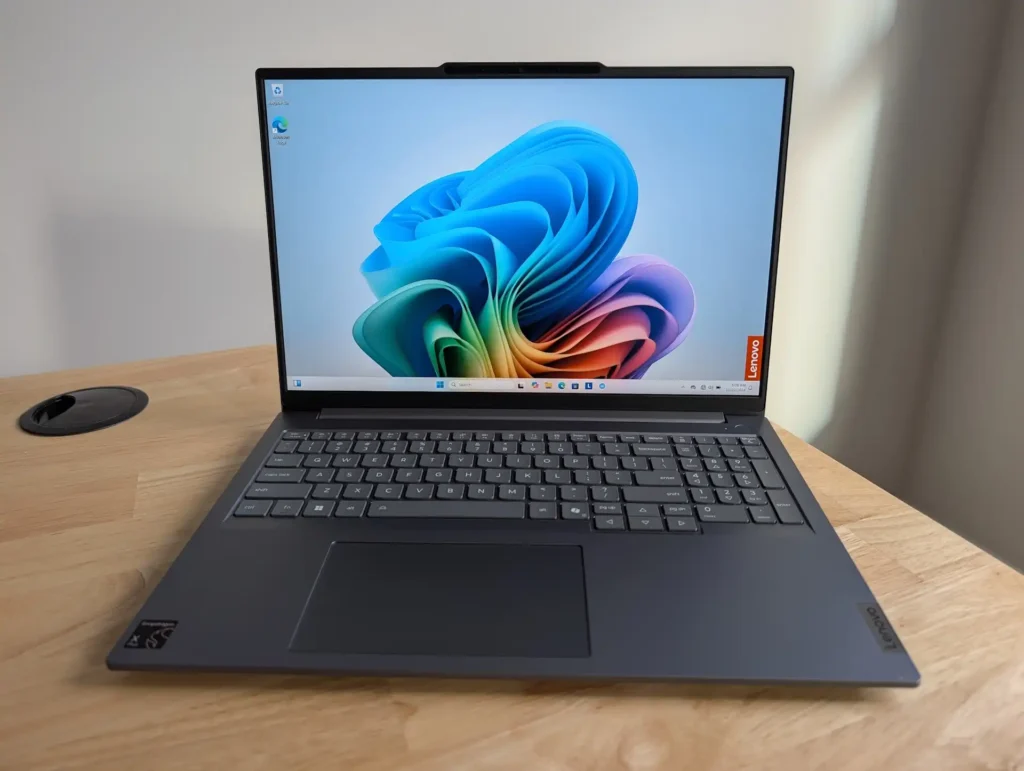
Why Buy: ✓ Excellent battery backup ✓ HS series balances performance and efficiency ✓ 16-inch display great for multitasking ✓ ThinkBook build quality ✓ Good for office work and light editing
Best For:
- Students attending online classes
- Office professionals
- Writers and researchers
- Anyone prioritizing battery life
Price Range: ₹45,000 – ₹50,000
2. MSI Modern 14
Key Specifications:
- CPU: Intel Core/Ultra U series
- RAM: 16GB LPDDR5 (soldered)
- Display: 14-inch IPS
- Storage: 512GB SSD
- Battery: Excellent (U series)
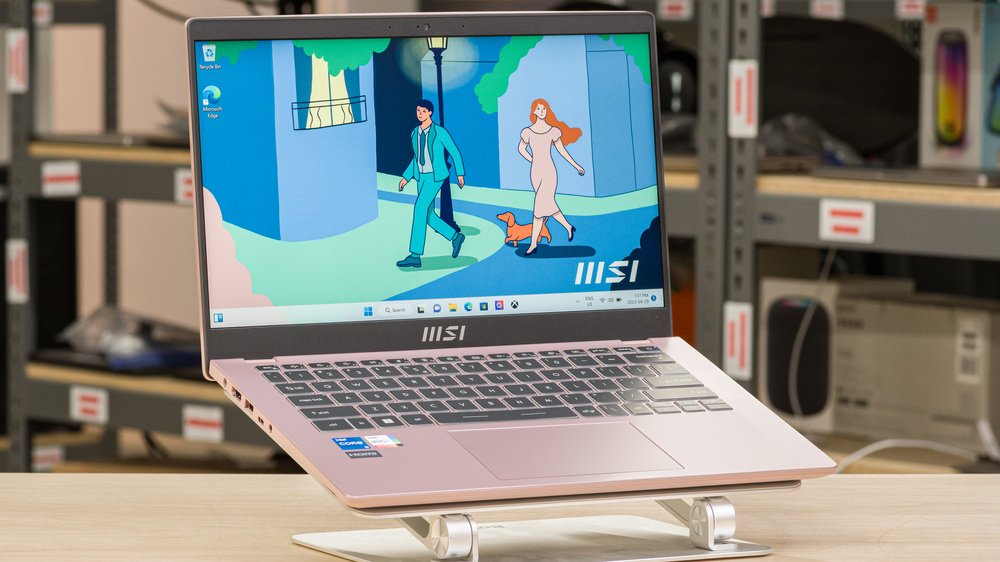
Why Buy: ✓ Best-in-class battery backup (U series) ✓ Lightweight and portable ✓ LPDDR5 RAM for efficiency ✓ Premium metal build ✓ Perfect for travel
Best For:
- Frequent travelers
- Students carrying laptop daily
- Professionals needing portability
- Long battery life priority
Price Range: ₹48,000 – ₹52,000
3. Samsung Galaxy Book 4
Key Specifications:
- CPU: Intel Core U series
- RAM: 16GB
- Display: 15.6-inch FHD
- Storage: 512GB SSD
- Battery: Very good
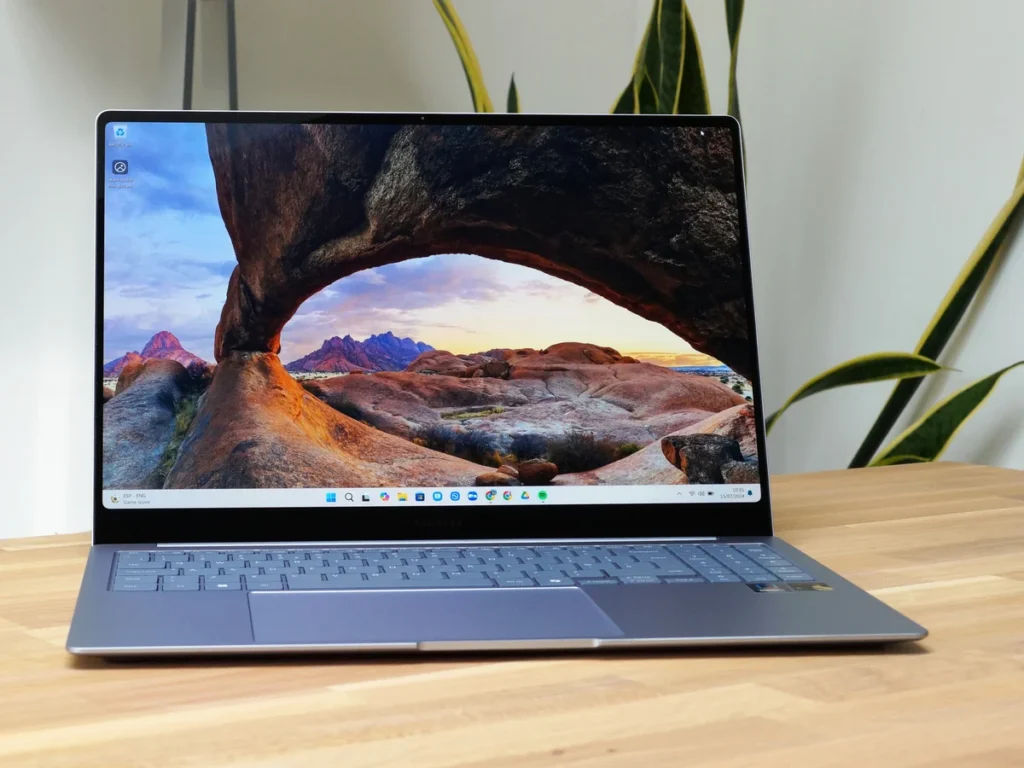
Why Buy: ✓ Samsung brand reliability ✓ Good build quality ✓ Decent performance for productivity ✓ Clean Windows experience ✓ Good display quality
Best For:
- Samsung ecosystem users
- Brand-conscious buyers
- Reliable daily driver needs
Price Range: ₹47,000 – ₹51,000
Category 2: Best Laptops for Creative Users
1. Motorola Motobook 60 (Top Recommendation)
Key Specifications:
- CPU: Intel Core 5 210H (H series!)
- RAM: 16GB DDR5 (upgradeable)
- Display: OLED (major advantage)
- Storage: 512GB SSD
- Build: Metal chassis
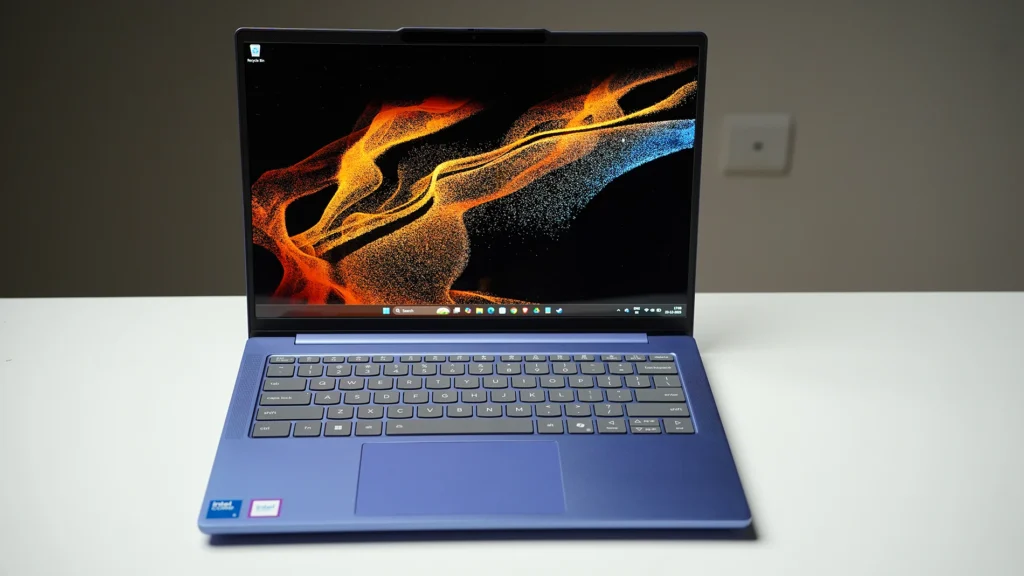
Why Buy: ✓ OLED display for color accuracy ✓ H series CPU for performance ✓ DDR5 RAM upgradeable to 32GB ✓ Premium metal build quality ✓ Excellent for editing and design ✓ Best value in creative category
Best For:
- Photo editors
- Video editors (1080p projects)
- Graphic designers
- Content creators
- Color-critical work
Why OLED Matters:
- Perfect for color grading
- Accurate color representation
- Deep blacks for video editing
- Vibrant visuals for design work
Price Range: ₹48,000 – ₹52,000
2. Lenovo ThinkBook 16
Key Specifications:
- CPU: AMD Ryzen 7 HS series
- RAM: 16GB DDR5
- Display: 16-inch IPS
- Storage: 512GB SSD
- Build: Solid business-class
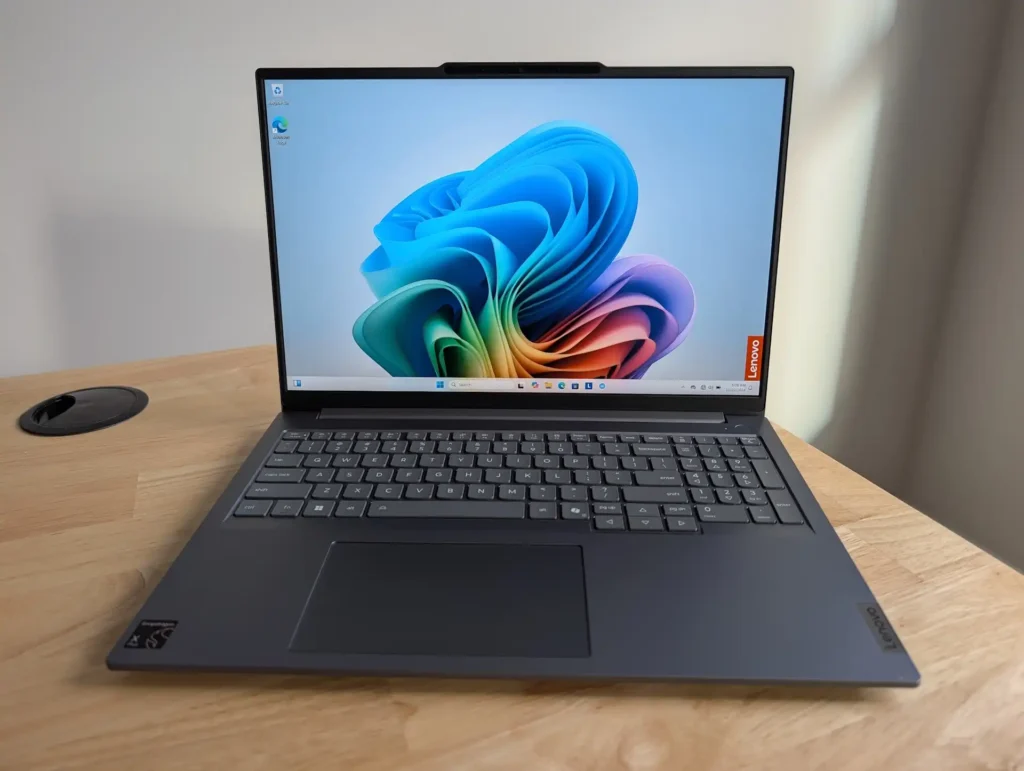
Why Buy: ✓ Ryzen 7 better for multi-core tasks ✓ 16-inch display for editing workspace ✓ DDR5 RAM upgradeable ✓ Good thermal management ✓ Reliable for rendering
Best For:
- Video editing (Premiere, DaVinci)
- 3D modeling (Blender basics)
- Programming and development
- Heavy multitasking
Price Range: ₹46,000 – ₹50,000
Category 3: Best Laptops for Performance Users (Gaming)
1. ASUS TUF Gaming A15 (Top Recommendation)
Key Specifications:
- CPU: AMD Ryzen 5/7 H series
- GPU: NVIDIA RTX 2050 4GB
- RAM: 16GB DDR5 (major advantage)
- Display: 15.6″ 144Hz IPS
- Storage: 512GB SSD
- Cooling: Excellent thermal system
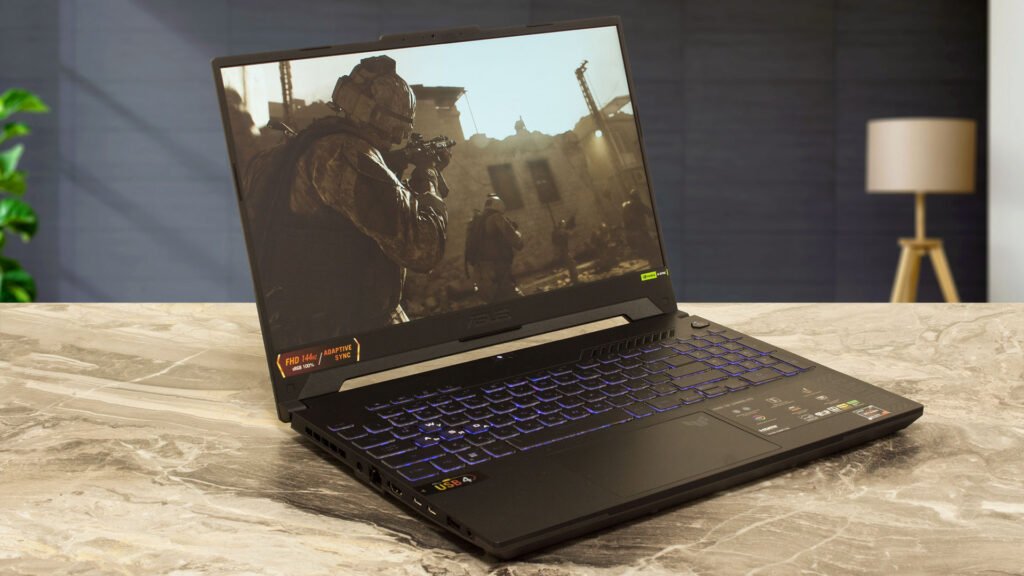
Why Buy: ✓ RTX 2050 for real gaming ✓ DDR5 RAM (faster than competitors) ✓ Better CPU options (H series) ✓ Superior thermal management ✓ 144Hz display for smooth gaming ✓ TUF durability and build quality ✓ Upgradeable RAM and storage
Gaming Performance:
- GTA V: High settings, 60+ FPS
- Valorant: Ultra settings, 144+ FPS
- CS2: High settings, 100+ FPS
- Fortnite: Medium-High, 60-80 FPS
- AAA titles: Medium settings, 40-60 FPS
Best For:
- Serious gamers
- Game development students
- 3D rendering and modeling
- Heavy video editing (4K)
- Maximum performance needs
Why Better Than Acer:
- DDR5 vs DDR4 (significant difference)
- Better cooling system
- More reliable thermals under load
- Better long-term performance
Price Range: ₹52,000 – ₹56,000 (slightly over budget but worth it)
2. Acer Aspire 7
Key Specifications:
- CPU: Intel i5/Ryzen 5 H series
- GPU: NVIDIA RTX 2050 4GB
- RAM: 16GB DDR4
- Display: 15.6″ 144Hz IPS
- Storage: 512GB SSD
Why Buy: ✓ RTX 2050 for gaming ✓ Good value proposition ✓ 144Hz display ✓ Decent build quality
Cons: ✗ DDR4 RAM (slower than ASUS) ✗ Thermals not as good as TUF ✗ Slightly lower performance ceiling
Best For:
- Budget-conscious gamers
- Casual to moderate gaming
- Students needing gaming + studies
- RTX features on a budget
Price Range: ₹48,000 – 52,000
Understanding CPU: The Brain of Your Laptop
Intel CPU Naming Explained
In the ₹50,000 budget, you’ll encounter these Intel processors:
- Ultra 5 series (newest, best)
- Core 5 series (mid-range)
- i5 series (older naming convention)
Performance Hierarchy:
- Ultra 5 → Best performance
- Core 5 → Good performance
- i5 → Entry-level in this bracket
AMD Ryzen CPU Options
Ryzen processors available:
- Ryzen 7 → Better performance
- Ryzen 5 → Good performance
Generally, Ryzen 7 outperforms Ryzen 5 in the same generation.
Decoding CPU Model Numbers
Intel Ultra 5 / Core 5 Example
Model Number Format: Core 5 125H or Ultra 5 115H
How to Read:
- First digit (left to right): Series number
- Starts with 1 = Series 1
- Starts with 2 = Series 2 (better)
- Series 2 is better than Series 1 regardless of Ultra or Core designation
Example:
- Core 5 225H is better than Core 5 115H
- Ultra 5 215H is better than Ultra 5 125H
Intel i5 Series Example
Model Number Format: i5-1335U or i5-13420H
How to Read:
- First two digits after “i5”: Generation number
- i5-1335U = 13th generation
- i5-1250H = 12th generation
- Higher generation = Better
- Remaining digits: Performance score (higher is better)
Example:
- i5-13420H is better than i5-12450H (newer generation)
- i5-13420H is better than i5-13350U (higher performance score)
AMD Ryzen Series Example
Model Number Format: Ryzen 5 7535HS or Ryzen 7 7435HS
How to Read:
- First digit after “Ryzen X”: Series number
- Starts with 8 = 8000 series (newest)
- Starts with 7 = 7000 series
- Starts with 6 = 6000 series
- Higher series number = Better
- Remaining digits: Performance score (higher is better)
Example:
- Ryzen 5 8540U is better than Ryzen 5 7535HS (newer series)
- Ryzen 7 7435HS is better than Ryzen 5 7535HS (higher tier)
CPU Suffix Letters: What Do They Mean?
Every CPU ends with a letter suffix: U, P, H, HS, HX
Performance Ranking (Best to Worst):
- H suffix → Maximum performance
- HS suffix → High performance, slightly efficient
- P suffix → Balanced performance
- U suffix → Efficiency-focused, lower performance
Battery Life Ranking (Best to Worst):
- U suffix → Best battery life (6-8 hours)
- P suffix → Good battery life (5-7 hours)
- HS suffix → Moderate battery life (4-6 hours)
- H suffix → Lower battery life (3-5 hours)
The Trade-off: More powerful CPU = Less battery backup (because powerful processors consume more power)
Which to Choose?
Choose H/HS if:
- Performance is priority
- Gaming or heavy software use
- Mostly plugged in
Choose P/U if:
- Battery life is a priority
- Office work, browsing, media consumption
- Frequent travel without charger access
Understanding GPU: Graphics Performance
Two Types of GPUs
1. Dedicated GPU (Separate graphics card) 2. Integrated GPU (Built into CPU)
Dedicated GPUs Under ₹50,000
Only Option: NVIDIA RTX 2050 4GB
In the ₹50,000-55,000 bracket, you’ll only get RTX 2050 with 4GB VRAM. Don’t expect 6GB VRAM—it’s nearly impossible at current prices.
How to Compare RTX 2050 Laptops
If two laptops both have RTX 2050, check the TGP (Total Graphics Power):
TGP Wattage:
- 40W TGP
- 45W TGP
- 65W TGP
Higher wattage = Better performance (but lower battery life)
Example:
- Laptop A: RTX 2050 @ 65W TGP → Better gaming performance
- Laptop B: RTX 2050 @ 40W TGP → Lower performance, better battery
Same Concept: More powerful GPU = More power consumption = Less battery backup
Integrated GPUs (Intel)
Performance Ranking:
- Intel Arc Graphics → Best integrated GPU
- Intel Iris Xe → Good performance
- Intel UHD Graphics → Basic performance
Intel Arc Graphics offers the best integrated GPU performance from Intel, suitable for light gaming and creative work.
Integrated GPUs (AMD Ryzen)
AMD iGPU Options:
- Radeon 800M series
- Radeon 700M series
- Radeon 600M series
Model Number Format: 780M, 760M, 680M, 660M
How to Read the Middle Digit:
Middle digit = 8 or 9:
- Can handle casual gaming comfortably
- Examples: 780M, 890M, 760M
Middle digit = 4 or 6:
- Good for day-to-day tasks only
- Not suitable for gaming
- Examples: 740M, 640M, 660M
Overall Best Integrated GPU: Intel Arc Graphics outperforms AMD Radeon series in most scenarios.
Understanding RAM: Memory Matters
RAM Types Available
DDR4 RAM (Older standard) DDR5 RAM (Newer, faster) LPDDR4 RAM (Low-power version) LPDDR5 RAM (Low-power, newer)
DDR4 vs DDR5
Simple Rule: Higher number = Better
Recommendation: Always choose DDR5 or LPDDR5 if available in your budget.
Performance:
- DDR5 → Faster speeds, better multitasking
- DDR4 → Adequate but older technology
DDR vs LPDDR: Critical Difference
LPDDR RAM (Low Power DDR)
Characteristics:
- Soldered to motherboard (cannot upgrade later)
- Consumes less power
- Excellent performance
- Better battery backup
Pros: ✓ Lower power consumption ✓ Good performance ✓ Longer battery life
Cons: ✗ Cannot upgrade RAM later ✗ Stuck with what you bought
DDR RAM (Standard)
Characteristics:
- Upgradeable (can add more RAM later)
- Consumes more power
- Excellent performance
- Moderate battery backup
Upgradeability:
- 8GB → Upgrade to 16GB
- 16GB → Upgrade to 24GB or 32GB
- Easy DIY or shop upgrade
Pros: ✓ Can upgrade anytime ✓ Future-proof ✓ Better performance under heavy load
Cons: ✗ Higher power consumption ✗ Slightly lower battery life
Which RAM to Choose?
Choose LPDDR5 if:
- 16GB is sufficient for your needs
- Battery life is priority
- Lightweight usage (office, browsing, media)
Choose DDR5 if:
- You might need more RAM later
- Heavy multitasking
- Running VMs, heavy software
- Want upgrade flexibility
Minimum Recommendation: 16GB RAM (8GB is insufficient in 2026)
Understanding Display: What You See Matters
Display Panel Types
Four Main Types:
- OLED → Best overall
- IPS → Best for most users
- VA → Acceptable
- TN → Avoid completely
Quality Ranking: OLED > IPS > VA > TN (never buy TN)
Display Selection by Use Case
For Media Consumption & General Use
Recommendation: OLED Display
Why OLED?
- Best color accuracy and vibrancy
- Perfect blacks (infinite contrast)
- Excellent for movies, shows, content consumption
- Stunning visual quality
Drawback:
- More expensive
- Not ideal for gaming (response time)
Best for: ✓ Students watching lectures ✓ Content consumers (Netflix, YouTube) ✓ Office work with great visuals ✓ Photo/video editing (color accuracy)
For Gaming
Recommendation: IPS Display with High Refresh Rate
Minimum Specifications:
- Refresh Rate: At least 120Hz (144Hz better)
- Response Time: 3ms to 5ms maximum (lower is better)
- Panel Type: IPS
Why IPS for Gaming?
- Good response times
- Wide viewing angles
- Reasonable price
- Better than OLED for fast-paced games
OLED for Gaming: While OLED looks beautiful, it’s over-expensive for gaming needs. IPS offers better value.
Color Accuracy & Gamut
Color Gamut Standards:
45% NTSC:
- Basic color coverage
- Adequate for general use
- Common in budget laptops
100% sRGB:
- Excellent color accuracy
- Professional color work
- Rare under ₹50,000
OLED Displays:
- Automatically provide best color accuracy
- Essential for editing and design work
Who Needs Color Accuracy?
Choose 100% sRGB or OLED if:
- Video editing
- Photo editing
- Graphic design
- Content creation
- Color-critical work
45% NTSC is fine if:
- General office work
- Browsing and media
- Casual use
- Gaming (refresh rate matters more)
Reality Check: Most laptops under ₹50,000 won’t offer 100% sRGB IPS displays. If you need color accuracy, choose OLED or increase budget slightly.
Understanding Storage: SSD Matters
SSD Generation
Two Options:
- Gen 3 SSD (Older, slower)
- Gen 4 SSD (Newer, faster)
Simple Rule: Always prioritize Gen 4 SSD when available.
Performance Difference:
- Gen 4: Faster boot times, app loading, file transfers
- Gen 3: Still good, acceptable if Gen 4 unavailable
Reality: Very few laptops under ₹50,000 offer Gen 4 SSD. Gen 3 will do the job perfectly fine for most users.
SSD Upgradeability
Critical Check: Ensure the laptop allows SSD upgrade in the future.
Why This Matters:
- 256GB fills up quickly
- Easy to upgrade to 512GB or 1TB later
- Much cheaper than buying higher storage upfront
Recommendation: Buy 256GB or 512GB initially, upgrade later if needed. Save money now, upgrade when required.
Three User Categories: Find Yours
Before recommending specific laptops, understand which category you fall into:
Category 1: Productive Users
Use Cases:
- Office work (Word, Excel, PowerPoint)
- Web browsing and research
- Email and communication
- Online classes and video calls
- Light multitasking
- Media consumption
Priority: Battery life > Performance
Category 2: Creative Users
Use Cases:
- Photo editing (Photoshop, Lightroom)
- Video editing (Premiere Pro, DaVinci Resolve)
- Graphic design (Illustrator, Figma)
- 3D modeling (light work)
- Content creation
- Coding and development
Priority: Performance + Display Quality > Battery
Category 3: Performance Users
Use Cases:
- Heavy gaming (AAA titles)
- Video rendering
- 3D modeling and animation
- Heavy multitasking (10+ apps)
- Software development (VMs, containers)
- Data analysis and processing
Priority: Maximum Performance > Everything Else
Quick Comparison: ASUS TUF A15 vs Acer Aspire 7
| Feature | ASUS TUF A15 | Acer Aspire 7 |
|---|---|---|
| RAM | DDR5 (faster) | DDR4 (slower) |
| CPU | Slightly better | Good |
| Thermals | Excellent | Moderate |
| Build | Military-grade | Standard |
| Price | ₹52K-56K | ₹48K-52K |
| Recommendation | Best choice | Budget option |
Personal Recommendation: ASUS TUF Gaming A15 is slightly better overall due to DDR5 RAM, better CPU options, and superior thermal management. Worth the extra ₹3,000-4,000.
Buying Decision Framework
Step-by-Step Selection Process
Step 1: Identify Your Category
- Productive User → Battery + Portability
- Creative User → Display + Performance
- Performance User → Maximum Power
Step 2: Set CPU Priority
- Productive: U or P series (battery life)
- Creative: HS or H series (balanced)
- Performance: H series only (maximum power)
Step 3: Decide on GPU
- Productive: Integrated GPU fine
- Creative: Intel Arc or dedicated GPU
- Performance: RTX 2050 mandatory
Step 4: RAM Selection
- Productive: 16GB LPDDR5 (battery life)
- Creative: 16GB DDR5 (upgradeable)
- Performance: 16GB DDR5 minimum
Step 5: Display Choice
- Productive: IPS or OLED
- Creative: OLED preferred (color accuracy)
- Performance: 120Hz+ IPS mandatory
Step 6: Storage
- Everyone: Gen 4 SSD if available
- Ensure upgradeability for future
Common Mistakes to Avoid
Mistake 1: Ignoring CPU Suffix
❌ Buying i5-13420U for gaming ✓ Choose i5-13420H for gaming
Mistake 2: Confusing Generation Numbers
❌ Thinking i5-12450H > i5-13350U (wrong comparison) ✓ Compare same suffix: H vs H, U vs U
Mistake 3: Only Looking at GPU Name
❌ “It has RTX 2050, so it’s good” ✓ Check TGP wattage (65W better than 40W)
Mistake 4: Assuming All 16GB RAM is Same
❌ 16GB DDR4 = 16GB DDR5 (not equal) ✓ DDR5 significantly faster, prioritize it
Mistake 5: Ignoring Display Refresh Rate for Gaming
❌ Buying 60Hz display for gaming ✓ Minimum 120Hz for gaming laptops
Mistake 6: Choosing LPDDR Without Considering Future
❌ Buying 8GB LPDDR5 (cannot upgrade) ✓ Buy 16GB LPDDR5 or choose DDR5 for flexibility
Mistake 7: Buying TN Panel Display
❌ Any laptop with TN display ✓ Minimum IPS required, OLED preferred
Final Recommendations Summary
Best Overall Value
Motorola Motbook (Creative Users)
- OLED display at ₹50K is unbeatable
- H series CPU + DDR5 RAM
- Metal build quality
- Best for creators and students
Best for Battery Life
MSI Modern 14
- U series CPU
- LPDDR5 RAM
- Lightweight
- 8+ hours battery life
Best for Gaming
ASUS TUF Gaming A15
- RTX 2050 GPU
- DDR5 RAM
- Best thermals
- 144Hz display
Best Budget Pick
Lenovo ThinkBook 16
- Large 16″ display
- HS series balanced performance
- Good for most users
- Reliable Lenovo quality
No. 8GB is insufficient for Windows 11 and modern applications. Minimum 16GB recommended for all users.
DDR5 is significantly better. If DDR5 fits the budget, always choose it. DDR4 is acceptable if budget-constrained.
Summary: Make an Informed Decision
The best laptop under ₹50,000 depends entirely on your specific use case:
For Students & Office Work: Choose Lenovo ThinkBook 16 or MSI Modern 14 for battery life and reliability.
For Creative Professionals: Choose Motorola Motbook for OLED display and H series performance.
For Gamers & Performance: Choose ASUS TUF Gaming A15 for RTX 2050 and DDR5 advantage.
Key Takeaway: Don’t just buy based on brand names. Understand CPU suffixes, RAM types, display specifications, and GPU wattage. This knowledge ensures you get the best value for your ₹50,000.
Final Advice: Watch for sales (Amazon/Flipkart), compare prices across platforms, and never compromise on RAM (minimum 16GB) or display quality (minimum IPS).