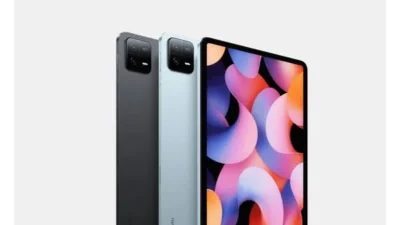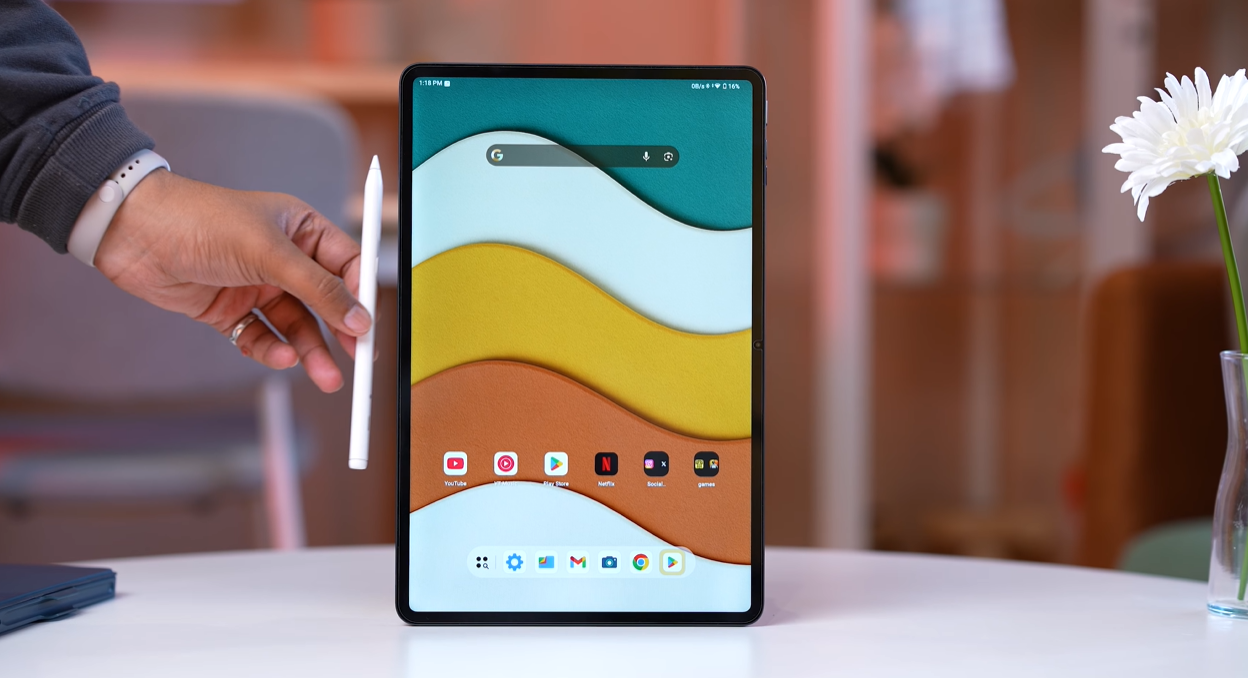
The Brave ARK Tablet arrives in a shimmering silver box that looks like mithai wrapped in decorative foil—all sparkle and promise. This is Brave’s first-ever tablet, featuring an octopus logo and aggressive specifications that sound impressive on paper.
But here’s the uncomfortable truth: impressive specs don’t guarantee a good experience.
After extensive testing of this ₹34,999 tablet (₹38,999 with keyboard), the reality is far less shiny than the packaging. While Brave has attempted to create a compelling tablet with standout features like a massive 14,550mAh battery, Snapdragon 8s Gen 3 processor, and bundled stylus, the execution falls frustratingly short.
This review will save you ₹35,000. Let’s dive into why.
What Makes Brave ARK Stand Out (On Paper)
Before we discuss what’s wrong, let’s acknowledge what Brave attempted to achieve:
Standout Features
1. Massive Battery: 14,550mAh
- Biggest battery in any tablet
- For reference: Samsung Galaxy Tab S10 Ultra (larger display) has only 11,600mAh
- Genuinely impressive capacity
2. Premium Processor: Snapdragon 8s Gen 3
- Flagship-level performance
- Antutu score: 1.8-1.9 million
- More powerful than most tablets under ₹50K
3. Stylus Included in Box
- No extra purchase required
- Comes with 2 extra tips
- Type-C charging
4. PC Mode Feature
- Desktop-like interface
- Attempts to replicate laptop experience
- Heavily marketed feature
5. Competitive Pricing
- Base model: ₹34,999
- With keyboard: ₹38,999
- Single variant, single color
- Early bird offer: First 200 buyers got free keyboard
Unboxing: What’s in the Box
Package Contents
Main Components:
- Brave ARK Tablet (13-inch)
- 33W fast charger (good inclusion)
- USB Type-C to Type-C cable
- Tempered glass pre-installed (appreciated for new brand)
- Stylus/Smart Pen with 2 extra tips
- Folio cover with stand (doubles as pen holder)
- Documentation
Positive Observation: Tempered glass pre-installed is genuinely helpful. With new brands, finding compatible screen protectors is often difficult. Brave solved this problem.
Design & Build Quality
Physical Construction
Material: Full metal chassis Size: 12.95 inches (marketed as 13-inch) Weight: 730-735 grams (heavier than typical 500g tablets) Build: Solid frame with rounded corners
Compared to Competitors:
- vs iPad Pro 11″: Significantly larger
- vs Samsung Tab S10 Ultra: Slightly smaller
- Clear size advantage in segment
Design Elements
Back Panel:
- No brand name visible
- Octopus logo in silver (matching box aesthetic)
- Clean, minimalist design
- Some glue residue from sticker removal (minor QC issue)
Button & Port Layout:
Right Side:
- Volume rocker
- Power button
- MicroSD card slot (expandable up to 1TB)
Bottom:
- USB Type-C port (USB 3.1 Gen 2)
- Positioned off-center (slightly lower than expected)
- Pogo pins for keyboard attachment (keyboard not included in base model)
Audio:
- 8 speakers with DTS audio
- Quad speakers on each side
- Loudness: Good but not as loud as OnePlus Pad 2/3
Microphones:
- Three microphones for voice recording
- Audio quality: Acceptable for video calls
Display: Almost Great, But Not Quite
Display Specifications
Size: 12.95″ (essentially 13″) Resolution: 2.8K Panel Type: IPS LCD Refresh Rate: 144Hz (marketed), 120Hz (actual smooth operation) PPI: 264 Brightness: Adequate for tablets (not specified in nits)
Display Performance
What Works: ✓ Large 13-inch screen great for media consumption ✓ 120Hz feels smooth in daily use ✓ IPS panel provides good viewing angles ✓ Colors appear accurate for IPS standard
What Doesn’t Work:
Sharpness Issue: Despite 2.8K resolution, the display doesn’t feel as sharp as it should.
Why?
- PPI of only 264 (relatively low for this resolution)
- Large display size spreads pixels
- Noticeable lack of crispness compared to competitors
HDR Support: None (missing at this price point)
Widevine: L1 certification (good for streaming)
Brightness: Adequate for indoor use and tablet-standard outdoor visibility. Not as bright as flagship phones but acceptable for tablets.
The 144Hz Reality Check
Marketed: 144Hz refresh rate Reality: Mostly operates at 120Hz
Why This Matters: Many phones and tablets market 144Hz but don’t actually utilize it across the UI. The Brave ARK is no different—120Hz is what you’ll experience, which is fine but not groundbreaking.
Assessment: 120Hz feels smooth and is perfectly adequate. The 144Hz claim feels like marketing exaggeration.
Performance: Hardware vs Software Mismatch
Hardware Specifications
Processor: Snapdragon 8s Gen 3 Antutu Score: 1.8-1.9 million Storage: Appears to be UFS 3.1 (not officially confirmed—website lacks details) RAM: Not specified by manufacturer (major red flag)
Performance in Practice: The processor is genuinely powerful. Apps launch quickly, multitasking feels responsive, and there’s headroom for demanding tasks.
The Problem: Hardware capability means nothing when software isn’t optimized to use it.
Software: The Biggest Disappointment
Operating System
Android Version: Android 15 Skin: Stock Android (extremely basic) Customization: Minimal Future Updates: Not mentioned anywhere (huge concern)
What’s Missing
No Information About:
- How many years of OS updates
- Security patch frequency
- Software support timeline
- Future development plans
For a ₹35,000 tablet, this is unacceptable.
User Interface Experience
Positives: ✓ No bloatware (clean experience) ✓ Stock Android simplicity ✓ Runs smoothly
Negatives: ✗ Extremely basic skin with zero personality ✗ No extra customization options ✗ Feels flat and uninspired ✗ No tablet-specific optimizations ✗ Generic experience that doesn’t leverage large display
Assessment: “The software feels like they took stock Android, slapped it on a tablet, and called it a day.”
The Dock Mode: Basic Implementation
What Is It?
Brave includes a “Dock Mode” for quick app access:
Features:
- Persistent dock on home screen
- Swipe up from bottom to reveal when in apps
- Quick app switching
- Split-screen shortcuts
- Can create split-screen shortcuts
Included Apps:
- Microsoft OneNote (pre-installed, good choice)
- Google Keep Notes
- Basic Android apps
The Problem: This is basic Android functionality with minimal enhancement. Nothing special or innovative here.
PC Mode: Heavily Marketed, Poorly Executed
What Brave Promised
Brave heavily marketed the PC Mode as a desktop replacement experience—turning an Android tablet into a laptop-like device.
How to Activate
Method 1: Toggle from notification panel Method 2: Automatic activation when keyboard attached (keyboard not tested)
PC Mode Features
What You Get:
- Desktop-style interface
- Application icons on main screen
- Taskbar showing open apps
- Window management (minimize, maximize, close buttons)
- Multiple app windows simultaneously
- Resize windows
- System settings access
- Back/Home/Recent buttons in corner
App Behavior:
- Apps open from right side with animation
- Close to left side with animation
- Can pin apps (button present but non-functional in testing)
- Multiple apps can run simultaneously
The Brutal Reality: PC Mode is Jittery and Unrefined
Critical Flaw: “The tablet hardware feels fast, but PC Mode is jittery and not optimized.”
Problems Experienced:
❌ Stuttering animations when opening/closing apps ❌ Lag when switching between windows ❌ Inconsistent performance despite powerful processor ❌ Software refinement missing entirely ❌ Not as smooth as standard Android experience
The Gesture Bar Problem: Even the gesture navigation bar is off-center—visible whether in landscape or portrait mode. This attention-to-detail failure is telling.
Comparison: Regular Android tablet mode runs smoother than this “premium” PC Mode feature.
Assessment: PC Mode is a half-baked feature that needs significant software refinement. It’s clear Brave rushed this to market without proper optimization.
Gaming: Gyroscope Missing (Deal-Breaker)
Gaming Performance
Processor Capability: Snapdragon 8s Gen 3 handles games well Frame Rates: Smooth performance in supported titles Graphics: Good rendering quality
The Critical Problem
No Gyroscope Sensor
Why This Matters:
- BGMI/PUBG players cannot use gyroscope controls
- Racing games lack tilt functionality
- Many games require gyroscope for full experience
- Inexcusable omission at ₹35,000 price point
Verdict: If you’re a mobile gamer who uses gyroscope (especially BGMI/PUBG players), this tablet is useless for you.
Stylus/Pen: Hits and Misses
What’s Included
Brave Smart Pen:
- Bundled in box (no extra cost)
- 2 extra replacement tips included
- Type-C charging port
- Three buttons (top single button, two side buttons)
- Customizable button functions
Button Customization
Top Button (Tail):
- Press and hold: Pair/connect
- Single press: Customizable action
Side Buttons (Up/Down):
- Single/Double/Triple tap: Customizable
- Long press: Customizable
Available Actions:
- Home
- Recent apps
- OS assistant
- Screen writer
- Screenshot
- Many more options
Additional Features
Floating Icon Menu: When pen is paired, a floating icon appears with shortcuts:
- Open Canvas (launches Google Keep, not Microsoft OneNote)
- Partial screenshot
- Write on screen
- Open notes
- Laser pointer (just a red dot, not hover cursor)
Microsoft OneNote: Pre-installed but not integrated into quick menu. Must open app manually to access full features.
Palm Rejection: Yes, but inconsistent
Pressure Sensitivity: Yes, works adequately
The Pen Experience: Frustratingly Inconsistent
What Should Work (But Doesn’t Reliably)
Connectivity Issues:
- Sometimes connects fine
- Sometimes fails to connect
- Hit-and-miss Bluetooth pairing
Palm Rejection Failures:
- Works sometimes
- Stops working randomly
- Pen stops registering, palm starts drawing
- Marks appear from hand resting on screen
UI Glitches:
- Gesture navigation accidentally triggers
- Clicks sometimes miss
- Inconsistent responsiveness
Software Integration: “The pen’s pairing and refinement with the system isn’t visible. It should work better considering this is a first-party pen.”
Comparison to Competitors
Other Tablets with Pens: Even third-party pens on competing tablets work more reliably than Brave’s own first-party stylus.
Assessment: The pen experience is unrefined and frustrating. Software needs significant work to make this usable for serious note-taking or drawing.
Camera: Functional, Not Impressive
Rear Camera
Specification: 13MP Features: LED flash included (good for document scanning) UI: Extremely basic camera app Quality: Decent for tablet standards
Use Cases:
- Document scanning
- Note photography
- Basic capture needs
Front Camera
Specification: 5MP Purpose: Video calls Quality: Acceptable for conferencing Position: Landscape orientation (correct for video calls)
No Document Scanner Mode
Missing Feature: Camera app lacks dedicated document scanning mode.
Workaround: Use Google Files app (has built-in document scanner). This is a standard Android feature, not Brave-specific.
Assessment: Cameras do the job but nothing impressive. The basic camera UI reflects the overall software simplicity.
Biometric Security: Face Unlock Only
What’s Missing
No Fingerprint Scanner:
- No physical sensor
- No in-display sensor
- Completely absent
Available Options
Face Unlock: Yes, camera positioned correctly in landscape PIN/Pattern: Standard Android options
Assessment: Lack of fingerprint scanner is inconvenient. Face unlock works but fingerprint is faster and more reliable.
After-Sales Support: Red Flags Everywhere
Service Center Reality Check
Attempted Contact: Reviewer called Brave’s service hotline multiple times.
Result:
- Calls not answered
- Only response: “We’ll call you back” (never happened)
Official Service Center List
Finding Service Centers:
- Visit Brave website
- Go to Service section
- Enter PIN code
- Download PDF/Excel file with service center list
What We Found:
Extensive List on Paper:
- Many service centers listed
- Addresses provided
- Phone numbers included
Reality When Calling:
- Some centers knew about Brave tablets
- Some centers had no idea what Brave is
- Inconsistent information across centers
Common New Brand Issue: Service network on paper doesn’t match ground reality. Always verify service center accessibility before buying.
What Brave Should Have Done Differently
Marketing & Communication Failures
1. YouTube Channel Content
Current State: 2-3 videos uploaded with no consumer value
What’s Missing:
- Company vision explanation
- “Why we launched this tablet” video
- Future product roadmap
- Software development plans
- Founder/team introduction
- Trust-building content
Impact: Zero trust building for new brand entering competitive market.
2. Pricing Strategy Mistake
Current Launch: ₹35,000-40,000 tablet as first product
Better Strategy: Launch around ₹20,000 for first attempt:
- Lower risk for early adopters
- Builds customer base
- Creates upgrade path for future products
- Tests market response
Comparison to Nothing Phone (1): Nothing launched Phone (1) at ₹35,000-40,000 successfully because:
- Carl Pei’s reputation (OnePlus founder)
- Extensive pre-launch marketing
- Multiple videos building hype
- Clear communication
- Established trust
Brave has none of these advantages.
3. Launch Delays Without Communication
Original Launch: December 2025 Actual Launch: February 2026 (2 months late)
Problem: No explanation for delay. No updates. No communication.
Impact: Erodes customer confidence before product even reaches hands.
Price Justification Analysis
What ₹34,999 Gets You
Hardware Positives: ✓ Snapdragon 8s Gen 3 (powerful) ✓ 14,550mAh battery (biggest in category) ✓ 13-inch display ✓ 8 speakers with DTS ✓ Metal build quality ✓ Stylus included ✓ 33W fast charging
Software/Experience Negatives: ✗ Basic, unrefined software ✗ Jittery PC Mode ✗ Inconsistent pen experience ✗ No gyroscope sensor ✗ Uncertain software support ✗ Poor after-sales communication ✗ Off-center gesture bar (quality control)
The Problem: Big battery and good processor don’t compensate for poor software execution.
Better Alternatives at Similar Price
1. Xiaomi Pad 7 (Strongly Recommended)
Price: ~₹32,000-35,000 Advantages: ✓ Better refined software (HyperOS) ✓ Established brand support ✓ Better overall experience ✓ Gyroscope included ✓ Proven track record
Disadvantage: ✗ Stylus not included (but can be purchased, total still comparable)
Verdict: Definitely better choice than Brave ARK
2. OnePlus Pad Go 2
Price: Under ₹30,000 (with pen bundle) Processor: MediaTek Dimensity 7300 (less powerful than Brave) Battery: Smaller than Brave ARK Display: Smaller than Brave ARK
Why Consider Despite Lower Specs: ✓ Much more refined software experience ✓ Better pen integration and experience ✓ OxygenOS optimization ✓ Established service network ✓ Brand reliability
Assessment: Lower on-paper specs but superior real-world experience.
3. iPad 11th Generation
Price: ~₹40,000-45,000 (higher but worth considering) Why Consider: ✓ Apple ecosystem integration ✓ iPadOS optimization ✓ Excellent app support ✓ Apple Pencil compatibility ✓ Long-term software support (5-6 years) ✓ Best-in-class experience
Upcoming: iPad 12th Gen launching soon (unlikely under ₹45,000)
Verdict: If budget allows extra ₹5,000-10,000, iPad delivers infinitely better experience.
Who Should Buy Brave ARK Tablet?
Ideal Buyer (Extremely Rare)
Only Consider If:
- You absolutely need the largest battery possible
- You’re willing to be a beta tester
- You accept software limitations
- You don’t game with gyroscope
- You’re comfortable with uncertain support
- You want to support new Indian brands regardless of quality
Reality Check: This describes almost no one.
Who Should Avoid This Tablet?
Skip Brave ARK If:
- ❌ You want refined software experience (most people)
- ❌ You play BGMI/PUBG or gyroscope games (gamers)
- ❌ You need reliable pen experience (students, artists)
- ❌ You want proven after-sales support (everyone)
- ❌ You expect PC Mode to actually work well (professionals)
- ❌ You value software quality over specs (smart buyers)
- ❌ You want predictable long-term updates (all users)
This covers 99% of potential buyers.
The Honest Final Verdict
What Brave Got Right
- 14,550mAh battery – genuinely impressive
- Snapdragon 8s Gen 3 – powerful processor
- Included stylus – saves additional cost
- Metal build – feels premium
- 33W charging included in box
What Brave Got Wrong (Critical Failures)
- Software is extremely basic and unrefined
- PC Mode is jittery and poorly optimized
- Pen experience is inconsistent and frustrating
- No gyroscope (inexcusable omission)
- Uncertain software support (no update timeline)
- Poor brand communication (YouTube, delays, customer service)
- Overpriced for the experience delivered
- Service network unclear despite extensive list
The Bottom Line
Big battery and powerful hardware cannot compensate for poor software execution.
“I can appreciate that this is a first attempt, they included a big battery and good processor. But I cannot recommend you buy this right now because the experience isn’t good. It’s not just about big battery and hardware—software matters, and they need to work much harder.”
The Uncomfortable Truth: Save Your Money
Current State Assessment
Brave ARK Tablet feels like:
- A rushed product
- Beta software on flagship hardware
- Half-baked features (PC Mode)
- Poor quality control (off-center UI elements)
- Inadequate testing before launch
What Needs to Happen
For Brave to Succeed:
- Major software refinement updates
- PC Mode complete overhaul
- Pen integration improvements
- Clear communication about updates
- Honest customer engagement
- Responsive service network
- Realistic pricing for quality delivered
Until these happen, this tablet cannot be recommended.
Our Recommendation: Wait or Buy Alternatives
Final Rating: 4/10
Hardware: 8/10 (impressive on paper) Software: 2/10 (critically flawed) Pen Experience: 3/10 (inconsistent, frustrating) Value: 3/10 (overpriced for experience) After-Sales: 2/10 (poor communication, unclear support)
Action Plan for Potential Buyers
Option 1: Wait If you’re interested in Brave, wait 6-12 months for:
- Software updates to arrive
- User reviews to accumulate
- Price drops to realistic levels
- Second product to gauge commitment
Option 2: Buy Proven Alternatives
- Xiaomi Pad 7: Best overall value (₹32K-35K)
- OnePlus Pad Go 2: Best refined experience (Under ₹30K)
- iPad 11th Gen: Best ecosystem (₹40K-45K)
Option 3: Wait for iPad 12th Gen If you can stretch budget, upcoming iPad will offer vastly superior experience.
Yes, the battery capacity is genuinely impressive. But battery life alone doesn’t justify poor software experience and ₹35,000 price tag.
Potentially, but Brave hasn’t committed to any update timeline. Buying based on “future updates might fix it” is risky.
On paper (specs): Yes. In real-world use: Absolutely not. OnePlus delivers far better experience despite lower specs.
Summary: A Cautionary Tale
The Brave ARK Tablet represents what happens when a brand prioritizes impressive specs over refined execution.
The Reality:
- 14,550mAh battery and Snapdragon 8s Gen 3 look great in marketing
- Basic software, jittery PC Mode, and inconsistent pen ruin daily experience
- Poor communication and unclear support erode confidence
- ₹35,000 pricing is unjustified for delivered quality
Our Honest Advice: Save your money. Buy Xiaomi Pad 7, OnePlus Pad Go 2, or save slightly more for an iPad.
If you really want to support Brave: Wait for their second product. Let early adopters test this generation. Demand software improvements. Vote with your wallet for quality over specs.
Reviewed: February 2026 | Category: Tablet Review | Author: MyPitShop Team
Disclaimer: This review represents honest opinions based on extensive hands-on testing. Brave ARK may improve through software updates, but current state does not justify the price. Always verify service center accessibility and update commitments before purchase.