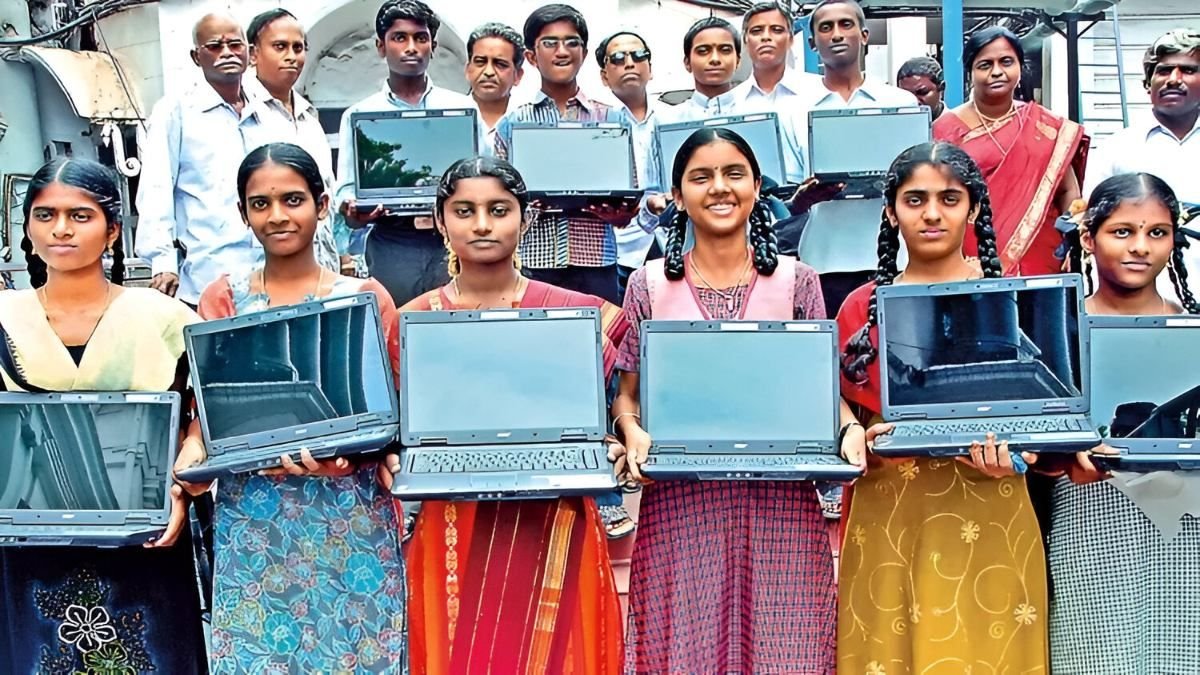
The Tamil Nadu Government has finally rolled out its much-awaited free laptop distribution program for 2026, and students across the state are receiving brand new Acer laptops powered by AMD Ryzen processors. After years of delay, is this government laptop worth the wait? We got our hands on one of these laptops and put it through a complete unboxing and testing process to bring you the truth about its specifications, performance, and real-world usability.
If you’re a student who received this laptop or are curious about what the TN government is providing, this comprehensive review covers everything you need to know.
Why Did the Government Delay the Laptop Distribution?
Before we dive into the specs, let’s address the elephant in the room: Why did it take so long for the government to distribute these laptops?
Based on analysis and available information, here are the likely reasons:
1. Election Timing
Political considerations may have played a role in the timing of this distribution, as such programs often coincide with election cycles to maximize public goodwill.
2. COVID-19 Investment Impact
During the COVID-19 pandemic, massive investments were required for healthcare infrastructure, vaccines, and emergency response. This likely diverted funds that would have otherwise been allocated to educational programs like laptop distribution.
3. Budget Priorities and Constraints
Government budgets involve complex priority-setting. With multiple sectors demanding funding, the laptop program may have been deprioritized in favor of more urgent needs.
4. Tender and Procurement Challenges
Finding the right balance between good specifications and budget-friendly pricing in government tenders is challenging. The procurement process for thousands of laptops with decent specs at competitive prices likely took considerable time.
5. Quality Specifications Requirement
Unlike previous distributions that provided basic laptops, this 2026 version aims to deliver more advanced specifications suitable for modern educational needs, which required more careful planning and budgeting.
TN Government Laptop 2026: Complete Unboxing
What’s Inside the Box?
When you open the packaging, here’s what you’ll find:
- Acer Laptop – The main device
- User Manual – Setup and usage instructions
- Power Adapter (65W) – Original Acer charger
- Power Cable – Standard power cord
- Warranty Card Sticker – Affixed to the laptop
The packaging is straightforward and functional, with government stickers and the 2025-26 model year clearly marked on the back of the laptop.
Acer Laptop Model: Full Specifications Breakdown
Model Number: Acer Aspire 1 Series A114-455M
This laptop is specifically built for educational purposes and is part of a special government tender, making it unique to this distribution program.
Note: Some students have reported receiving different models, but this review focuses on the most commonly distributed Acer AMD Ryzen variant.
Processor: The Brain of the Laptop
AMD Ryzen 7 3720U Processor
The laptop is powered by an AMD Ryzen 7 3720U processor, which belongs to the Ryzen 3000 series (7th generation). Here’s what you need to know:
Processor Specifications:
- Model: AMD Ryzen 7 3720U
- Generation: Ryzen 3000 series (released January 2019-2020 range)
- Architecture: Zen+ (12nm)
- Target Use: Office productivity and professional workloads
Who Is This Processor For?
This processor is designed for:
- Office workers using MS Office applications
- Students attending online classes
- Professional work-based tasks
- Light productivity work
- Web browsing and document editing
Performance Expectations:
✅ What It Can Handle:
- Smooth multitasking with multiple browser tabs
- Microsoft Office suite (Word, Excel, PowerPoint)
- PDF reading and document creation
- Online class attendance via Google Meet/Zoom
- Resume creation and basic document work
- Light photo editing (basic adjustments)
❌ What It Struggles With:
- Heavy video editing (4K content)
- Gaming (not a gaming laptop)
- Professional design software (Adobe Photoshop with complex projects)
- 3D rendering
- Resource-intensive applications
Graphics: Integrated AMD Radeon Graphics
AMD Radeon Graphics (Integrated)
Important: This laptop does NOT have a dedicated external graphics card. It uses the integrated graphics built into the AMD Ryzen processor.
Graphics Specifications:
- Type: Integrated AMD Radeon Graphics
- Memory: 489 MB shared graphics memory
- Performance: Suitable for basic visual tasks
What You Can Do:
- Watch Full HD (1080p) YouTube videos smoothly
- Use MS Office applications
- Basic photo editing and light design work
- Video playback at 720p/1080p
Limitations:
- No 4K video playback support
- Not suitable for gaming
- Cannot handle professional video editing
- Light design work only – heavy Adobe Creative Suite tasks will lag
Memory (RAM): 8GB DDR5
8GB DDR5 RAM – A Significant Upgrade
This is one of the most impressive improvements over previous government laptop distributions.
RAM Specifications:
- Capacity: 8GB DDR5
- Type: DDR5 (latest generation)
- Transfer Speed: 5500 MHz (megabits per second)
- Previous Laptops: Only had 4GB RAM
Why This Matters:
DDR5 RAM is the latest memory technology, offering:
- Faster data transfer speeds
- Better multitasking capabilities
- Smoother performance when running multiple applications
- Future-proof technology
Real-World Performance:
With 8GB DDR5 RAM, you can comfortably:
- Run multiple browser tabs simultaneously
- Work on MS Office while browsing
- Attend online classes with multiple applications open
- Switch between applications without lag
- Create documents, presentations, and spreadsheets smoothly
This is a perfect configuration for students who need reliable multitasking performance for online learning and productivity work.
Storage: SSD Instead of HDD – Game Changer!
SSD Storage: Speed You Can Feel
Perhaps the biggest upgrade in this year’s laptop distribution is the switch from traditional Hard Disk Drives (HDD) to Solid State Drives (SSD).
Storage Configuration:
Total Storage: 256GB SSD (approximately)
Partition Breakdown:
- Partition 1 (C: Drive): ~132GB – Windows OS installation
- Partition 2 (D: Drive): ~50GB – Data storage for students
- Hidden Partition: ~50GB – Linux OS (dual-boot option)
Why SSD is Superior to HDD:
Speed Comparison:
- SSD is 3-5x faster than traditional HDD
- Boot time: 10-15 seconds (vs. 45-60 seconds on HDD)
- Application loading: Near-instant
- File transfers: Significantly faster
Benefits for Students:
- Laptop turns on almost instantly
- Applications open without waiting
- Smooth multitasking experience
- No mechanical parts = more reliable
- Better battery efficiency
- Silent operation (no spinning disk noise)
Combined Power: 8GB DDR5 RAM + SSD
The combination of 8GB DDR5 RAM and SSD storage creates a smooth, lag-free experience for:
- Online classes
- Document work
- Web browsing
- PDF reading
- Resume creation
- Light coding
- Interview preparation
You won’t experience any lag during normal student usage.
Display: 14-Inch Full HD Screen
Screen Specifications
Display Details:
- Size: 14 inches
- Resolution: Full HD (1920 x 1080)
- Aspect Ratio: 16:9
- Panel Type: Anti-glare matte finish
Anti-Glare Technology: Eye Protection
The laptop features an anti-glare screen coating designed to:
- Reduce eye strain during extended use
- Minimize reflections from ambient light
- Protect eyes during long study sessions
- Provide comfortable viewing for online classes
Best Use Cases:
- Reading PDFs and textbooks
- Attending online classes for hours
- Exam preparation and studying
- Document reading and writing
Display Limitations:
- Does NOT support 4K video playback
- Standard brightness (not ultra-bright)
- Best performance in well-lit environments
This is a premium educational display focused on comfort and functionality rather than entertainment.
Webcam: 0.9MP Front Camera
Front-Facing Camera Specifications
Camera Details:
- Resolution: 0.9 MP (Megapixels)
- Video Quality: 720p @ 30fps
- Purpose: Video calls and online classes
What It’s Good For: ✅ Google Meet attendance ✅ Online interviews ✅ Zoom classes ✅ Video conferencing ✅ Well-lit environment recording
Limitations: ❌ Low-light performance is poor ❌ Not studio-quality ❌ Basic camera – no advanced features ❌ 720p only (no 1080p video)
Pro Tip: For best video quality during online classes or interviews, ensure you’re in a well-lit room. The camera performs adequately in good lighting but struggles in dim conditions.
Privacy Feature: The webcam has a physical privacy switch that allows you to completely disable the camera when not in use – excellent for privacy-conscious users.
Ports and Connectivity: Everything You Need
Left Side Ports
- Charging Port – DC power input (65W adapter)
- HDMI Port – Connect to external monitors/projectors
- USB 3.0 Port – High-speed data transfer (Type-A)
- USB Type-C Port – Modern connectivity standard
- Camera Privacy Switch – Physical toggle for webcam on/off
Right Side Ports
- 2x USB 2.0 Ports – Perfect for keyboard and mouse
- 3.5mm Headphone/Microphone Jack – Audio in/out combo
- SD Card Reader – Direct memory card access (huge benefit!)
SD Card Reader: Underrated Feature
The built-in SD card reader is incredibly useful:
- Transfer files directly from phone’s SD card
- No need for additional adapters or card readers
- Instant file transfer from cameras
- Copy photos, videos, and documents easily
This is a flexible and convenient feature that eliminates the need for extra accessories.
Wireless Connectivity
Wi-Fi Specifications:
- Wi-Fi 5 (802.11ac) support
- Dual-band: 2.4GHz and 5GHz support (MAJOR upgrade!)
- Previous laptops only supported 2.4GHz
Why 5GHz Matters:
- Faster internet speeds
- Less interference from other devices
- Better for video streaming and downloads
- Improved online class experience
- Smooth mobile hotspot connectivity
Bluetooth:
- Bluetooth 5.0 included
- Connect wireless headphones
- Pair external speakers
- Connect wireless mouse/keyboard
Power and Battery Life
65W Power Adapter
Charger Specifications:
- Brand: Original Acer adapter
- Output: 19V @ 3.42A
- Total Power: 65W
- Safety: Certified safe for regular use
Battery Life: 5-6 Hours
Real-World Battery Performance:
Normal Usage (5-6 hours):
- Web browsing
- Online class attendance
- Document editing
- PDF reading
- Light multitasking
Previous Government Laptops: Only 3 hours battery life
This is a significant improvement – nearly double the battery life of previous distributions.
What You Can Do on a Single Charge:
- Attend full day of online classes
- Complete assignments
- Browse and research
- Download study materials
- Work on presentations
The battery backup is comfortable for student use without constantly searching for a power outlet.
Operating System: Windows 11 Home
Windows 11 Home (Original Licensed)
OS Specifications:
- Version: Windows 11 Home
- Build: 24H2 (latest version as of 2026)
- License: Original Microsoft license (pre-activated)
- Language: Supports multiple languages
Why Windows 11 Home?
Windows 11 Home edition is designed for:
- Personal use and education
- Home-based productivity
- Student requirements
- General office work
Key Features: ✅ Latest security updates ✅ Modern interface ✅ Long-term support from Microsoft ✅ Compatible with educational software ✅ Microsoft Store access ✅ Regular updates and patches
Dual Boot Option: Linux OS
Hidden Feature: The laptop comes with a dual-boot setup:
- Windows 11 – Primary OS (default boot)
- Linux OS – Secondary option (50GB partition)
How to Access: When you turn on the laptop, you’ll see a boot menu asking:
- Boot into Windows 11?
- Boot into Linux?
This gives students flexibility to learn Linux-based systems alongside Windows.
Why This Matters:
- Coding students can use Linux
- Learn command-line operations
- Exposure to open-source OS
- Programming courses often use Linux
Build Quality and Design
Premium Look and Feel
Physical Characteristics:
- Material: Matte finish plastic (anti-glare)
- Color: Professional gray/black
- Weight: Lightweight and portable
- Design: Clean, minimalist aesthetic
Keyboard:
- Layout: Full-length keyboard
- Keys: Standard chiclet-style keys
- Typing Experience: Comfortable for long typing sessions
- Size: Well-spaced keys prevent typing errors
Trackpad:
- Size: Standard Windows precision trackpad
- Response: Smooth and accurate
- Gestures: Supports Windows 11 gestures
Portability: The laptop is lightweight and easy to carry, making it perfect for:
- Daily commutes to college
- Moving between classes
- Carrying in a backpack
- Taking to library or study groups
The weight is well-balanced and won’t cause fatigue when carrying.
What Can You Do With This Laptop?
✅ Perfect For (Recommended Uses)
1. Online Education
- Attend online classes smoothly
- Video calls via Google Meet, Zoom, Teams
- Watch educational YouTube videos
- Access online learning platforms
2. Document Work
- Microsoft Office (Word, Excel, PowerPoint)
- Creating presentations
- Resume building
- Report writing
- Note-taking with Notepad or OneNote
3. Programming and Coding
- Learn coding languages (Python, Java, C++)
- Use Visual Studio Code
- Run development environments
- Complete programming assignments
- Final year projects
4. Web Browsing and Research
- Fast browsing with Chrome, Edge, Firefox
- Research for assignments
- Download study materials
- Access online libraries
5. Interview Preparation
- Online interviews via video call
- Resume creation and formatting
- Mock interview practice
- Portfolio development
6. PDF and Document Reading
- Read textbooks and study materials
- Annotate PDFs
- Organize research papers
- Academic reading
7. Light Photo Editing
- Basic image editing
- Photo cropping and resizing
- Simple graphic design
- Certificate and poster creation
❌ NOT Suitable For (Limitations)
1. Gaming
- This is NOT a gaming laptop
- Integrated graphics can’t handle modern games
- Low-end games might run at low settings
- Designed for productivity, not entertainment
2. Video Editing
- No 4K video editing support
- Heavy video editing software will lag
- Not suitable for content creators
- Basic video trimming only
3. Professional Design Work
- Adobe Photoshop (complex projects) will be slow
- 3D modeling software won’t run smoothly
- CAD software performance will be limited
- Professional graphic design is challenging
4. 4K Content
- Cannot play 4K videos smoothly
- Screen doesn’t support 4K resolution
- Limited to Full HD (1080p) content
Estimated Market Value
How Much Is This Laptop Worth?
Based on the specifications and current market prices, this laptop’s approximate value is:
Estimated Price: ₹35,000 – ₹40,000
Value Analysis:
- AMD Ryzen 7 processor: ₹12,000-15,000
- 8GB DDR5 RAM: ₹3,000-4,000
- 256GB SSD: ₹2,500-3,500
- 14″ Full HD display: ₹5,000-6,000
- Windows 11 license: ₹8,000-10,000
- Build and assembly: ₹4,500-6,500
What Makes This Valuable:
For middle-class families and students, receiving a laptop worth ₹35,000-40,000 completely free is genuinely valuable. The specifications are well-suited for educational purposes and provide everything a student needs for:
- College coursework
- Online learning
- Interview preparation
- Project work
- Daily productivity
Why Now? Timing of the Distribution
The Perfect Timing Theory
While some might question why the laptop distribution happened in 2026 instead of earlier (especially during COVID), there might be strategic reasoning:
1. Digital Education Boom
- Everything is now digital
- Online classes are the norm
- Virtual interviews are standard
- Digital assignments and submissions
2. Final Year Projects Students in their final years need laptops for:
- Completing graduation projects
- Coding assignments
- Research work
- Presentation preparation
- Documentation
3. Job Market Preparation
- Online job applications
- Virtual interviews
- Resume building
- Skill development courses
- Certification programs
4. Technology Readiness The current specifications (DDR5 RAM, SSD, Windows 11) represent modern technology that will remain relevant for years.
Advantages Over Previous Government Laptops
What’s Better This Time?
1. Processor Upgrade
- Previous: Older generation processors
- Current: AMD Ryzen 7 3000 series (more modern)
2. RAM Improvement
- Previous: 4GB RAM
- Current: 8GB DDR5 RAM (double capacity, newer technology)
3. Storage Revolution
- Previous: Slow HDD (Hard Disk Drive)
- Current: Fast SSD (3-5x faster)
4. Better Connectivity
- Previous: 2.4GHz Wi-Fi only
- Current: 5GHz Wi-Fi support (faster internet)
5. Modern OS
- Previous: Older Windows versions
- Current: Windows 11 (latest) with original license
6. Superior Battery
- Previous: 3 hours battery life
- Current: 5-6 hours (nearly double)
7. Privacy Features
- Previous: Basic webcam
- Current: Webcam with physical privacy switch
8. Dual-Boot Option
- Previous: Windows only
- Current: Windows 11 + Linux dual boot
Real Student Perspective: Is It Good Enough?
Honest Assessment
For a Student, This Laptop Is:
✅ Perfectly Adequate For:
- All college coursework
- Online learning requirements
- Interview preparation
- Programming assignments
- Document creation
- Research work
- Daily productivity tasks
✅ Major Advantages:
- Free (zero cost to students)
- Modern specifications
- Smooth performance for intended use
- Portable and lightweight
- Good battery life
- All necessary ports included
- Original Windows license
- Multi-year usability
⚠️ Things to Remember:
- Not for gaming
- Not for professional video editing
- Not for heavy design work
- Focused on education and productivity
Value for Middle-Class Families
For middle-class families in Tamil Nadu, this represents:
- Savings of ₹35,000-40,000
- Access to quality education tools
- Bridge to digital learning
- Professional preparation tool
- Long-term investment in education
The COVID Learning Gap: Better Late Than Never
Why Earlier Distribution Would Have Helped
During the COVID-19 pandemic (2020-2021), students faced significant challenges:
- Sudden shift to online classes
- Limited access to devices
- Shared family computers
- Struggled to attend classes
- Missed learning opportunities
If distributed during COVID:
- Students would have had dedicated devices
- Better online class attendance
- Improved learning outcomes
- Reduced digital divide
- Less educational disruption
However, the current distribution is still valuable:
- Online learning continues post-COVID
- Virtual interviews are now standard
- Digital submissions are required
- Remote work/study is normalized
While earlier would have been ideal, receiving it now is still beneficial for current and future students.
Final Verdict: Is the TN Government Laptop 2026 Worth It?
Overall Assessment
For Students: Excellent Value ✅
This Acer AMD Ryzen laptop distributed by the Tamil Nadu Government is:
- Budget-friendly (free for students!)
- Specification-appropriate for educational needs
- Future-ready with modern components
- Reliable for daily student use
- Flexible with dual-boot options
Who Will Benefit Most?
Perfect For:
- College students (all disciplines)
- Online learners
- Job seekers preparing for interviews
- Students doing programming/coding
- Those needing productivity tools
- Research and documentation work
The Bottom Line
This is NOT a gaming laptop or professional workstation. It’s a purpose-built educational tool designed specifically for student needs – and it excels at that purpose.
Key Strengths:
- AMD Ryzen 7 processor (capable)
- 8GB DDR5 RAM (smooth multitasking)
- SSD storage (fast performance)
- Full HD display (comfortable viewing)
- Windows 11 original license (legal and secure)
- Good battery life (5-6 hours)
- All essential ports (versatile connectivity)
- Lightweight design (portable)
For the Intended Purpose: If you’re a student using this for online classes, studying, coding, document work, interview preparation, and general productivity – this laptop is perfect.
The TN Government has provided a well-configured, modern laptop that will serve students well throughout their educational journey and into their early professional careers.
Did you find this review helpful? If you received the TN Government laptop or have questions about it, share your experience in the comments below!
Specifications Summary:
- Model: Acer Aspire 1 Series A114-455M
- Processor: AMD Ryzen 7 3720U
- RAM: 8GB DDR5 (5500 MHz)
- Storage: 256GB SSD
- Display: 14″ Full HD (1920×1080) Anti-glare
- Graphics: AMD Radeon (Integrated)
- OS: Windows 11 Home + Linux (Dual Boot)
- Battery: 5-6 hours typical use
- Webcam: 0.9MP (720p @ 30fps)
- Connectivity: Wi-Fi 5 (2.4GHz + 5GHz), Bluetooth 5.0
- Ports: HDMI, USB 3.0, USB-C, 2x USB 2.0, SD Card, Audio Jack
- Weight: Lightweight portable design
- Value: ₹35,000-40,000 (Free for students)
Bottom Line: A well-specified, purpose-built educational laptop that delivers exactly what students need for modern learning and professional preparation.