The Tragic Irony of 2026: Incredible Hardware, Terrible Software
The Uncomfortable Truth We Need to Discuss
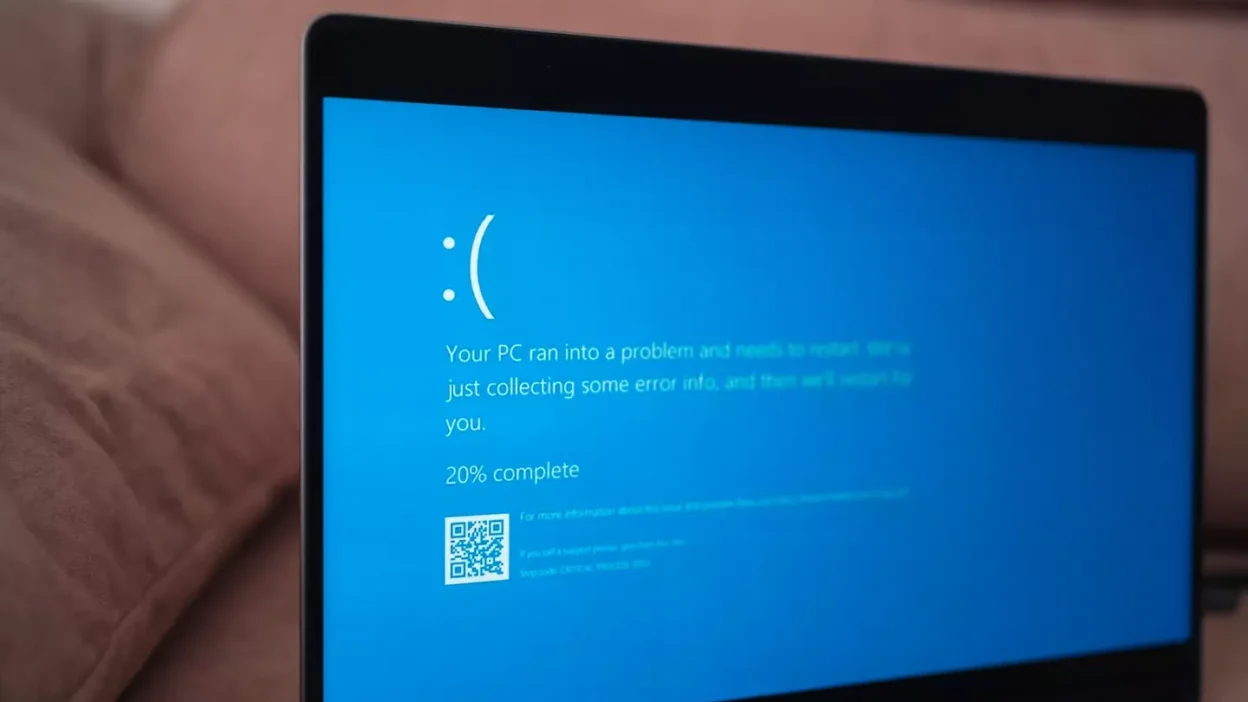
This isn’t your typical laptop review. Usually, when tech reviewers cover new devices, we focus on specifications, build quality, performance benchmarks—the hardware. But something fundamental has shifted in 2026, and we need to talk about it honestly: Windows has become so problematic that it’s actively diminishing what should be celebrated as some of the best laptop hardware ever created.
Intel just delivered their most impressive laptop chips in years—legitimately excellent processors that finally match and in some ways exceed Apple’s vaunted M-series chips. The hardware story is genuinely exciting. But there’s a massive problem: these beautiful machines are shackled to an operating system in crisis, one that seems more interested in surveillance, advertisements, and unwanted AI features than actually serving the people who bought these $2,000-$3,000 devices.
The Long Chase: How We Got Here
The Apple MacBook Effect
For years—actually, for over a decade—Windows laptop manufacturers have been chasing Apple’s MacBooks. The pursuit evolved in stages:
Phase One: Build Quality (2010s) Windows laptops were often plasticky, creaky affairs while MacBooks felt like precision instruments. The industry responded with premium aluminum chassis, better screens, improved trackpads. Build quality eventually caught up.
Phase Two: The Silicon Revolution (2020-2026) Then came 2020 and Apple’s M1 chip. This wasn’t just an incremental improvement—it was a paradigm shift. The M1 delivered:
- Desktop-class performance in a thin, fanless laptop
- All-day battery life (genuinely all day)
- Cool, quiet operation even under heavy loads
- Graphics performance that embarrassed Intel’s integrated solutions
The M1 was so revolutionary that something unprecedented happened: people switched operating systems because of a processor. Lifelong Windows users bought MacBooks. They left their ecosystem, learned new keyboard shortcuts, bought new software—all because that chip was that good.
Intel’s Kitchen Time
For Intel, the M1 represented an existential crisis. Their chips suddenly looked antiquated—hot, power-hungry, and slow by comparison. They retreated to the proverbial kitchen and got cooking.
The journey since 2020 has been long. There were false starts, disappointing generations, and a lot of “we promise next year will be better” messaging. But now, in 2026, they’ve finally emerged with something genuinely excellent.
Intel’s Triumph: The Core Ultra Series 3
What Makes These Chips Actually Excellent
The Core Ultra Series 3 represents Intel’s complete answer to Apple Silicon. These aren’t good “for Intel” or good “considering the competition”—these are objectively excellent laptop processors that stand on their own merits.
Multi-Core Performance: Serious Gains
The multi-core improvements are substantial and come at the same energy consumption as the previous generation. Translation: you’re getting significantly more performance without sacrificing battery life.
Who benefits most:
- Content creators rendering video
- Developers compiling large codebases
- 3D artists and designers
- Anyone running multi-threaded workloads
The performance improvements in these scenarios are genuinely impressive—the kind of generational leap that makes upgrading feel worthwhile rather than obligatory.
Graphics: The Real Star of the Show
But the multi-core improvements, as nice as they are, aren’t the headline. The real story is graphics performance.
Intel’s new XE3 architecture powers the integrated GPU, and the top-tier 12-core GPU variant delivers approximately 50% better performance than the previous generation. This isn’t marketing hyperbole—these benchmarks hold up in real-world testing.
Here’s how good these are: You can queue up for ranked matches in competitive games on thin, 13-14 inch productivity laptops. These aren’t gaming machines. They’re not marketed as gaming devices. They don’t have the aggressive styling or RGB lighting of gaming laptops. Yet they can genuinely handle modern games at playable frame rates.
For integrated graphics in a business laptop, this is remarkable.
The Wattage Efficiency Advantage
One crucial detail: these performance numbers come from Intel’s top-tier Core Ultra 9 388H chip, specifically the variants with “X” designation (X9 and certain X7 SKUs). These X-series chips have the full 12-core GPU. Non-X variants have fewer GPU cores and correspondingly lower graphics performance.
Comparison with AMD Strix Halo:
Yes, AMD’s Strix Halo chips can achieve higher peak graphics performance. But they come with significant trade-offs:
- Much higher cost (premium pricing)
- Poor energy efficiency (require substantial power)
- Shorter battery life (power-hungry means less runtime)
- Louder fans (more heat to dissipate)
- Hotter chassis (uncomfortable laptop surfaces)
Intel’s advantage becomes pronounced at lower wattages. At 20 watts, the Core Ultra Series 3 already outperforms Strix Halo. At 15 watts—the sweet spot for gaming handhelds like the ROG Ally—the performance gap widens further.
This isn’t just relevant for laptops. The 15-watt efficiency suggests Intel has a chip that could power excellent gaming handhelds, and it would be surprising if they’re not exploring exactly that opportunity.
3D Applications and Content Creation
The improvements extend to 3D applications like Blender, Maya, and CAD software. While these integrated GPUs still can’t match discrete graphics cards (which remain the best performers for professional 3D work), for an integrated solution, the Core Ultra Series 3 delivers exceptional results.
Battery Life: Finally Competitive
Energy efficiency has been Intel’s Achilles heel for years. Chips that performed well but drained batteries quickly, generating heat and requiring aggressive cooling.
The Core Ultra Series 3 represents a genuine turnaround. Early testing shows impressive battery life—finally competitive with Apple Silicon and AMD’s best offerings. Intel hasn’t just caught up on performance; they’ve caught up on the efficiency that makes that performance actually usable in a laptop.
The One Weakness: Single-Threaded Performance
If there’s a criticism of these new Intel chips, it’s single-threaded performance. It’s still good—don’t misunderstand—but benchmark comparisons show faster options on the market for single-threaded workloads.
For most users, this won’t matter. Modern software increasingly leverages multiple cores. But for specific applications that rely heavily on single-thread performance (certain games, some scientific simulations), alternatives might edge ahead.
The Software Problem: Windows 11’s Crisis
This is where the story takes a dark turn. Intel delivered exceptional hardware. Laptop manufacturers built beautiful machines around these chips. Premium designs, excellent displays, great keyboards—the complete package.
And then Microsoft ruins it with Windows 11.
The AI Nobody Asked For
The fundamental problem with Windows 11 in 2026 is Microsoft’s obsessive focus on forcing artificial intelligence features onto users who demonstrably don’t want them.
Copilot: Everywhere, All At Once
Microsoft Copilot isn’t just a feature you can enable—it’s an inescapable presence:
- Dedicated keyboard key (taking up space that could be useful)
- Permanently in the taskbar
- Embedded in the Start menu
- Integrated into every Microsoft application
- Popping up with suggestions nobody requested
The obtrusiveness is exhausting. Every Windows laptop user knows the feeling: you’re trying to work, and Copilot appears with “helpful” suggestions you never wanted, interrupting your workflow.
If Copilot were genuinely useful and users actively wanted it, this wouldn’t be a problem. But the constant presence suggests Microsoft knows people won’t seek it out voluntarily—so they’re forcing exposure.
Windows Recall: The Surveillance Feature
Then there’s Windows Recall, perhaps the most tone-deaf feature Microsoft has ever attempted to mainstream.
Windows Recall continuously takes screenshots of everything you do on your computer—essentially functioning as a keylogger and activity monitor that records your entire digital life. Microsoft markets this as a “productivity feature” that lets you search your past activity.
Let’s be clear about what this actually is: comprehensive surveillance software running on your personal computer, creating a searchable database of everything you’ve ever done on your device.
The privacy implications are staggering:
- Every password you’ve typed (even if briefly visible)
- Every private message
- Every medical record you’ve viewed
- Every financial document you’ve opened
- Every embarrassing thing you’ve searched
Microsoft expects users to trust that this database will never be breached, never be subpoenaed, never be accessed by bad actors, and never be exploited. And they’re marketing it as if people are “stupid enough to want this.”
That’s not a reviewer’s characterization—that’s what the feature fundamentally assumes about users.
Advertisements on $2,000-$3,000 Machines
Here’s the part that’s almost comically insulting: advertisements on premium devices.
You’ve just spent $2,000, $2,500, maybe $3,000 on a high-end laptop. You open it for the first time, and Windows greets you with:
- “Suggested apps” you never asked about
- Prompts to install Microsoft OneDrive
- Recommendations for software you’ll never use
- App tiles for games and services Microsoft is paid to promote
This isn’t a free, ad-supported operating system like you might accept on a budget device. This is a premium OS you implicitly paid for when buying an expensive laptop, and it’s serving you advertisements like you’re using a free service.
The message is clear: Microsoft views Windows not primarily as a product you purchased, but as a platform to monetize your attention.
Solving Problems Nobody Has
The pattern is consistent: Windows 11 is trying to solve problems that don’t exist while ignoring problems that do.
Nobody asked for:
- Copilot in every application
- Constant AI suggestions
- Activity surveillance
- More ways to integrate Bing search
- Ads on the Start menu
People desperately want:
- Stability and reliability
- Performance optimization
- Privacy controls
- Less bloatware
- Customization options
- The operating system to stay out of their way
Microsoft knows users don’t want these AI features. The usage data clearly shows this—if people wanted Copilot, they’d use it voluntarily without it needing to be embedded everywhere. But Microsoft continues force-feeding these features anyway.
The CEO’s Remarkable Admission
Recently, Microsoft’s CEO appeared at an event and essentially said: “You need to start using our AI tools that we’ve forced onto you so we can justify the electricity costs of providing them.”
Read that again. The CEO of Microsoft is telling users they need to use features they clearly don’t want… to justify Microsoft’s operational costs.
This reveals everything wrong with Windows 11’s direction:
- Features are being added not because users need them
- Features are being forced because they’re expensive to run
- Microsoft knows users aren’t adopting these features voluntarily
- They’re responding by making them even more intrusive
This is the opposite of user-centric design. This is a company-centric design that sacrifices user experience to justify corporate investments.
The Reverse M1 Effect
Remember how the M1 chip was so good that people switched entire ecosystems to get it? We’re seeing the reverse phenomenon now.
The Tragic Irony
In 2020, Apple’s M1 was so exceptional that Windows users abandoned their platform. They learned macOS. They bought into the Apple ecosystem. They replaced their software. All because the hardware was worth it.
In 2026, Intel has finally delivered hardware that matches and in some ways exceeds Apple Silicon. The Core Ultra Series 3 is genuinely excellent. Windows laptops have beautiful designs, excellent displays, great keyboards.
But the software is so bad that people are switching away.
Even with amazing hardware—hardware that’s caught up to and sometimes surpassed what Apple delivers—users are fleeing Windows because the operating system has become intolerable.
The Freedom of Choice
These aren’t gaming laptops where Windows is mandatory due to game compatibility. These are productivity machines. Business laptops. Creative workstations.
People are investing in these devices to improve their work. They’re spending substantial money to enhance their productivity and streamline their workflow.
And instead of getting a tool that helps them work better, they’re getting:
- AI obstacles to navigate around
- Surveillance software monitoring their activity
- Advertisements interrupting their focus
- Bloatware consuming system resources
- Features they didn’t ask for and can’t easily disable
When you’re fighting your operating system instead of working within it, something has gone fundamentally wrong.
The Migration Pattern
This explains several trends we’re seeing in 2026:
Increased macOS Adoption: Despite higher upfront costs, more professionals are choosing Macs because the OS respects their time and privacy. macOS isn’t perfect, but it’s not actively hostile to user needs.
Linux Growth: For the first time, mainstream users—not just developers and enthusiasts—are seriously considering Linux. Distributions like Pop!_OS, Linux Mint, and Ubuntu have become genuinely user-friendly, and they offer something revolutionary: an operating system that actually serves the user.
ChromeOS Consideration: Even Google’s ChromeOS is seeing increased adoption for business use. When compared to Windows 11’s bloat and intrusiveness, ChromeOS’s simplicity starts looking appealing.
What This Means for Laptop Buyers
The Hardware Deserves Better
Here’s the frustrating reality: the laptops with Core Ultra Series 3 chips are objectively excellent. The hardware is fantastic. Build quality is premium. Displays are beautiful. Performance is genuinely impressive.
In a better world—one where Windows respected its users—these would be easy recommendations. “Buy this laptop” reviews would write themselves.
The Software Question Changes Everything
But we don’t live in that world. We live in a world where:
- A $2,500 laptop will show you ads
- Your operating system wants to record everything you do
- Microsoft forces features you don’t want and can’t easily remove
- Updates routinely break functionality
- Privacy is treated as an inconvenience rather than a right
This fundamentally changes the buying equation.
It’s no longer “is this hardware good?” (it is). It’s “is this hardware good enough to justify dealing with Windows 11?” And for many people, the answer is increasingly “no.”
Who Should Buy Windows Laptops in 2026?
Still Makes Sense For:
- Gamers who need Windows for game compatibility
- Professionals locked into Windows-only software
- Organizations with existing Windows infrastructure
- Users planning to install Linux (the hardware is great for this)
- People who genuinely don’t mind or don’t notice the AI/surveillance features
Think Carefully If:
- You value privacy highly
- You’re frustrated by intrusive features
- You can use macOS or Linux for your work
- You’re making a productivity investment
- You don’t want to fight your operating system
The Price of “Free” Features
Remember: you’re not getting these AI features for free. You’re paying for them in multiple ways:
Money: The development costs are built into Windows licensing, which is built into your laptop price.
Performance: These features consume system resources—CPU cycles, RAM, storage, battery.
Privacy: The cost of Recall and telemetry is comprehensive data collection about your computing habits.
Attention: Interruptions and intrusive features steal your focus and productivity.
Trust: Every forced feature erodes confidence in Microsoft’s respect for users.
The Path Forward: What Needs to Change
What Microsoft Should Do
Immediate Changes:
- Make Copilot optional – Not just hideable, but completely removable for users who don’t want it
- Kill Windows Recall – Or at minimum, make it strictly opt-in with clear privacy implications
- Remove all advertisements – Full stop. No ads on premium devices.
- Respect user choice – Stop forcing features and re-enabling disabled settings after updates
- Transparency about telemetry – Clear explanations of what data is collected and why
Fundamental Shift: Microsoft needs to remember that Windows is a product users pay for, not a platform to monetize user attention. The relationship should be company serving customer, not company extracting value from user.
What Users Can Do
Immediate Actions:
- Use group policy and registry edits to disable unwanted features (advanced users)
- Consider Windows 10 for as long as it’s supported (ends October 2025, but extended support may be available)
- Evaluate alternatives – Can you use macOS or Linux for your work?
- Vote with your wallet – If enough people switch platforms, Microsoft will notice
- Provide feedback – Use Windows Feedback Hub, though be realistic about impact
Long-term Considerations:
- Build skills in macOS or Linux to increase your platform flexibility
- Choose cross-platform software when possible
- Support companies that respect user privacy and choice
- Don’t accept that intrusive software is inevitable
Conclusion: Great Hardware, Terrible Timing
The Core Ultra Series 3 represents Intel’s finest laptop chips in years—perhaps ever. The hardware story is genuinely exciting. These processors deliver on the promise of competitive performance, excellent efficiency, and impressive graphics capabilities.
In isolation, these chips and the laptops built around them deserve celebration. Engineers at Intel worked for years to create something truly competitive with Apple Silicon. Laptop manufacturers crafted beautiful machines to showcase these processors.
But none of that exists in isolation. These excellent machines ship with Windows 11, an operating system in crisis—an OS that seems more interested in surveillance, AI engagement metrics, and advertising revenue than serving the people who bought these premium devices.
The result is tragic irony: Intel finally delivered the hardware to compete with Apple’s MacBooks at exactly the moment Microsoft made Windows so problematic that the hardware advantages are undermined by the software experience.
For years, Windows laptops chased MacBooks on hardware. They finally caught up—and found themselves losing users because of the software instead.
That’s not just unfortunate. It’s a profound failure that wastes excellent engineering and pushes users toward competing platforms.
The hardware is ready. The operating system is the problem. Until Microsoft addresses the fundamental issues with Windows 11, even the best laptop chips can’t deliver the experience users deserve.
And that’s why, in 2026, talking about laptop hardware requires talking about the software crisis. Because increasingly, the answer to “should I buy this excellent laptop?” isn’t about specs anymore.
It’s about whether you can live with Windows.
The criticisms are based on actual features: Copilot’s omnipresence, Windows Recall’s surveillance capabilities, advertisements on premium devices, and Microsoft’s pattern of forcing features users don’t want. Whether these personally bother you varies, but the features exist and are documented.
Partially. You can hide Copilot from the taskbar and disable some AI features, but complete removal requires advanced techniques (registry edits, group policies) and features often re-enable after major updates. Microsoft intentionally makes full removal difficult.
Windows 10 support officially ends October 2025, though extended security updates may be available for a fee. If your current setup works, staying on Windows 10 until absolutely necessary is a reasonable choice, but plan for eventual migration.
Last updated: January 2026. Windows 11 features and policies subject to change. Intel Core Ultra Series 3 specifications based on Core Ultra 9 388H with X-series designation. Individual experiences may vary.