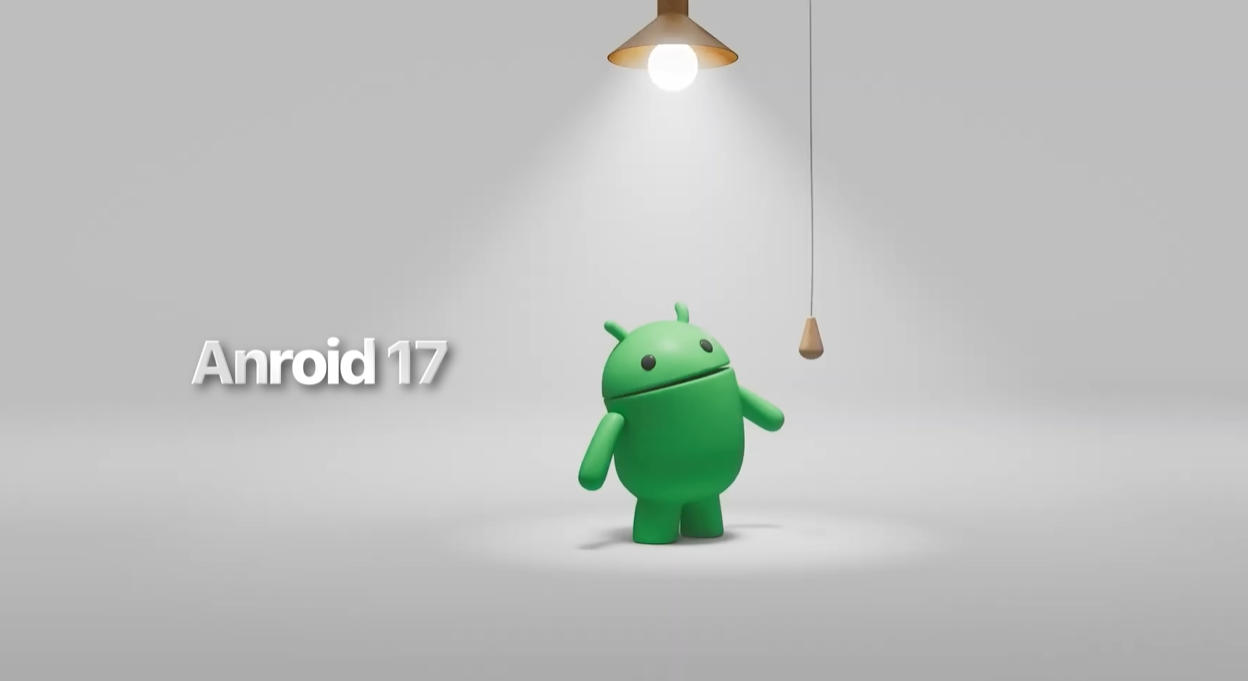
Google has officially announced Android 17, and they’re calling it their biggest Android update ever. Looking at the feature list, it’s hard to argue with that. This time around, Google has genuinely thought about everyone — content creators, daily commuters, security-conscious users, and even people who drive with Android Auto. And the most exciting part? Every future phone will ship with these features built in.
Let’s break down everything Android 17 brings to the table.
1. Google Intelligence — Gemini Gets a Rebrand and a Power-Up
One of the first things you’ll notice is that Google Gemini is now called Google Intelligence. Sound familiar? Yes, it’s Google’s answer to Apple Intelligence. But this isn’t just a name change — the AI integration in Android 17 is deeper, smarter, and more system-wide than anything we’ve seen before.
Gemini now understands what’s on your screen in real time. It can read the content, understand the context, and respond to your commands based on what you’re looking at. Whether you’re reading an article, browsing social media, or looking at a photo — Gemini gets it.
2. Biggest Features for Content Creators
Android 17 is a massive win for creators, especially those making content for Instagram and YouTube.
Screen Reaction
You can now react to any photo, reel, or video directly from Android 17 — no third-party apps needed. Just find content on Instagram, click Screen Reaction, record your commentary or opinion, and a fully edited reaction reel is ready to upload. Reaction channels, rejoice.
Ultra HDR Support for Instagram
Reels uploaded through Android 17 will look more vibrant and colourful thanks to built-in Ultra HDR support with higher dynamic range.
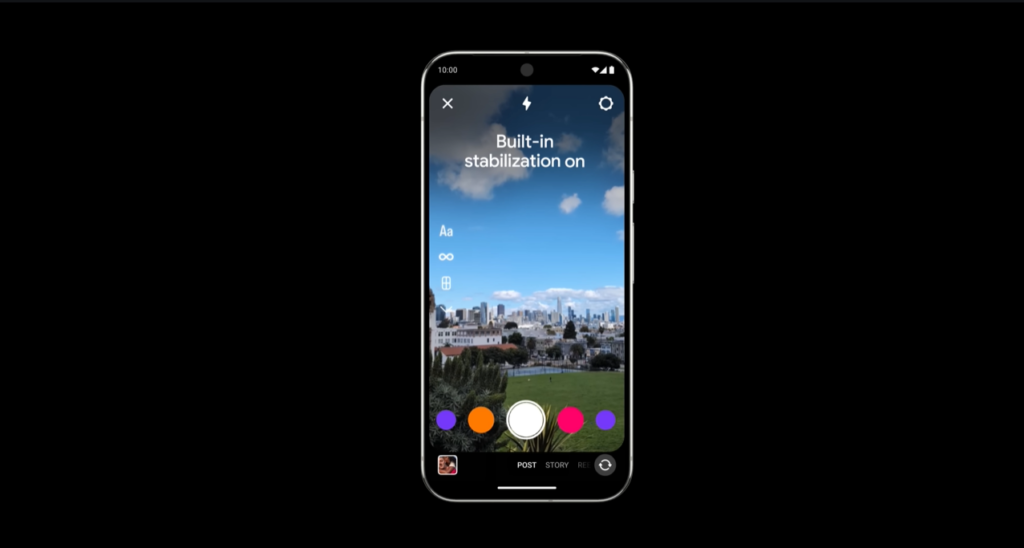
Built-in Video Stabilisation
Shaky footage is automatically smoothed out — no separate stabilisation app required.
Night Sight Integration
Low-light footage is significantly improved. Less noise, more brightness, better detail — even in dark environments.
Edit App Goes Native
Instagram’s Edit app now has native Android 17 support with exclusive features including:
- Smart Feature Enhancement — enhance photo and video quality in a single click using on-device AI
- Sound Separation — separate background audio from voice, add music or voiceover, all inside the Edit app
- Exclusive effects and animations inside Adobe Premiere Pro
Pro Video Format Support
Android 17 supports shooting and editing APB professional video format, developed in collaboration between Google and Samsung. This is a serious step toward pro-level mobile filmmaking.
3. UI Changes — Cleaner, Smoother, More Expressive
Smoother Animations
Everything feels more fluid. The UI is cleaner and less distracting compared to Android 16.
3D Emoji
The flat 2D emojis from Android 16 are gone. Android 17 brings in 3D-style emoji with shadows and depth, making expressions feel more alive and personal.
Breathing Exercise App
A built-in breathing exercise tool lets you track and improve your morning and evening breathing routines — right from the system, no download needed.
4. Live Call Spam Detection
Android 17 now identifies spam calls on the device itself — no Truecaller needed. When a call comes in, Google’s AI automatically scans and identifies it in the background, telling you whether it’s a banking call, a spam call, or a legitimate contact. Real-time, on-device, zero third-party dependency.
5. Cross-Platform File Sharing — Android Meets iPhone
This one is massive for anyone who’s ever struggled to send a photo from Android to iPhone without losing quality. Android 17 brings Quick Share and AirDrop compatibility, meaning you can now seamlessly share photos, videos, and documents between Android and iPhone.
Even better — WhatsApp supports this. You can transfer files between Android and iPhone directly through WhatsApp using Quick Share. No quality loss. No workarounds.
6. Create My Widget — AI-Powered Custom Widgets
Android 17 lets you build your own personalised home screen widgets using AI. Just tell Gemini what you need — for example, a protein diet tracker with your workout schedule — and it creates a functional widget tailored to your lifestyle. No app required, no manual setup.
7. Rambler — Smart Voice Typing
Rambler is a new AI-powered voice-to-text feature that converts natural spoken language into clean, well-formatted text. If your English is a little rough or you just speak faster than you type, Rambler cleans up your words and presents them properly. Speak naturally, get polished text.
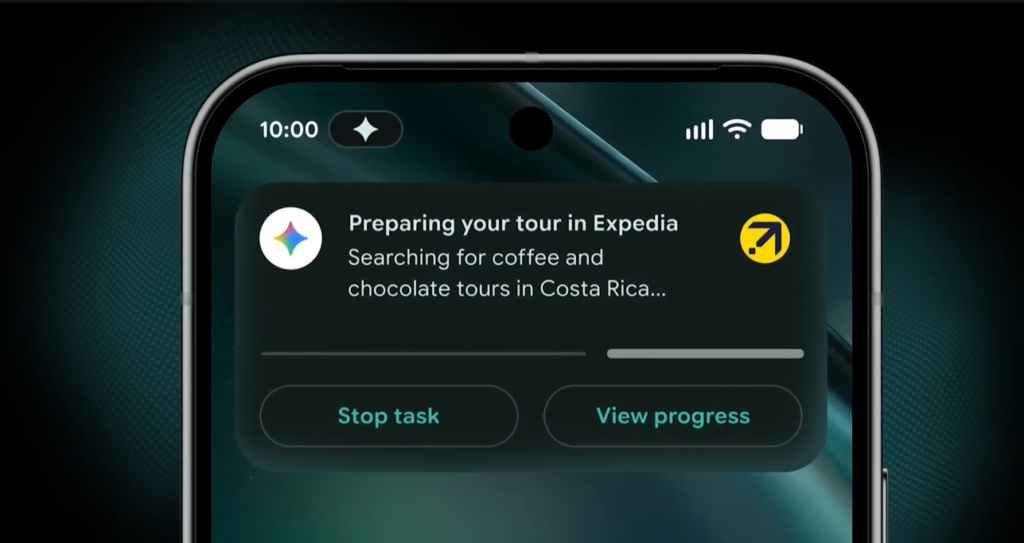
8. App Automation — Gemini Does the Work
Gemini in Android 17 can now perform end-to-end tasks across apps, fully autonomously. Here’s a real-world example: you have a grocery list in your notes app. Just tell Gemini — “Add all these items to Blinkit” — and Gemini will open the app, search each item, add them to your cart, fill in your delivery address, and take you to the payment screen. You just pay.
The only thing Gemini can’t do is pay for you. (Don’t bother asking.)
9. Smart Auto Fill — Powered by Gemini
Smart Auto Fill is smarter than ever. If you’re filling a visa form online and your passport is saved in your Gmail, Gemini — with your permission — fetches those details and fills the form automatically. Train ticket bookings, government forms, online applications — this saves serious time.
10. Security — Rock Solid in Android 17
Permission-Based AI Access
Gemini only accesses apps you explicitly permit. You control which apps it can read — turn Gmail on, keep banking apps off. No AI snooping without your say-so.
Life Threat Protection
A live scanner actively monitors your phone for malicious or suspicious apps running in the background and stealing data. If anything shady is detected, you’re notified immediately.
Smart Forwarding Detection
Certain apps secretly forward your OTPs to fraudsters, leading to account hacks and financial theft. Android 17 detects this behaviour automatically and stops it before any damage is done.
Advanced Hidden App Monitoring
Sometimes installing one app sneaks another hidden app onto your phone. Android 17’s AI monitors for this and alerts you instantly.
Chrome APK Download Protection
If you download a third-party APK through Chrome, Android 17 automatically scans and verifies it using AI before installation. Suspicious files are blocked — viruses don’t get through.
USB Protection
Plugging into a public charging station? Android 17 monitors for data theft over USB and blocks any unauthorised data transfer attempts.
Device Theft Protection
If your phone is stolen and you mark it as lost, the device can only be unlocked with biometrics — PIN alone won’t work. Wi-Fi and Bluetooth are also automatically disabled so the thief can’t turn off your tracking. Thieves have officially met their match.
Location Usage Indicator
Android 17 adds a location access indicator alongside the existing mic and camera indicators. You’ll always know exactly which app is tracking your location and when.
11. Android Auto — Biggest Upgrade Ever
Material Expressive 3 Design
The dashboard now looks premium. Smooth animations, beautiful wallpapers, a clean interface — and it adapts to different screen sizes and formats. Even a Wagon R’s dashboard will feel like a G-Wagon.
Custom Widgets on Dashboard
You can now add widgets to your Android Auto dashboard — something that wasn’t possible before.
YouTube Support
You can now play YouTube videos and movies in Android Auto. When you’re driving, video automatically converts to audio playback for safety. Parked? Full video mode. This is a game-changer for long road trips.
Gemini Integration in Android Auto
Full Gemini support is now built into Android Auto. Ask it for directions, order food, reply to WhatsApp messages, or search for anything — all hands-free while you drive.
Final Verdict
Android 17 is a genuinely transformative update. The Gemini integration is the deepest AI embedding we’ve seen in any mobile OS, the creator tools are a massive step forward, and the security improvements are long overdue and extremely practical. Android Auto’s overhaul is a welcome surprise.
If you’re buying a new Android phone in 2026, Android 17 is a serious reason to be excited.
Which feature impressed you the most? Drop it in the comments.
Tags: Android 17, Google Intelligence, Gemini AI, Android Auto, Instagram Features, Android Security, Content Creator Tools, Google 2026, My PitShop