TL;DR — Quick Verdict
The AMD Ryzen AI Pro is not just another chipset upgrade. It’s a complete business platform — built with on-device AI processing, enterprise-grade security, all-day battery life, and serious performance muscle. If you work on the road, handle confidential data, or just want a laptop that doesn’t die at 3 PM, this platform deserves your full attention.
What Even Is the AMD Ryzen AI Pro?
AMD — Advanced Micro Devices — has been building processors and graphics cards for over 50 years. They’re the brains behind the PS5, the Steam Deck, and the Asus ROG Ally X. So when AMD launches a platform specifically aimed at enterprise professionals, you pay attention.
The AMD Ryzen AI Pro is exactly that. It’s not a single chip — it’s a complete platform designed for business users who need high performance, bulletproof security, and powerful AI tools all working together in one machine.
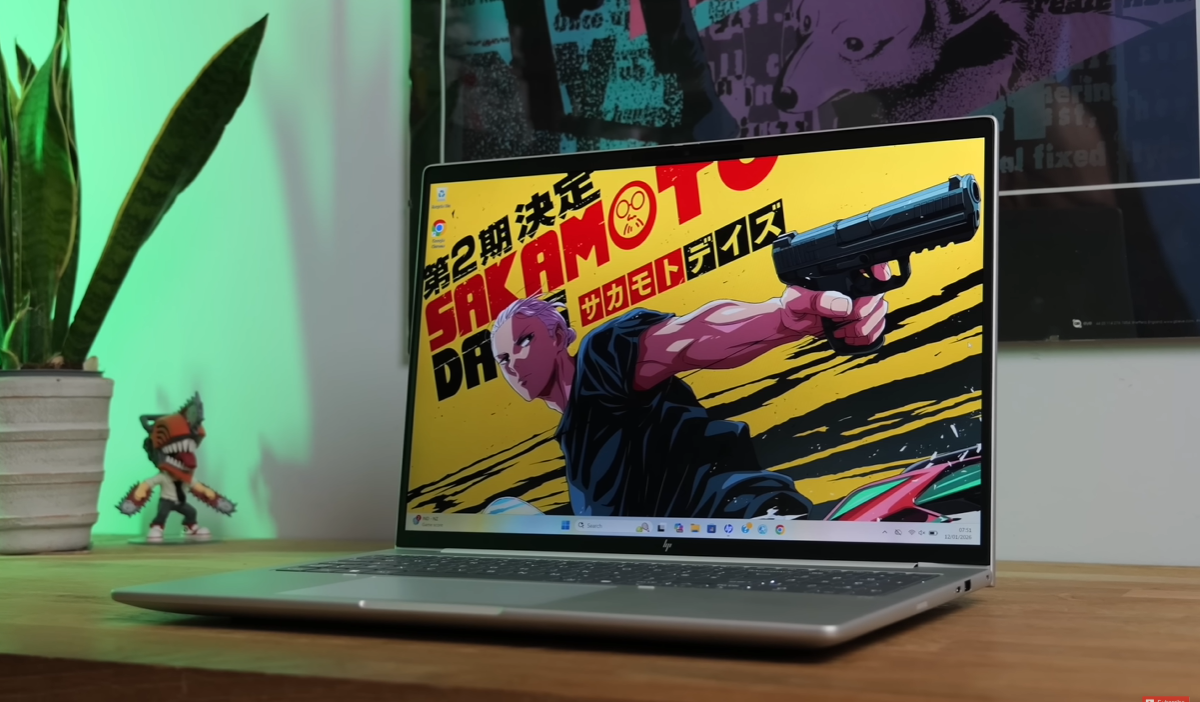
I recently got hands-on time with the HP EliteBook 8 G1A, which runs on the AMD Ryzen AI Pro 300 series processor. Here’s everything you need to know.
Performance: Is It Actually Fast?
Short answer: yes, comfortably fast for everything a professional needs.
The Ryzen AI Pro 300 series is built on AMD’s Zen 5 architecture. The base configuration features an octa-core Ryzen AI 7 Pro CPU — that’s eight cores handling your multitasking, video calls, document work, and everything in between without breaking a sweat.
But if you step up to the top-end AMD Ryzen AI 9 HX Pro 370, things get seriously impressive. You’re looking at 12 high-performance cores and boost clock speeds reaching up to 5.1 GHz. For context, that’s faster than most consumer-grade laptops costing significantly more.
On the graphics side, AMD’s RDNA 3.5 integrated GPU handles photo editing, light creative work, and even some casual gaming if you want a break from the spreadsheets. Pair that with Wi-Fi 7 support and you’ve got a machine that’s ready for fast video calls, large file uploads, and cloud collaboration without any bottlenecks.
The AI Processor: 55 TOPS — What Does That Actually Mean for You?
Here’s where the Ryzen AI Pro gets genuinely interesting.
The chipset includes a dedicated NPU (Neural Processing Unit) that delivers up to 55 TOPS — Tera Operations Per Second. In plain English, that means the laptop can run complex AI tasks entirely on the device itself, with no internet connection required.
Why does that matter? Because most AI tools today require your data to travel to a remote server, get processed, and come back. Every time that happens, your data is exposed. With the Ryzen AI Pro’s on-device AI, none of that happens. Your confidential business data stays exactly where it should — on your machine.
Practically speaking, this unlocks a whole range of features:
The laptop fully supports Microsoft Copilot Plus, giving you AI assistance for work tasks, brainstorming, document drafting, and more — all running locally.
Video calls get smarter too. AI-powered effects include virtual backgrounds, automatic framing that keeps you centered even when you move, and smart noise cancellation that kills background noise from your home or office. No third-party app needed.
And here’s one that actually surprised me: real-time translation of up to 40 languages into English, running directly on the device. If you do international meetings or work with global teams, this alone is a serious productivity upgrade.
Security: Enterprise-Grade Protection That Actually Works
Security is where the Ryzen AI Pro platform really separates itself from the competition.
Most business laptops offer software-level security — antivirus, VPN support, maybe a fingerprint reader. The Ryzen AI Pro goes several layers deeper.
Auto Detect and Lock — The system detects when you look away from the screen and automatically dims it. Step away for a coffee and it hibernates the laptop entirely. No one snoops through your screen while you’re gone.
Unlooked Detection — If someone physically tries to peek over your shoulder at your screen, the system detects it and alerts you. This is genuinely useful in open offices, airports, and coffee shops.
Deepfake and Phishing Protection — AMD has collaborated with Buffer Zone and McAfee to protect against deepfake video attacks and phishing attempts — two of the fastest-growing threats facing business users in 2026.
Microsoft Pluton Support — This is the headline security feature. Pluton protects at the firmware level, which means even the most sophisticated attacks — the kind that target the chip itself rather than the operating system — are blocked before they can do damage. It’s the kind of protection that was previously only available in high-security government and military hardware.
All of this works whether you’re connected to the internet or offline. That’s a meaningful distinction for anyone who works with sensitive client data, financial records, or proprietary business information.
Battery Life: A Full Working Day, No Charger Hunting
One of the most common complaints about powerful business laptops is that the battery dies mid-afternoon. The Ryzen AI Pro platform directly addresses this.
AMD’s 4-nanometer manufacturing process, combined with the Zen 5 architecture, delivers up to twice the power efficiency compared to the previous generation. The XDNA 2 AI engine is specifically designed to run AI models at the lowest possible wattage, so all those smart features aren’t draining your battery in the background.
The result: a full working day on a single charge. Not “six hours if you dim the screen and don’t do anything demanding” — a genuine, productive working day.
If you travel frequently for work, this matters enormously. No scrambling for a power socket in an airport lounge. No anxiety about your laptop dying during a client presentation. You pack it in the morning and you’re covered.
Real-World Test: HP EliteBook 8 G1A
The HP EliteBook 8 G1A is one of the flagship devices running the Ryzen AI Pro 300 series, and it’s a proper unit.
Build quality is excellent — the kind of machine that feels like it’ll survive a bag drop or two. The Zen 5 CPU handled everything I threw at it: simultaneous browser tabs, a Teams call, video editing in the background, and a large file export — all without any meaningful slowdown.
The AI features worked as advertised. Noise cancellation on video calls was noticeably better than standard software solutions. Auto-lock engaged reliably when I stepped away. And Copilot Plus felt genuinely useful rather than gimmicky — particularly for summarising long documents quickly.
Battery life held up through a full day of mixed use, which matches AMD’s claims and is honestly better than most laptops in this class.
Who Should Buy an AMD Ryzen AI Pro Laptop?
This platform is built for a specific type of user — and it delivers hard for them.
You should seriously consider it if you: work with confidential or sensitive data, travel frequently and need all-day battery, attend a lot of international or multilingual meetings, want AI tools that work offline, or need enterprise-grade security without carrying a separate security dongle.
You can probably skip it if you: mainly work from a fixed desk and don’t prioritise portability, are a creative professional who needs dedicated GPU performance for 3D rendering or high-end video editing, or are a student or casual user who doesn’t need enterprise security features.
Try One for Free — The AMD Ryzen AI Pro Test Drive Program
Here’s something genuinely worth knowing: AMD runs a Test Drive program that lets you try a Ryzen AI Pro-powered business laptop for up to six weeks — completely free of charge.
You visit the AMD Test Drive website, choose your preferred Ryzen AI Pro device, and they send it to you. Six weeks is enough time to put it through real working conditions and decide if it’s the right fit before committing to a purchase.
For business buyers or IT decision-makers evaluating devices for their teams, this is a smart, low-risk way to test the platform in your actual work environment.
Verdict: Is the AMD Ryzen AI Pro Worth It?
Yes — if you’re buying a business laptop in 2026, the Ryzen AI Pro platform should be on your shortlist.
The combination of on-device AI processing, layered security features, all-day battery life, and genuine performance muscle makes it one of the most complete business platforms available right now. The HP EliteBook 8 G1A is a strong real-world example of what this chipset can do when paired with quality hardware.
The honest caveat: if you’re a creative professional who needs brute-force GPU power for intensive 3D work, you’ll want a dedicated graphics card alongside this. But for enterprise professionals, road warriors, and anyone who handles sensitive data daily — the Ryzen AI Pro gets a firm recommendation from My PitShop.
It’s AMD’s enterprise-focused processor platform, built for business laptops. It combines high-performance CPU cores, integrated RDNA 3.5 graphics, a dedicated AI processing unit (NPU), and enterprise security features in a single chipset.
It features 12 high-performance cores with boost clock speeds up to 5.1 GHz — competitive with top-tier consumer processors while maintaining efficiency for all-day battery life.
Reviewed by Reo R — Tech & Auto Reviewer with 6+ years of hands-on experience. My PitShop delivers honest reviews with zero brand bias.
Disclosure: This article is based on hands-on testing and publicly available information about the AMD Ryzen AI Pro platform.