
TL;DR – Quick Takeaway
✅ Best Overall Performance: Acer Aspire Go 14 (₹50-52K) – Intel Core Ultra 5 125H, best processor in this segment
✅ Best All-Rounder: ASUS ExpertBook P1 (₹49-50K with offers) – DDR5 RAM, PCIe 4.0 SSD, upgradable to 64GB
✅ Best for Long Battery Life: Lenovo IdeaPad Slim 3 Snapdragon (₹52-55K) – 20+ hours battery, ARM-based
✅ Best Budget Pick: Samsung Galaxy Book 4 (₹40-43K) – Solid basics at the lowest price here
⚠️ Buy Now Alert: Unlike smartphones, laptop prices in this segment haven’t increased yet — but delaying your decision could cost you ₹5,000-15,000 extra later
Introduction: Why You Shouldn’t Wait to Buy a Laptop Right Now
If you’re hunting for a good laptop with a ₹50,000 budget, this is one guide you genuinely shouldn’t skip.
Here’s something important happening in the market right now: smartphone prices have gone up significantly, but laptops in the ₹50,000-55,000 budget segment haven’t seen that price increase yet. The catch? If you delay your buying decision, there’s a real chance you’ll end up paying ₹5,000 to ₹15,000 more for the exact same laptop down the line.
This list has been built after proper research, covering six laptops across different use cases — so whether you’re a student, a content creator, an AI enthusiast, or just need something reliable for everyday work, there’s something here for you.
One more thing worth noting: laptops have become genuinely versatile machines, especially with AI capabilities now built into everyday computing. People are doing far more on laptops than ever before, which makes choosing the right one even more important.
In This Complete Buying Guide:
- Lenovo IdeaPad Slim 3 (Snapdragon X) — The ARM-Based Battery Champion
- Lenovo V14 — The Budget Starter
- Samsung Galaxy Book 4 — Best Value Under ₹45K
- HP 15 — The Balanced Mid-Ranger
- Acer Aspire Go 14 — Best Performing Processor
- ASUS ExpertBook P1 — The Complete Package
- Comparison Table and Final Recommendations
1. Lenovo IdeaPad Slim 3 (Snapdragon X): The ARM-Based Battery Champion
Price Range: ₹52,000 – ₹55,000
Out of all six laptops in this list, this is the only ARM-based laptop — everything else here runs on Intel. This one runs on Qualcomm Snapdragon X, and that distinction matters a lot for a specific type of user.
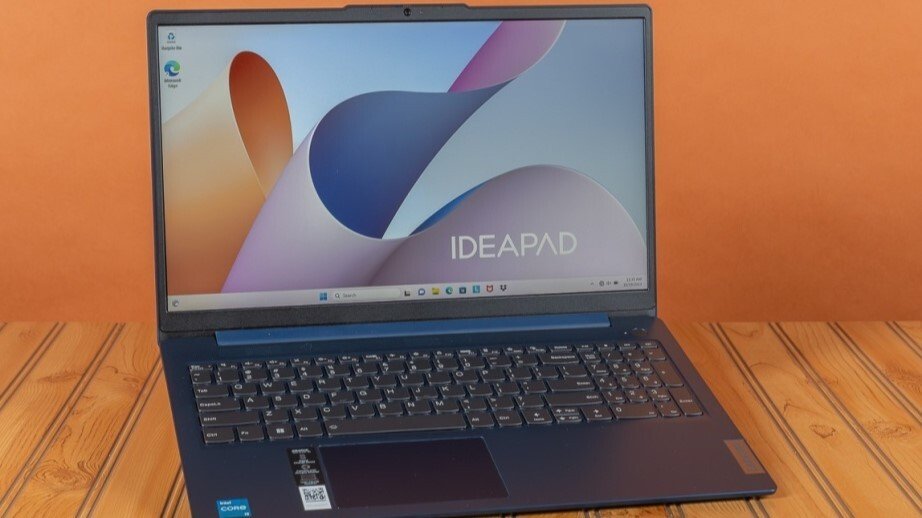
Specifications
| Component | Detail |
|---|---|
| Processor | Qualcomm Snapdragon X (ARM-based) |
| RAM | 16GB |
| Storage | 512GB SSD |
| Display | 15.3-inch |
| Battery Life | 20+ hours |
Why Consider This Laptop?
The standout feature here is battery life. ARM-based laptops have an inherent advantage when it comes to power efficiency, and 20+ hours of battery life is genuinely rare to find at this price point on any Intel-based machine.
Best suited for:
- Note-taking and document work
- Video watching and media consumption
- AI-based browsing
- Light AI coding tasks
Important consideration: Since this runs on ARM architecture rather than traditional x86 (Intel/AMD), some heavier Windows applications may not run as smoothly due to compatibility considerations. If your work involves mostly everyday tasks, browsing, and content consumption, this is an excellent choice. If you need full software compatibility for specialized applications, you may want to consider one of the Intel-based options below.
2. Lenovo V14: The Budget Starter
Price Range: ₹42,000 – ₹49,000 (typically around ₹45,000)
If you specifically want a Lenovo laptop but want to keep costs down, the V14 is the entry point — though it’s worth noting upfront that better laptops exist in this price bracket (which we’ll get to).
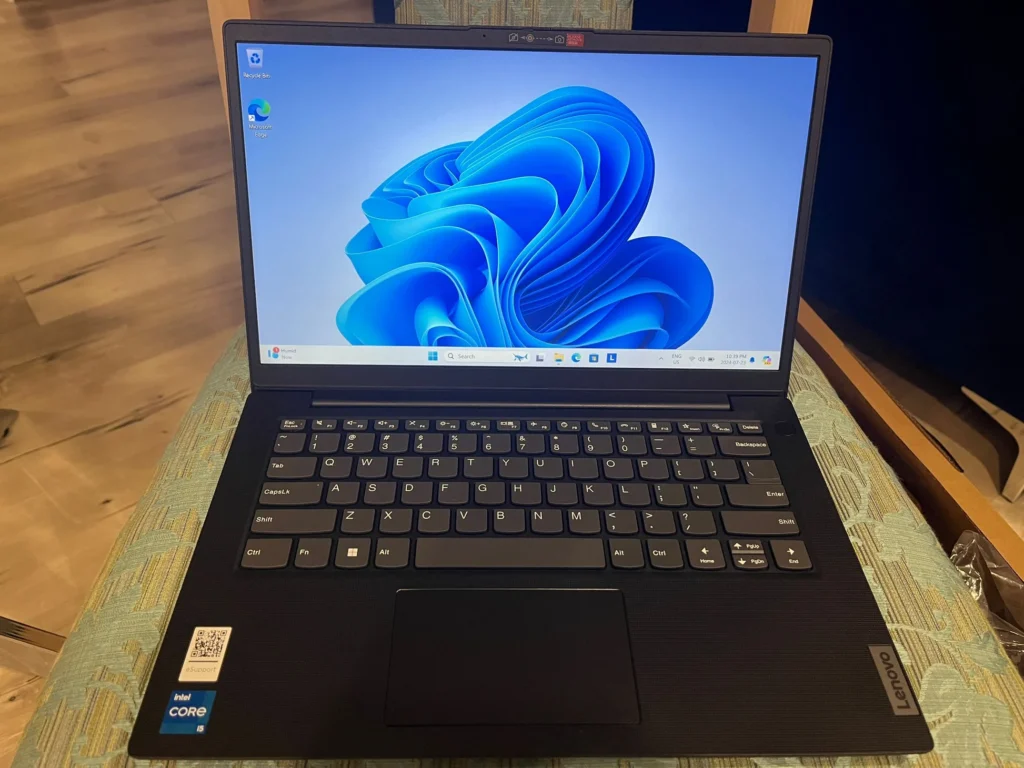
Specifications
| Component | Detail |
|---|---|
| Processor | Intel Core i3/i5 (entry-tier) |
| RAM | 8GB |
| Storage | 512GB |
| Display | 14-inch FHD Anti-Glare |
| Graphics | Intel Iris Xe (Integrated) |
| Weight | 1.4 kg |
The Honest Take
At ₹45,000, 8GB RAM is a genuine limitation in 2026 — especially with how memory-hungry modern applications and AI-assisted tools have become. There’s no dedicated graphics card here either, just integrated Intel Iris Xe graphics.
This laptop makes sense if your budget is genuinely tight and you need basic computing covered — web browsing, document work, video calls — without any heavy multitasking demands. For most other use cases, you’ll get noticeably better value elsewhere on this list.
3. Samsung Galaxy Book 4: Best Value Under ₹45,000
Price Range: ₹40,000 – ₹45,000 (around ₹40,000 with offers)
This laptop genuinely impressed me when it first launched, and the pricing remains attractive.
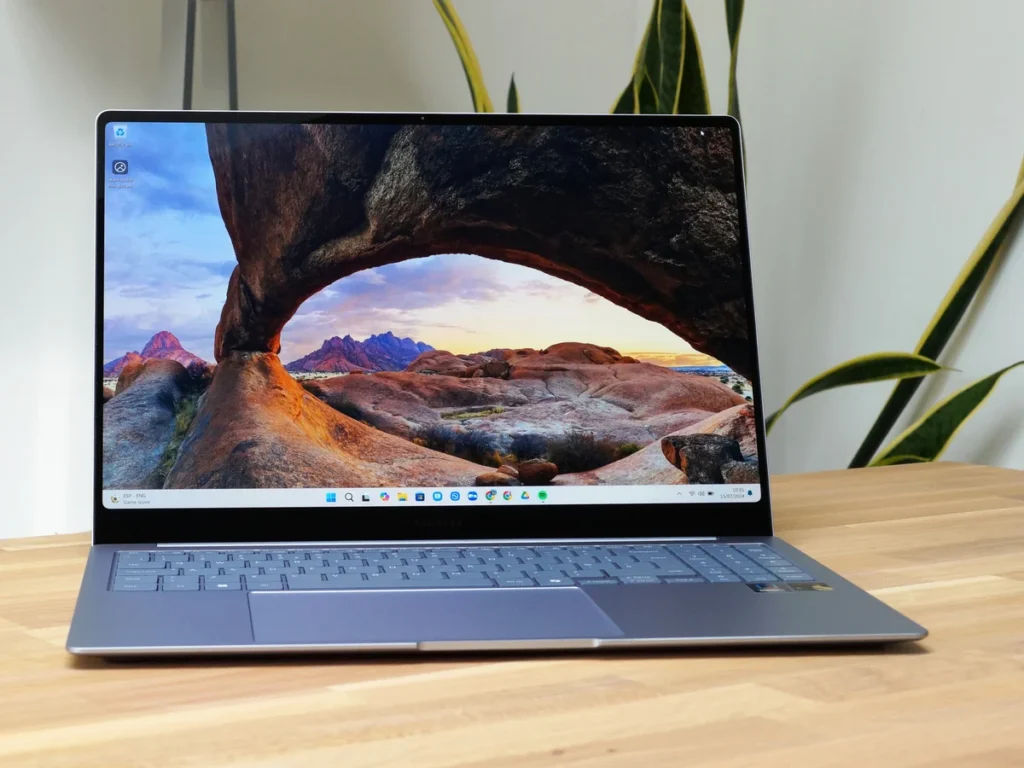
Specifications
| Component | Detail |
|---|---|
| Processor | Intel Core i5 U-series (10-core) |
| RAM | 8GB |
| Storage | 512GB |
| Display | 15.6-inch IPS |
| Graphics | Intel Iris Xe |
| Battery Life | 7-8 hours |
Why This Is the Budget Pick
If your budget is on the lower end of this ₹50,000 range, the Galaxy Book 4 deserves serious consideration. The 10-core U-series Intel i5 processor offers reasonable everyday performance, and the 15.6-inch IPS display is a pleasant size for media consumption and general productivity.
With offers and discounts, this can drop to around ₹40,000, making it one of the better value propositions if you’re trying to spend less rather than stretch toward ₹50K.
4. HP 15: The Balanced Mid-Ranger
Price Range: Around ₹50,000 (varies by configuration)
If you want better performance than the Galaxy Book 4 without jumping all the way to the top picks, the HP 15 fills that gap.
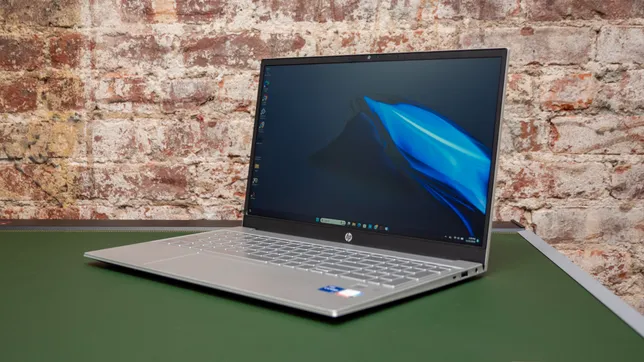
Specifications
| Component | Detail |
|---|---|
| Processor | Intel Core i5-1335U |
| RAM | 16GB |
| Storage | 512GB |
| Display | 15.6-inch FHD IPS |
| Battery | 41Wh, 6-7 hours |
| Weight | 1.59-1.6 kg |
What Stands Out
The jump to 16GB RAM here is significant compared to the Lenovo V14 and Galaxy Book 4 — this alone makes multitasking noticeably smoother. The i5-1335U processor is a step up in everyday performance too.
The trade-off: This is slightly heavier than the other laptops on this list at around 1.6kg, and battery life (6-7 hours) is on the lower end of this comparison. If portability and all-day battery aren’t your top priority and you want more RAM at a reasonable price, the HP 15 is a solid pick.
5. Acer Aspire Go 14: Best Performing Processor ⭐
Price Range: ₹50,000 – ₹52,000
If I had to call out the single best-performing laptop in this entire price range, this is it.
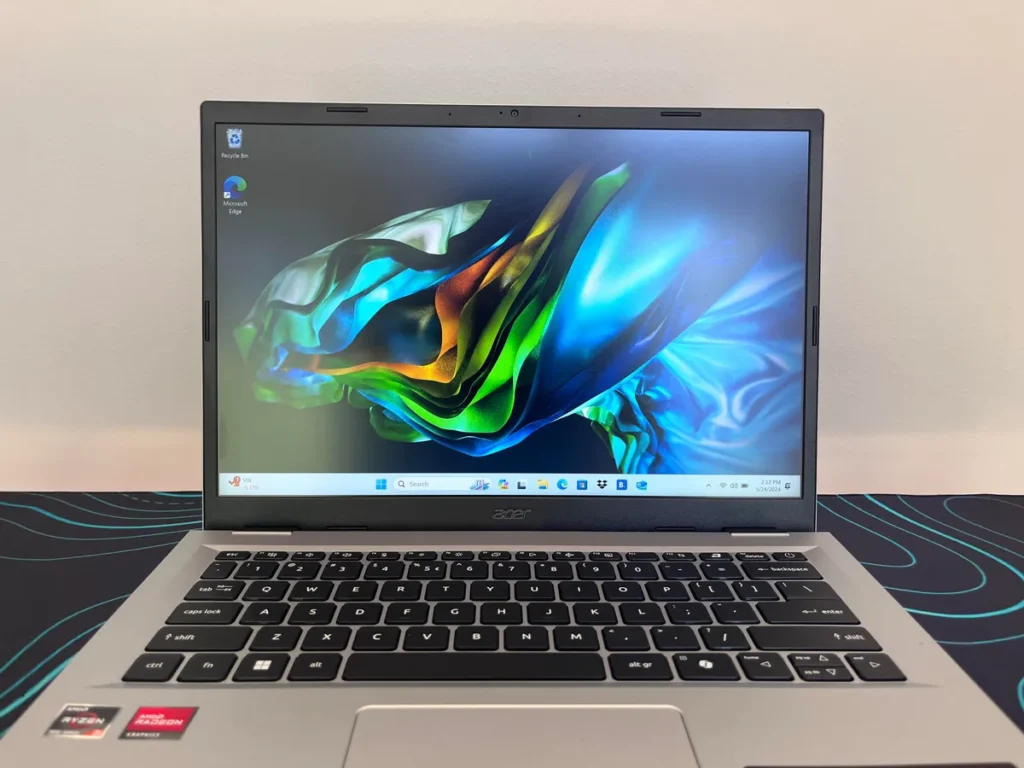
Specifications
| Component | Detail |
|---|---|
| Processor | Intel Core Ultra 5 125H |
| RAM | 16GB |
| Storage | 512GB |
| Display | 14-inch Full HD++ |
| Graphics | Intel Arc (Ultra iGPU) |
| Battery Life | 8-10 hours |
| Weight | 1.5 kg |
Why This Processor Changes Everything
The Intel Core Ultra 5 125H is genuinely the standout here. This isn’t just a marginally better chip — laptops featuring this exact processor typically sell for ₹70,000-80,000 elsewhere. Finding it at ₹50-52K represents exceptional value.
What you get with Core Ultra 5 125H:
- Significantly better multi-core performance for demanding tasks
- Built-in NPU for AI-accelerated workloads
- Intel Arc integrated graphics — noticeably better than standard Iris Xe for light creative work and casual gaming
- Better efficiency, contributing to that solid 8-10 hour battery life
The display resolution is also slightly sharper (Full HD++) compared to standard FHD panels on other laptops in this list.
Bottom line: If raw performance per rupee is your priority, this is one of the two laptops (along with our next pick) that I’d recommend without hesitation.
6. ASUS ExpertBook P1: The Complete Package ⭐ Top Pick
Price Range: ₹49,000 – ₹50,000 (with offers, sometimes below ₹50K) | General price: ₹53,000-54,000
This is the laptop I’d call excellent without qualification — and it’s my top recommendation when you factor in the complete package versus price.
Specifications
| Component | Detail |
|---|---|
| Processor | Intel Core i5-13420H (performance-centric) |
| RAM | 16GB DDR5 (upgradable to 64GB) |
| Storage | 512GB PCIe 4.0 SSD (latest gen) |
| Display | 14-inch IPS, 300 nits brightness |
| Graphics | Intel Iris Xe (Arc H-series) |
| Battery | 50Wh, 8-10 hours |
| Charging | USB Type-C, 65W PD support |
Why This Tops the List
Several details here separate the ExpertBook P1 from everything else in this comparison:
1. DDR5 RAM (not DDR4): Every other laptop on this list (except the Snapdragon model) uses older DDR4 memory. DDR5 offers meaningfully faster memory bandwidth, directly improving multitasking and overall system responsiveness.
2. Upgradability to 64GB: This is rare at this price point. If your needs grow — heavier multitasking, more demanding software, future-proofing — you have genuine headroom to upgrade rather than being locked in.
3. Latest-generation PCIe 4.0 SSD: Faster storage means quicker boot times, faster file transfers, and snappier application loading compared to the PCIe 3.0 drives common in this segment.
4. 300 nits brightness display: A brighter screen than most competitors here, useful for working in well-lit rooms or near windows.
5. The H-series processor: The i5-13420H is a performance-centric chipset (the “H” denotes higher power/performance variants compared to standard “U” series chips), giving it a meaningful edge for demanding tasks.
6. Fast charging support: 65W PD charging via USB Type-C means quicker top-ups when you’re in a hurry.
Bottom line: When you weigh performance, future upgradability, build specs, and price together, the ASUS ExpertBook P1 offers the best overall value in this entire comparison.
Complete Comparison Table
| Laptop | Price | Processor | RAM | Storage | Display | Battery |
|---|---|---|---|---|---|---|
| Lenovo IdeaPad Slim 3 | ₹52-55K | Snapdragon X (ARM) | 16GB | 512GB | 15.3″ | 20+ hrs |
| Lenovo V14 | ₹42-49K | Intel i3/i5 | 8GB | 512GB | 14″ FHD | Standard |
| Samsung Galaxy Book 4 | ₹40-45K | Intel i5 U-series | 8GB | 512GB | 15.6″ IPS | 7-8 hrs |
| HP 15 | ~₹50K | Intel i5-1335U | 16GB | 512GB | 15.6″ FHD | 6-7 hrs |
| Acer Aspire Go 14 | ₹50-52K | Core Ultra 5 125H | 16GB | 512GB | 14″ FHD++ | 8-10 hrs |
| ASUS ExpertBook P1 | ₹49-50K | i5-13420H | 16GB DDR5 | 512GB PCIe 4.0 | 14″ 300 nits | 8-10 hrs |
Which Laptop Should You Choose?
Choose Lenovo IdeaPad Slim 3 (Snapdragon X) if:
✅ All-day, multi-day battery life is your top priority
✅ Your work is mostly browsing, note-taking, video, and light AI tasks
✅ You’re comfortable with ARM architecture and Windows on ARM app compatibility
Choose Samsung Galaxy Book 4 if:
✅ Your budget is closer to ₹40,000 than ₹50,000
✅ You want a larger 15.6-inch screen for media and everyday use
✅ You need a dependable, no-frills option for basic computing
Choose HP 15 if:
✅ You want 16GB RAM but aren’t ready to spend on the top two picks
✅ Weight and battery life are secondary to having more memory
Choose Acer Aspire Go 14 if:
✅ Raw processing performance is your #1 priority
✅ You want the best processor available in this price bracket, period
✅ AI-accelerated tasks and light creative work matter to you
Choose ASUS ExpertBook P1 if:
✅ You want the most complete, future-proof package
✅ Upgradability (RAM up to 64GB) matters for long-term use
✅ You value faster DDR5 RAM and PCIe 4.0 storage
✅ You want the brightest display in this comparison
Final Verdict: Our Top Two Picks
After going through all six laptops in detail, two clearly stand at the top of the chart in this specific price range:
🏆 Acer Aspire Go 14 — for the best-performing processor (Intel Core Ultra 5 125H) you’ll find anywhere near this budget
🏆 ASUS ExpertBook P1 — for the most complete, forward-looking package with DDR5 RAM, PCIe 4.0 storage, and genuine upgrade headroom
If you’re trying to decide between just these two: choose the Acer Aspire Go 14 if pure performance and AI-readiness matter most to you. Choose the ASUS ExpertBook P1 if you want the best all-around package with room to grow.
Yes, if your primary use case is everyday computing, browsing, note-taking, and video consumption, the battery life advantage (20+ hours) is significant. However, check software compatibility if you rely on specific Windows applications that may not be optimized for ARM architecture yet.
Whether you’re prioritizing battery life, raw performance, budget-friendliness, or future upgradability, there’s a genuinely solid option in the ₹50,000 laptop segment right now. Our top recommendations — the Acer Aspire Go 14 and ASUS ExpertBook P1 — represent the best combination of performance and value currently available.
Don’t wait too long to decide. As pricing trends shift across the broader electronics market, today’s prices may not hold for long.
All laptops mentioned have purchase links tagged below — bookmark this guide for when you’re ready to buy.
Found this guide helpful? Share it with anyone you know who’s currently shopping for a laptop. Stay tuned for more buying guides across different budget ranges.