By Reo R | My PitShop | May 2026 | Tablet Review
Introduction
Students, this one’s for you. Motorola has been on a launch spree lately — and the latest addition is the Moto Pad 70, a tablet that’s clearly built with students and everyday users in mind. While most brands are shying away from launching new products amid the ongoing chip shortage and price hikes, Motorola keeps pushing forward.
And after spending quality time with the Moto Pad 70, both on and off camera — here’s the honest truth: this tablet deserves serious attention. A 12.1-inch 2.5K display, full metal body, 10,000mAh+ battery, quad speakers, a Moto Pen in the box, and AI features — all under ₹30,000. Let’s break it all down.
What’s in the Box
Motorola keeps the unboxing experience clean and complete. Here’s everything you get:
- Moto Pad 70 tablet
- Moto Pen (included — no separate purchase needed)
- 60W charger
- Type-C to Type-C cable
- SIM ejector tool
- Quick guide/leaflets
The 60W charger and Moto Pen bundled in the box at this price point is genuinely impressive. Most competitors at this price segment make you buy the stylus separately.
Design & Build Quality — Full Metal, No Compromise
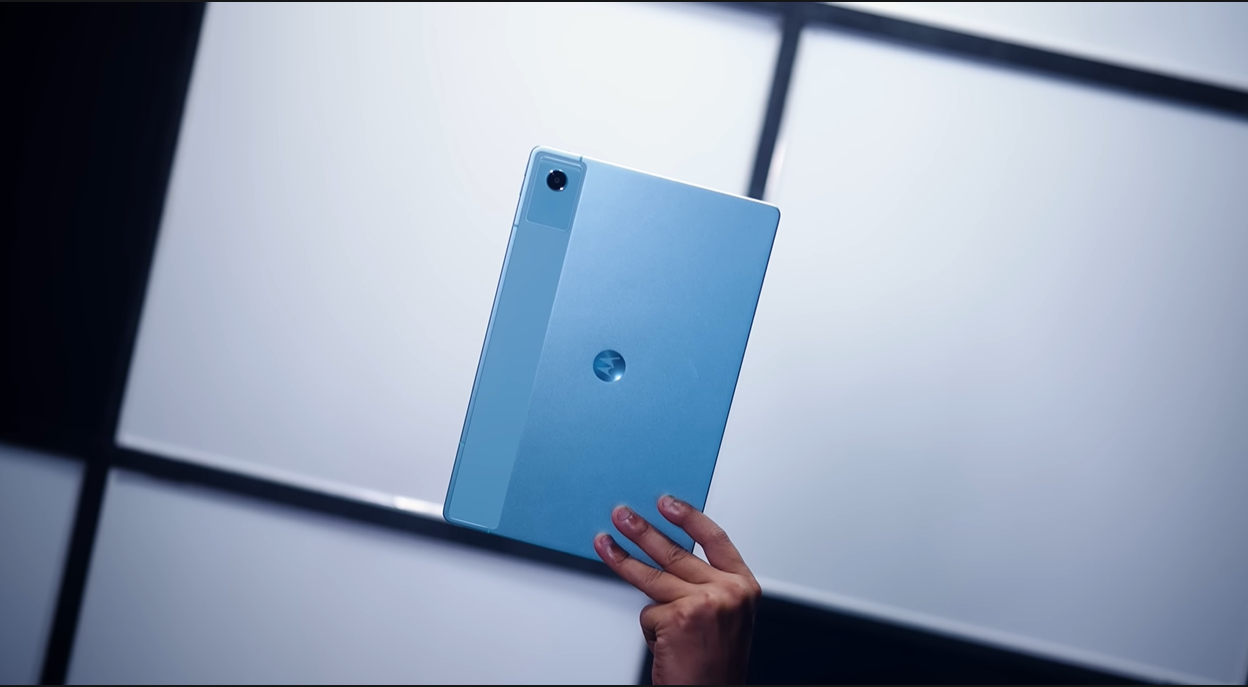
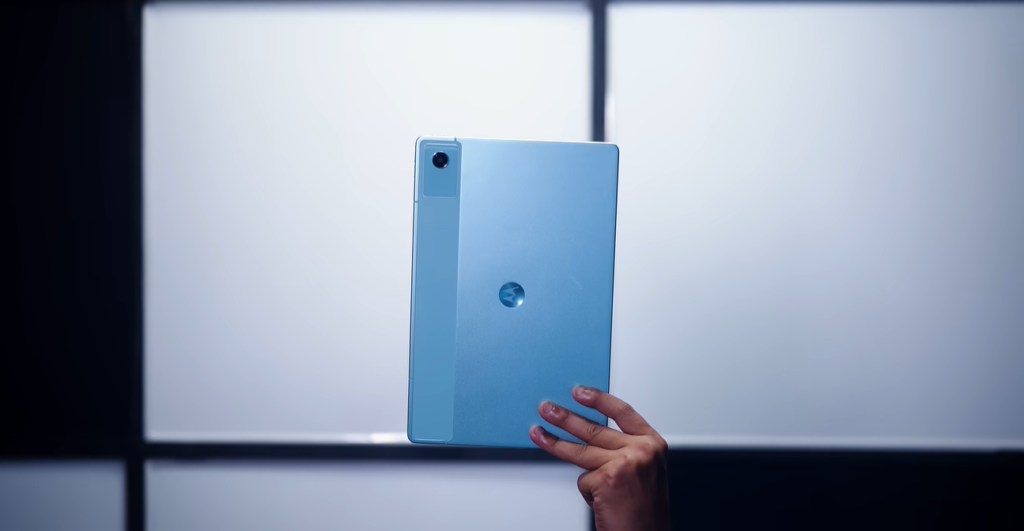
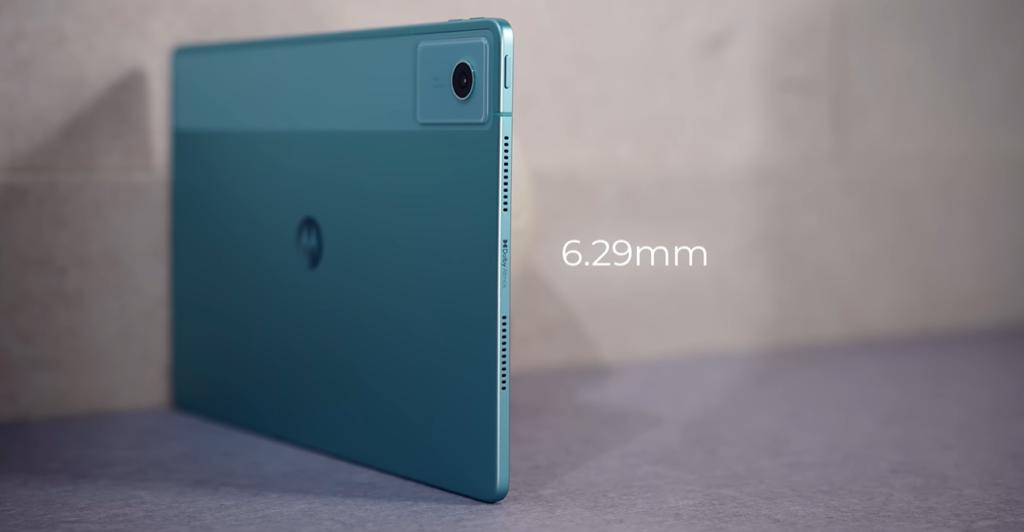
The moment you pick up the Moto Pad 70, it feels different. The entire body — front frame and back panel — is full metal construction. No plastic backs, no plasticky feel. Just solid, premium-feeling metal throughout.
Key Design Details
- Full metal body — excellent long-term durability
- Dual-tone design on the back — looks unique and clean
- Thickness: 6.29mm — one of the slimmest tablets in this price segment
- Weight: 535 grams — balanced, not too heavy, not too light
- Single colour option — Pantone Sea Angel
At 6.29mm, the Moto Pad 70 can genuinely claim to be one of the slimmest tablets available under ₹30,000. Other tablets in this price range tend to be noticeably thicker.
One note: there is no IP certification on the Moto Pad 70 — which is standard for tablets in this segment. Don’t take it into the rain.
Display — Big, Sharp, and Bright
This is one of the Moto Pad 70’s strongest selling points.
| Spec | Details |
|---|---|
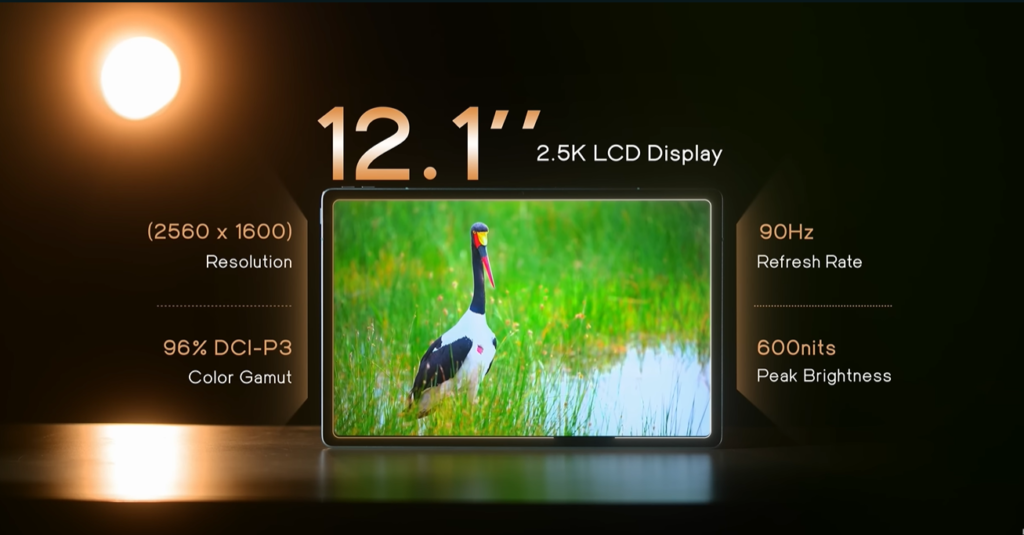
| Screen Size | 12.1 inches |
| Resolution | 2.5K |
| Panel Type | IPS LCD |
| Refresh Rate | 90Hz |
| Peak Brightness | 800 nits (HBM) |
| Certification | TÜV Rheinland |
A 12.1-inch display is genuinely rare at this price point. Most tablets in the ₹20,000–₹30,000 segment stop at 10 or 11 inches. Motorola going to 12.1 inches gives you significantly more screen real estate for studying, watching videos, multitasking, and note-taking.
Real-World Display Experience
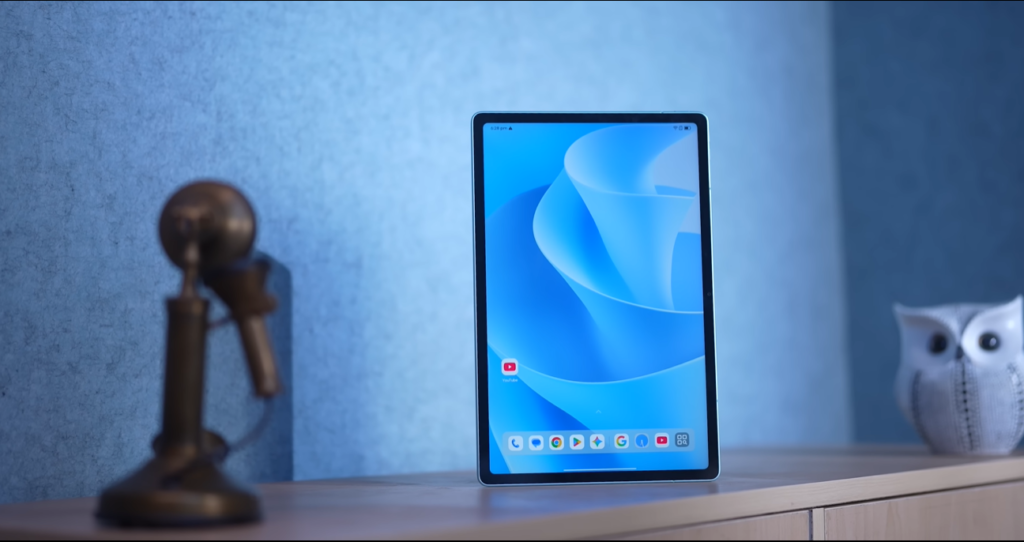
YouTube content looks great on this panel. The IPS display delivers contrasty, vivid colours with good clarity — it’s not AMOLED, so blacks won’t be as deep, but for the price, the colour reproduction is impressive. Outdoor visibility is solid too, with 800 nits of brightness handling sunlight well.
The bezels are on the thicker side, but they’re even all around — which actually makes landscape use more comfortable since your thumbs don’t accidentally touch the screen.
Honest take: An AMOLED panel would have been incredible here, but that would push the price higher. For under ₹30,000, this IPS display is a strong performer.
Moto Pen — Included. Actually Good.
The fact that the Moto Pen comes in the box is a big deal. This isn’t an afterthought stylus — it’s a proper, premium-feeling metal pen.
Moto Pen Specs & Features
- 496 levels of pressure sensitivity — feels like writing with a real pen
- Ultra-low latency — no noticeable lag between pen and screen
- Magnetic attachment to the tablet
- Replaceable battery
AI Features with the Moto Pen
- Circle to Search — draw a circle around anything on screen to search it
- AI Writing Tools — improve and format your written notes
- AI Summary — paste or write notes, get a summarised version in seconds
- Google Gemini integration — full Gemini support for AI assistance
For students, the combination of the large display + Moto Pen + AI summary is genuinely powerful. You can photograph handwritten notes and get them summarised. You can take notes directly on screen with pen-like precision. You can circle a difficult word in your study material and search it instantly.
Performance — Balanced for Students
The Moto Pad 70 is powered by the MediaTek Dimensity 6400 chipset — a mid-range chip designed for balanced, efficient performance rather than raw power.
Benchmark Results
| Test | Score |
|---|---|
| AnTuTu | 577,000+ |
| CPU Throttle Test | Full green — no throttling issues |
| Wildlife Extreme Stability | 99.4% |
| BGMI Average FPS | 58.4 fps |
| Gaming Temperature | 33.9°C |
Storage Options
- 8GB RAM + 256GB storage — primary variant (available now)
- 8GB RAM + 128GB storage — arriving later, bundled with a keyboard
The 99.4% stability score is excellent — this chip doesn’t throttle under sustained load, which means consistent performance whether you’re studying, streaming, or gaming.
Gaming — BGMI at Smooth + Extreme Settings
BGMI runs at 60fps on Smooth + Extreme settings — tested live and confirmed. The gameplay was stable, temperatures stayed controlled at under 34°C, and there was no noticeable lag during the session. For casual gaming sessions between study breaks, this tablet handles it comfortably.
Who this is NOT for: If you’re a heavy gamer who wants maximum graphics settings in demanding titles, this chipset isn’t built for that. It’s balanced, not extreme.
Cameras — Functional, Not the Main Feature
Let’s be honest — nobody is buying a tablet for the cameras. But here’s what you get:
| Camera | Details |
|---|---|
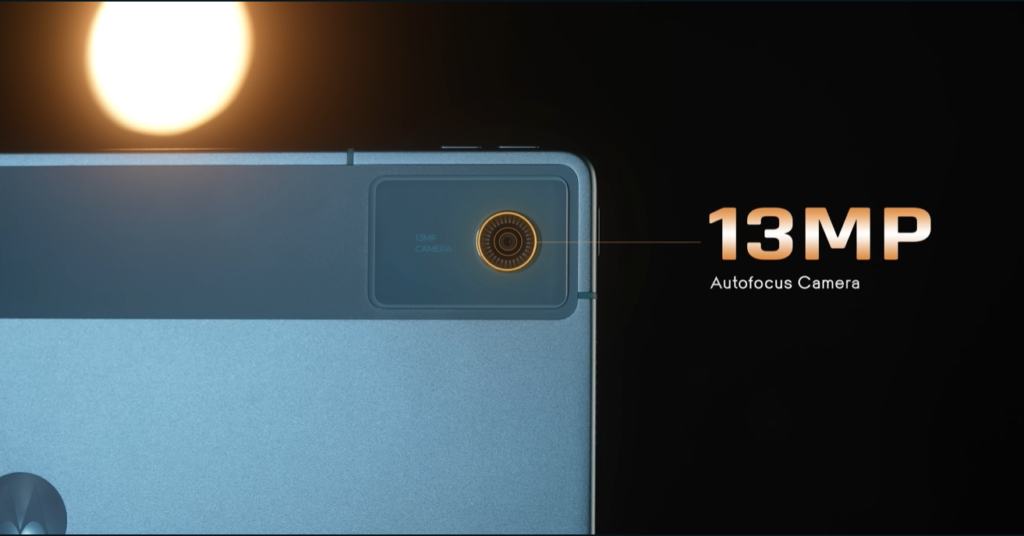
| Rear | 13MP with Autofocus |
| Front | 8MP selfie camera |
| Zoom | 1x and 2x options |
Photo quality is decent — clear enough for scanning notes, documents, and whiteboards, which is the primary use case for tablet cameras. Video call quality on Google Meet and Zoom is good. Portrait mode is not available, which is expected at this price.
Audio — Quad Speakers with Dolby Atmos
Four speakers. Two on each side. Dolby Atmos certified.
The audio experience on the Moto Pad 70 is genuinely impressive for the price. At full volume, the sound is loud, clear, and spacious — the kind of audio that makes watching movies and YouTube videos a proper entertainment experience rather than just background noise.
For a tablet in this price segment, quad Dolby Atmos speakers are a premium addition that most competitors don’t offer.
Battery & Charging
| Spec | Details |
|---|---|
| Battery Capacity | 10,200mAh |
| Fast Charging | 45W |
| Expected Usage | Full day on a single charge |
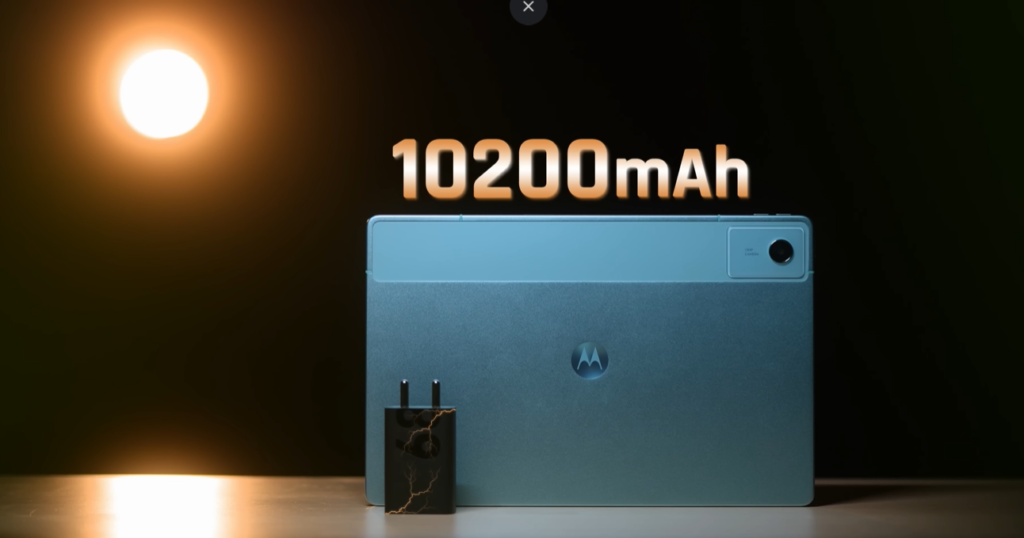
The 10,200mAh battery is massive. For students attending online classes, watching lecture recordings, taking notes, and browsing — one full charge will comfortably last an entire day without anxiety. The 45W fast charging means you’re not waiting hours to top it up before class.
Connectivity
| Feature | Details |
|---|---|
| Mobile Data | 5G support |
| Wi-Fi | Wi-Fi 5, Dual-Band |
| Bluetooth | 5.2 |
| USB | Type-C 2.0 |
| SIM Slot | Hybrid — SIM + MicroSD |
| Keyboard Connector | Yes — dedicated pogo pin port on left edge |
The hybrid SIM slot is handy — you can use a SIM card for mobile data AND a microSD card for expanded storage simultaneously. The pogo pin keyboard connector on the left edge means you can attach a Motorola keyboard cover (sold separately) and turn this into a laptop-like productivity machine.
Smart Connect support lets you connect the Moto Pad 70 to a laptop and use them together seamlessly.
Software
The Moto Pad 70 ships with Android 16 out of the box, with:
- 1 guaranteed OS update — assured Android 17 upgrade
- 3 years of security patches
- No significant bloatware — all pre-installed apps are useful
- Moto AI built in
- Google Gemini support
- Circle to Search
The software experience is clean. Motorola hasn’t loaded the tablet with unnecessary apps, and the AI features are genuinely integrated into the workflow rather than bolted on as an afterthought.
Pricing
Expected price: ₹25,000 – ₹30,000
- 8GB + 256GB variant — available now
- 8GB + 128GB variant with keyboard bundle — coming soon
Pros & Cons
What’s Great:
- 12.1-inch 2.5K IPS display — one of the largest in segment
- Full metal body — premium build and durability
- Moto Pen included in the box
- 10,200mAh battery — all-day and then some
- Quad Dolby Atmos speakers — exceptional for the price
- 5G support
- AI tools (Gemini, Circle to Search, AI Summary, AI Writing)
- Keyboard connector port — laptop mode possible
- 60W charger in the box
- No throttling — 99.4% stability score
- BGMI playable at 60fps Smooth + Extreme
What to Consider:
- IPS LCD — not AMOLED (acceptable for the price)
- MediaTek Dimensity 6400 — balanced, not a performance beast
- No IP certification
- Only one colour option
- USB 2.0 — not USB 3.x
- 1 OS update only — could be better
Who Should Buy the Moto Pad 70?
Buy it if you are:
- A student looking for a study + entertainment tablet
- Someone who wants a large-screen note-taking device with a stylus
- A casual gamer who plays BGMI or similar titles occasionally
- Someone who wants solid battery life and great speakers under ₹30,000
Skip it if you are:
- A heavy gamer wanting maximum graphics performance
- Someone who needs AMOLED display quality
- A professional needing desktop-class productivity
Final Verdict
The Moto Pad 70 is a thoughtfully built student tablet that punches well above its price. The 12.1-inch 2.5K display is class-leading in this segment. The full metal body feels expensive. The Moto Pen being included in the box is a genuine value-add. And the quad Dolby Atmos speakers will make every movie night and YouTube session feel premium.
It’s not perfect — the chip is mid-range, the software support could be longer, and AMOLED would have been a cherry on top. But for under ₹30,000, in a market where prices are climbing daily, the Moto Pad 70 delivers a rare combination of style, substance, and student-focused features.
My PitShop Rating: 8.2 / 10
A thumbs up — clearly earned.