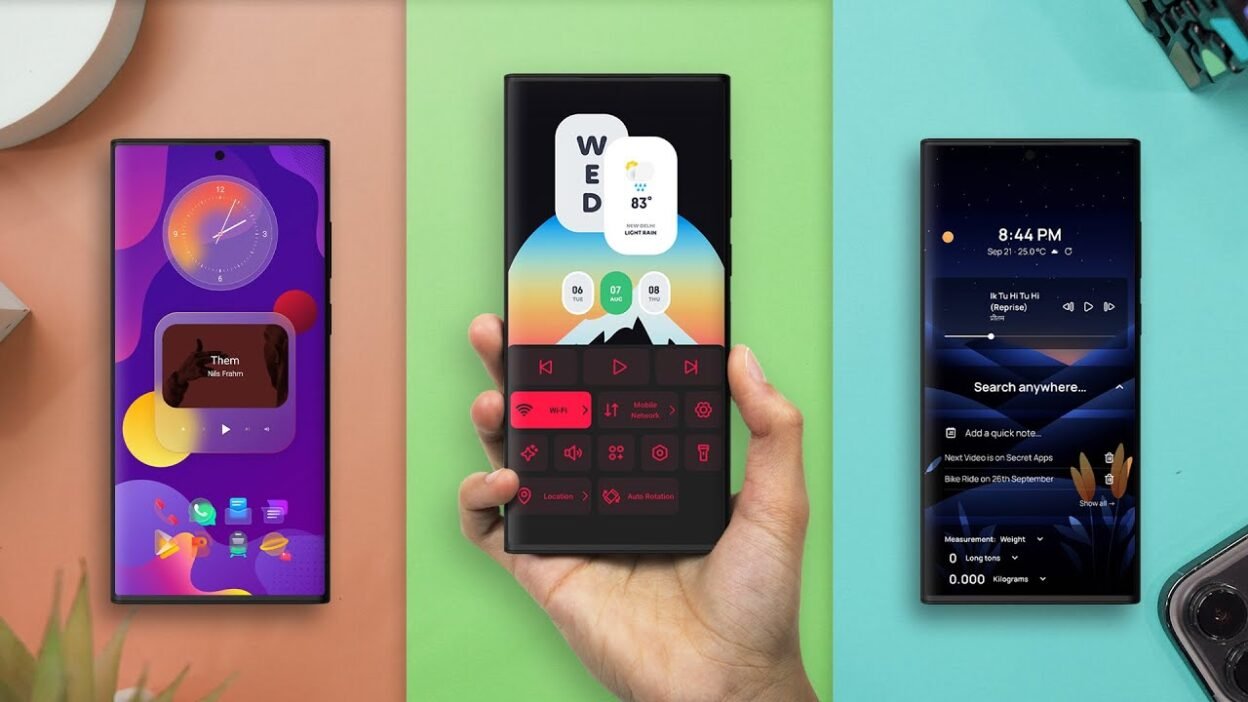
Quick Verdict: With Nova Launcher’s post-acquisition decline now fully playing out, the strongest replacements depend on what you actually want. Smart Launcher and the newer Launcher app offer the deepest Nova-style customization; Niagara and O Launcher are the best minimalist picks for cutting distraction, KISS and AP15 suit anyone wanting near-zero visual clutter, and Total Launcher is for anyone willing to build something completely custom from scratch.
What Actually Happened to Nova Launcher
The transcript’s brief mention undersells just how messy Nova’s decline has been, so here’s the fuller picture: Nova Launcher was acquired by analytics firm Branch Metrics back in 2022, which laid off most of its development team by 2024. Founder Kevin Barry was reportedly blocked from open-sourcing the app despite earlier promises to do so, and he departed entirely in September 2025.
Swedish company Instabridge — primarily known for a WiFi-sharing app — completed its acquisition of Nova Launcher on January 20, 2026. Within roughly 24 hours, users who decompiled the update discovered Facebook Ads and Google AdMob tracking code already embedded in the app, before Instabridge had even publicly detailed its monetization plans. This triggered significant backlash across Reddit and Hacker News from a userbase that had specifically valued Nova for being clean and ad-free, especially among those who’d paid for the ad-free “Nova Prime” tier.
Existing Nova Prime lifetime license holders have reportedly kept ad-free status, and a new $4.99/year subscription tier has since been introduced, tied to an in-development AI assistant feature that reportedly requests SMS and location access — a permission scope that’s drawn additional scrutiny for a home screen launcher app. Development continues under Instabridge, but trust within the existing power-user community has been significantly damaged.
If you’re still running Nova and want to preserve your setup before switching, export your configuration via Settings → Backup → Save to File before moving to any of the alternatives below.
Best Overall Nova Alternative: Smart Launcher
For anyone who wants deep, Nova-level customization without switching to something unfamiliar, Smart Launcher is the strongest direct replacement. It offers extensive desktop and app drawer customization, an Icon Pack Studio for downloading or creating your own custom app icons, an ad-free news feed for morning headlines, and smart widgets that appear via swipe or double-tap gestures on app icons — all fully customizable. Stackable widgets help conserve desktop space, and gesture controls (double-tap, double-swipe) can be remapped extensively.
The app drawer is a particular standout, automatically organizing apps into clean, customizable folders — genuinely useful if you’ve accumulated dozens of installed apps over time.
The catch: most of the best features require Smart Launcher Pro, priced around $24.49 (roughly ₹2,050) as a one-time purchase, or a cheaper annual subscription option (under $10/year, roughly ₹830). It’s a real commitment compared to fully free alternatives, but the app receives consistent, active updates.
Best for Nova Power Users Specifically: Launcher (Early Access)
The original “Launcher” app hasn’t been updated in years and should be ignored — but its successor, listed on the Play Store as Launcher Early Access, is a genuinely capable Nova alternative still in active beta. It can be a little buggy given how complex and feature-rich it already is, but its core strength is deep, granular customization across desktops and app drawers that goes well beyond standard Android limits.
The standout feature for anyone migrating specifically from Nova: it supports directly importing your existing Nova Launcher setup, letting you switch over with minimal reconfiguration.
Best for One-Handed Use: Octopi
Octopi leans into one-handed usability, letting you swipe an app icon (rather than tap) to trigger specific quick actions — similar in spirit to Nova’s smart contextual gestures. It’s not fully there yet in feature parity, since only a small number of apps currently support this contextual gesture behavior. Still, the vast majority of its core features are free to use, making it a reasonable low-commitment option to try.
Best Lightweight Option: Stereo Launcher
Stereo is a notably light, fast launcher that feels snappy to navigate. By default, the home screen keeps things simple — a clock widget, quick access to alarms, and a battery widget, plus a weather widget linking out to Weather.com and Google Calendar integration. A basic media widget appears automatically when playing music through apps like Spotify, though customization of that widget specifically is somewhat limited (you can add new widgets via swipe-down, but can’t heavily edit the two default ones).
Other useful touches: a universal search bar covering apps, contacts, and web search; app pinning to the dock; a clean, folder-organized app drawer (though the default folder organization is fairly rough and benefits from manual reorganization); a dedicated notes page and RSS feed accessible via swipe gestures; and a monochrome icon mode for a more distraction-free visual experience.
Best Minimalist Launcher: Niagara
If simplicity and reduced distraction are the priority, Niagara remains one of the most highly regarded minimalist Android launchers available. Rather than a traditional app grid, it shows a short list of up to eight favorite apps, with everything else tucked into a clean, cascading A-to-Z index — reducing visual clutter and making it harder to mindlessly open distracting apps like social media.
Genuinely useful built-in features include:
- Automatic media controls on the home screen when playing music, podcasts, or audiobooks
- Swipe-right notification previews directly from the home screen (e.g., reading and archiving a Gmail message without opening the app)
- Swipe-right shortcuts into favorite apps’ most-used features
- App time limits, with Niagara either nudging you or fully blocking access once your set limit is reached
- A satisfying haptic feedback rumble on the cascading app index
Customization has expanded significantly over time — full wallpaper support (including a range of themed options), adjustable theme colors, and a one-off Pro upgrade that unlocks additional features like an integrated weather-and-calendar widget at the top of the home screen.
Other Minimalist Picks: O Launcher, AP15, and KISS
For an even more stripped-back minimalist experience, several other options stand out:
- O Launcher — a simple setup showing only your essential apps on the home screen, with the rest hidden away. Swipe right opens your phone/contacts, swipe left opens the camera (both customizable to different apps). Completely free with no ads or hidden costs.
- AP15 — displays your apps as plain text names rather than icons, with customizable fonts and per-app colors. App size automatically scales based on usage frequency, so your most-used apps grow more prominent over time. Rarely used apps can be hidden from the home screen entirely, and launcher behavior rules are fully customizable.
- KISS Launcher — an extremely lightweight option (under 1MB) built around a search bar, a customizable row of essential apps, and a column showing recently or frequently used apps. Typing in the search bar instantly surfaces matching apps or contacts. Customization is more limited than Nova-style launchers, but it remains actively (if infrequently) updated despite being roughly a decade old, and is completely free.
Best Open-Source Option: Fossify Launcher
Fossify offers a full suite of simple, open-source apps on the Play Store — including a stripped-back gallery and file manager — and its Android launcher (currently in beta) follows the same philosophy: just a home screen, an app drawer, and a notification panel, with nothing extra. A solid pick specifically for anyone tired of heavier, more resource-intensive launchers.
Most Innovative (Still in Development): Yasan Launcher
Yasan takes a genuinely different approach: your home screen actually changes based on context — time of day, location, or activity (work, school, home, commuting, or exercising). These contexts are called “Spaces,” and they’re fully customizable to match your actual routine. Over time, Yasan learns which apps you tend to use in each context and surfaces them automatically on the home screen without needing to search.
You can pin favorite apps permanently or per-Space, and selectively hide distracting apps (like social media) during specific contexts — for example, hiding TikTok during a “work” Space. A scrollable widget page is also available, and it likewise adapts based on your current Space, including changing icon styles and wallpapers to match. As an actively developing app, there are some rough edges — a brief pause when exiting apps before the home screen redraws being one noted example — but it’s currently completely free.
For Maximum Customization: Total Launcher
If you genuinely want to build a launcher from scratch — custom desktops, custom widgets, custom app drawers, all designed by you — Total Launcher offers essentially unlimited customization depth. It’s a serious time investment to build something from nothing, but the app supports downloading and using launcher designs created by other users, giving you access to a large community-built library of finished setups even if you don’t want to design your own from scratch.
FAQ
Is Nova Launcher still worth using in 2026? Nova Launcher remains functional, but its new ownership under Instabridge has introduced ad tracking and a new paid AI assistant subscription requiring broad permissions, which has damaged trust among long-time users. Existing Nova Prime lifetime purchasers reportedly remain ad-free, but many users have started migrating to alternatives.
What is the best free Nova Launcher alternative? Octopi, O Launcher, KISS Launcher, Fossify, and Yasan Launcher are all free options. Among these, Launcher (Early Access) stands out specifically because it supports directly importing an existing Nova Launcher configuration.
What is the best minimalist Android launcher? Niagara is widely regarded as one of the best minimalist launchers, combining a distraction-reducing app index with useful features like home-screen notification previews and app time limits.
Which launcher offers the deepest customization, similar to Nova? Smart Launcher and Launcher (Early Access) both offer customization depth comparable to classic Nova Launcher, while Total Launcher goes even further, allowing you to build a fully custom launcher from scratch.
Which launcher have you switched to since Nova’s changes? Let us know your pick in the comments below.