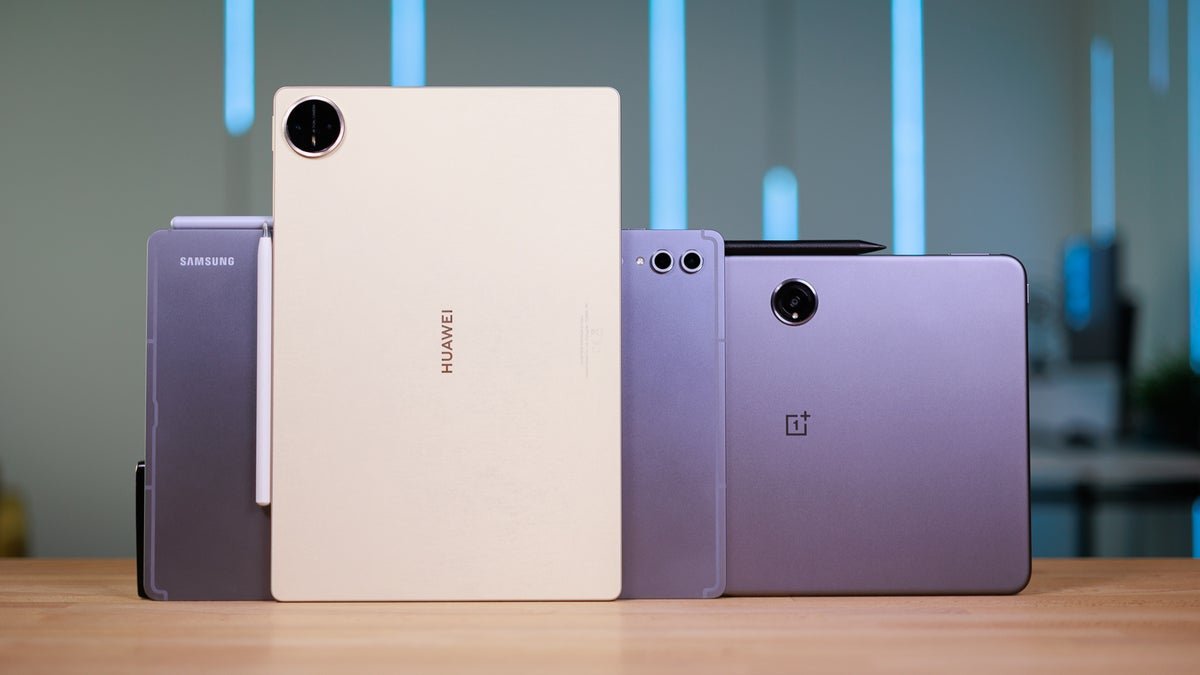
The mid-range Android tablet market in 2026 is genuinely exciting. Unlike previous years, where buyers had to choose between underpowered budget slabs and eye-wateringly expensive premium options, the £200 to £600 bracket now houses some seriously impressive hardware.
However, with nearly a dozen strong contenders available right now, choosing the right tablet for your specific needs is harder than ever. Consequently, this guide covers every major mid-range Android tablet personally tested and reviewed — from the best all-rounder to the best gaming tablet, the best for reading, and the best budget pick.
Whether you want to tackle demanding games, power through a working day, lose yourself in graphic novels, or simply want a versatile daily driver without spending iPad Pro money, there is a specific right answer for you in this price range.
Here is the complete breakdown.
1. Xiaomi Pad 8 Pro — Best Overall Mid-Range Tablet
Price: Approximately £400 to £500
The Xiaomi Pad 8 Pro is one of the best tablets reviewed recently at any price — and the matte glass version in particular earns the title of almost perfect mid-range tablet. It combines flagship-tier performance, a genuinely stunning anti-glare display, excellent battery life, and a premium build at a price that embarrasses several more expensive competitors.
Design and Build
The Xiaomi Pad 8 Pro features a one-piece aluminium frame that looks genuinely premium and holds up well to daily handling. At 11.2 inches, it sits at a reasonably compact size compared with some larger rival tablets, while the bezels surrounding the display are both slim and symmetrical — a combination that improves both aesthetics and the in-hand feel.
Crucially, despite the slim bezels, incidental thumb contact with the display during normal holding does not significantly impact touch responsiveness. This is a practical detail that several competing tablets with slimmer bezels fail to get right.
The Matte Glass Display — A Standout Feature
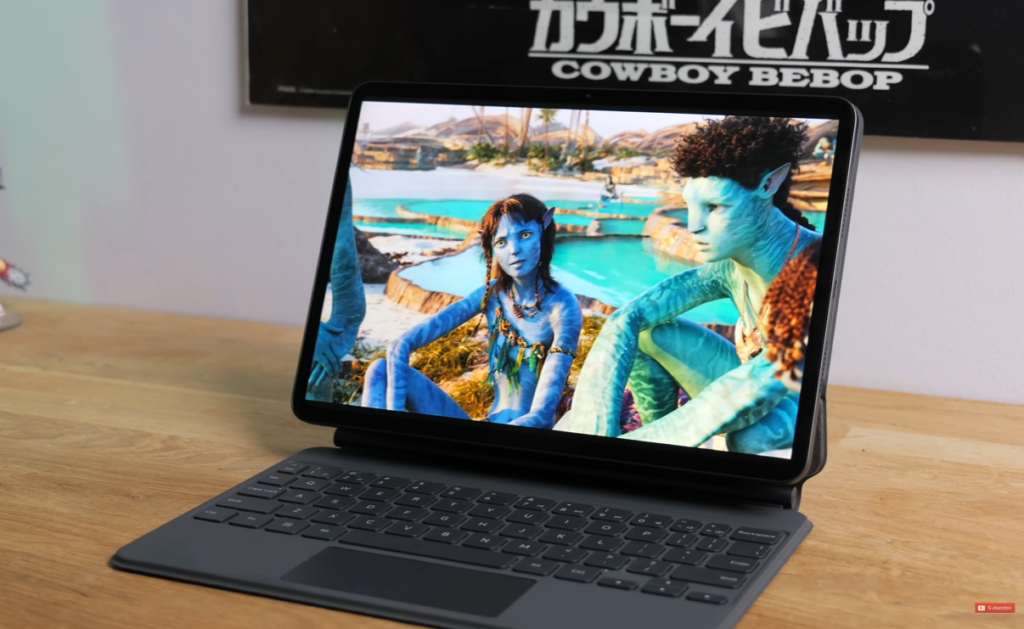
The headline feature of the matte glass variant is its nano texture display — and it genuinely lives up to the marketing. With studio lights at full brightness aimed directly at the panel, virtually zero glare reaches the viewer’s eyes. The anti-reflective treatment kicks reflections aside completely, making outdoor use and brightly lit indoor environments genuinely comfortable without squinting or repositioning.
Full display specifications:
- 11.2-inch IPS LCD (not OLED)
- 3:2 aspect ratio — excellent for multitasking
- 3.2K resolution — crispy and detailed
- Dolby Vision and HDR 10 support
- Strong contrast despite LCD technology
One honest trade-off: the 3:2 aspect ratio creates noticeable letterboxing when watching widescreen cinematic content. Additionally, the matte glass surface does attract greasy smudges, particularly visible when tilted in light. These are minor practical points worth knowing before purchase.
Performance
The Xiaomi Pad 8 Pro runs on the Qualcomm Snapdragon 8 Elite processor backed by 12GB of RAM. Everyday multitasking — running multiple apps simultaneously in split-screen and floating window modes — happens without hesitation. Gaming performance is equally strong. Wuthering Waves at maximum graphic settings maintained a consistent 60fps, dipping only occasionally to the low to mid 50s during intense scenes.
Software — HyperOS 3 on Android 16
The Pad 8 Pro ships with HyperOS version 3 on top of Android 16. Multitasking is well-implemented — split-screen apps, floating windows, and app-switching all work cleanly. The HyperOS reputation for displaying advertisements in apps is worth noting, though in real-world use, ads appeared only occasionally within Xiaomi’s own first-party apps rather than system-wide.
Customisation options, while extensive, are not quite as comprehensive as what ColorOS and OxygenOS offer on competing tablets.
Accessories
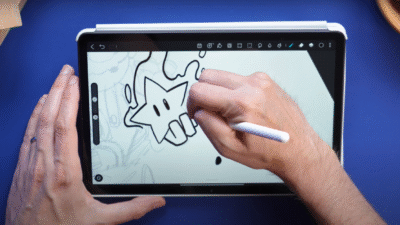
The Focus Keyboard is the standout accessory — well-designed, productively useful, and a genuinely good companion for working on the move. The Focus Pen Pro stylus, sold separately, offers premium responsiveness with tilt sensitivity, making it suitable for both note-taking and creative work.
Battery Life
A 9,200 mAh battery with 67W fast charging delivers impressive endurance. Under mixed use — two to three simultaneous apps, music streaming in background, keyboard connected — the tablet drains approximately 7 to 8 percent per hour. A full charge therefore covers the longest working days comfortably. A 30-minute charge provides several hours of additional use.
Also Worth Noting From Xiaomi
Xiaomi Pad Mini — An excellent 8.8-inch compact tablet with crisp LCD display and commendable performance. Ideal for single-handed use and portability. UK buyers will need to import this model.
Poco Pad X1 — An 11-inch option with more modest performance than the Pad 8 Pro. Worth considering if available locally at a competitive price.
Redmi Pad 2 Pro — The best budget option in the Xiaomi lineup, covered in detail below.
Verdict: The Xiaomi Pad 8 Pro is the best all-round mid-range Android tablet available in 2026. Premium performance, a stunning anti-glare display, strong battery life, and a build quality that feels far more expensive than the asking price.
2. Redmi Pad 2 Pro — Best Budget Tablet Under £250
Price: Just over £200
For buyers with a tighter budget, the Redmi Pad 2 Pro delivers remarkable value at just over £200. It offers a 12-inch display with a paper-like matte finish, a massive battery, and solid enough performance for daily tasks — all at a price that significantly undercuts the competition.
Design and Build
The Redmi Pad 2 Pro is a substantial tablet. At 610 grams and approximately 7.5mm thick, it is neither light nor particularly slim. However, the metal frame extends across the edges and around the full back panel, giving it genuine structural rigidity and a build quality that can tolerate knocks and everyday handling. Available in graphite grey, silver, and lavender purple.
The bezels are not particularly slim by 2026 standards, but they are not obtrusive — they add moderate bulk without meaningfully harming the in-hand experience. Touch responsiveness remains strong even with slight thumb incursion onto the display edges.
The Paper-Like Matte Display
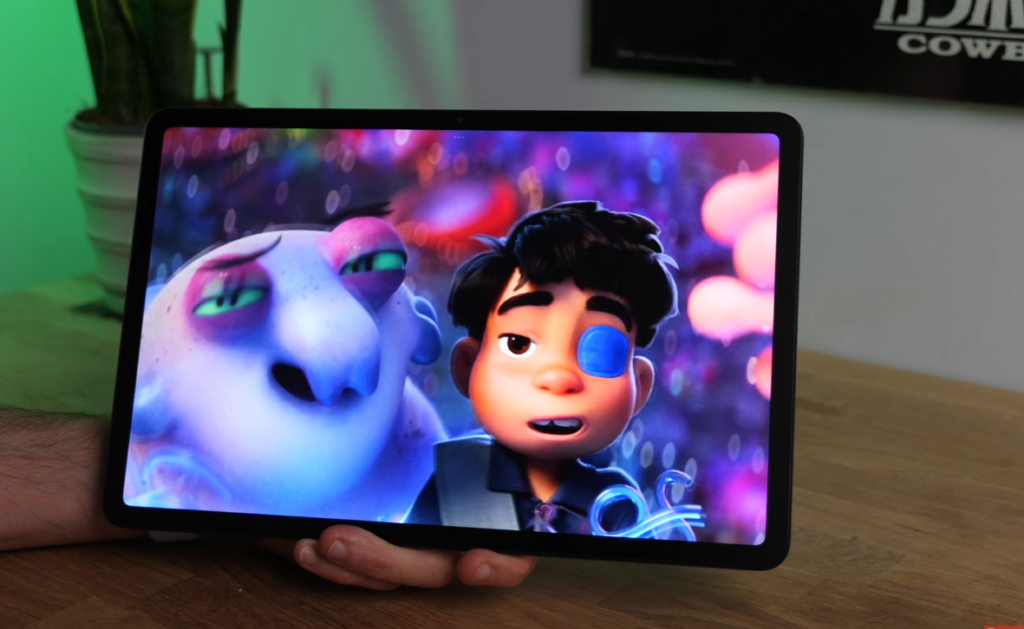
The Redmi Pad 2 Pro’s most compelling feature for its price is the anti-reflective matte display surface — a finish comparable in quality to Huawei’s paper matte tablet displays. Despite the panel not being particularly bright at maximum output, the anti-reflective surface effectively neutralises glare even in direct light conditions, making outdoor use genuinely comfortable.
Full display specifications:
- 12.1-inch LCD panel
- 16:10 aspect ratio
- Anti-reflective matte surface
- 8-megapixel front camera (1080p video)
Performance
The Redmi Pad 2 Pro handles everyday multitasking — three or four simultaneous apps — without significant issues. However, it is not a fast tablet in absolute terms. Occasional app slowdowns were observed during testing, including buffering within downloaded content in certain reading apps. For demanding 3D games like Wuthering Waves and Genshin Impact, lower to medium graphic settings are required for a smooth experience.
Battery Life
The substantial 12,000 mAh battery is a genuine highlight. Real-world testing delivered approximately 13 to 14 hours of split-screen multitasking on a full charge — browsing, documents, and occasional video streaming. This significantly outperforms many competing budget tablets.
Software
HyperOS version 2 on Android 15. Multitasking via the dock, split-screen, and floating windows all work well for the price point. A Redmi stylus and keyboard dock are available as accessories — though the keyboard dock connects via Bluetooth rather than physical connection, and adjusts to only one fixed angle.
Verdict: The Redmi Pad 2 Pro is the best Android tablet available for just over £200. The matte display, massive battery, and solid build quality make it exceptional value for budget-conscious buyers.
3. Honor Magic Pad 4 — Best OLED Tablet Under £600
Price: Approximately £600
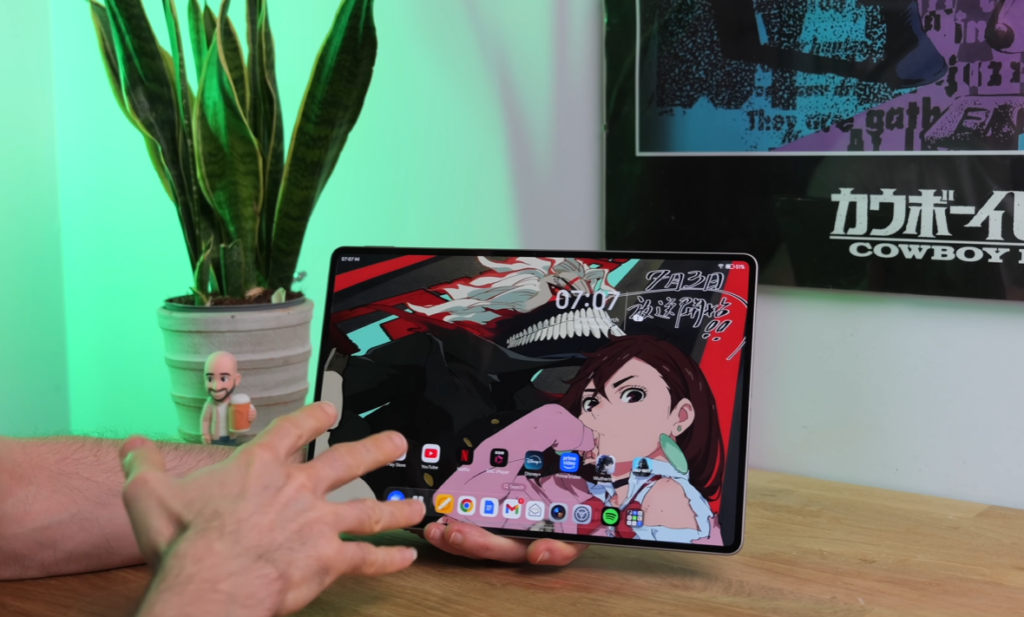
The Honor Magic Pad 4 represents a significant generational leap over its predecessor. The switch from LCD to OLED, combined with a dramatically slimmer and lighter chassis and a Snapdragon 8 Gen 5 processor, makes it one of the most impressive tablets in the upper end of the mid-range bracket.
Design and Build
The Magic Pad 4 is extraordinarily slim — so thin that fitting a USB cable requires a degree of precision. It weighs just 450 grams, reduced by approximately 25 percent compared to the Magic Pad 3. The aluminium unibody construction feels premium throughout. At 12.3 inches, the screen size is substantial, yet the near-borderless bezels keep the overall footprint surprisingly compact for its display dimensions.
The extremely slim bezels do create one practical challenge — gripping the tablet in certain orientations causes thumb contact with the display, temporarily disrupting touch responsiveness. This is a notable usability compromise worth considering for users who plan extensive one-handed use.
OLED Display — The Biggest Upgrade
The replacement of the previous generation’s LCD panel with a proper OLED screen is the most impactful change in the Magic Pad 4.
- 12.3-inch OLED panel
- 3K resolution
- Deep, true blacks rather than very dark grey
- Rich, punchy contrast throughout
- Bright enough to handle most glare conditions despite no anti-glare coating
The inky blacks make a particularly meaningful difference during darker scenes in television shows and movies — detail that previously disappeared into murky grey now becomes clearly visible. There is no anti-glare finish, unlike the Xiaomi Pad 8 Pro matte glass edition, but the panel is sufficiently bright to compensate in most real-world lighting conditions.
Performance and Cooling
Powered by the Snapdragon 8 Gen 5, the Magic Pad 4 handles demanding multitasking and gaming with ease. Wuthering Waves at high settings ran at a stable 60fps throughout extended testing sessions. Crucially, despite the ultra-thin chassis, a dual-direction vapour chamber maintains temperatures effectively — even after an hour of intensive gaming, the tablet remained only slightly warm.
Software — Magic OS 10 on Android 16
Magic OS 10 delivers functional multitasking — split-screen and floating window support work cleanly. For users accustomed to OnePlus or Oppo’s tablet interfaces, Magic OS multitasking feels slightly less fluid, but it handles the essentials reliably. The PC mode supports up to 20 simultaneous windows for power users who need extreme multitasking capability. Notably, Honor promises 6 years of OS updates and security patches.
Eight-Speaker Audio
The Magic Pad 4 retains the eight-speaker configuration from its predecessor — an audio setup that delivers genuinely impressive output for a tablet in this price bracket.
Camera
A 9-megapixel front camera housed in the slim top bezel supports 4K video recording at 30fps. In well-lit conditions, image quality is reasonable. In lower ambient light, graininess becomes noticeable. For video calls and casual content creation, it is more than adequate.
Battery
The battery capacity has been slightly reduced to just over 10,000 mAh — an expected trade-off given the dramatically slimmer chassis. Real-world testing delivered approximately 10 hours of mixed use including streaming and multitasking. 66W fast charging provides meaningful top-up capability quickly.
Budget Alternative From Honor
Honor Pad V9 — A more affordable Honor option with a return to LCD technology but a similarly slim and light design. Availability can be patchy, potentially requiring import in some markets. Excellent battery life is a highlight.
Verdict: The Honor Magic Pad 4 is the best OLED mid-range tablet in 2026. The display upgrade over the previous generation is transformative, and the combination of slim build, strong performance, and long software support makes it a compelling choice at £600.
4. OnePlus Pad 3 — Best for Productivity and Multitasking
Price: Approximately £500 to £550
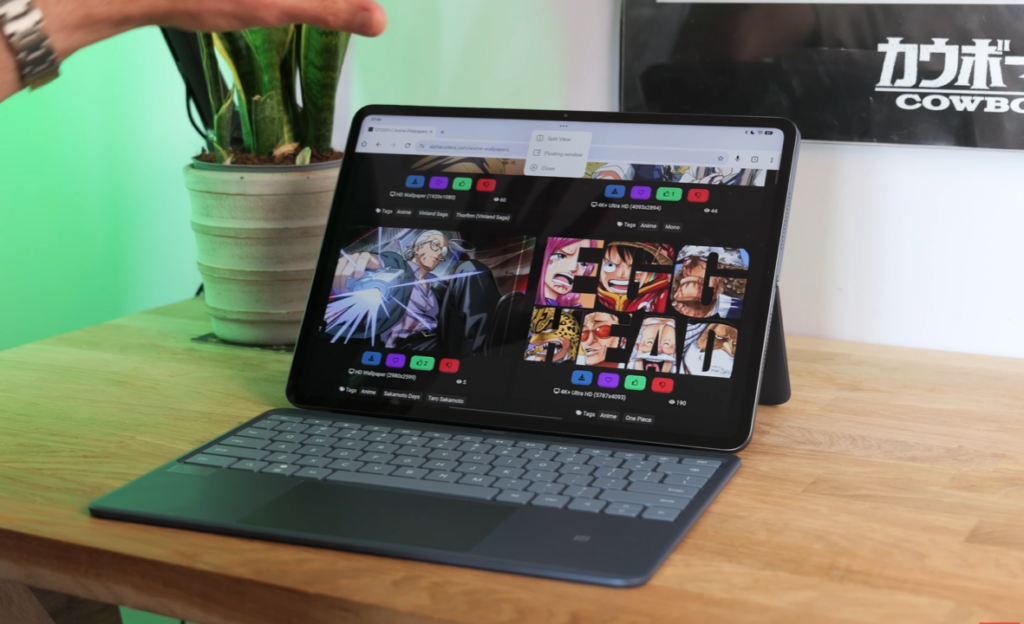
The OnePlus Pad 3 is a direct rival to the Honor Magic Pad 4 and makes a particularly strong case for productivity-focused users. OxygenOS remains one of the best tablet software experiences available on Android, the Snapdragon 8 Elite processor handles everything without hesitation, and the enormous 13.2-inch display gives genuine working space for side-by-side multitasking.
Design and Build
Full aluminium construction throughout — aluminium edging and back panel. The build feels solid and durable despite the tablet’s inherent slimness. Bezels are reasonably slim and symmetrical. At 675 grams, the OnePlus Pad 3 is not a light tablet — this is the primary physical trade-off for its large display and substantial battery.
Stylus support is available via the separately sold OnePlus Stylo 2, and the smart keyboard cover offers a comfortable typing experience with well-spaced keys and respectable key travel.
The 13.2-Inch Display
The Pad 3 features one of the largest displays tested on any tablet in the mid-range bracket.
- 13.2-inch LCD panel
- 3.4K resolution — sharp and detailed even at this size
- 7:5 aspect ratio — notably square proportions
- HDR streaming support on Netflix and similar services
- Bright enough for comfortable outdoor use in non-direct sunlight
The 7:5 aspect ratio is worth particular attention. For multitasking, document work, and reading, the near-square proportions are genuinely excellent — generous vertical space makes side-by-side app use particularly productive. For widescreen cinematic content, however, significant letterboxing is unavoidable unless you zoom in and accept edge cropping.
OxygenOS 15 — The Best Tablet Software Experience
OxygenOS 15 on Android 15 remains the most polished and intuitive tablet multitasking experience in Android. Key highlights include:
- Open Canvas — run three apps simultaneously side by side with smooth, fluid switching
- Drag-and-drop app launching from the dock
- Quick pinch-to-zoom with four fingers to redistribute screen space between open apps
- Slide apps off-screen to background without closing
- Extensive customisation options throughout
- 3 OS updates promised plus 6 years of security patches
Performance and Cooling
Snapdragon 8 Elite with graphene composite vapour chamber cooling. Wuthering Waves at maximum settings ran beautifully smoothly throughout extended testing. Even after sustained gaming sessions, the tablet remained only marginally warm near the top edge.
Eight-Speaker Audio
An octa-speaker setup consisting of four bass units and four tweeters delivers genuinely full audio output. For a slim tablet, the sound is impressively substantial and well-balanced.
Battery Life
The 12,140 mAh battery is the largest in this roundup.
- Heavy use (multiple apps, Spotify streaming, large file downloads simultaneously): 10 to 12 hours
- Light use (email, browsing, occasional YouTube): 18 to 20 hours
- 67W fast charging for rapid top-ups
Budget Alternative From OnePlus
OnePlus Pad Go 2 — A more affordable 12.1-inch option at a lower price point. MediaTek Dimensity 7300 Ultra processor handles everyday tasks smoothly but struggles with demanding 3D games. The 10,050 mAh battery delivers approximately 12 hours of mixed use or 17 hours of video streaming. Excellent OxygenOS software experience. MicroSD expansion slot available. Suitable for casual users who want OxygenOS without the premium price.
Verdict: The OnePlus Pad 3 is the best tablet for productivity and multitasking under £600. OxygenOS is the finest tablet software experience on Android, the enormous display provides genuine working space, and the battery life is exceptional.
5. Redmagic Astra — Best Gaming Tablet
Price: Approximately £450
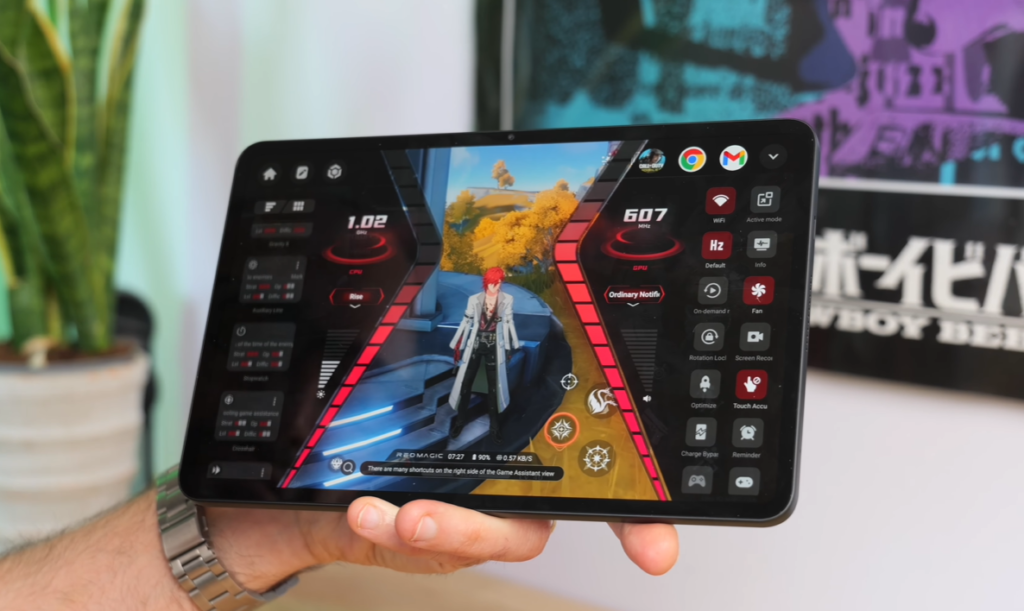
For mobile gamers who want the largest possible screen without spending flagship money, the Redmagic Astra is the dedicated gaming tablet recommendation in 2026. It brings Snapdragon 8 Elite performance, dedicated cooling hardware, gaming-specific features, and a 9-inch OLED display into a compact, manageable form factor.
Design and Build
At just 370 grams and 7.3mm thick, the Redmagic Astra is genuinely lightweight and portable for a gaming-focused device. Full metal construction across the back and edges feels premium and durable. Available in black and silver with matte finishes — though both accumulate fingerprints and surface marks noticeably quickly with regular handling.
The slim bezels require some adjustment to grip technique — palm and thumb contact with the display edges during one-handed use is a minor but recurring issue. However, at 370 grams, comfortable one-handed use for extended sessions is achievable.
Performance and Cooling
Qualcomm Snapdragon 8 Elite with 12, 16, or 24GB RAM options. The 24GB configuration is exclusive to the black model. A dual vapour chamber plus liquid metal coolant plus a built-in fan — running virtually silently even at full speed — work together to manage thermal output during intensive gaming.
In practice, the cooling system performs admirably under moderate gaming loads. However, during Wuthering Waves sessions at maximum settings, the top portion of the tablet (above the display, where the chipset sits) becomes noticeably hot within five minutes. The gripped areas remain comfortable throughout. After approximately an hour of heavy gaming, temperatures stabilise, though frame rate drops were observed at the two-hour mark in the most intensive sessions.
For less demanding titles like Call of Duty Mobile at maximum settings, thermal management is completely comfortable and frame rates remain consistently smooth throughout.
Gaming Software — Red Magic OS 10
The dedicated gaming interface is accessed via a physical red switch on the top edge — a satisfying mechanical gesture that immediately launches the game space. Key gaming features include:
- Game space with quick access to all gaming modes
- Do not disturb during gaming
- Screen recording and capture
- Crosshair overlay for shooters
- Charge bypass — plugs into power without charging the battery during gaming, preventing thermal build-up from simultaneous charging and intensive processing
The 9-Inch OLED Display
- 9-inch OLED panel
- Up to 165Hz refresh rate for supported titles
- Deep blacks and excellent contrast
- Bright enough for outdoor gaming in indirect sunlight
- No HDR streaming support in services like Netflix
The 165Hz capability is available for a limited selection of Play Store titles — Wuthering Waves is not currently among them. For the titles that do support it, the responsiveness and smoothness advantage is immediately apparent.
Battery
An 8,200 mAh battery is respectable for a compact gaming tablet. Real-world gaming battery life:
- Wuthering Waves at maximum settings: approximately 4 hours
- Call of Duty Mobile and similarly optimised titles: approximately 10 hours
The charge bypass feature makes extended gaming sessions on mains power the practical recommendation for the most intensive use.
Camera
A 9-megapixel front-facing camera housed in the bezel delivers washed-out, average image quality. Acceptable for casual video calls. Not suitable for streaming or content creation without upgrading to an external camera solution.
Verdict: The Redmagic Astra is the best dedicated gaming tablet in the mid-range bracket. Snapdragon 8 Elite performance, a 165Hz OLED display, dedicated cooling hardware, and smart gaming features make it the right choice for serious mobile gamers. Thermal management under the heaviest loads requires some awareness.
6. Boox Note Air 5C — Best for Reading and Note-Taking
Price: Approximately €500
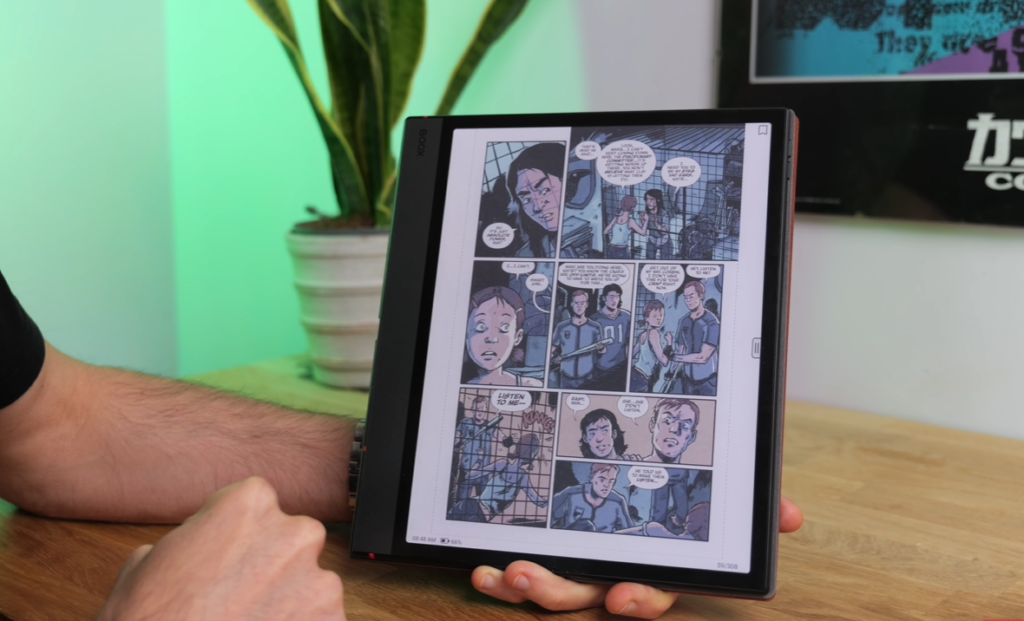
For a completely different type of tablet buyer — those who prioritise reading, note-taking, and extended screen time without eye strain above all else — the Boox Note Air 5C occupies its own category entirely. It is an e-ink tablet running a full Android implementation, and for its specific intended purpose, nothing else comes close.
Design and Build
Slim aluminium body at just 440 grams — lighter than every other tablet in this roundup. The 10.3-inch form factor with a wide left bezel (intentional, for comfortable gripping during reading) slips easily into a bag. The pogo pins along the bottom edge support an optional keyboard case.
A bundled EMR stylus and magnetic protective case are included in the box — generous inclusions that add practical value without additional cost.
The Kaleido 3 E-Ink Display
- 10.3-inch Kaleido 3 colour e-ink display
- 300 PPI for black and white content — extremely sharp
- 150 PPI for colour content — suitable for graphic novels and comics
- 4,096 colour tones supported
- Matte finish with powerful front lights
The e-ink display delivers a fundamentally different experience to any LCD or OLED tablet. Text is rendered with a sharpness and natural quality that reduces eye strain dramatically during extended reading sessions. The matte surface combined with strong front lighting counters glare effectively in all but the most extreme direct sunlight conditions.
Colour output is not as vibrant or saturated as LCD or OLED — this is an inherent characteristic of current e-ink colour technology. For text content, documents, and PDFs, the display is exceptional. For graphic novels and comics, colour reproduction is adequate and appreciably more engaging than monochrome. For video content, the refresh rate limitations of e-ink make anything beyond basic YouTube viewing impractical.
Software — Android 15 With Full Google Play Access
The Note Air 5C runs Android 15 — the most current Android version on any Boox device tested. Full Google Play Store access means any Android app can be installed, providing a genuinely versatile platform beyond dedicated reading and note-taking functions.
Boox’s own interface prioritises recently read books and documents alongside note-taking shortcuts. The note-taking experience with the included EMR stylus is consistently praised for its genuine paper-like tactile quality and zero-perceptible latency.
Document format support is extensive: ePub, PDF, MOBI, DOCX, and numerous others are supported natively.
Battery Life
Approximately 16 hours of continuous reading at medium brightness — including colour graphic novels — from a single charge. Note-taking delivers comparable endurance. Video streaming reduces battery life considerably to a handful of hours.
Audio
Two small speaker grills produce tinny, minimal audio — adequate for audiobooks but not for music or video content. Bluetooth audio streaming is available and is a practical audio solution for listening purposes.
Verdict: The Boox Note Air 5C is the best tablet available for reading and note-taking in 2026. For buyers whose primary use case is extended reading, document work, and stylus note-taking, the e-ink display advantage over conventional tablet screens is significant and lasting.
Quick Comparison Guide
| Tablet | Price | Best For | Display | Processor | Battery |
|---|---|---|---|---|---|
| Xiaomi Pad 8 Pro | ~£450 | Best All-Rounder | 11.2″ IPS 3.2K Matte | Snapdragon 8 Elite | 9,200 mAh |
| Redmi Pad 2 Pro | ~£200 | Best Budget | 12.1″ LCD Matte | Mid-range | 12,000 mAh |
| Honor Magic Pad 4 | ~£600 | Best OLED | 12.3″ OLED 3K | Snapdragon 8 Gen 5 | 10,000+ mAh |
| OnePlus Pad 3 | ~£530 | Best Productivity | 13.2″ LCD 3.4K | Snapdragon 8 Elite | 12,140 mAh |
| Redmagic Astra | ~£450 | Best Gaming | 9″ OLED 165Hz | Snapdragon 8 Elite | 8,200 mAh |
| Boox Note Air 5C | ~€500 | Best Reading | 10.3″ E-Ink Colour | Qualcomm (upgraded) | 16hrs reading |
| OnePlus Pad Go 2 | Budget | Budget Productivity | 12.1″ LCD | Dimensity 7300 Ultra | 10,050 mAh |
How to Choose the Right Tablet
Choose the Xiaomi Pad 8 Pro if you want the best overall package — premium performance, an exceptional anti-glare display, strong battery life, and a build quality that exceeds the price. The best all-rounder in the roundup.
Choose the Redmi Pad 2 Pro if your budget is tight and you need a large screen with genuine outdoor usability and impressive battery life for just over £200.
Choose the Honor Magic Pad 4 if you want a proper OLED display with deep blacks, excellent contrast, and a dramatically slim and light chassis at the upper end of the mid-range budget.
Choose the OnePlus Pad 3 if productivity and multitasking are your primary use cases. OxygenOS is the best tablet software experience on Android, and the 13.2-inch display provides genuine working space.
Choose the Redmagic Astra if mobile gaming is your primary use. Dedicated cooling hardware, gaming-specific features, a 165Hz OLED display, and Snapdragon 8 Elite performance are purpose-built for serious gamers.
Choose the Boox Note Air 5C if reading, note-taking, and eye comfort during extended screen time are your priorities. Nothing else in this roundup — or the wider tablet market — matches the e-ink reading experience.
Also Worth Considering
Samsung Galaxy Tab S11 — Slightly above the mid-range price bracket but worth watching for sale pricing. A compact, powerful tablet for those who want Samsung’s ecosystem.
Huawei MatePad 11.5S 2026 Edition — Excellent anti-glare paper-matte display and strong battery life. The requirement to sideload Google services is a significant practical barrier for many buyers.
Final Verdict
The mid-range Android tablet market in 2026 is the most competitive and exciting it has ever been. At every price point from £200 to £600, there is a tablet that delivers genuinely impressive capability — and the days of mid-range Android tablets feeling like obvious compromises compared to iPads are increasingly behind us.
The key is matching the right tablet to your actual use case. The Xiaomi Pad 8 Pro wins on overall balance. The OnePlus Pad 3 wins on productivity software. The Honor Magic Pad 4 wins on display quality. The Redmagic Astra wins for gaming. The Boox Note Air 5C wins for reading. And the Redmi Pad 2 Pro wins on value for money.
Identify your priority, pick accordingly, and you will not be disappointed.