MyPitShop | January 2026 | India
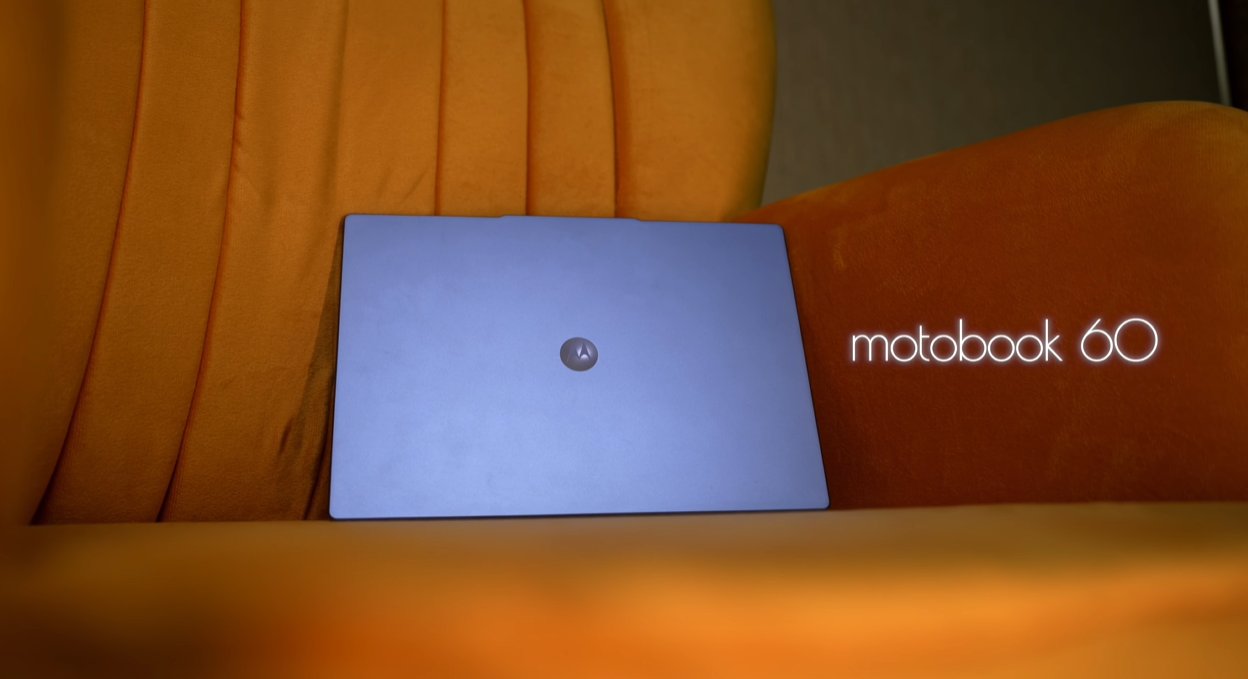
We need to talk about the Motorola Motobook 60. Nine months ago, we reviewed this laptop when it was priced at ₹60,000. People had a lot to say — mostly about service centre support and repair costs. Fair questions. After all, this is Motorola’s first laptop, not a safe bet from HP, Lenovo, or Asus.
But here is the thing that changes the entire conversation: the price has dropped to under ₹40,000 during sales, making this the most affordable OLED laptop you can buy in India right now. Not just affordable for an OLED — affordable, period.
So, we have been daily driving this laptop for months. We have pushed it, tested it, broken it in, and most importantly, we investigated the service centre nightmare everyone warned us about. Here is the full, honest verdict — the good, the meh, and the genuinely ugly parts you need to know before you buy.
What Is the Motorola Motobook 60, and Why Should You Care?
The Motobook 60 is Motorola’s first laptop — a bold entry into a market dominated by established brands. It is a 14-inch OLED laptop powered by an Intel Core i5-1210H processor, 16 GB DDR5 RAM, and 512 GB NVMe SSD storage. On paper, those specs alone would make it competitive at ₹60,000. At under ₹40,000 during sales, it becomes genuinely compelling.
But specs only tell half the story. What matters is whether this laptop actually holds up as a daily driver — for work, creative projects, light gaming, and everything in between. And more critically, what happens when something goes wrong and you need support?
We are going to break this review down category by category and rate each aspect on a scale of 1 to 10. Let’s start with what this laptop gets right.
Build Quality and Design: Bold, Metal, and Surprisingly Solid
Rating: 8/10
Most budget Windows laptops look identical — black or grey plastic slabs that blend into every coffee shop table. The Motobook 60 is blue. Not subtle blue. Proper, eye-catching, Sony Vaio-era blue. If you use this laptop in public, people will notice it. That alone makes it more attractive than the sea of grey boxes in this price range.
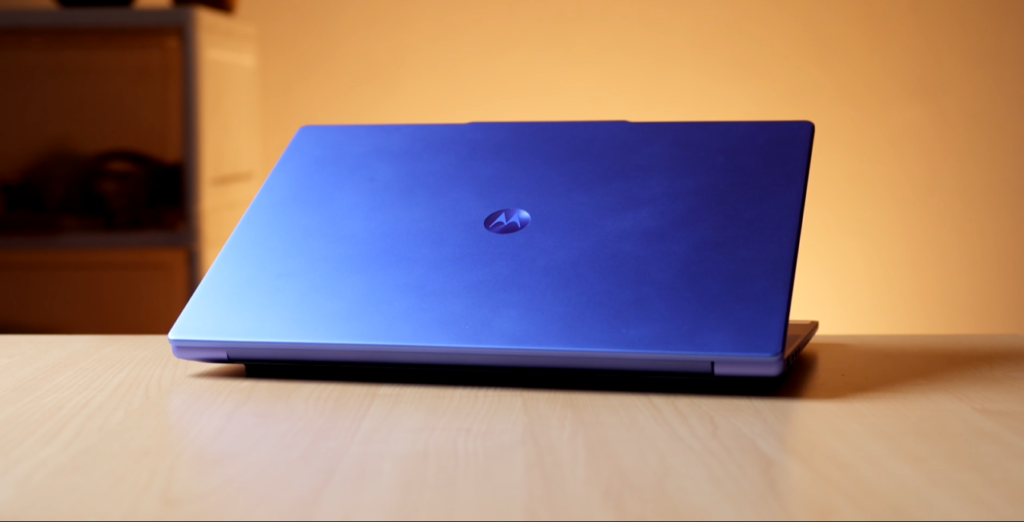
And this is such a Motorola thing. If you have ever seen their phones, you know they lean into flashy, bold design choices. The laptop follows the same philosophy. It is unapologetically distinctive.
Beyond the colour, the build quality is genuinely impressive for the price. While most other laptops in this segment are entirely plastic with bottom-firing speakers, the Motobook 60 uses proper metal construction with upward-firing speakers. That is a meaningful quality-of-life upgrade that you notice every single day.
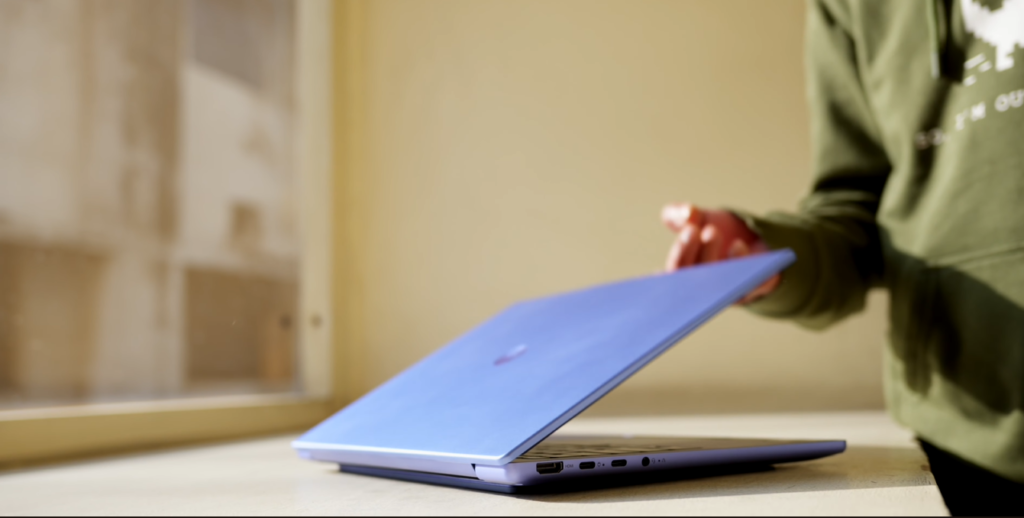
The laptop weighs just 1.4 kg, which makes it genuinely easy to carry around. It is light enough that you can spin it like a book in your hands — seriously, it is that light.
Hinge Quality and Durability
One of the most common failures on budget Windows laptops is the hinge. After a year or two, they start cracking, making noise, or refusing to stay open. We are happy to report that even after 9 months of daily use, the Motobook 60’s hinge is still solid. It opens with one hand. No sound, no crackling, nothing. The screen does wobble slightly when using the laptop on your lap, but that is normal for this weight class. On a desk, there is zero wobble.
Ports and Connectivity
You get all the necessary ports, including a micro SD card slot, which is increasingly rare on modern laptops. The port selection is practical and well thought out.
The One Design Flaw
If you look closely at the edges, there is paint chipping on the metal finish. It is not severe, but it is noticeable, and it is something to be aware of if you are hard on your gear. The other design issue is the power button placement. Every time you move the laptop or try to connect a USB cable, it is way too easy to accidentally hit the power button. A better placement would have solved this entirely.
Still, for build quality and design at this price, it is a solid 8 out of 10.
Display: The Star of the Show
Rating: 9/10
This is where the Motobook 60 genuinely shines — and why it exists as a product in the first place. Let us put this into perspective.
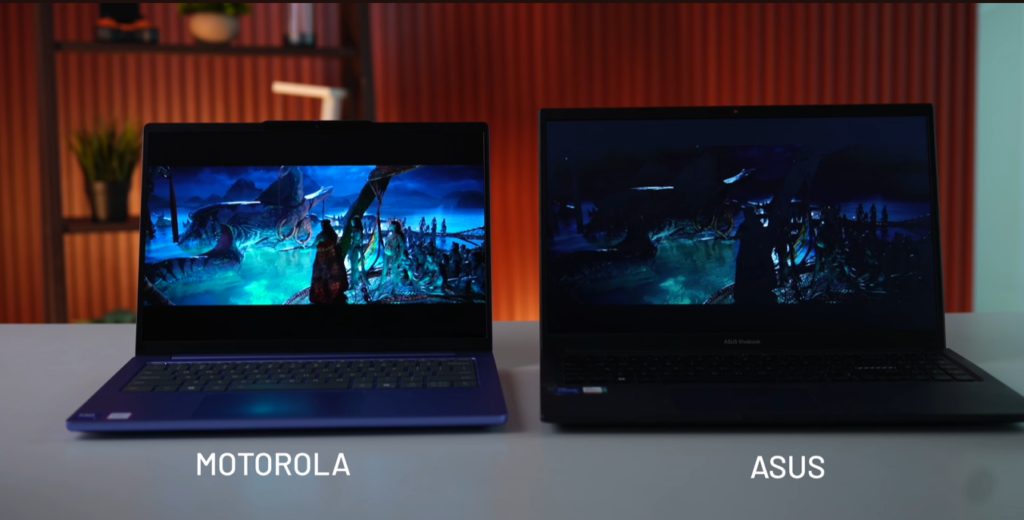
We compared the Motobook 60 side-by-side with an Asus laptop in a similar price range. The differences are staggering:
- Resolution: 2K (2240 x 1400) on the Motobook vs standard 1080p on the Asus
- Refresh Rate: 120 Hz on the Motobook vs 60 Hz on the Asus
- Panel Type: OLED on the Motobook vs standard IPS on the Asus
- Peak Brightness: 600 nits on the Motobook vs 250 nits on the Asus
- Colour Accuracy: 100% DCI-P3 on the Motobook
When you play the same movie scene on both laptops, the difference is immediately obvious. The Motobook looks vibrant, sharp, and punchy, with true blacks that actually look black instead of the washed-out grey you get on most budget IPS panels.
Brightness in Real-World Conditions
The 600-nit peak brightness is not just a spec sheet flex. If you sit beside a window with direct sunlight streaming in, the display is still sufficiently bright to see clearly. That is rare at this price, and it means you are not locked into dimly-lit rooms just to use your laptop comfortably.
The 100% DCI-P3 colour accuracy also makes this a genuinely capable display for photo and video editing. Colours are accurate, vibrant, and well-calibrated out of the box.
The One Display Compromise
The OLED panel is very reflective. If you are watching a dark movie like The Batman in a brightly lit room, you will see reflections. It is the nature of glossy OLED screens, and it is something to be aware of if you work in very bright environments without control over ambient lighting.
Still, this is a 9 out of 10 display. At under ₹40,000, there is simply nothing else that comes close.
Speakers: Decent But Not Amazing
Rating: 6/10
Unlike most budget laptops that hide speakers on the bottom where they get muffled by your desk, the Motobook 60 places them on the top, facing upward. That is a smarter design choice, and it means the sound is never obstructed.
The speakers are rated at 2 watts each. The sound is clear, but it is not particularly loud. If you are listening in a big room or trying to fill a space with sound, you will notice the limitation. They could have easily fit 5-watt speakers in this chassis, and it would have made a meaningful difference.
For normal use — video calls, YouTube, casual media consumption — they are fine. But they are not impressive. 6 out of 10.
Performance: Punching Well Above Its Weight
Rating: 7/10
This is where things get genuinely interesting. We compared the Motobook 60 to an HP laptop selling for ₹68,000 — nearly double the price during Motobook sales. Here is what we found:
- Cinebench scores: The Motobook 60 was 45% faster
- Video rendering in Premiere Pro: The Motobook 60 was 20-25% faster
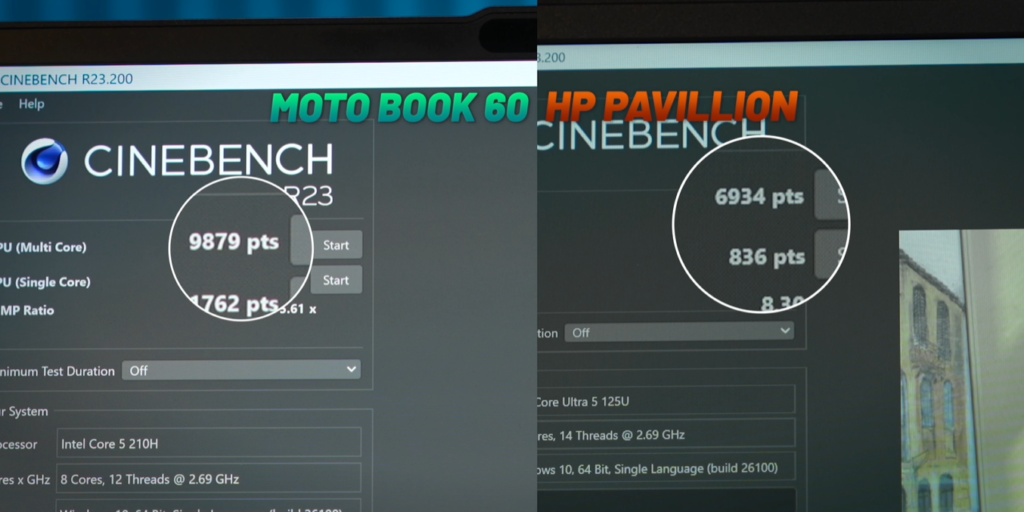
That is not a small difference. That is a meaningful, real-world performance gap.
The reason comes down to hardware. The Motobook 60 is powered by the Intel Core i5-1210H CPU (a 12th-gen chip), paired with 16 GB DDR5 RAM and 512 GB NVMe SSD storage. That is a modern, capable spec sheet, and it shows in everyday performance.
Day-to-Day Use
For regular tasks — browsing the web, opening multiple tabs, watching videos, working in Google Docs — the laptop does not lag or stutter. It is smooth and responsive. We tested it with a Photoshop file loaded with multiple layers, and it handled editing, colour grading, and effects without breaking a sweat.
We also installed Android Studio and ran the Android emulator simultaneously. The 16 GB RAM and i5 chip handled it comfortably, which means this laptop is perfectly viable for coding and development work.
Video Editing
If you are editing short-form 4K content with a few layers and effects, the Motobook 60 will handle it. But if you are working on long-form 4K projects with heavy effects, multiple timelines, and complex grading, this will start to struggle. The integrated GPU is the limiting factor here, not the CPU.
Gaming Performance
This is where expectations need to be managed carefully. The Motobook 60 does not have a dedicated GPU. It only has an Intel Iris Xe integrated GPU, which is fine for light gaming but cannot handle demanding AAA titles natively.
We tested Mortal Kombat using Xbox Cloud Gaming, and the experience was excellent. The OLED screen makes games look stunning — the contrast between black bars and darker game scenes is absolutely seamless. But here is the catch: we were streaming the game, not running it locally on the machine.
For games like CS:GO or Valorant, the integrated GPU will give you 60+ fps on medium to low settings. Those titles are perfectly playable. But for story-driven console games or graphically demanding titles, you will need to rely on cloud gaming services like Xbox Cloud Gaming or GeForce Now.
Ecosystem Features
The Motobook 60 comes with an app called Smart Connect. Download it on your Android phone (it works with any Android phone, not just Motorola), and you can:
- Sync photos
- See notifications
- Transfer files
- Use your phone as a webcam
It is a genuinely useful feature that makes the laptop feel more integrated into your daily workflow.
For performance overall, we are giving it a 7 out of 10. For the price, it is genuinely impressive. But the lack of a dedicated GPU limits what you can do with demanding creative work and native gaming.
Keyboard and Trackpad: The Meh Territory
Rating: 5/10
The keyboard is not bad, but it is not particularly great either. You get a 60% keyboard layout, which means no numpad. If you work in data entry, use software like Tally, or just prefer having a numpad for gaming, you will need to buy a separate external one.
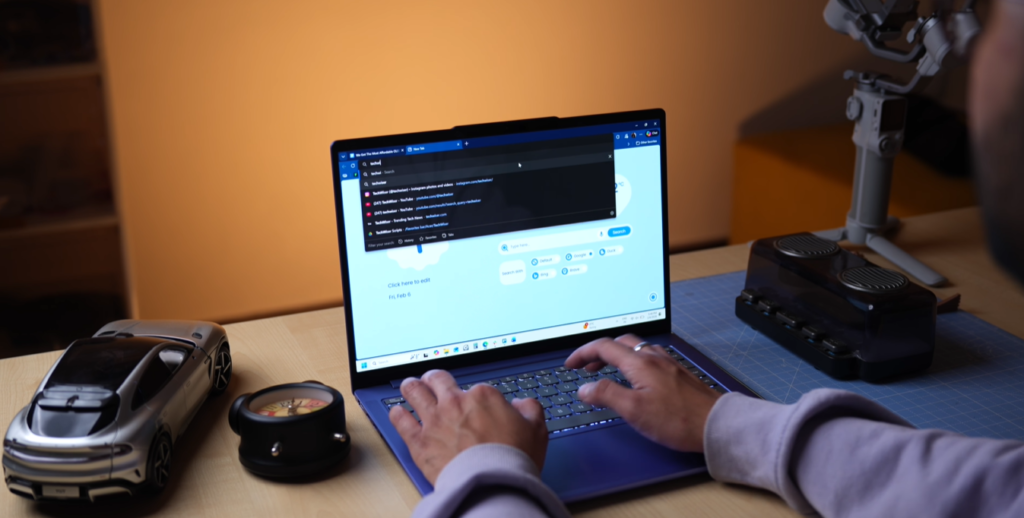
The keyboard is backlit with two brightness levels plus an auto mode that lights up automatically when ambient light drops. That is a nice touch.
The Trackpad Problem
This is where things get frustrating. The trackpad is sufficiently big, smooth, and supports all the standard Windows gestures. But our unit’s trackpad started showing issues after just a couple of months.
It happened after a Windows update, and it is clearly a driver issue. Sometimes clicks register. Sometimes they do not. We searched Reddit and found other Motobook 60 owners reporting the same trackpad issue.
The temporary fix is to go into Device Manager, uninstall the human interface drivers, and refresh them. That solves the problem — for about a week. Then it starts happening again.
For a laptop that costs under ₹40,000, this is frustrating but somewhat understandable. For a laptop you are planning to use for 3-5 years, it is a red flag. 5 out of 10 for the keyboard and faulty trackpad.
Battery Life: Mediocre But Fast-Charging Saves It
Rating: 5/10
This is a Windows laptop with an Intel CPU and an OLED display. Battery life was never going to be its strong suit.
If you charge it to 100% and use it for web browsing and document writing, you will get around 4 to 5 hours maximum. You can squeeze out an extra hour if you reduce the brightness, but most people keep it at max brightness to take advantage of that beautiful OLED panel.
The one redeeming feature is charging speed. The laptop comes with a 65W USB-C charger, and you can even use your phone’s USB-C charger to top it up in a pinch. That flexibility is genuinely useful.
Still, for battery life overall, it is a 5 out of 10.
Service Centre Support: The Dealbreaker
Rating: 1/10
This is the section that matters most — and it is genuinely concerning.
We called multiple Motorola authorised service centres across India to ask about repair costs and support for the Motobook 60. Here is what we found:
- Most service centres had no idea how to repair the Motobook 60
- Some thought we were asking about a Motorola phone
- When we finally got through to customer care, no one picked up — even after multiple attempts
This is a massive red flag. When you buy a laptop, you are buying it for 3 to 5 years of use. If your battery swells, your screen cracks, or — like in our case — your trackpad stops working properly, you need reliable service centre support. The Motobook 60 does not offer that.
We even posted a reel about this laptop, and the comment section was flooded with people reporting the same poor service centre experience.
This alone makes the Motobook 60 a hard sell, no matter how good the specs are.
The Final Verdict: Should You Buy the Motorola Motobook 60?
We genuinely want to recommend this laptop. The specs are right. The price is right. The OLED display is stunning, and the performance punches well above its weight class. But the service centre and repair support situation is simply too concerning to ignore.
Buy the Motobook 60 if:
- You desperately need a laptop right now and can find it under ₹40,000
- You are comfortable with the risk of limited service support
- You are tech-savvy enough to handle driver issues and minor troubleshooting yourself
- You want an OLED display and do not mind the trade-offs
Do NOT buy the Motobook 60 if:
- You need reliable service centre support
- You plan to use this laptop for 3-5 years without issues
- You are not comfortable troubleshooting driver problems yourself
- You want peace of mind with your purchase
Better Alternatives to Consider
If you can stretch your budget slightly or wait for sales, here are safer bets:
- Samsung Galaxy Book 4 — Better service support, reliable build
- Lenovo IdeaPad with Ryzen — Strong performance, established service network
- Asus VivoBook with Intel i5 — Well-rounded, widely supported
These laptops may not have OLED displays, but they offer something more valuable: peace of mind.
Quick Specs at a Glance
| Spec | Motorola Motobook 60 |
|---|---|
| Processor | Intel Core i5-1210H (12th Gen) |
| RAM | 16 GB DDR5 |
| Storage | 512 GB NVMe SSD |
| Display | 14-inch, 2K (2240 x 1400), OLED, 120 Hz, 600 nits, 100% DCI-P3 |
| GPU | Intel Iris Xe (integrated) |
| Weight | 1.4 kg |
| Battery | 4-5 hours (typical use) |
| Charging | 65W USB-C |
| Price | ₹60,000 (MRP) / Under ₹40,000 (sale price) |
| Build | Metal chassis with upward-firing speakers |
| Service Support | ⚠️ Major concern — limited availability |
Our Category Ratings Summary
| Category | Rating | Notes |
|---|---|---|
| Build & Design | 8/10 | Bold blue finish, metal build, slight paint chipping |
| Display | 9/10 | Stunning OLED, 2K, 120 Hz, 600 nits — best in class |
| Speakers | 6/10 | Clear but not loud, upward-firing is a plus |
| Performance | 7/10 | Strong for the price, no dedicated GPU limits gaming |
| Keyboard & Trackpad | 5/10 | Keyboard is decent, trackpad has recurring driver issues |
| Battery Life | 5/10 | Mediocre 4-5 hours, fast USB-C charging is a plus |
| Service Support | 1/10 | Major dealbreaker — very limited support network |
The Honest Truth
The Motorola Motobook 60 is a laptop we desperately want to love. It offers incredible value on paper, and that OLED display is genuinely stunning. But service centre support is not a “nice to have” feature — it is a fundamental part of owning a laptop for years.
Until Motorola fixes its service network and trains authorised centres to actually support this product, we cannot recommend it to most buyers. If you are willing to take the risk, you will get an exceptional display and solid performance. But for everyone else, the safer alternatives are worth the extra money.
MyPitShop — Honest Reviews. Smarter Choices.

