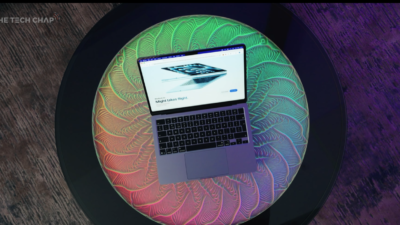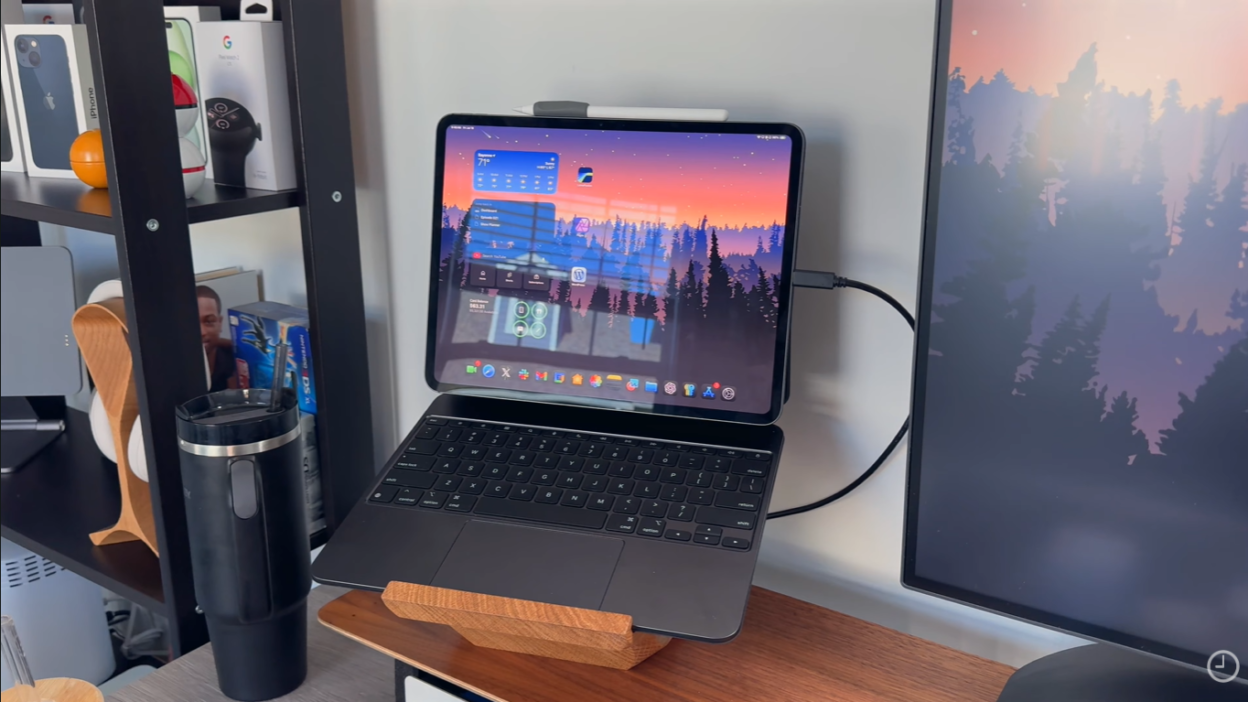
After a decade of Apple pushing the narrative that “the iPad can replace your computer,” something unexpected happened: Apple released a $599 MacBook that completely undermines that message.
The MacBook Neo isn’t just another budget laptop—it’s a fundamental shift in how Apple views its product lineup. For years, if you walked into an Apple Store with $600-700, the answer was simple: “Get an iPad Air with a Magic Keyboard.”
Not anymore.
Now, Apple is essentially saying: “If you want a cheap laptop, just buy a MacBook Neo.”
But does that mean the iPad is dead? Absolutely not. In fact, I’d argue the MacBook Neo liberates the iPad from the burden of pretending to be a laptop replacement—and that’s actually a good thing for both devices.
Quick Comparison:
| Feature | MacBook Neo | iPad Air M4 (11″) + Magic Keyboard |
|---|---|---|
| Price | $599 ($499 edu) | $599 + $249 = $848 |
| Operating System | macOS (full desktop) | iPadOS (mobile limitations) |
| Keyboard | Built-in | Sold separately |
| Ports | 2x USB-C, headphone jack | 1x USB-C |
| Chip | A18 Pro | M4 (more powerful) |
| Touchscreen | ❌ No | ✅ Yes |
| Apple Pencil | ❌ No | ✅ Yes |
| Versatility | Laptop only | Laptop + tablet |
The Bottom Line Upfront: If you want a laptop experience, the MacBook Neo is cheaper and better. If you want versatility (touchscreen, drawing, portability), the iPad still wins.
Let me break down the 10 biggest reasons to buy the MacBook Neo—and when you should choose the iPad instead.
Reason #1: It’s Cheaper Than iPad + Magic Keyboard (By A Lot)
The iPad has an “Accessories Tax” Problem
Here’s the uncomfortable truth: Apple doesn’t advertise. The iPad is NOT cheaper than the MacBook Neo once you add the keyboard and Apple Pencil.
Real-World Pricing Breakdown:
Entry-Level iPad Setup:
- iPad (A16, 11-inch): $349
- Magic Keyboard: $249
- Apple Pencil (USB-C): $79
- Total: $677
iPad Air M4 Setup:
- iPad Air (11-inch, M4): $599
- Magic Keyboard: $249
- Apple Pencil Pro: $129
- Total: $977
MacBook Neo Setup:
- MacBook Neo (256GB): $599
- Keyboard: Included
- Trackpad: Included
- Total: $599
Education Pricing:
- MacBook Neo: $499 (saves $100)
- iPad Air M4: Still $599 (keyboard still $249)
Translation: For students and families, the MacBook Neo is $178-378 cheaper than a comparable iPad setup.
Reason #2: Full macOS = Real Desktop Apps (No Compromises)
iPadOS Is Still a Mobile Operating System
I spent 10 years trying to use the iPad as a computer replacement. I dealt with every limitation, every workaround, every “you can’t do that on iPad” moment.
Even with iPadOS 26’s improvements (floating windows, taskbar, better file management), iPadOS is still fundamentally a mobile OS with desktop features bolted on.
What macOS Does That iPadOS Can’t:
1. Real Desktop Apps
- ✅ Full Adobe Creative Suite (Photoshop, Premiere Pro, After Effects)
- ✅ Professional coding tools (Xcode, VS Code, Android Studio)
- ✅ Desktop-class browsers (Chrome with full extensions)
- ✅ Pro audio tools (Logic Pro with full plugin support)
2. True Multitasking
- ✅ Unlimited floating windows (iPadOS caps at ~5)
- ✅ Window snapping and resizing (macOS is smoother)
- ✅ Virtual desktops/Spaces (iPadOS doesn’t have this)
3. Proper File Management
- ✅ Finder > Files app (not even close)
- ✅ External drive support (macOS handles this better)
- ✅ System-wide file access (iPadOS apps are sandboxed)
4. Workflow Flexibility
- ✅ Background processes (iPadOS kills apps aggressively)
- ✅ Terminal/command line access
- ✅ Legacy software support
Real-World Example:
Try editing a 4K video in Final Cut Pro on iPad vs MacBook Neo. The iPad freezes exports if you switch apps. The MacBook lets you export in the background while browsing Safari.
Verdict: If productivity is your priority, macOS wins every time.
Reason #3: Built-In Keyboard & Trackpad (Out of the Box)
No Additional Purchases Required
This sounds obvious, but it’s huge: The MacBook Neo comes with a full-size keyboard and trackpad already built in.
Why This Matters:
Typing Experience:
- ✅ Full 1mm key travel (comfortable for long typing sessions)
- ✅ Proper keyboard layout (no cramped keys like Magic Keyboard)
- ✅ No wobble (unlike iPad + keyboard cases)
Trackpad:
- ✅ Large, glass multi-touch trackpad (industry-leading)
- ✅ Force Touch haptics (satisfying clicks)
- ✅ Gesture support (three-finger swipes, pinch-to-zoom)
iPad Magic Keyboard Issues:
- ❌ Cramped layout (no function row, smaller keys)
- ❌ Wobbly on lap (top-heavy design)
- ❌ Expensive ($249-349 depending on size)
- ❌ Adds significant weight (11″ iPad Air + Magic Keyboard = 2.4 lbs vs MacBook Neo’s 2.7 lbs)
Verdict: For students writing essays or professionals typing all day, the MacBook Neo’s keyboard is objectively better.
Reason #4: Two USB-C Ports + Headphone Jack (More Connectivity)
iPads Are Port-Starved
The MacBook Neo includes:
- ✅ 2x USB-C ports (charge + peripheral simultaneously)
- ✅ 3.5mm headphone jack (iPads don’t have this anymore!)
- ✅ Wi-Fi 6E (faster wireless)
- ✅ Bluetooth 6 (improved connectivity)
iPad Air M4:
- ❌ 1x USB-C port (can’t charge + use external drive simultaneously)
- ❌ No headphone jack (forces you to use USB-C or Bluetooth)
Real-World Impact:
On iPad, if you want to:
- Charge
- Connect the external drive
- Use wired headphones
You need a USB-C hub ($30-80).
On MacBook Neo, you don’t need a hub for basic tasks.
Reason #5: Better Value Than Chromebooks & Budget Windows Laptops
The MacBook Neo Destroys the Competition
At $599 (or $499 for students), the MacBook Neo competes with Chromebooks and budget Windows laptops—and wins decisively.
Competitor Comparison:
| Feature | MacBook Neo | HP Chromebook 14 | Dell Inspiron 15 |
|---|---|---|---|
| Price | $599 ($499 edu) | $399 | $549 |
| Processor | A18 Pro (6-core) | MediaTek Kompanio | Intel i3-1215U |
| Battery | 16 hours | 10 hours | 7 hours |
| Display | 13.3″ Liquid Retina (500 nits) | 14″ HD (220 nits) | 15.6″ Full HD (250 nits) |
| Build | Aluminum (60% recycled) | Plastic | Plastic |
| OS | macOS (full desktop) | Chrome OS (web-based) | Windows 11 Home |
| Ecosystem | Apple (seamless) | Google (limited) | Microsoft (fragmented) |
Why MacBook Neo Wins:
- Better build quality (aluminum vs plastic)
- Longer battery life (16 hours vs 7-10 hours)
- Superior display (500 nits vs 220-250 nits)
- Premium ecosystem (AirDrop, Handoff, iCloud)
- Free software updates (years of support)
Verdict: For an extra $100-200, you get a significantly better machine that lasts longer.
Reason #6: 16-Hour Battery Life (All-Day Reliability)
Outlasts Every Competitor
Apple claims 16 hours of wireless web browsing, and real-world testing confirms it’s accurate.
Real-World Battery Life:
- Light use (web, email, video calls): 14-16 hours
- Moderate use (YouTube, Zoom, typing): 10-12 hours
- Heavy use (Photoshop, video editing): 6-8 hours
Why This Matters for Students:
Imagine this scenario:
- 8 AM: Leave for class (100% charged)
- 9 AM – 12 PM: Morning lectures (taking notes)
- 12 PM – 1 PM: Lunch (watching YouTube)
- 1 PM – 5 PM: Afternoon classes + library study
- 5 PM – 8 PM: Homework, browsing, video calls
- 8 PM: Still have 20-30% battery left
No charger needed. Just plug in overnight and repeat.
Verdict: The 16-hour battery eliminates “battery anxiety” completely.
Reason #7: Perfect Entry Point Into Apple Ecosystem
The Customer Journey Starts Here
Apple designed the MacBook Neo to get people into the ecosystem early—especially students.
The Strategy:
- High school student buys $499 MacBook Neo (parents approve the price)
- Gets hooked on Apple ecosystem (AirDrop, Handoff, iCloud)
- College: Upgrades to MacBook Air M7
- First job: Buys iPhone, Apple Watch, AirPods
- Career: MacBook Pro, iPad Pro, entire Apple lineup
Ecosystem Benefits:
Universal Clipboard:
- Copy text on MacBook → Paste on iPhone (seamless)
Handoff:
- Start email on MacBook → Finish on iPhone
AirDrop:
- Share files between MacBook, iPhone, iPad (instant)
iCloud:
- Files sync across all devices automatically
Continuity Camera:
- Use iPhone as MacBook webcam (better quality than 1080p FaceTime camera)
Verdict: Once you’re in the Apple ecosystem, you never want to leave.
Reason #8: Free macOS Updates for Years (No Windows License Fees)
Software Support That Actually Lasts
Apple promises years of free macOS updates—something Windows laptops don’t offer.
Expected Support:
- macOS updates: 6-7 years (based on historical patterns)
- Security patches: 8-10 years
- Zero licensing fees (Windows 11 Home costs $139 separately)
Comparison:
MacBook Neo:
- ✅ Free macOS updates through ~2032
- ✅ No activation fees
- ✅ No bloatware
Windows Laptops:
- ❌ Windows 11 license ($139 if buying separately)
- ❌ Pre-installed bloatware (McAfee, Norton trials)
- ❌ Shorter update cycles (3-5 years)
Reason #9: Four Vibrant Colors (Finally, Fun MacBooks!)
Not Just Space Gray and Silver Anymore
For years, Apple stubbornly refused to bring vibrant colors to Mac laptops. The MacBook Neo changes that.
Available Colors:
- Silver (classic, professional)
- Blush (pink—cheerful but elegant)
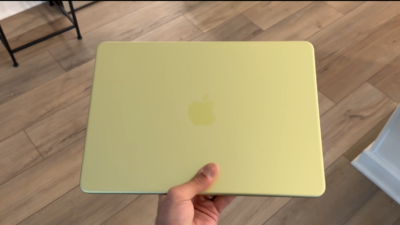
- Citrus (bright yellow-gold—impossible to miss)
- Indigo (lighter, brighter blue)
Why Colors Matter:
For students, self-expression matters. A bright Citrus or Indigo MacBook stands out in a sea of boring gray Chromebooks and black Dell laptops.
Verdict: Colors make the MacBook Neo feel personal, not corporate.
Reason #10: It Frees the iPad to Be What It Should Be
The iPad Was Suffering From an Identity Crisis
For a decade, Apple (and users like me) tried to force the iPad to be a laptop replacement. It was exhausting.
The MacBook Neo liberates the iPad to focus on what it does best:
What iPads Are GREAT At:
- ✅ Touchscreen creativity (drawing with Apple Pencil)
- ✅ Note-taking (handwritten notes in lectures)
- ✅ Media consumption (Netflix, YouTube, reading)
- ✅ Portability (ultra-thin, detachable keyboard)
- ✅ Versatility (laptop mode → tablet mode → easel mode)
What iPads STRUGGLE With:
- ❌ Desktop-class multitasking (macOS is better)
- ❌ File management (Finder > Files app)
- ❌ Professional workflows (video editing, coding, etc.)
The New Narrative:
- Want a laptop? Get MacBook Neo ($599)
- Want versatility? Get iPad + cheap keyboard ($429)
- Want both? Get MacBook Neo + base iPad ($948 total)
Verdict: The MacBook Neo doesn’t kill the iPad—it makes the iPad more focused on what it does best.
When You Should Buy the iPad Instead
3 Scenarios Where iPad Wins
✅ Buy iPad If:
1. You’re a Creative Professional (Artists, Designers, Architects)
- Need Apple Pencil for drawing/sketching
- Use Procreate, Adobe Fresco, Concepts
- Prefer touchscreen for design work
2. You’re a Student Who Takes Handwritten Notes
- Prefer handwriting over typing
- Use GoodNotes, Notability, OneNote
- Want to annotate PDFs directly
3. You Value Portability + Versatility
- Want a device for couch browsing (tablet mode)
- Need ultra-thin, lightweight design
- Prefer touchscreen for casual use
Final Verdict: MacBook Neo is a Game-Changer (4.3/5 ⭐⭐⭐⭐)
The MacBook Neo is one of Apple’s smartest product launches ever—not because it’s the most powerful Mac, but because it democratizes macOS for budget-conscious buyers.
Top 10 Reasons Summary:
- ✅ Cheaper than iPad + accessories ($599 vs $848+)
- ✅ Full macOS (real desktop apps, no compromises)
- ✅ Built-in keyboard + trackpad (no extra purchases)
- ✅ 2x USB-C ports + headphone jack (better connectivity)
- ✅ Better value than Chromebooks/Windows (aluminum build, 16hr battery)
- ✅ 16-hour battery life (all-day reliability)
- ✅ Apple ecosystem entry point (AirDrop, Handoff, iCloud)
- ✅ Free macOS updates for years (no licensing fees)
- ✅ Four vibrant colors (self-expression for students)
- ✅ Frees iPad to be a tablet (no more identity crisis)
Who Should Buy MacBook Neo:
- ✅ Students (high school, college)
- ✅ Budget-conscious buyers (can’t afford $999 MacBook Air)
- ✅ First-time Mac users (switching from Chromebook/Windows)
- ✅ Productivity-focused users (typing papers, spreadsheets, coding)
- ✅ Parents/grandparents (email, web browsing, video calls)
Who Should Buy iPad Instead:
- ✅ Artists/designers (Apple Pencil is essential)
- ✅ Students who handwrite notes (prefer writing over typing)
- ✅ Media consumers (couch browsing, Netflix, reading)
- ✅ Travelers (ultra-portable, versatile)
Rating: 4.3/5 ⭐⭐⭐⭐
Final Thought: The MacBook Neo isn’t an iPad killer—it’s an iPad liberator. By offering a true budget laptop option, Apple finally lets the iPad focus on what it does best: being a versatile, creative tablet instead of a compromised laptop replacement.